
A $1 virtual card with no identity check — and no plastic, no support detail, no named issuer
 Available in US
Vyrion is a virtual card you load with crypto and spend like an ordinary Visa or Mastercard, without an identity check. On paper that is a genuinely useful thing to have, and on the numbers it is cheap: $1 per card, no monthly fee, a 1% top-up fee, no decline fee. My score for it is 7.1 out of 10. The strength is access and price; the weakness is that almost everything a card is normally judged on — who issues it, where it is registered, whether it works at shops — the public pages do not say.
The conditions described here are current as of October 28, 2026.
Before the detail, here is how the score is built, criterion by criterion. Nothing in this table is my arithmetic; it is the assessment the card earned, with the reasoning written out.
| Criterion | Mark | Why |
|---|---|---|
| Who can get it | 9 / 10 | “190+ countries” with no country list, no KYC at all |
| Cost | 9 / 10 | $1 per card, 0% monthly, 1% top-up, 0% decline, 0% withdrawal; FX fee not disclosed |
| Top-up options | 8 / 10 | BTC, ETH, SOL, USDT, BNB, TRX, MATIC, LTC, AVAX, ARB; USDC not named |
| Reliability and complaints | 3 / 10 | “A technology provider and not a bank”; issuer unnamed; no reviews found |
| Everyday use | 5 / 10 | Virtual only, Apple Pay and Google Pay, up to 20 cards; no plastic, ATM terms unstated |
| Total | 7.1 / 10 |
The pattern is obvious from that table, and it shapes the rest of this review. Vyrion scores highest on the two things it makes easy to promise — access and cost — and lowest on the one thing that decides whether a card is any good in the real world: whether you can rely on it. Read the following sections with that in mind.
Who this card is for, and who should look elsewhere
If you cannot or will not open a bank account, or you simply do not want an identity check on a card, Vyrion’s proposition is direct: it issues you a USD Visa or Mastercard in the browser, with no documents. That is exactly what privacy-minded people who want cheap virtual cards in dollars are looking for, and on that narrow brief it works.
If you want a card in your hand, a card that works reliably at a shop that has never heard of it, or an answer to the question “who is actually behind this”, it is not for you. There is no physical version, and the card’s own terms call the company “a technology provider and not a bank” that issues through “licensed partners” it does not name.
Will they give you the card
Short answer: almost certainly yes, on the card’s own account of it — and that is exactly where the asterisk belongs.
- The card states “190+ countries”. That is its own figure, and it is the only figure it gives.
- The terms say availability is worldwide “subject to the restrictions outlined in these terms”, but the countries are not listed. So the number is real in the sense that the card publishes it, and unusable in the sense that you cannot check whether your country is inside it.
- There is no KYC: the card says “No ID, no selfie, no proof of address”, and there are no tiered verification levels to climb.
- You must be 18 or older.
Two things worth being clear about, because they are common misunderstandings. “No KYC” does not mean the card works in every country on earth; it means no documents are demanded from you, not that no restriction exists. And it does not mean sanctions rules do not apply to anyone — every provider in this space is bound by anti-money-laundering law somewhere, and a card that asks for nothing from most customers can still restrict particular countries. The card does not tell you which.
So the practical position is this: no document will stop you, and if your country is on some unpublished exclusion list you would find out by trying. If that matters to you — if you are in a place where a declined application would leave you stuck — it is worth asking support directly before you plan around the card. I will come back to what support actually looks like.
One more thing about the counterparty question, because readers search for it constantly: Vyrion is not a bank. Its own words are “a technology provider and not a bank”. It does not publish a registration country, and it does not name its licences. Nobody can tell you from the public pages which institution is standing behind the Visa number you are handed. That is not automatically disqualifying — a lot of legitimate card programmes run exactly this way, with a licensed issuer behind a brand — but here the issuer is unnamed, which is one step further than most.
How to get it
Three steps, and none of them is the paperwork.
- Sign up. The account is created with a seed phrase, which Vyrion does not store. Keep the twelve to twenty-four words somewhere safe, because they are the wallet, not a password reset.
- Fund the wallet in crypto. You deposit before you spend; this is a pre-loaded balance, not a bank account.
- Issue a card. Choose a Visa or Mastercard, pick a BIN, and the card details appear for you to use online or in a mobile wallet.
What you get at the end of that is a virtual card only — there is no physical card, and none is promised. Up to 20 cards per account.
The card types on offer are seven BINs, all in USD:
| Card | BIN |
|---|---|
| Visa Business | 471938 |
| Mastercard World | 553184 |
| Visa Classic | 491653 |
| Mastercard Prepaid | 528410 |
| Visa Platinum | 485291 |
| Mastercard Standard | 541263 |
| Visa Corporate | 493847 |
Two practical notes on that list. First, the names are marketing labels over standard Visa and Mastercard products, not different banking products — a “Visa Platinum” here is a BIN with a higher ceiling, not a credit card. Second, and more usefully for you: merchants can look at the BIN and see which institution and country issued the card, and some apply extra scrutiny when that country does not match the billing address. A BIN is a fingerprint. That is a general fact about card payments, not a quirk of this card, but it is the mechanism behind many of the “why was my card declined” questions people end up asking.
If you have been turned away by conventional banks, this is where that stops. If you are choosing on prestige or card benefits, look at the next section first — the reward picture is one of the blanks on this card’s list.
What it really costs: Fees
The headline price is as good as they come. Here is every cost the card’s own pages state:

| Fee or limit | Value |
|---|---|
| Issuance, per card | $1 |
| Monthly fee | 0% |
| Top-up fee | 1% (up to 1% per the terms) |
| Decline fee | 0% |
| Withdrawal fee | 0% |
| Conversion spread | Balances credited “at live Binance rates” |
| FX fee | Not stated |
| ATM | Not stated |
| Tiers | None — pricing says “No tiers” |
Read that table twice, because the cheap half and the expensive half are in different columns. Issuance at $1 and no monthly fee are the number people quote, and they are accurate. What you pay at the moment of spending is a different question, and it is built from three pieces that the card does not fully disclose.
- The spread. Balances are credited at live Binance rates. That is a named, public exchange, which is a reasonable reference, but “live rate” is not the same as “rate you get”. The gap between the two is not published.
- The currency conversion. Paying in dollars outside the US, or paying in a currency that is not the dollar, involves a conversion. The FX fee is not stated. This is the largest unknown in the cost structure and the one I would want answered before you rely on the card for anything recurring.
- The network fee. If you top up from a chain, the blockchain charges a transaction fee — gas on Ethereum, resource costs on Tron — and that is paid to the network, not to Vyrion. It comes out of your deposit separately from the 1%.
Now three ordinary payments, worked through what the card actually says. No totals are mine; each line is the published figure applied to the situation.
A $30 coffee in a dollar shop. $30 leaves a balance that was funded at live Binance rates, so whatever the spread was, you already paid it at the top up. No FX fee applies because the shop charges dollars. No conversion applies because there is no crypto conversion at the point of sale. A declined payment costs you nothing — declined transactions are not charged. Issuance fees are not refundable, but that $1 was spent when the card was made.
A €24 subscription billed to a euro account from your home. Here the card’s silence bites. Your balance is denominated in USD, the shop wants euros, and somewhere in that path sits a currency conversion whose fee the card does not publish. This is the payment where the unknown FX line becomes a real number, and it is why I would not put a recurring bill on this card until you have seen what one such payment costs you in practice.
A $45 order on a site that checks the billing address. Address Verification compares the number and postcode in the billing address you type with what the issuer has on file, and it is mostly a US, Canada and UK thing. Foreign-issued cards often cannot use it, which produces declines that have nothing to do with fraud. The usual fix is to make your billing address match the details your card actually carries.
Then the limits, because these decide whether the card is a small daily tool or something larger. The account-wide ceiling is $10,000 per transaction and $100,000 per month. Per BIN it is lower and varies:
| BIN group | Per transaction | Per month |
|---|---|---|
| Visa Business, Mastercard World | $10,000 | $100,000 |
| Visa Classic, Mastercard Prepaid | $2,000 | $20,000 |
| Visa Platinum, Mastercard Standard | $5,000 | $50,000 |
| Visa Corporate | $6,000 | $60,000 |
The Classic and Prepaid pair is the sting: at $2,000 a transaction, those are the cards for small spending, not for a laptop. If you need a high ceiling, choose a Business or World BIN.
One last line in the pricing that deserves a flag rather than a shrug: an API is available on “Business and Enterprise plans”, and those plans are not defined anywhere on the public pages. If you are reading this because you want programmatic access rather than because you want to buy lunch, that is a sales conversation, not a self-serve product.
How to Top up the wallet
The mechanism is one line long: transfer crypto to the right address on the right network, and it lands as a card balance. The detail that decides whether it works is the network.
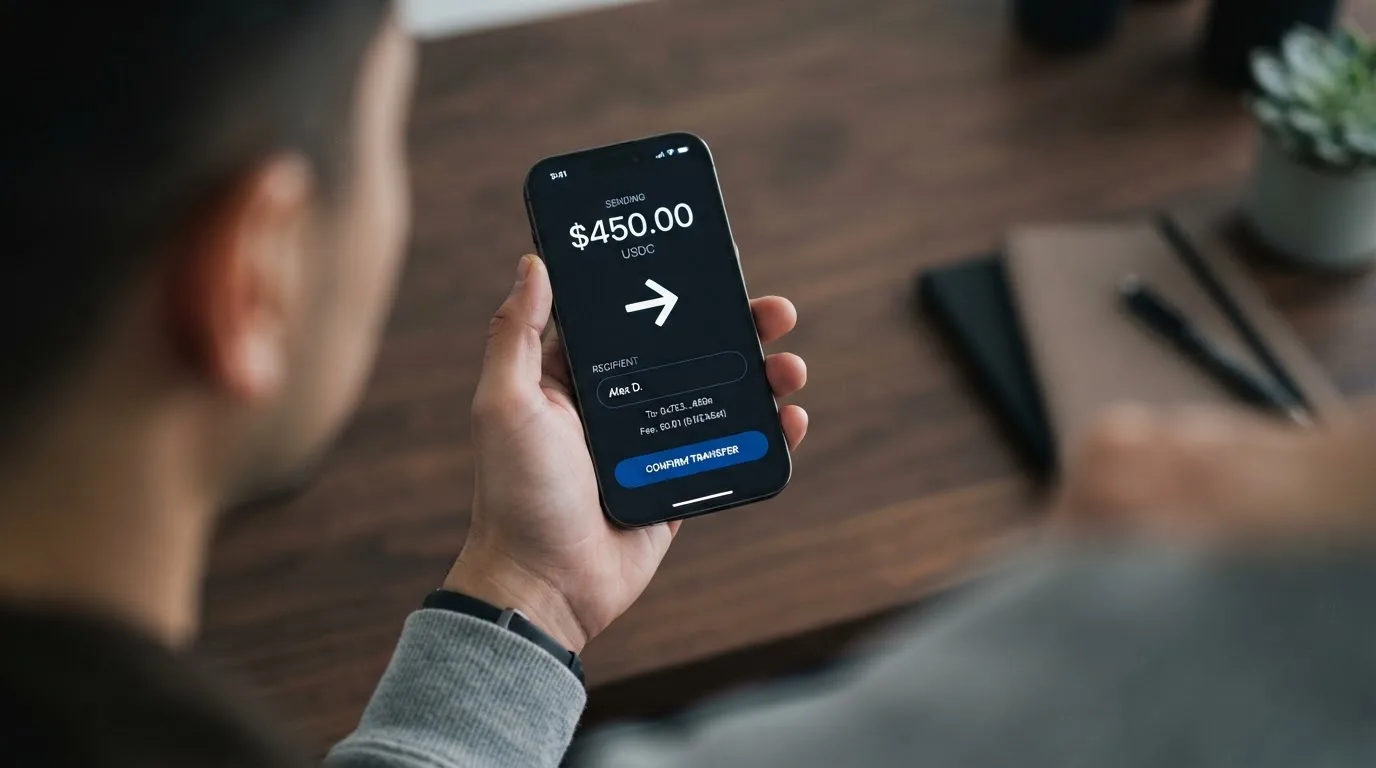
Coins named for funding: BTC, ETH, SOL, USDT, BNB, TRX, MATIC, LTC, AVAX, ARB. The FAQ narrows this, listing BTC, ETH, SOL, USDT ERC-20 as the examples. Credit happens after network confirmation, typically under five minutes.
Before you send anything, four things to settle:
- Network first. A transfer sent on a network the provider does not support, or to an address belonging to a different network, can be lost or need manual recovery with no guarantee — blockchain transfers do not reverse. This is the single most common way people lose money in this category, and it costs nothing to avoid: copy the address and network from the deposit screen rather than from an old note.
- Does your token have gas? On Ethereum, fees are paid in ETH. A wallet holding USDT and no ETH cannot send, full stop. If you are topping up on Ethereum and you hold no ETH, that is the reason nothing moved.
- USDC is not on the list. The coin is not named among the supported assets, and its absence is not a small one. Circle supports USDC natively on 38 networks as of 16 September 2026, and stopped supporting it on Tron in February 2024, so “USDC over TRC20” is not a native option anywhere in the market now. If USDC is what you hold, plan around it.
- Minimum deposit and network fee payer are not stated. The terms say a minimum “may apply” depending on the coin. Whether the chain fee is taken out of your deposit or paid separately is not published.
Then the money side. The 1% fee is the only top-up cost the card names, and the terms cap it at up to 1%. There is no fiat top-up — you are funding with crypto, which is the point of the product. And nothing says the fee is waived at any volume, because there are no tiers at all.
Paying with it every day
Short answer: it is a browser card and a phone-wallet card. There is no plastic, and there is no disclosed ATM arrangement.
Apple Pay and Google Pay are both supported. That matters more than it sounds. When you add a card to a mobile wallet, the device stores a device-specific number in its secure hardware rather than your actual card number, and each payment carries a one-time code. You get usable card numbers without handling a card, and a card number you never expose to a website.
Beyond that, the daily-use picture thins out:
- Virtual only. No physical card exists, so any shop that needs to swipe, take a signature, or hand you a receipt with a card imprint is out.
- ATM: not stated. There is no published cash-out arrangement in either direction — no fee, no per-transaction limit, no network. If you rely on cash, this is a question to ask before you plan a trip.
- No dedicated app. You get a web dashboard and an API. That is fine for someone who lives in a browser and uncomfortable for someone whose whole financial life is an app; there is no mobile app to check a balance with in a queue.
- Blocked merchant categories: not stated. Providers commonly restrict gambling, and a category code of 7995 covers casinos, betting and lotteries. Whether this card blocks them is not published, so you cannot know until a payment fails.
- Rewards: not stated. No cashback, no points, nothing. If you currently earn something on your spending, going to this card means giving that up, and the saving is the $1 and the 1%.
The limits from the costs section apply here too, and they are the everyday constraint: $2,000 a transaction on the Classic and Prepaid BINs, up to $100,000 a month if you take a Business or World card.
What can go wrong
This is the section where the 3 out of 5 turns into a 3 out of 10, so it is the longest one. I am going to separate what the card says from what I could not find.
The counterparty is unnamed. The terms call Vyrion “a technology provider and not a bank” and say cards are “issued by licensed partners”. No partner is named. No registration country is given. No licence is quoted. So you cannot check a register, and there is nothing on this page to look up. Under the EU’s crypto rules there is an interim register of authorised crypto-asset service providers that anyone can check; the reason it is useful is precisely that not every provider appears on it.
The seed phrase is your only key. The account is created with a seed phrase which Vyrion does not store. Lose it and the balance goes with it — there is no recovery path, because a blockchain has no customer service department. Anyone who obtains those words can restore the wallet and spend the funds, and crypto transfers are irreversible by design. The security claim on the card is otherwise respectable — 3D Secure 2.0, PCI DSS and 256-bit TLS — but those protect the card in transit, not the phrase you wrote down at signup.
Stablecoins can lose their peg. USDT and USDC are designed to hold a dollar, and the BIS put about 90% of stablecoin market value in those two as of July 2025. Circle says USDC is redeemable 1:1 and fully backed by cash and cash equivalents. But “despite the name, stablecoins are not necessarily stable”: TerraUSD collapsed in May 2022, and USDC lost its peg briefly in March 2023 during the US banking crisis. A card funded from a depegged stablecoin spends a depegged dollar. This is not a card defect, but it is a risk you take by choosing to hold value in a token rather than in a bank account.
A wrong-network transfer can simply be gone. Already covered above, but it is worth repeating in the risk list because no fee is charged for sending to the wrong place and no one can reverse it. Which network the card supports for each coin is the thing to verify, not assume.
Decimals can cause declines. Address Verification is mostly unavailable on foreign-issued cards, and some merchants refuse prepaid or foreign BINs once the lookup reveals what they are. Your payment can fail for reasons that have nothing to do with your balance.
Holds can sit on your money. A declined authorisation can leave a hold that stays for days — typically up to seven. On a card where your balance is prepaid, a temporary hold is a temporary absence of money you have already paid in.
The programme can be wound up. Card programmes close. Visa terminated its global agreements with FTX on 13 November 2022, and the FTX US debit card was wound down by its issuer; Visa also suspended WaveCrest in Europe in 2018, closing every WaveCrest-issued Visa programme. The pattern is usually a notice period, then loading and spending stop, then you are asked to withdraw. The card’s terms do address your money in that scenario: unused balances may be withdrawn or moved to new cards subject to fees, “Unused balance is always refundable”, and a voluntary closure is refunded at Vyrion’s discretion minus fees. But a balance can be forfeited if the account is terminated for a policy violation — so the terms you accept are the terms that decide how you leave.
If something goes wrong, the dispute path is narrow. You get binding arbitration, and claims must be brought within a year. Merchant refunds are credited back to you. There is no refund if the exchange rate moved against you. In the US, debit card reversal rights come from Regulation E and credit card rights from Regulation Z, and prepaid-card coverage varies and should not be assumed. Put bluntly: for a virtual prepaid card with no named issuer, the practical remedy is to ask the merchant, and the arbitration clause tells you where you go if that fails.
I found no reputation to read. No official incidents surfaced, and no reviews either — the search returned unrelated results and there is no Trustpilot page. That cuts both ways. There is no backlog of complaints suggesting trouble; there is also no track record at all. For a company whose name does not appear anywhere else, that absence is information in itself.
Support exists and is thin. Contact is by email form and Telegram, advertised as 24/7, with a stated email reply under 6 hours (the form itself says within 24 hours). That is a reasonable promise on paper, with no published phone line, no chat widget and no published response time for Telegram.
The terms are recent. The terms were last updated April 2026, which is at least current rather than abandoned.
What to take instead
None of these is a clear winner; they are different answers to different problems. I have included the scores so you can see them against Vyrion’s 7.1.
| Card | Score | Card type | Notable numbers |
|---|---|---|---|
| Vyrion | 7.1 / 10 | Virtual only, 7 BINs, USD | $1 issuance, 0% monthly, 1% top-up |
| OkiCard | 6.0 / 10 | Virtual, USD/EUR pegged | Issuance $0 or $15 — pages disagree; 3% load fee; 0% transaction fee |
| Cardex | 5.6 / 10 | Virtual and physical, incl. UnionPay | No fee percentage stated; “AI-Powered Conversion Rate” |
| TakeCard | 5.5 / 10 | Virtual, plus physical in Bolivia | $5 virtual; 1% per purchase; USD 1:1 |
OkiCard is the interesting comparison, because it does something Vyrion does not: it publishes a 3% load fee and 0% transaction fee, and says “no hidden exchange spreads”. It covers “150+ countries” with “no geo-blocking based on your passport”, though users must confirm they are not in a sanctioned jurisdiction. It takes USDT on BSC, Ethereum, Tron and Solana, with USDC “soon” and BTC and other coins “coming soon”. Its weakness is that its own pages disagree with each other — the pricing page says issuance $0 while the FAQ mentions a one-time issuance fee, and another says a virtual card starts at $15 — and its initial deposit is 100 USDT, higher than nothing.
Cardex markets itself as one crypto card in 200+ countries on VERVE, Visa, Mastercard and UnionPay, with virtual and physical cards. Its App Store listing is Naira-focused, and it claims an “AI-Powered Conversion Rate” that scans global exchange rates at the moment of payment — but it publishes no fee percentage at all, and I could not verify a country list.
TakeCard is the one to look at if you want plastic. The physical card is available only to Bolivian users for now, and it is a prepaid Visa issued in the United States, with USD payments at 1:1 and a 1% commission per purchase. Virtual issuance is $5, physical in Bolivia is quoted as $20 plus $20 shipping in one help article and $10 in another — the pages contradict each other, which is itself worth knowing. The help articles do not list countries; the takenos site says the wallet can receive payments from any country, and a starting dataset lists several markets for the virtual card that I could not confirm on a page.
A note on how I read that table: several of these figures came from third-party sites rather than from the cards’ own pages, and I have marked them as such. Where a card’s own pages contradict each other I have shown both numbers rather than picking one.
Who I would recommend it to
I would recommend Vyrion in three situations, and I would hesitate in three others.
Recommend it if you need a USD virtual card today and cannot or will not supply identity documents; if you are comfortable holding a balance in a token and paying for it with the spread; and if your spending is small enough that a $2,000 transaction ceiling is not a problem. Under those conditions the economics are genuinely good — $1, no monthly fee, no decline fee — and Apple Pay and Google Pay make a card that does not exist physically perfectly usable day to day.
Hesitate if your spending is large enough to need the higher BIN ceilings, because you will have to pick a Business or World card deliberately rather than by default. Hesitate if you pay in anything other than dollars and cannot tolerate an undisclosed FX fee on a recurring bill. And hesitate if the balance is money you would be upset to lose, because the seed phrase is the only key, the issuer is unnamed, and no track record exists to lean on.
If you are deciding between this and a conventional prepaid account from a named institution, the honest summary is that you are trading paperwork for a thinner layer of information about who stands behind the card. That trade is worth making for some people and not for others, and nobody can make it for you.
Frequently asked questions
Is Vyrion a bank?
No — the card says so itself, describing Vyrion as “a technology provider and not a bank”. Cards are issued by licensed partners it does not name. No registration country or licence is published, so there is no register you can check to find out who is behind the Visa number you are handed. Treat it as a card programme, not as a bank account.
Does Vyrion require KYC?
No. The card states “No ID, no selfie, no proof of address”, and there are no verification tiers to climb. You must be 18 or older. You still sign up with a seed phrase, which is a security question rather than an identity one — keep it safe, because nobody stores a copy for you.
Which countries is Vyrion available in?
The card says “190+ countries” and its terms describe availability worldwide “subject to the restrictions outlined in these terms” — but the countries are not listed. So there is no document barrier, and there may still be a country barrier you cannot read off the page. If your country matters to you, ask support before you plan around it.
How much does a Vyrion card cost to open and keep?
$1 per card issued and a 0% monthly fee, with no tiers. Up to 20 cards per account. On top of that you pay 1% to top up, 0% for a declined payment and 0% to withdraw. The costs that are not published are the FX fee and the spread above the live Binance rate.
Which coins can I use to fund it?
BTC, ETH, SOL, USDT, BNB, TRX, MATIC, LTC, AVAX and ARB are listed, and the FAQ illustrates with BTC, ETH, SOL and USDT ERC-20. Credit lands after network confirmation, typically within five minutes. USDC is not named among the supported assets, so if you hold it, check before you plan a deposit.
Can I add the card to Apple Pay or Google Pay?
Yes, both are supported, which is the practical answer to having no physical card. The device stores a device-specific number in its secure hardware rather than your card number, and each payment uses a one-time code. You can also restrict the tokenised number afterwards — for example blocking it on magnetic-stripe or phone use.
Is Vyrion card safe to use?
It claims 3D Secure 2.0, PCI DSS and 256-bit TLS, and the seed phrase is never stored by Vyrion. But no seed phrase means no recovery if you lose it, and blockchain transfers cannot be reversed. The larger unknown is the issuer, which is unnamed, and the absence of any reviews or complaint record — which is not the same as a clean record.
Are there any complaints about Vyrion?
I found none, and that is not the same as a good reputation. No official incidents surfaced, and the review search returned unrelated results, with no Trustpilot page to read. An unknown brand with no complaints simply has no track record. Support is by email form and Telegram, advertised 24/7, with email replies stated under six hours.
What happens to my balance if I want to close the account?
The terms say unused balances may be withdrawn or moved to new cards, subject to fees, and state that “Unused balance is always refundable”. A voluntary closure is refunded at Vyrion’s discretion minus fees. The exception is termination for a policy violation, where the balance may be forfeited — so read the terms before you load anything you would miss.
Is Vyrion worth it compared with a normal prepaid card?
For someone who needs a USD virtual card without identity documents, the economics are hard to argue with: $1, no monthly fee, no decline fee. Against a named institution’s prepaid account you are trading a thin file about who backs the card for that convenience. If you pay in non-dollar currencies or spend large sums, the undisclosed FX fee and the $2,000 ceiling on the Classic and Prepaid BINs are the two reasons to hesitate.
Highest-scored virtual cards – cryptocardbest.com
Content created by the «cryptocardbest.com» team