
A crypto Visa card that keeps its promise of zero card fees but asks you to live inside its rules
 Available in US
The Avici card is one of those crypto Visa cards that promise the two things people always want from a card: no fee when you spend, and no markup when you convert. On paper it delivers both — the transaction fee is $0 and the forex markup is 0%. But the promise comes with a catch that most people meet before they ever tap a terminal: you top up in USDC through a smart contract, you pass an identity check once, and then you live inside a fairly narrow list of countries and a fairly tight set of spending limits. My score is 6.1 out of 10 — a middle-of-the-road card that does a couple of things better than most and asks for patience in return.
Conditions are current as of October 28, 2026.
Who is this for? In my view it suits a resident of Latin America or the UAE who already holds USDC and wants a plain Visa to spend it from without paying conversion or foreign-exchange fees. It does not suit someone who wants to move regular salary money around, who needs a card without a $1,000-per-transaction cap, or who lives in one of the countries Avici will not touch.
The conditions described below are current as of October 20, 2026.
Verdict: 6.1 / 10, a fair card with a narrow comfort zone
Let me lay out the score first, criterion by criterion, so you can see where the card earns and where it does not. These are the marks I have given it after reading its own terms, its own documentation, and the thin trail of public reviews that exist.
| Criterion | Mark | Why |
|---|---|---|
| Who can get it | 7 / 10 | Issued to residents of 49 regions including Argentina, Australia, Brazil, Japan, the UAE and the USA, but closed to 17 countries outright |
| Cost | 5 / 10 | Virtual Platinum is $15 for the first card and a physical Platinum is $50; Signature is $30 in the first year and $20 a year after, but the transaction fee is $0 and the FX markup is 0% |
| Top-up options | 5 / 10 | Officially you fund with USDC through a Loan Escrow smart contract and nothing else; unofficially other tokens can go in via an auto-swap on EVM L2 or Solana |
| Reliability and complaints | 5 / 10 | Avici Inc. runs it out of San Francisco with a partner called Third National and does not disclose licences; Trustpilot sits at 3.5 out of 5 on just 5 reviews, one of them about a 20,000 EUR payment being blocked |
| Everyday use | 9 / 10 | Virtual and physical Visa, Apple Pay and Google Pay, and an ATM fee of $1 plus 0.65% on Platinum or $0 on Signature |
Add those together and you land on 6.1 / 10. The pattern is obvious: this is a card that is very pleasant to *spend* — that is where its best marks are — but that adds friction everywhere else, in who it will accept, how you load it, and how little it tells you about the company behind it. For the specific reader standing in Latin America or the UAE holding USDC, that trade can absolutely be worth it. For anyone else, a different card probably fits better.
Will they give you the card?
The short answer is: only if you live in one of 49 listed regions, and definitely not if you live in one of 17 prohibited ones. Avici publishes a list of 49 entries that includes Argentina, Australia, Brazil, Colombia, Hong Kong, Japan, Malaysia, Mexico, Singapore, Thailand, the United Arab Emirates, South Africa and the United States. Notably absent are any EU countries, as well as Georgia, Serbia, Armenia and Kazakhstan. Note that this is a list of *regions* and, for some entries like the USA and Australia, it is subject to a supported-states list underneath. If your country is not on that list at all, there is nothing to negotiate.
There is also a hard prohibition list — 17 countries and territories where Avici will not issue to residents at all. That list includes Belarus, China (Mainland), Cuba, India, Iran, Iraq, Israel, Myanmar, Nepal, Nicaragua, North Korea, Russia, Syria, Turkey, Ukraine, Venezuela and Vietnam. Separately, spending itself is prohibited in a smaller group of countries: Cuba, Iran, North Korea, Russia, Syria, Ukraine and Venezuela. So there are two different lists to keep in mind — where you can *hold* the card, and where you can *use* it — and the second is stricter than the first.
I want to be straight with you about one thing. Avici’s own public pages do not state a proof-of-address requirement, and they do not list the exact document types they accept or the reasons a verification might be rejected. I can tell you what they do publish about the check (in the next section), but the gaps are real and I am not going to fill them with guesses. If a missing document could sink your application, that is worth asking them directly before you pay for a card.
One more practical point on geography: because the card’s native currency is the US dollar, a card issued in, say, Brazil or the UAE can look “foreign” to a shop in another country. Merchants can look up the issuing country from the card number and apply extra scrutiny when it does not match the billing address. That is not Avici being difficult; it is how card networks work.
How to get it
Getting the card is simple in outline. Avici runs a single verification through a provider called Sumsub after you sign up with your email. You submit your personal details, upload identity documents, and pass a liveness check — a selfie-style scan. The marketing line is that the card is ready in “no more than a few minutes.” Realistically, read that as “the check itself is quick if it passes,” not as a guarantee about your card arriving.
Two things about the verification are worth knowing. First, your KYC data is shared with the card’s partners, and Sumsub runs ongoing AML monitoring both of you as a user and of the on-chain funds moving through the escrow contract. Second, business accounts go through a separate verification process of their own, so if you want a business card rather than a personal one, expect a different, and probably longer, path.
What you get at the end is a Visa. Avici describes it in secured credit-card wording, and the card exists in two forms: a virtual card, which you can create per category (they suggest things like subscriptions, groceries and travel, so you can put a cap on one kind of spending), and a physical card delivered to you. The currency of the card is not stated, but the balance it spends from is US-dollar-denominated.
Physical card delivery comes in a few flavours. Standard shipping is free but untracked and takes 3–4 weeks. Priority tracked shipping costs $50 internationally (1–2 weeks) or $15 in the US (the timing for the US is not stated). The list of countries Avici ships physical cards to is not stated, and neither is the cost of a replacement card, so if you lose the plastic you may be finding out the price at the worst moment.
If you pay for a card and then do not complete or pass verification, the published remedy is to contact in-app support for a refund. That is the only refund procedure Avici describes — it does not set out a chargeback or disputed-payment process anywhere on its security pages. Hold on to that thought; it matters more than it sounds.
Fees and what a payment really costs
Avici advertises “No Hidden Fee,” “No Gas Fee, No Interchange Fee.” The marketing is clear, and the numbers underneath it are clear too, so let me put the whole cost picture in front of you before we go through a few real payments.
| Fee or limit | Value |
|---|---|
| Virtual Platinum, first card | $15 |
| Virtual Platinum, each later card | $10 one-time |
| Physical Platinum | $50 one-time |
| Virtual Signature | $30 first year, then $20/year |
| Physical Signature | $75 plus $20/year from year two |
| Transaction fee | $0 |
| Forex markup | 0% (Visa may add 0.4–1% cross-border on non-USD transactions) |
| ATM withdrawal, Platinum | $1 + 0.65% |
| ATM withdrawal, Signature | $0 |
| Declined transaction, Platinum | $0.60 |
| Declined transaction, Signature | $0 |
| Balance inquiry, Platinum | $0.60 |
| Balance inquiry, Signature | $0 |
| Per transaction | $1,000 |
| Daily | $3,000 |
| Transactions per day | 3 |
There are two tiers, Platinum and Signature, each available as a virtual or a physical card. (An “Infinite” card is listed as coming soon, and no metal card is mentioned.) The cost difference is that Signature simply costs more — $30 for a virtual card in year one versus $15 for Platinum, and $75 for the physical versus $50 — and in exchange it charges nothing for declined transactions, balance inquiries, or ATM withdrawals, where Platinum charges $0.60, $0.60, and $1 plus 0.65% respectively. Whether Signature is worth the extra money depends entirely on how often you get declined or check your balance or use a cash machine. Most people who do none of those stay better off on Platinum.
Both tiers share the same limits: $1,000 per transaction, $3,000 per day, and 3 transactions per day. Avici markets this as “no transaction limits by default,” meaning you can set your own per-card limits in settings — but the default ceiling is still there. If you are trying to buy something expensive in one go, this card will not do it, and that is worth knowing before you are standing at a till.
Now, three everyday payments, and which fees actually bite:
- A $40 coffee in your own country, paid in local currency from a USD balance. The transaction fee is $0. But because the balance is US-dollar and your coffee is not, Visa’s own cross-border fee of 0.4–1% may apply on top. Avici’s own markup is 0%, so the only thing you might pay is Visa’s. Call it a few cents on $40 — negligible.
- A $300 online subscription paid in a foreign currency. Same story: $0 transaction fee, 0% markup, and Visa’s 0.4–1% cross-border fee may apply — so roughly $1.20 to $3. Again small, but it is not always exactly zero, and it is not Avici’s zero, it is Visa’s.
- A $200 cash withdrawal at an ATM. Here the tier matters sharply. On Platinum that costs $1 plus 0.65%, so about $2.30. On Signature it costs $0. The withdrawal also eats into your limits like any other transaction, and remember the ATM limits themselves are the same $1,000-per-transaction, $3,000-a-day, 3-a-day cap. One unofficial source disagrees about this and puts the daily ATM limit at $250 with a maximum of 3 transactions, but that is not Avici’s own number and I would plan on the official one.
The honest summary on fees: spending is genuinely cheap, the currency markup is genuinely zero, and the only things that will cost you are Visa’s cross-border fee on non-USD payments and the ATM and query fees on the cheaper tier. The card’s cost is really in the issuance price and in the limits, not in the day-to-day spending.
How to Top up the card
Here is where this card is most distinctive and where you need the most patience. Officially, you top up by depositing USDC — not dollars, not Bitcoin, USDC — into a smart contract called the Loan Escrow contract. That deposit is what creates your US-dollar credit balance, which is what the card then spends. When you spend, the USDC sitting in the contract is liquidated, and Avici says this happens every 1–2 days, sometimes weekly. So your balance and your on-chain USDC are not always in lockstep; the card may show you money that has not yet been liquidated from the contract, and vice versa.
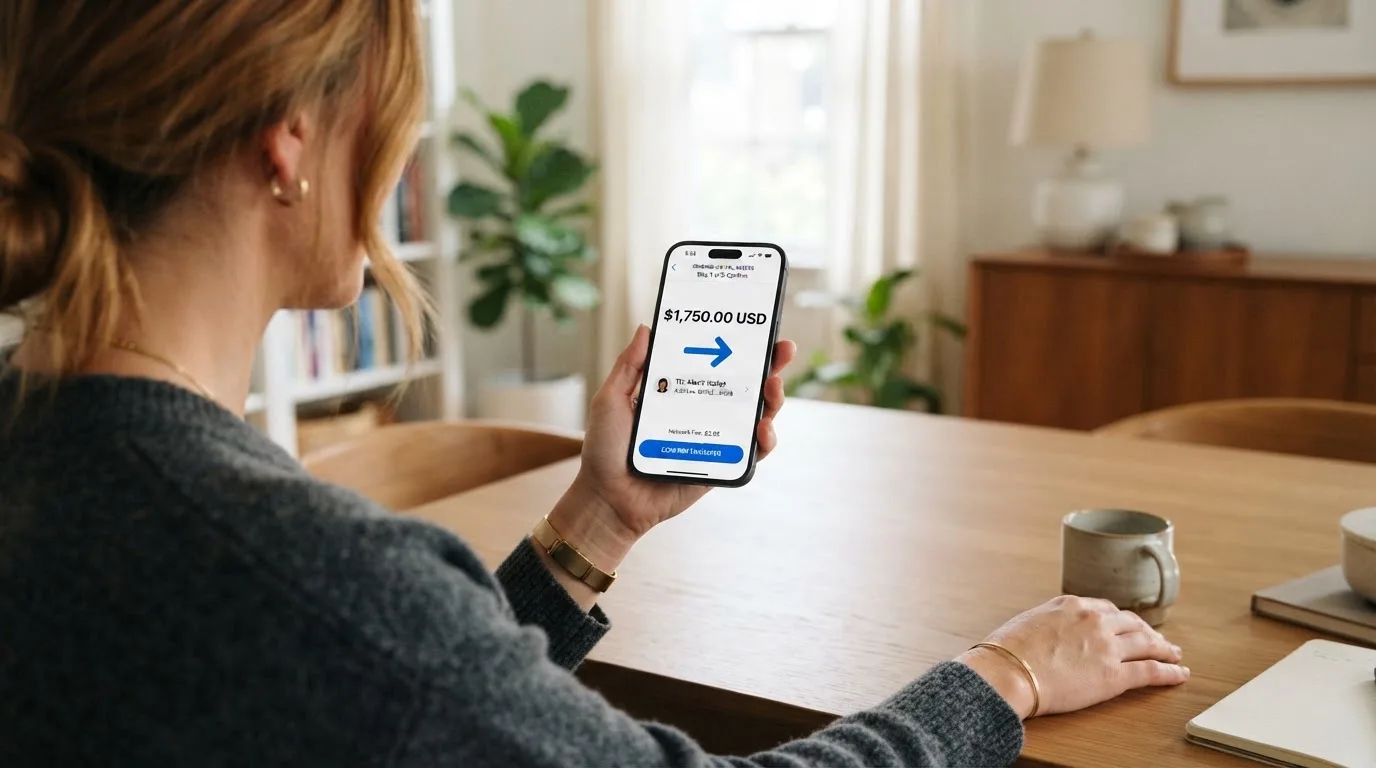
There is no top-up fee and no fee for withdrawing back to your wallet, and no minimum top-up is stated. Fiats top-up options — loading the card directly with a bank transfer or a card payment — are not stated, so on the official pages they do not exist as an option you can rely on. If you want to hold dollars in the card without touching crypto, this is the wrong card.
The escrow is self-custodial, and this is the part I find genuinely appealing. Your own wallet owns the contract, which means your wallet can withdraw the remaining funds once spend charges are deducted, and Avici says the provider can only withdraw funds tied to those spend charges. In practice this is a different arrangement from the custodial cards out there where a company holds your money behind its own login. Here the funds sit in a contract your wallet controls. The trade-off is the other side of that coin: because you control it, you are the one who bears the risk if the contract, the address, or the network is wrong.
On the unofficial side, and I am labelling this clearly because Avici’s own pages do not say it: one third-party summary puts the minimum top-up at $1 with the balance arriving in 2–7 minutes, and describes top-ups as possible in USDC *or* any token via a Relay auto-swap on EVM L2 networks or Solana. If that is accurate, it is a meaningful convenience — you would not have to hold USDC specifically — but I could not confirm it from Avici itself, so treat it as a possibility rather than a promise.
One practical warning about crypto transfers, which applies to this card like any other. Blockchain transfers are generally irreversible. If you send USDC on a network Avici does not support, or to an address belonging to a different network, the funds can be lost or need manual support recovery with no guarantee of getting them back. And note that “USDC over Tron,” which many people assume exists, is not a native option because Circle stopped supporting USDC on Tron back in February 2024. Check the network twice before you send.
Paying with it every day
Day-to-day, this is the part of the card I enjoy most, and it is the reason its everyday-use score is the highest in the table. You get a virtual Visa and a physical Visa. Both work with Apple Pay and Google Pay tap-to-pay, and because the card is tokenised, the number stored on your phone is a device-specific one rather than your literal card number — each payment uses a one-time code. The app adds passkeys and account abstraction on top of self-custody, so there is a modern security layer around your own keys.
The category trick is the quietly excellent feature. Because you can create separate virtual cards per category — subscriptions, groceries, travel — you can put a spending limit on each one and cap, say, your subscriptions independently of everything else. That is a budgeting tool that most ordinary bank cards do not give you, and it costs nothing extra to use.
Perks are advertised — airline miles, rental car insurance, travel and restaurant perks, trip protection — and there is a mention of a “Avenue to TradeFI rewards” pathway. No cashback rate is stated anywhere, so do not model this card’s value on rewards you cannot yet see. The card’s real daily appeal is the flat, predictable spending: $0 to pay, 0% markup, tokenised mobile wallets.
Where the everyday picture is murkier: the app is reachable via a “Download App” shortlink on the homepage, but the supported platforms and the App Store or Google Play ratings are not stated, so I cannot tell you how well-reviewed the software is. And a third-party source reports that spending is blocked in certain categories — gambling, illegal drugs, and financial institutions, with the last needing additional approval — but that is not on Avici’s own pages, so I am flagging it as unofficial. Blocked-category lists matter if any of your spending falls into those buckets.
What can go wrong
Let me be blunt here, because this is where a 6.1 lives.
The biggest unknown is the company behind the card. Avici Inc. is at 300 4th St, San Francisco, CA 94107. The docs name a company called Third National as a party to the loan contract structure — importantly, not as the entity that controls the contract. But the issuer, the BIN sponsor, and the licences are all not stated. I cannot tell you which regulated institution stands behind the card, or under what licence it operates, because Avici does not say. For a card you are loading with money, that is a real gap, not a nitpick. The only hint I found is an unofficial mention of an issuing partner called Rain, to whom KYC data is shared, but that is a third-party claim I cannot verify.
Complaints are thin and mixed. Avici’s own pages list no official incidents. From users, there is a review dated 31 March 2026 describing a business-account user whose incoming payment of EUR 20,000 was credited and then blocked, whose account was restricted, and who got no response from support and no refund; and a January 2026 review about repeated login errors at the email/authenticator verification step. These are unverified and come from a tiny sample, so I am not treating them as a pattern — but the 20,000 EUR blocked-payment story is exactly the kind of scenario that should make you keep a backup card for spending you cannot afford to have frozen.
Dispute handling is the quiet soft spot. The only published remedy I could find is: if you paid and then failed verification, contact in-app support for a refund. The chargeback and disputed-payment process is not stated, and the security page does not cover it. Chargebacks — the mechanism where your issuer orders a refund for fraud, duplicate billing, or goods not received — are the normal way disputes get settled, and Avici simply does not describe how, or whether, you use one. What support channels exist beyond in-app support, and in what languages or hours, is also not stated.
On the security side there is genuinely good and genuinely missing. The good: a self-custodial escrow contract, and documentation stating that neither Third National, nor Avici, nor Visa controls the loan contract, plus in-app controls to freeze the card temporarily, cancel it permanently, set per-card spending limits, set a PIN, and show or hide your card details. The missing: the security page does not state whether there is 2FA or passkeys (the homepage mentions passkeys in passing), and there is no insurance information given. No promise of safety from me here — just the facts as they stand.
The last category of risk is the category-wide one, and it is worth knowing even though it is not Avici’s fault. Card programmes do close. Visa terminated its global agreements with FTX on 13 November 2022, and the FTX US debit card was wound down. Visa suspended WaveCrest in Europe in 2018, closing every WaveCrest-issued Visa programme. When programmes close, there is typically a notice period, then loading and spending stop, then you are asked to withdraw your balance. (One 2026 closure reported by a secondary source had new loads ending 8 July 2026 and spending stopping 8 August 2026, but that is a single unconfirmed source.) The self-custodial design here partly insulates you from this — your USDC sits in a contract your wallet owns — but the card itself is still a licence you are borrowing, not owning.
What to take instead
Avici is not alone, and two of the closest alternatives score a little higher, so it is worth weighing them. Here is a fair comparison of the main differences, drawn from the same kind of research.
BloFin Wallet Card — 6.9 / 10. A Visa Platinum card. The good news on cost is striking: activation, annual, issuance, and dormancy fees are all $0.00, and cancellation is free. Its catch is a spend fee of “1% or lower” depending on your VIP tier — VIP 0 pays 1.00%, stepping down to 0.00% at VIP 5. That is a per-payment cost Avici does not charge. On funding, you top up with USDT or USDC on Arbitrum and Base. On rewards, there is no cashback at all; it reduces your spend rate instead. On availability, the country list is not published on the card page (you “select your country or region” in the app), though the starting data names 35 countries including the US, Australia, Japan, the UAE, Brazil, Mexico, Malaysia and New Zealand — and it is not stated whether the rule is citizenship or residence.
Decaf — 6.2 / 10. A Visa, virtual or physical (the physical one with tracked delivery). Its standout perk is free activation — $5 for the virtual card worldwide, or $10 for a physical card in the US, or $90 elsewhere — and no annual or monthly fee. On currency, Decaf adds no FX fee of its own; “the FX is the one Visa offers.” What is not stated is the crypto conversion fee. You can pay a Decaf payment link or account details by card, bank transfer, or USDC, and the app runs on Solana and Stellar, though which coins and networks actually top up the card is not stated. Its restricted list is long and specific — it will not issue in about 19 countries including Belarus, China, North Korea, India, Iran, Iraq, Israel, Myanmar, Nepal, Russia, Syria, Turkey, Cuba, Ukraine, Venezuela, Vietnam, Nicaragua, Puerto Rico and Nigeria, and it restricts 11 US states. Whether those rules follow citizenship or residence is not stated.
SafePal — 6.2 / 10. A virtual Mastercard debit, physical not stated. No account creation or management fees, though the card issuance fee is not stated. Its costs are honest rather than zero: a 0% standard top-up fee, but a 1% FX fee on Mastercard non-USD settlement, refund processing of 1 USD/EUR/CHF/7 CNH, a spread baked into swaps that is not quantified, and elsewhere a crypto top-up “as low as 0.4%” on the top tier. You can fund from 40+ blockchains, converted to USDC (default) or fiat, with transactions on Arbitrum. There is no cashback; instead there are referral commissions of up to 40% of referred top-up fees. On availability, it promises “citizens of supported regions who live in supported areas,” but the regions page was empty when it was checked, which is its own warning.
How do I read this table? If your priority is *not paying to spend*, Avici and BloFin lead, but they get there differently — Avici with a $0 flat fee, BloFin with a fee that shrinks to zero as your VIP tier rises. If your priority is *ease of loading*, Decaf’s free activation and USDC payment options are attractive, at the cost of a much longer restricted list. And if you want the widest network coverage to fund from, SafePal’s 40+ blockchains is the biggest funnel here. Avici’s own niche remains the sharpest of the four for one group: someone in a listed Latin American country or the UAE who already holds USDC and wants to spend it at exactly zero cost with a self-custodial balance behind it.
| Avici | BloFin | Decaf | SafePal | |
|---|---|---|---|---|
| Network | Visa | Visa Platinum | Visa | Mastercard |
| Up-front card cost | $15 virtual Platinum / $50 physical | $0 | $5 virtual / $10–$90 physical | Not stated |
| Cost to spend | $0 | 1% or lower by VIP tier | Not stated | Not stated |
| FX | 0% markup, Visa 0.4–1% may apply | Not stated | No added fee, Visa rate | 1% on Mastercard non-USD |
| Top-up | USDC via smart contract | USDT/USDC on Arbitrum, Base | Card, bank transfer or USDC | 40+ blockchains to USDC |
| Rewards | Perks listed, no rate given | None, lower spend rate instead | Not stated | No cashback, referral commission |
Who I would recommend it to
I would recommend the Avici card to a resident of one of its 49 listed regions — Latin America and the UAE come up most in practice — who already holds USDC, wants a no-cost Visa to spend it from, and is comfortable with a card that loads from a self-custodial smart contract and settles your balance every day or two. If you hold USDC, want 0% conversion and a $0 transaction fee, and do not need to buy big-ticket items, this card does that job cleanly and cheaply.
I would not recommend it if any of the following are true of you: you need to spend more than $1,000 in one transaction or run more than 3 payments a day; you live in any of the 17 prohibited countries, or outside the 49 supported regions; you want to load with plain fiat; you want your money back from a disputed payment through a described chargeback process, because Avici does not publish one; or you need to know exactly which licensed institution stands behind the card, because that is not disclosed. In those cases a custodial mainstream card, or one of the alternatives above with clearer country rules and published fee sheets, will serve you better.
If you do try it, my advice is to keep it as a second card at first — load a modest amount, test a small payment, test one ATM withdrawal, and only then scale up. That is ordinary prudence, not a warning about this card specifically.
Frequently asked questions
What is the Avici card?
The Avici card is a Visa payment card that spends from a crypto balance rather than a bank account. You load it by depositing USDC into a smart contract, which creates a US-dollar credit balance, and the card draws on that balance. It comes as a virtual or physical card, in two tiers called Platinum and Signature. It is not a bank account, and Avici describes it in secured credit-card wording rather than as a bank product.
Is Avici a bank?
Not as far as the published information goes. Avici Inc. is a company at 300 4th St, San Francisco, and its documentation names Third National as a party to the loan contract structure, but the issuer, the BIN sponsor, and the licences are all not stated on Avici’s own pages. So while a partner institution is involved somewhere behind the card, Avici does not disclose which regulated body issues it. Treat that as an open question rather than assuming a bank relationship.
Who can get the Avici card, and which countries are blocked?
You can get it if you are a resident of one of 49 listed regions, which includes Argentina, Australia, Brazil, Colombia, Hong Kong, Japan, Malaysia, Mexico, Singapore, Thailand, the UAE, South Africa and the USA. It is prohibited for residents of 17 countries including Belarus, China (Mainland), Cuba, India, Iran, Iraq, Israel, Myanmar, Nepal, Nicaragua, North Korea, Russia, Syria, Turkey, Ukraine, Venezuela and Vietnam. Spending is separately prohibited in Cuba, Iran, North Korea, Russia, Syria, Ukraine and Venezuela.
Does the Avici card require KYC?
Yes. After you sign up with your email you go through a single verification via Sumsub: you submit personal details and identity documents and pass a liveness check. The marketing says this takes “no more than a few minutes.” Your KYC data is shared with the card’s partners, and Sumsub runs ongoing anti-money-laundering monitoring of users and on-chain funds. Proof of address is not mentioned, and the accepted document types and rejection reasons are not listed.
How do I top up the Avici card?
Officially, the only way is to deposit USDC into the Loan Escrow smart contract, which is what creates your US-dollar spend balance. There is no top-up fee and no fee for withdrawing back to your wallet, and no minimum top-up is stated. Fiats top-up options are not stated at all. An unofficial third-party summary describes a $1 minimum arriving in 2–7 minutes and top-ups in other tokens via an auto-swap on EVM L2 or Solana, but Avici’s own pages do not confirm that.
Can I use the Avici card with Apple Pay and Google Pay?
Yes — Apple Pay and Google Pay tap-to-pay are supported on both the virtual and the physical Visa. Because these mobile wallets tokenise the card, the number stored on your phone is a device-specific one rather than your card number, and each payment uses a one-time security code. You can also create separate virtual cards per category, like subscriptions or groceries, and set a spending cap on each one.
How much does it cost to spend with the Avici card?
The transaction fee is $0 and the forex markup is 0%, so on its own side Avici adds nothing to what you spend. The only added cost is Visa’s own cross-border fee of 0.4–1% on non-USD transactions, which Visa may charge and Avici does not control. ATM withdrawals are free on Signature but cost $1 plus 0.65% on Platinum; declined transactions and balance inquiries cost $0.60 on Platinum and $0 on Signature.
Is the Avici card safe to use?
It has real safeguards: a self-custodial escrow contract your own wallet controls, documentation stating neither Avici, Third National, nor Visa controls that contract, and in-app freeze, permanent cancel, per-card limits, and PIN controls. What is not stated on its security pages is whether there is 2FA or passkey protection, and there is no insurance information given. So I would call it reasonably designed but incompletely documented — check the details yourself before loading it heavily.
Can I withdraw money from the Avici card back to my wallet?
Yes, and the withdrawal fee is $0. Because the escrow is self-custodial, your wallet owns the contract and can pull out the remaining funds once spend charges are deducted; Avici says the provider can only withdraw funds tied to those spend charges. When you spend, the USDC is liquidated from the contract every 1–2 days, sometimes weekly, so give the settlement a moment to catch up before you expect your on-chain balance to mirror the card.
Is the Avici card worth it?
For a resident of a listed region — Latin America and the UAE especially — who already holds USDC and wants to spend it at a flat $0 cost with a 0% markup, it is genuinely worth it, and that is where its strongest marks are. It is worth it less if you need to spend large amounts in one go, want to load with fiat, or want a clearly documented chargeback and issuer behind the card. My own score is 6.1 out of 10: excellent to spend from, more demanding everywhere else.
Highest-scored wallet cards – cryptocardbest.com
Content created by the «cryptocardbest.com» team