
We tried the Bing card's paperwork, fees and complaint record. The gaps are the story.
 Available in US
Bing is a crypto card with three tiers: two virtual cards, Exclusive and Star, and a physical card, Platinum. The pitch is speed — the virtual card arrives in five minutes without identity checks, and the physical one is mailed out from Hong Kong. That speed is genuinely appealing if you have been refused an ordinary bank card, or if you want a spending card today without handing over documents. It is also, on the evidence I could gather, a service that is unusually hard to pin down: the card’s own pages disagree with each other about fees and limits, the issuing institution is not named, and the public complaint record is dominated by one-star reviews describing withdrawals and conversions stuck in “Processing”.
I gave it 4.2 out of 10. That is not a verdict on whether the product works for someone — plenty of cards work for plenty of people — it is a verdict on how much of what a customer needs in order to decide cannot be found in public material. If you are choosing a card for everyday spending with money you already hold, read the fees and support sections before you read anything else.
The conditions described on this page are current as of October 28, 2026.
The score in full
| Criterion | Mark | Why |
|---|---|---|
| Who can get it | 5 / 10 | No country list published; closed to US citizens and residents; physical cards issued from Hong Kong |
| Cost | 3 / 10 | Issuance 25 USD (Exclusive), 40 USD (Star), 168 USD (Platinum); exchange 2%, cross-border fee 1.5%, declined transaction 3%, top-up 2% on the pricing page; the FAQ says 1% |
| Top-up options | 6 / 10 | BTC, ETH, USDT, USDC accepted; networks not named; unclear whether the physical card can be funded with crypto |
| Reliability and complaints | 2 / 10 | Bingcard, Inc.; issuer and licences not named; Trustpilot shows 89% one-star among 58 reviews, with conversions and withdrawals stuck in “Processing” |
| Everyday use | 6 / 10 | Virtual Exclusive and Star, physical Platinum; Apple Pay and Google Pay not disclosed; unofficial reports say ATM access only on the physical card |
| Total | 4.2 / 10 |
Two things stand out. The cost mark is low mainly because the fees are hard to predict from the published pages, not because any single number is outrageous. The reliability mark is low because the operation itself is barely described: no issuer, no licence, no named regulatory status, and a complaint record that a prospective customer cannot ignore.
Who will they give you the card to
The honest answer is: it depends entirely on which of the three you want, and on things the card does not publish.
For the virtual cards, the card’s own page says you get one “in just 5 minutes without KYC”. There is no list of countries it will issue to, no list of countries it will refuse, and no statement of which documents would be required if it did ask. What it does say is the exclusion that matters most: accounts may not be opened for US citizens, US permanent residents, or US-incorporated entities. If you fall into any of those three groups, the answer is no regardless of where you live. Everyone else is described as eligible if they are a resident of “countries and territories we support” — and the list of those is not given. The minimum age is 18.
That gap is worth sitting with. A card that will not tell you which countries it supports is asking you to find out by applying. If your situation is that you have been turned away from ordinary banking, an ambiguous geography is a real risk: you could spend time and money on an account that is closed the moment compliance checks run.
The physical Platinum card is a different proposition. Here the card says “Complete your KYC process online”, and it adds that it is subject to AML and regulatory requirements. Physical cards are issued from Hong Kong. Which documents are needed, what the age rule is for this tier, and what happens if verification fails are all not stated on the public pages — and the card gives no list of rejection reasons, which is an unusually thin disclosure for a step that can end your application.
So the practical split is this. If you want a virtual card and you are not a US citizen or permanent resident, the barrier is low and the wait is minutes. If you want the physical card, you are entering a normal identity-check process, in a currency and jurisdiction the card does not fully explain, and you will be waiting weeks.
How to get it
The route is the same for both halves, with one big difference in how long it takes. A virtual card is described as available in five minutes. The physical Platinum card is “delivered within a maximum of 25 business days” and is issued from Hong Kong. The pricing page adds that the cards are valid for three years — Platinum three years, virtual cards somewhere between two and three years depending on which page you read. The three-year figure appears in both places; the two-to-three-year range appears on the pricing page alone.
Two things about the card itself are conspicuously unnamed. The card network is never specified. The card’s marketing refers to “major global payment networks” without saying which one, and that is a genuine gap, because the network determines which merchants accept the card and which do not. The card currency is also not stated in the product description, though the pricing page says virtual cards are based in USD and the physical Platinum card in HKD.
What I would want you to do before you spend an afternoon on this: get the issued card into a wallet you can actually see the network of. Once the card number exists, the first six or eight digits tell you the issuing institution and country. That is the check the marketing page leaves to you.
There is also a verification wrinkle worth understanding before you fund anything. The card’s terms describe identity checks for bank card top-ups in some cases: an ID document with a photo, a mobile number, and possibly a videoconference. Verification is said to be “generally completed within 24 hours”. This matters because a card with no KYC at the start and KYC later, at the top-up step, is a card whose access can change after you have already sent money. The card does not state which tier triggers which path in plain terms.
Fees and limits: what it really costs
The short version is that Bing’s fees are not published in one place, and where the pricing page and the FAQ both speak, they often disagree. I would rather show you both than pick one.

| Fee or limit | What the card states |
|---|---|
| Issuance — Exclusive | 25 USD |
| Issuance — Star | 40 USD |
| Issuance — Platinum | 168 USD |
| Monthly maintenance | Exclusive 1 USD; Star none; Platinum none (FAQ) — the pricing page lists 0 per month for all three |
| Transaction fee | “Only 1% transaction fee” (FAQ) |
| Exchange fee | 2% (pricing page) |
| Cross-border handling fee | 1.5% for transactions in non-US regions, minimum 0.5 USD per transaction |
| Declined transaction fee | 3% |
| Small transaction fee | 0.5 USD on transactions below 50 USD for some cards; the FAQ instead gives a 1% fee on transactions below 10 USD |
| Crypto-to-USD conversion | 0% fee for converting cryptocurrencies to USD (FAQ) |
| Monthly transaction limit | Exclusive 100,000 USD; Star 200,000 USD; Platinum 1,000,000 HKD (FAQ) — the pricing page gives 100,000 / 50,000 / 1,000,000 HKD |
| ATM fee | Not stated |
| Card validity | Three years for Platinum; two to three years for virtual cards on the pricing page |
That table has contradictions built into it, and I want to name them rather than tidy them away. The Star limit is 200,000 USD in the FAQ and 50,000 USD on the pricing page — a fourfold difference in what you could spend in a month. The small-transaction charge appears as a flat 0.5 USD below 50 USD in one place and a 1% fee below 10 USD in another. The monthly maintenance fee is 1 USD for Exclusive in one place and zero for everything in another. If a number matters to your decision, these are the ones to put to the support team in writing before you commit.
Three everyday payments, so the fees stop being abstract:
- A 4 USD coffee paid with a virtual card. If the FAQ’s small-transaction rule applies, this is the situation it was written for: a 1% fee on a 4 USD purchase, which is 4 cents, against a minimum card issuance of 25 USD. The pricing page’s alternative reading would put a 0.5 USD charge on anything under 50 USD, which is more than a tenth of the purchase. Either way, this is the payment where the fee structure matters most, and it is the one the card describes least clearly.
- A 30 USD subscription bought online while you are outside the United States. Here the cross-border handling fee of 1.5%, with a minimum of 0.5 USD, is the line that matters, plus whatever the exchange fee of 2% applies to. If the card’s “1% transaction fee” also applies, you are stacking percentages on a modest purchase. Then there is the separate problem that a subscription may decline outright: a Trustpilot reviewer reported a virtual card declined on an AI subscription, which is exactly the category that tends to screen unfamiliar issuer countries.
- A 200 USD monthly shop or supermarket run. This is the case where the card is least likely to hurt you, if the fee is a single percentage on a large enough purchase. The exchange fee of 2% is 4 USD. The cross-border fee, if it applies, is 3 USD plus the possibility of a 1% transaction fee on top. None of those numbers is unusual for the category. The unusual part is that the card’s own pages give you two different answers about which of them applies.
On ATM withdrawals, the card’s public pages say nothing. Unofficial sources put an ATM and withdrawal fee around 2% to 2.5% per CryptoSlate; another comparison lists no ATM fee on Exclusive or Star and 2% on the physical Platinum; and CryptoCardHub says ATM access is on the physical card only. None of that is confirmed by the card, and I would treat all three as things to ask about rather than facts to plan around.
Top up options and how to move money in and out
Bing takes BTC, ETH, USDT and USDC. The card does not name which networks those should be sent on, and that is not a small omission. On-chain transfers are irreversible: a deposit sent on a network the provider does not support, or to an address belonging to a different network, can be lost or need manual support recovery with no guarantee. If you are going to fund this card, the network is the first thing to establish in writing.
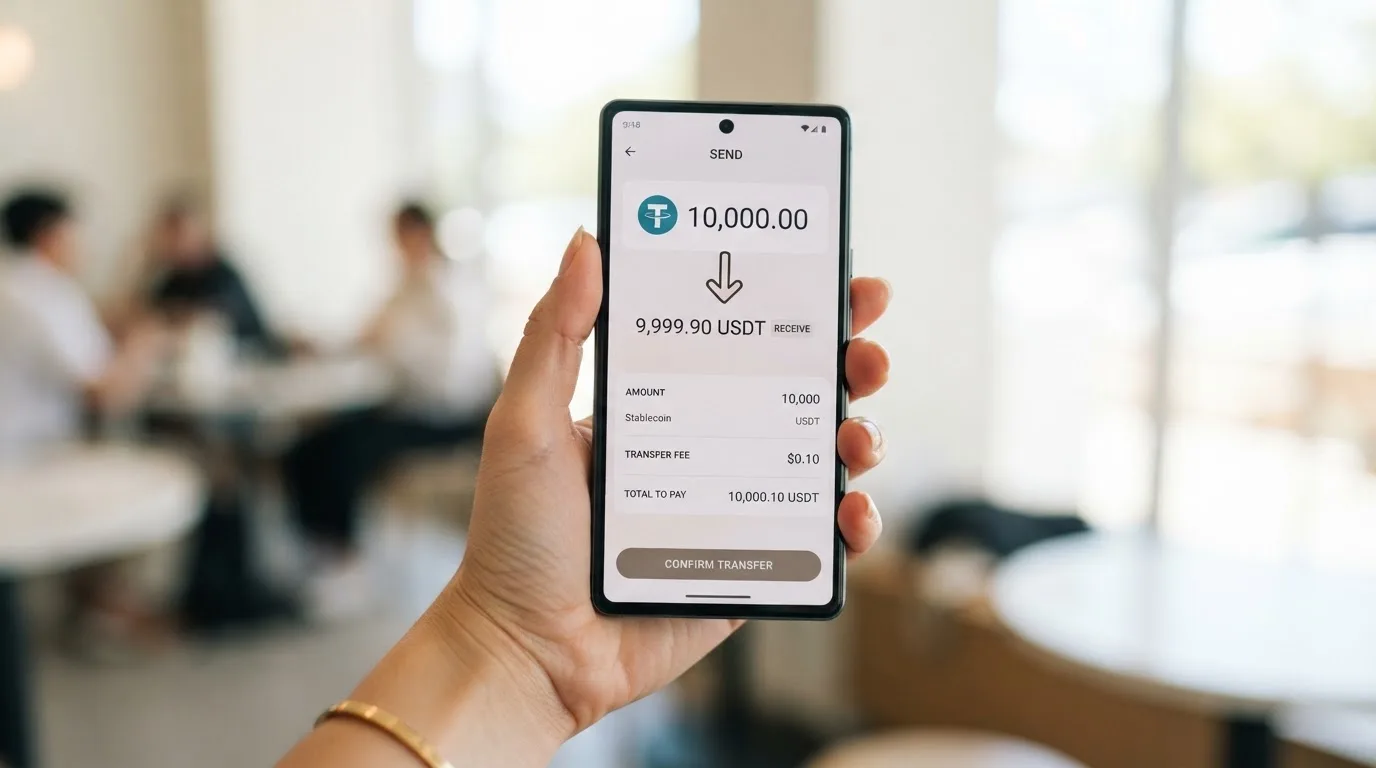
Whether the physical card can be crypto-funded at all is unclear. The card says balances can be recharged and withdrawn in the user panel for both virtual and physical cards, which implies both can be funded — but the crypto path is only documented clearly for the virtual side, and the pricing page talks about bank card top-ups, not crypto ones, in that area.
On the fees for moving money, the pages again differ:
- The pricing page gives a top-up fee of 2% with a minimum top-up of 10 USD (1 HKD for Platinum), a deposit fee of 2% with a minimum deposit of 1 USD, and an exchange fee of 2%.
- The FAQ instead says a 1% fee for deposits and withdrawals, 0% for converting cryptocurrency to USD, and sets a minimum initial balance of 21 USD.
- Network fees for the deposit itself are not stated — and those are charged by the blockchain, not by the card, so they exist whether or not the card mentions them.
Withdrawals work the same way: a 2% withdrawal fee with a 10 USD minimum (1 HKD for Platinum) on the pricing page, against 1% on deposits and withdrawals in the FAQ. The card also states what happens to money in a bad case: on account closure, remaining funds go to the payment details you provide, minus applicable fees, and you must keep your wallet balance at or above zero. If you are not able to provide valid payment details at that moment, that is a real risk.
For the physical card in HKD, a note on stablecoin choice: if you hold USDC, which is the dollar-pegged coin Bing accepts, sending it on Tron is not a native option — Circle stopped supporting USDC on Tron in February 2024. Network support in general has to come from Bing, not from you.
Paying with it day to day
Apple Pay and Google Pay are not mentioned anywhere in the card’s public material. Nor are blocked merchant categories, beyond a general reference to “any merchant accepting credit cards”. No cashback or rewards programme is described — unofficial reports from CryptoSlate, in 2026, say there is none. There is no mobile app in the public description; accounts are managed on the web at my.bingcard.com, and store ratings are not applicable.
That combination — no wallets, no app, no rewards — does not kill the card, but it narrows what it is for. It is a card you manage in a browser, with a balance you top up from crypto. For someone who wants a simple way to spend what they hold, that is a coherent product. For someone who wants to add the card to a phone and forget about it, there is nothing here yet.
Two structural features of card payments shape daily use more than most people expect. First, the merchant category code — a four-digit classification of what a business sells, assigned under ISO 18245 — is what determines whether a purchase goes through; gambling, for example, sits under 7995, and many issuers block that code by policy rather than by law, with the list differing by issuer. Bing does not publish a blocked list. Second, address verification compares the numeric parts of the billing address you type against the issuer’s records, and it is generally unavailable for foreign-issued cards, which is a common cause of declines. A card issued from Hong Kong with a dollar base currency is, structurally, the kind of card that trips this.
Then there is the one that matters most in reviews: a declined authorisation can leave a hold on your funds for several days, typically up to seven. On a card whose balance is small and pre-loaded, a hold is not a rounding error. And if a purchase is declined, the card states a 3% fee on the declined transaction.
On the terms side, one clause deserves your attention before any money moves. The card’s terms say transactions are “irreversible and not open to dispute, amendment, or cancellation”, with an exception for fraudulent external wallet top-ups. Card top-up refunds run up to 14 business days and are non-refundable once your identity is verified and the funds are credited. You bear responsibility for chargebacks. Complaints are reviewed within thirty days. That is a narrow set of remedies, and it is the opposite of what a payment dispute usually needs.
What can go wrong
The most concrete thing I can give you is the complaint record, and it deserves to be stated plainly rather than softened. On Trustpilot, the operator’s website profile shows a rating unavailable due to a breach of guidelines, with 58 reviews, 38 of them in the last 12 months, and 89% one-star, as I read it on 2026-10-20. The recurring themes: withdrawals and conversions stuck at “Processing” from hours to more than a week in August and September 2026; virtual cards declined at merchants including Uber and AI subscriptions; unresponsive support and locked accounts; and allegations of scam, which are unverified and which I am reporting as allegations rather than findings. One positive review praises support. No Reddit threads surfaced.
Behind those complaints is a company profile that is thinner than I would want as a customer. Bingcard, Inc., with a 2025 copyright. The company page says it was founded in December 2021, that its website and licences were “secured” in December 2022 — without naming the licences or the regulator — that virtual cards launched in February 2023, and that a physical card phase one launched in February 2024. The issuing institution and the BIN sponsor are not named anywhere in the public material. When a card provider does not say which institution issues its card, you are being asked to take the counterparty on trust, and there is no name to hold to account.
On security, the site mentions “advanced security measures” and real-time transaction monitoring, and the account locks after three failed login attempts. Beyond that: the custody model is not stated, and so are two-factor authentication, an in-app freeze, spending controls, and any insurance or safeguarding scheme. That last one is worth dwelling on, because the card’s money is likely e-money rather than bank money — and e-money funds are not the same as bank deposits and may not sit under a deposit guarantee scheme. If that is your arrangement, a provider failure is not the same as a bank failure.
Support is described as 24/7, reachable at [email protected], through live chat on the site, a contact form, and a phone number, +1 (210) 699-7454. The phone number’s country code does not match the Hong Kong card issuance, which is a small oddity rather than a warning sign. On the regulatory side, the terms close accounts for US citizens, US permanent residents and US-incorporated entities, consistent with US sanctions practice; otherwise, no regulator is named. In the EU, an e-money institution can issue cards and wallets but cannot lend, and it may serve the whole EU from a licence granted in one member state — so if you are in Europe, the question to ask is which member state’s licence sits behind the card. There is no ESMA register entry to point you at.
What to take instead
Three alternatives are common in this space, and none of them is a clean answer — each has its own gaps, which is normal for this corner of the market. I have set them out so you can see what changes if the thing that bothers you about Bing is the specific thing one of these does better.
| Alternative | Score | Availability | Fees and costs | Funding |
|---|---|---|---|---|
| Cardex | 5.6 / 10 | “One crypto card, 200+ countries”; no country list or exclusions; app listing is Naira-focused | Not stated; real-time crypto-to-fiat conversion with an “AI-Powered Conversion Rate”, no percentage published | USDT, USDC and BTC wallets; networks not stated |
| TakeCard | 5.5 / 10 | Countries not listed in help articles; physical card “available only to Bolivian users for now” | Virtual 5 USD; physical in Bolivia 20 USD issuance plus 20 USD shipping (another article says 10 USD); 1% commission per purchase; USD payments 1:1 | Top up from the Takenos balance; coins not named in the article |
| OkiCard | 6.0 / 10 | “150+ countries” (some pages say “200+”); no geo-blocking on passport; must confirm not in a sanctioned jurisdiction | Issuance and monthly listed as 0 on the pricing page, but a one-time issuance fee appears in the FAQ and the pages disagree; starting price 15 USD; load fee 3%; transaction fee 0% on USD | USDT on BSC, Ethereum, Tron and Solana; USDC “soon”; BTC and altcoins “coming soon” |
Cardex is the more international-sounding option on paper — 200+ countries — and it runs on four networks including Visa and Mastercard, with both virtual and physical cards, which sidesteps Bing’s unnamed-network problem. What it does not give you is numbers: no fee percentage, no issuance cost, and a listing that is oriented around paying in Naira, which is a different proposition from spending dollars or euros abroad. It converts at the moment of payment and claims to pick the best available rate, but “best available rate” is not the same as a published spread.
TakeCard is the one with the clearest fee structure on a purchase — 1% commission, USD payments at 1:1, other currencies at the official Visa rate of the transaction day — and the cheapest entry, 5 USD for a virtual card available immediately. Its catch is geography in the other direction: the physical card is Bolivia-only, and whether you can open an account at all depends on pages I could not reconcile. The article names Visa, the card is issued in the United States and prepaid in USD, and topping up runs through the Takenos account. Some coin and network details come from starting data I could not verify on a page I could read, so treat those as unconfirmed.
OkiCard is the most transparent of the three on price — a stated load fee of 3%, 0% transaction fee on USD, no hidden exchange spread claimed, and a starting price of 15 USD for the virtual card with a 100 USDT initial deposit. It also states its networks most fully: USDT on BSC, Ethereum, Tron and Solana, with USDC “soon” and BTC “coming soon”. Its weaknesses are that the pricing page and the FAQ contradict each other on issuance, and that “150+ countries” still comes with a sanctioned-jurisdiction self-declaration, so it is not a blanket yes.
None of these is a full answer either. The honest pattern across all four is the same: in this category, the fee pages contradict the FAQ pages, and the biggest practical risk is not a fee at all — it is funds stuck in “Processing” with no dispute route.
Who I would recommend it to
I would recommend Bing to a specific person: someone who needs a virtual spending card today, holds BTC, ETH, USDT or USDC already, is not a US citizen or US permanent resident, lives somewhere the card will accept without a fight, and treats the balance as money they are willing to lose access to for a while. For that person, five minutes to a usable card with no document upload is a real advantage, and no rewards programme is not a loss when there are none to earn anyway.
I would not recommend it to someone whose income arrives as a salary, whose rent is paid from it, or who has no other way to move money if a conversion stalls for a week. The card’s terms make transactions irreversible and not disputable, the withdrawal fee is either 1% or 2% depending on which page you believe, and the complaint record is dominated by exactly the failure mode — “Processing” — that would hurt you most in that situation. If your existing banking problem is severe enough that this card is your only option, that is a real and understandable position, but it is also the position in which the missing issuer name and the missing custody details matter most.
Before you apply, I would put four questions in writing to support and keep the answers: which network is the card on; which institution issues it and under whose licence; what are the ATM and withdrawal fees on my specific tier; and which networks are supported for my chosen coin. If any of those comes back vague, that tells you something useful on its own.
Frequently asked questions
What is the Bing card?
Bing is a crypto payment card sold by Bingcard, Inc. It comes as two virtual cards, Exclusive and Star, and one physical card, Platinum. You load it from BTC, ETH, USDT or USDC, and it spends a fiat balance like a prepaid card rather than drawing on a bank account. Accounts are managed on the web at my.bingcard.com. No mobile app is described on the card’s public pages.
How does Bing card work?
The card behaves like a prepaid card: crypto is converted and loaded as a balance, and purchases draw down that balance, so it cannot overdraw. The card says conversion happens instantly at the point of transaction. It does not name the card network, which is unusual and worth asking about, because the network determines which merchants will accept the card.
Is Bing a bank?
No, and the card does not present itself as one. Bingcard, Inc. is the company behind the brand, and it does not name its issuing institution or its licences on the public pages. Its money is likely e-money rather than bank deposits, which means e-money safeguard rules may apply rather than a deposit guarantee scheme.
Who owns Bing?
The card’s own material identifies Bingcard, Inc., with a 2025 copyright. The company page says it was founded in December 2021, that its website and licences were secured in December 2022 without naming a regulator, that virtual cards launched in February 2023, and a physical card phase one in February 2024. The issuing bank or BIN sponsor is not named.
Does Bing card require KYC?
It depends on the tier, and this is the single most useful thing to understand. Virtual cards are described as available in five minutes without KYC. The physical Platinum card requires KYC completed online. Separately, bank card top-ups may require an ID with photo, a mobile number and possibly a videoconference, generally completed within 24 hours.
Is Bing card available in my country?
The card does not publish a country list. It says accounts may not be opened for US citizens, US permanent residents, or US-incorporated entities, and otherwise applies to residents of “countries and territories we support” — a list it does not give. Physical cards are issued from Hong Kong. Minimum age is 18. For the virtual card, expect to find out by applying.
How much does Bing card cost?
Issuance is 25 USD for Exclusive, 40 USD for Star, and 168 USD for Platinum. Monthly maintenance is listed as 1 USD for Exclusive and none for the others in the FAQ, while the pricing page shows 0 for all three. Exchange fee is 2% on the pricing page, cross-border handling 1.5% with a 0.5 USD minimum, and a declined transaction costs 3%. The card’s own pages disagree, so confirm before you rely on any figure.
Is Bing card free?
Not quite. There is an issuance fee on every tier, from 25 USD for the cheapest virtual card to 168 USD for the physical Platinum card, and the card charges a fee on transactions rather than being free to spend. One FAQ describes a “only 1% transaction fee”, but the pricing page lists 0% with separate exchange and cross-border charges instead. Treat 0% transaction fee and 1% transaction fee as two different products until the card tells you which applies.
Is Bing card safe?
It depends on what you mean by safe, and the honest answer is that the card’s public pages do not give you the information to decide. The site mentions advanced security measures and real-time transaction monitoring, and locks accounts after three failed logins. But two-factor authentication, an in-app freeze, spending controls, insurance, the custody model and the issuer are all unstated. Support is described as 24/7.
Is Bing card worth it?
Only in a narrow case: you need a virtual spending card today, you already hold one of the four accepted coins, you are not a US citizen or permanent resident, and you can afford to lose access to the balance for a while. Given a 4.2 out of 10 on my score, and a Trustpilot profile showing 89% one-star reviews out of 58, I would not build a routine around it. Check the alternatives before you commit.
Highest-scored virtual cards – cryptocardbest.com
Content created by the «cryptocardbest.com» team