
A virtual crypto card for subscriptions and online ads, weighed against the missing pieces
 Available in US
ZexoCard is a virtual card platform that lets you fund a card with crypto and spend the balance at online merchants and through mobile wallets. There is no plastic card, no ATM access, and the everyday version does not handle recurring payments. So this review is about whether that specific shape of product fits how you actually pay, and what you give up to use it. The conditions described here are current as of October 28, 2026.
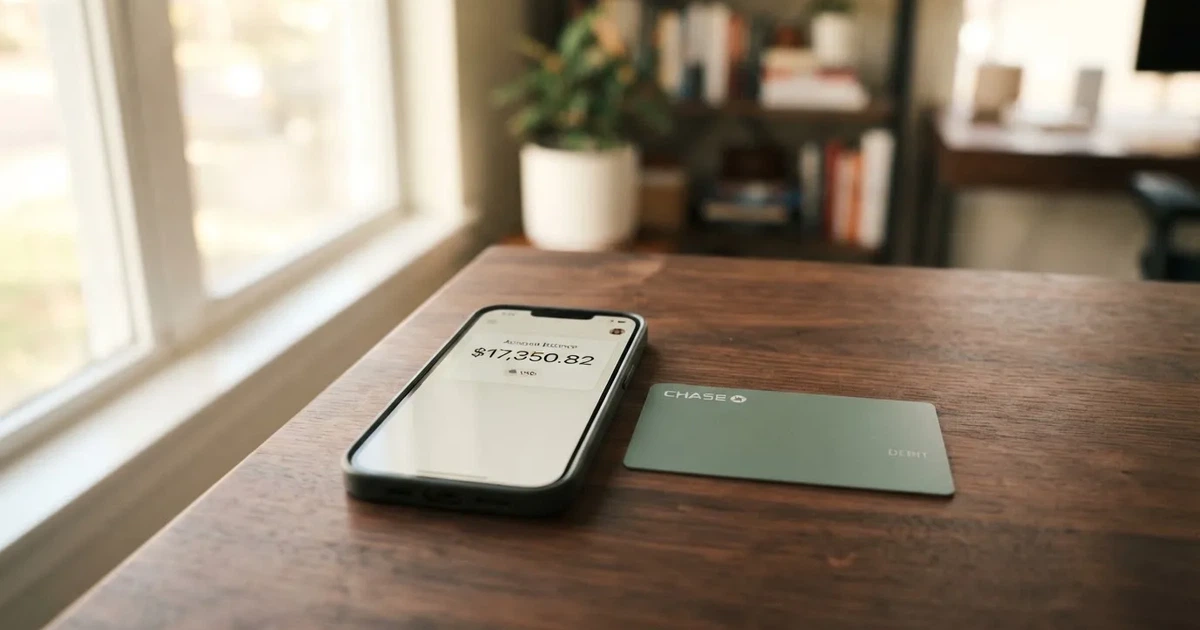
Verdict
ZexoCard scores 7.3 out of 10. The number reflects an open onboarding, a wide range of supported crypto, and a simple fee structure, weighed against a thin public profile: the issuer, the registered company, and the licences that back the programme are not named on the site. That gap matters, and it is the main reason the score is not higher.
The card works best for someone who pays for online subscriptions or ad accounts in US dollars from a crypto balance, and who does not need a physical card or cash. If that is not you, the limitations will pile up fast. There is no ATM, no physical card, and no way to spend the everyday card on recurring billing, so people who want a general-purpose replacement for a bank debit card will find the product too narrow. The alternatives later in this review cover that ground more honestly.

Below is how the score is built up across the criteria I looked at.
| Criterion | Mark | Why |
|---|---|---|
| Who can get it | 9 / 10 | Sign-up is open from most countries, with a small list of restricted jurisdictions. |
| Cost | 7 / 10 | The headline fees are low, but the funding fee shows only at the moment of the quote, so the real cost is not fully visible up front. |
| Top-up options | 9 / 10 | Bitcoin, Ethereum, USDT, USDC, Solana and a long list of other tokens, with network choice where the coin supports it. |
| Reliability and complaints | 5 / 10 | No public incidents, but the issuer and licences are not named, which makes trust harder to verify. |
| Everyday use | 6 / 10 | Virtual cards only, with no physical card, no ATM, and the everyday type blocked from subscriptions. |
Who can get the ZexoCard
The card is open to a very wide audience. You register with an email address, and the only requirement that the site states is being at least 18 years old. There is no routine identity-document submission at sign-up, which puts ZexoCard in the lighter end of the crypto-card market.
The list of restricted jurisdictions is short and the restriction is about where you are, not what passport you hold. ZexoCard says it does not open accounts, issue cards, or accept loads from people located in North Korea, Iran, Syria, Cuba, Belarus, Afghanistan, Myanmar, and the Crimea, Donetsk and Luhansk regions of Ukraine. The site adds a sharp warning not to use a false location to get around the rules. Citizenship on its own is not mentioned as a check, so what the platform looks at is essentially the location you connect from.
If you sit outside the restricted list, you can complete the standard flow without uploading an ID. The site does not describe tiered KYC levels, processing times, or what would cause a later rejection, so those details are not stated. If you intend to use the card for large amounts, that absence is worth thinking about: in a moment where an extra check is requested, you do not know in advance what would be required, or how long it would take.
How to get the ZexoCard
The four steps on the site are register, fund your wallet in crypto, create the card, and load it. Each is supposed to be done in that order, with the network for the deposit matching the instructions given to you at the funding step.
Registration is the email step. After that, you fund the wallet with crypto. Once funds are visible, you choose which of the three card types to create. All three are virtual and reloadable: an Everyday card, a Subscriptions card on Visa, and a Campaigns card on Visa. The site does not state the network of the Everyday card, only that the other two are on Visa. The card currency is not specified either; amounts in the documentation are shown in dollars.
There is no physical card option and no delivery step. Because every card is virtual, you never wait for the post. Activation as a separate step is not described, so creating the card and loading it appears to be enough to start spending. The site does not say how long the card details take to appear, but the typical pattern in this category is minutes rather than days.
What the ZexoCard really costs
The fee model is simple on the surface. Issuance is $10 once per card, regardless of which of the three types you pick. Registration, monthly maintenance, balance checks, and support are free. There is no monthly fee you have to pay just for keeping the card open.
The everyday transaction cost depends on which card you are using. The Everyday card charges $0.25 per merchant transaction. The Subscriptions and Campaigns cards do not charge a per-transaction merchant fee, which is why they exist for people who run ads or pay a lot of recurring bills. The funding fee is not a flat number. Instead, ZexoCard says the fee is shown in the final quote you see at the moment you fund the card, alongside any network and conversion costs that apply. That means the cost of loading is visible right before you confirm, but not in advance in a published table.
Below is the cost picture as the site describes it.
| Fee or limit | Amount |
|---|---|
| Card issuance, one-time per card | $10 |
| Registration | Free |
| Monthly maintenance | Free |
| Balance checks | Free |
| Support | Free |
| Everyday card, per merchant transaction | $0.25 |
| Subscriptions card, per merchant transaction | No merchant fee |
| Campaigns card, per merchant transaction | No merchant fee |
| Funding fee | Shown in the final quote |
| Network and conversion costs | May apply on top |
| Foreign exchange (FX) | Not stated |
| ATM | Not stated |
| Maximum per purchase | $100,000 |
| Maximum per calendar month, per card | $500,000 |
| Separate daily cap | None stated |
To make the structure easier to feel, here are three everyday situations and which fees would apply to each.
A small online subscription paid with the Subscriptions card. The per-transaction merchant fee is zero. The funding fee is whatever the quote showed when you loaded the card, plus any network cost that the underlying transfer incurred. The card currency is not stated, so the only assumption you can make is that the merchant sees a charge in dollars. If you funded with USDT, the conversion into the card balance is the part that carries the funding cost, but no further per-transaction fee is added.
A run-of-the-mill purchase at a regular online store paid with the Everyday card. The $0.25 per-transaction fee applies, on top of the funding cost already baked into your balance. Because the network of the Everyday card is not stated, you do not know in advance whether AVS or any foreign-BIN rules at the merchant will treat the card as foreign. In practice, a virtual card from a programme whose issuer country is not disclosed has a reasonable chance of declining at shops that are strict about the address match.
A recurring ad spend run from a wallet funded with USDC. The Campaigns card is built for this. The per-transaction fee is zero, the funding fee is whatever the quote at load time showed, and there is no separate FX fee mentioned. The remaining unknown is the same as elsewhere: what the FX margin inside that funding quote really is. The site does not publish a percentage, so you only see it once.
Top up
Topping up is a two-part process. First, you deposit crypto into the wallet ZexoCard gives you. Second, you load the card from that wallet. The site lists Bitcoin, Ethereum, USDT, USDC, and Solana as supported, with other tokens also available; an earlier check of the materials included Litecoin and roughly 95 tokens in total. The coin list is wider than the network list, and the network you send on must match the network shown in the deposit instructions. Sending USDT on a network the platform did not ask for, for example ERC-20 when TRC-20 was requested, is the kind of error that loses funds.
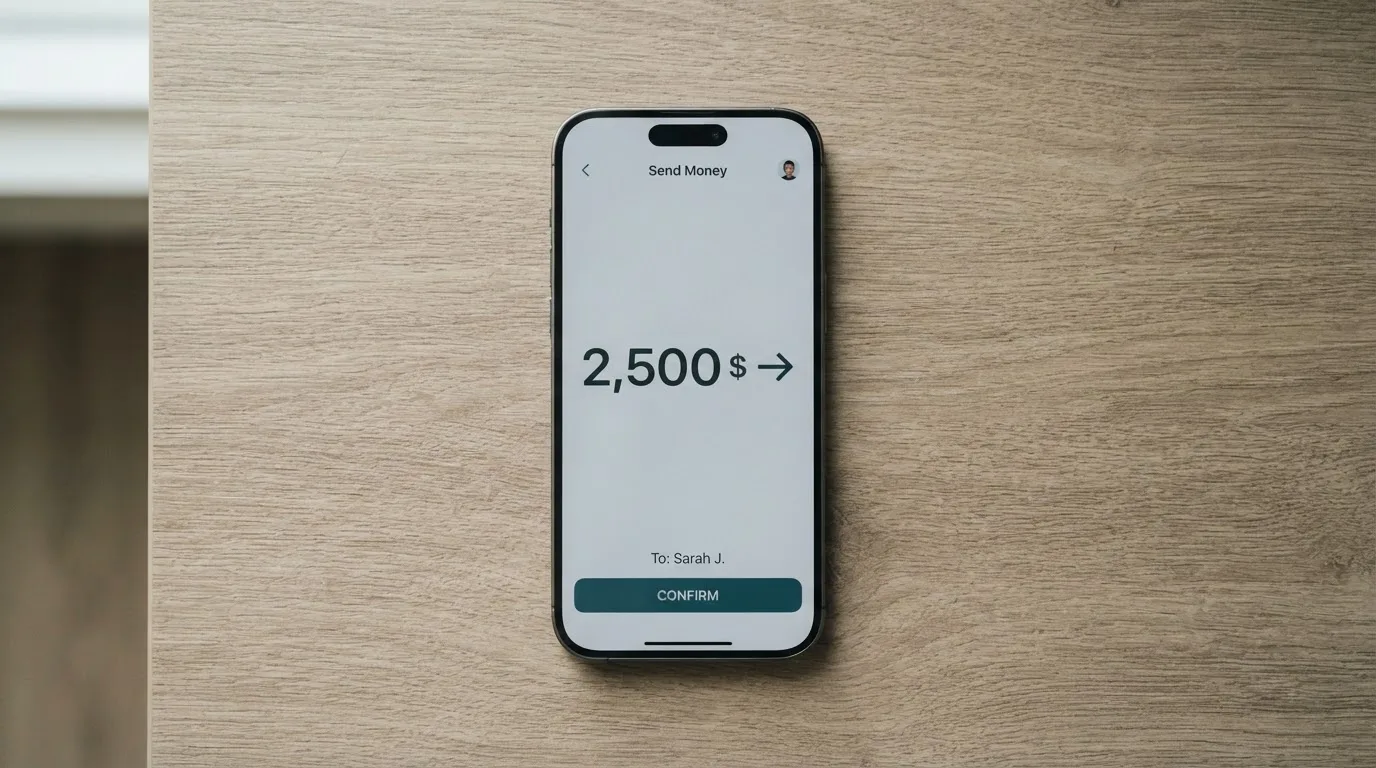
A practical note: where a token is available on several networks, the deposit screen chooses the one for you. If you pay from a wallet like MetaMask, Phantom, or TronLink, the cost of the on-chain transfer itself is on top of the funding fee, because gas and bandwidth are network-level costs, not platform fees. There is no fiat top-up mentioned anywhere, no minimum deposit stated, and no way to receive a top-up from another user.
The funding fee is shown in the final quote at the moment of the load, alongside any conversion and network costs. Two things follow from this. The cost of loading is visible right before you confirm, which is good, but the cost is not a published percentage, which means the only way to compare it to another provider is to actually try a load. There is no separate withdrawal procedure described. If you close the account, the site says the treatment of remaining funds depends on applicable law and your account circumstances, which is a non-answer in practice: it does not tell you in advance whether you can pull the balance out, in what form, or in what timeframe.
Paying with it every day
The cards are designed to be used in mobile wallets. ZexoCard lists Apple Pay, Google Pay, and Samsung Pay on supported devices. Because the cards are virtual, the experience is closer to a tokenised digital wallet than to swiping plastic, and the site does not mention any contactless or in-person experience. For online checkout, you use the card details the way you would any Visa or prepaid number, with the network depending on the card type.
Two practical limits shape the day-to-day. The first is that the Everyday card does not support subscriptions or any other recurring payment. Anything billed repeatedly, streaming services, SaaS tools, monthly donations, has to go on the Subscriptions card. The second is that there is no cash access: the site does not mention an ATM feature, and there is no physical card to use at a teller.
There is no cashback or reward programme described. The site does not publish a mobile app either; the user interface is a web panel and a Telegram bot, which is unusual for a payment product but workable. If you lose the card, or want to challenge a charge, the documented route is to contact support with a description and the transaction reference. The site is clear that crypto transfers cannot always be reversed, so the right first step for goods or service problems is the merchant. There is no chargeback process described, and the site explicitly forbids chargeback abuse.
What can go wrong with the ZexoCard
The honest framing is that nothing publicly has gone wrong, and at the same time the platform does not give you much to lean on if something does. I could not find a Trustpilot page or a Reddit thread under the ZexoCard name, and the site itself does not list any past incident. Silence is not the same as a clean record, especially for a payment product, so the absence of complaints is worth noting without treating it as a strong signal either way.
The bigger open question is the company behind the product. ZexoCard describes itself as a card platform connecting customers with financial and digital-asset services, and says that licensed external partners provide the cards, custody, and conversion. The issuer, the registered entity, and the licences those partners hold are not named. That is a meaningful gap. With most crypto cards, the card brand is a programme manager in front of a licensed bank or e-money institution, and the regulator’s register lets you check that institution. ZexoCard does not put that information in the user’s hands.
Security is described in standard terms. Two-factor authentication is supported through an authenticator app; if you do not set one up, an account PIN is used instead. Card details are shown with only the last four digits visible in the interface; the full number is behind the PIN. Passwords and PINs are hashed, and login is rate-limited. Custody is with the partners, and the site does not detail how those partners hold customer funds. There is no card-freeze feature mentioned, and no description of what happens to your balance if the platform becomes unreachable.
Support is available through a Telegram channel, an email address, a help centre, and a knowledge base, seven days a week, usually replying within 24 hours. That is reasonable for a small team, but it is not a regulator or a court, and there is no published incident-reporting or dispute-resolution process beyond contacting support first.
In short, the practical risks sit in three places. First, the unknown licence and issuer mean you are trusting an unnamed counterparty, not a regulator you can call. Second, sending on the wrong network, or to an address of a different network, can lose funds with no guarantee of recovery, because blockchain transfers are irreversible. Third, because the cards are virtual and the platform is small, an outage or a programme change would have no plastic fallback.
What to take instead
The honest comparison set depends on what you are actually trying to do. Three alternatives from the same general category are below, each with its own trade-off.
Cardex is a single crypto card said to be available in 200-plus countries, but the public pages do not publish an exclusion list, and the App Store listing is positioned around Nigeria and the naira. The card is debit and runs on Verve, Visa, Mastercard, and UnionPay, with both virtual and physical options. Cardex markets an AI-driven conversion rate that picks the best exchange rate at the moment of payment, which sounds appealing but is not a published fee. Its overall score is 5.6 out of 10, and the main reason it sits below ZexoCard is the absence of a clear public fee structure. Cardex is the better fit if you want both virtual and physical from one product and you are happy to discover the cost at the till.
TakeCard is split between a virtual card available in several Latin American countries and a Europe and a physical card currently limited to Bolivia. The network is Visa, the card is prepaid, and balances are held in dollars, with payments in dollars done 1:1. The virtual card costs $5 to issue; the physical version in Bolivia is described in one help-centre article as $20 plus $20 shipping and in another as $10, which is a sign that the documentation is not yet stable. There is a 1% commission per purchase on top of any conversion cost, and crypto conversion fees are not stated. Its overall score is 5.5 out of 10. TakeCard is the more interesting alternative if you are in one of the countries where the virtual card is actually issued and you want a Visa prepaid in dollars.
OkiCard positions itself in 150 to 200-plus countries, depending on the page, and emphasises that there is no geo-blocking based on passport. The card is virtual, with a starting price of $15; the pricing page lists $0 issuance and $0 monthly, which is a contradiction the site has not resolved. The published load fee is 3%, and the transaction fee in dollars is 0%. Funding is stablecoin-only for now, on BSC, Ethereum, Tron, and Solana, with USDC marked as coming soon and BTC and altcoins further out. An initial deposit of 100 USDT is required. Its overall score is 6.0 out of 10. OkiCard is the alternative to look at if you are happy to be locked into stablecoins and you want a published load fee rather than a quote at the moment of payment.
Below is a side-by-side of the four, focused on the questions a reader actually asks.
| Card | Score | Where you can get it | Card types | Network | Issuance | Per-transaction fee | Funding | Notes |
|---|---|---|---|---|---|---|---|---|
| ZexoCard | 7.3 | Most countries, with a small restricted list | Virtual only (Everyday, Subscriptions, Campaigns) | Subscriptions and Campaigns on Visa; Everyday network not stated | $10 one-time | $0.25 on Everyday; none on Subscriptions and Campaigns | BTC, ETH, USDT, USDC, SOL and others | Funding fee shown only at the moment of the quote |
| Cardex | 5.6 | 200-plus countries, list not published | Virtual and physical | Verve, Visa, Mastercard, UnionPay | Not stated | Not stated as a percentage | USDT, USDC, BTC, networks not stated | Conversion rate described as AI-driven |
| TakeCard | 5.5 | Several LatAm countries for the virtual card; physical limited to Bolivia | Virtual and physical | Visa | Virtual $5; physical in Bolivia $20 plus $20 shipping (one article says $10) | 1% per purchase | Top-up from a Takenos balance | Crypto conversion fee not stated |
| OkiCard | 6.0 | 150 to 200-plus countries | Virtual, with a physical mentioned but not detailed | Visa/Mastercard (not specified) | Pricing page says $0; FAQ mentions a one-time fee; starting price $15 | 0% in USD | USDT on BSC, Ethereum, Tron, Solana | 3% load fee, 100 USDT initial deposit |
Who I would recommend the ZexoCard to
The card is worth your attention if you already hold crypto, you want a low-friction way to turn it into online spending, and you do not need a physical card, cash, or a single card that does everything. It is a particularly good fit for paying ad platforms and recurring subscriptions in dollars, because the Subscriptions and Campaigns cards waive the per-transaction fee and the upper limits per purchase and per month are high enough that a typical advertiser does not have to think about them.
It is not the right product if any of the following is true. You want a physical card to use in shops. You want to withdraw cash. You want a single card that handles everyday purchases and subscriptions without you having to choose. You are not comfortable sending on a specific network and double-checking the deposit instructions. You need a clearly named issuer, a registered company, and a licence you can look up before you load a meaningful balance.
If any of those points matter, the alternatives above are worth a closer look. Cardex covers a wider range of card types in countries where the BIN does not get blocked, OkiCard gives you a published load fee at the cost of a narrower funding list, and TakeCard is a real option if you live in one of the Latin American countries where its virtual card is actually issued. None of them is a clean replacement for a bank account, and you should not treat any of them as one.
Two practical habits will save you trouble whichever card you pick. First, start with a small test load, run one transaction through the card, and only then add a larger balance. Second, keep a separate record of the cost basis of every load in your local currency, because in many jurisdictions spending crypto, even via a card, is a taxable disposal.
Frequently asked questions
What is ZexoCard?
ZexoCard is a virtual card platform that turns a crypto balance into a prepaid card you can use online and through Apple Pay, Google Pay, and Samsung Pay. It offers three card types, Everyday, Subscriptions, and Campaigns, with the last two on Visa and the first on an unspecified network.
How does the ZexoCard card work?
You register with an email, fund your wallet in crypto, create a virtual card, and load it from the wallet. At payment time the card spends the loaded balance, and the funding fee is baked into the quote you saw at load time, not into a separate per-transaction fee on Subscriptions and Campaigns.
Is ZexoCard a bank?
No. ZexoCard describes itself as a card platform that connects customers with financial and digital-asset services, and the cards, custody, and conversion are provided by licensed external partners. The issuer and the licences are not named on the site.
Who owns ZexoCard?
The site does not name a parent company, a registered entity, or an issuer. It only says that licensed partners provide the cards, custody, and conversion, so the ownership chain is not visible from the public pages.
Is the ZexoCard available in my country?
Sign-up is open from any location outside North Korea, Iran, Syria, Cuba, Belarus, Afghanistan, Myanmar, and the Crimea, Donetsk, and Luhansk regions. Citizenship is not mentioned as a check, so the test is where you are, not what passport you hold.
How do I get a ZexoCard?
The four steps on the site are register, fund the wallet in crypto, create the card, and load it. The whole flow is virtual, and there is no routine identity-document submission at standard onboarding, which is unusual for a payment product.
Does the ZexoCard require KYC?
Standard onboarding does not require identity documents. The site does not describe tiered KYC levels, what triggers an additional check, processing time, or rejection criteria, so those details are not stated beyond the age requirement of 18-plus and the country restrictions.
How do I top up the ZexoCard?
You deposit crypto into the wallet address the platform gives you, on the network shown in the deposit instructions, then load the card from that balance. Bitcoin, Ethereum, USDT, USDC, and Solana are listed, with other tokens also available, and the funding fee is shown in the final quote at the moment of the load.
How do I add the ZexoCard to Apple Wallet?
Because every card is virtual, the supported flow is to add the card details to Apple Pay, Google Pay, or Samsung Pay from the web panel. The site lists those three wallets as supported, and the card acts as a tokenised number inside the device.
Is the ZexoCard safe?
The site describes two-factor authentication through an authenticator app, PIN protection of full card details, hashed passwords, and rate-limited login, but it does not name the issuer, the registered company, or the licences of its partners. With no public incident list, no Trustpilot page, and no Reddit thread under the brand, the safety story rests on the unnamed partners, not on independent verification.
Highest-scored virtual cards – cryptocardbest.com
Content created by the «cryptocardbest.com» team