
Pintopay card review: USDT on a Telegram Visa, weighed against the cost and the complaints
 Available in US
Pintopay sells itself in one short line on its own page: “Get Card with Telegram.” That is the entire pitch. You open a chat, fill in a few details, and a Visa number is supposed to land in your hands quickly, with a physical card sent on later. The crypto you top it up with is converted at the moment you pay, and the card behaves like an ordinary Visa debit card at the till and online, including Apple Pay at contactless terminals. The angle that makes it interesting is the audience it targets: people who already keep their money in USDT on a phone and who cannot, or do not want to, get a regular bank card. For them, the Telegram-first sign-up and the global “180+ countries” promise do most of the work.
The angle that makes it uncomfortable is everything underneath that pitch. The card is operated by a Hong Kong group, the issuing bank is not named on the public pages, the fee schedule is half-hidden behind “competitive rates”, and the Trustpilot score is 2.0 out of 5 with a string of reports about frozen balances and pending refunds. So the question this review tries to answer is not “is Pintopay a real product” — it is, you can sign up and the card works at a Visa terminal — but rather “is the product that arrives worth the cost and the trust you have to put in it, given who you are and where you are reading this from.”
Conditions in this review are current as of October 28, 2026.
Verdict
If I had to put a single number on the card, it would land at 6.1 out of 10. The breakdown matters more than the total, because the card is unusually split: it is one of the easier cards to obtain, and one of the harder ones to feel relaxed about once you have it.
| Criterion | Mark | Reason in short |
|---|---|---|
| Who can get it | 9 / 10 | Accepted in 180+ countries, no public exclusion list beyond Hong Kong; sign-up through Telegram is genuinely quick |
| Cost | 4 / 10 | The $35 card price and 2.5% top-up fee are the only numbers on the official page; FX is described as “competitive” with no figure |
| Top-up options | 7 / 10 | USDT and other crypto supported; unofficial sources list BTC, ETH, USDT, BNB, TRX, with top-ups sometimes taking up to 12 hours |
| Reliability and complaints | 3 / 10 | Issuer not named, operator is a Hong Kong group (UANT Limited); Trustpilot sits at 2.0/5 over 42 reviews, with repeated reports of blocked balances and pending refunds |
| Everyday use | 8 / 10 | Virtual and physical Visa, Apple Pay, ATM access; unofficial sources say Google Pay also works |
The card suits you if you are an existing USDT user who already lives inside Telegram, you cannot easily open a normal bank account where you live, and you treat the card as a small spending balance rather than a primary account. It does not suit you if you want a primary card with a clear, named issuer, a fully published fee schedule, and a track record of refunds going out the door without a fight.
A small but important caveat for the rest of this review: a few of the figures that float around the web about Pintopay come from third-party listings (cryptocards.so, CryptoCardHub) rather than from Pintopay’s own pages, and in places they directly contradict the official line. Where that happens, I have flagged the figures as unofficial and not confirmed by Pintopay, and I have leaned on the official wording wherever the two diverge.
Who Pintopay will give the card to
Pintopay markets itself with the line “Global Payments in 180+ Countries”, and there is no published list of excluded countries. The one carve-out that the Terms spell out clearly is Hong Kong: services are not available to people located in Hong Kong or to Hong Kong citizens, regardless of where they currently live. The official page does not separate citizenship from residence — it bundles them — so the practical reading is that if you hold a Hong Kong passport, the product is closed to you.
Everything else about eligibility is left vague. The page does not state a minimum age, an address-proof requirement, or which countries it can or cannot issue physical cards to. What it does say is that it runs “KYC” and “ISO AML/KYC” as security credentials, and the Terms reserve the right to ask for more documents at any point and to suspend the account if those requests are not met. That is normal in the industry, but the bar is hidden from the marketing page, so you do not know up-front which side of it you sit on.
This matters more for some readers than for others. If you are in a country where ordinary banks ask for a local ID, a proof of address and a salary slip, and you cannot produce any of those, Pintopay’s “Telegram and a phone” pitch is genuinely more accessible than the alternatives. If you are in a country with a working banking system and you are choosing Pintopay over a normal debit card, the trade is less obvious: you are giving up a named, regulated issuer in exchange for a Telegram bot.
How to sign up
The signup flow is the one part of the product that Pintopay has clearly thought about. The home page says “Get Card with Telegram” and “receive your card in just 2 minutes”, and the rest of the journey runs through either a Telegram bot or a mobile application. The card itself is a “Visa-powered debit card” available in both virtual and physical form, so you can start with the virtual card number for an online purchase today and add the plastic later.
What the page does not say is just as telling as what it does. The exact identity documents, address-proof requirements, age threshold and number of steps are not stated publicly. The Terms state that Pintopay can ask for further information and documents on an ongoing basis, and that failure to pass KYC or AML checks can lead to suspension, but the upfront checklist — what you need in your camera roll before you start — is not on the marketing page.
Two unofficial sources (cryptocards.so, 2026) describe Pintopay as a “No KYC” card where email, phone, ID, address and selfie are all “not required”, and they also split the offering into a “PintoPay Card” on Visa and a “Virtual Card” on Mastercard. Both of those statements contradict the official page: the official site lists KYC as a credential, the Terms require verification, and the official page describes the card as Visa-powered. I have used the official wording in the rest of this review and treat the “no KYC” claim as not confirmed by Pintopay.
The same gap exists for delivery. The page tells you that the virtual card arrives “in just 2 minutes” but says nothing about which countries receive the physical card, how long delivery takes, what it costs, or how a replacement is handled if the card is lost in the post. If you live somewhere the postal service is unreliable, that is a real question to put to support before you pay the $35.
What it really costs
The official fee story is short, and that is itself the problem. The page names exactly two numbers: the card costs $35, and top-up is “just 2.5%”. Everything else is described in marketing language. FX is “competitive rates”, the ATM fee is not stated, the daily and monthly limits are not stated, and there is no monthly or annual fee mentioned in either direction.
A second fee schedule floats around the web on third-party listings and contradicts the official line in places. cryptocards.so (2026) lists an issuance fee of $10 for a “PintoPay Card” and $35 for a “Virtual Card”, a free monthly fee, FX free on the “PintoPay Card” and 1% on the “Virtual Card”, a $0.25 per-transaction charge, and free ATM withdrawals with no withdrawal limit. CryptoCardHub (updated February 2026) sets the monthly spend ceiling at up to $300,000 and says withdrawal fees kick in after $1,000 per month. None of those figures is published on Pintopay’s own pages, so I have put them in a separate table below as unofficial and not confirmed by Pintopay.
| Fee or limit | Official figure | Unofficial figure (not confirmed by Pintopay) |
|---|---|---|
| Card issuance | $35 | $10 (PintoPay Card) / $35 (Virtual Card), per cryptocards.so, 2026 |
| Monthly / annual fee | not stated | Free, per cryptocards.so, 2026 |
| Top-up fee | 2.5% | 2.5% (matches) |
| FX / conversion | “competitive rates”, no figure | Free on “PintoPay Card”, 1% on “Virtual Card”, per cryptocards.so, 2026 |
| Per-transaction fee | not stated | $0.25, per cryptocards.so, 2026 |
| ATM fee | not stated | Free, per cryptocards.so, 2026 |
| ATM withdrawal limit | not stated | Unlimited, per cryptocards.so, 2026 |
| Daily spend | not stated | $25,000 (physical) / $1,500 (virtual), per cryptocards.so, 2026 |
| Monthly spend | not stated | Unlimited (cryptocards.so) / up to $300,000 (CryptoCardHub, February 2026) |
| Withdrawal fees | not stated | After $1,000 per month, per CryptoCardHub, February 2026 |
To make that less abstract, here is what three everyday payments look like in practice, using only the official numbers and the unofficial ones where the official page is silent.
A $100 online subscription paid from USDT. You load $100 of USDT onto the card. The 2.5% top-up fee takes that down to $97.50 of usable balance. If your card sits on the “Virtual Card” fee schedule from the unofficial listings, a 1% FX conversion would cost another $0.98, leaving you with $96.52 of subscription paid. On the official schedule, the FX cost is the unspecified “competitive rate”. On the unofficial “PintoPay Card” schedule, the conversion is free and you keep the full $97.50.
A $50 dinner in a foreign currency. The merchant sees a foreign-issued Visa, the issuer’s FX rate applies, and the only number Pintopay publishes for this case is “competitive”. On the unofficial free-FX schedule, the only real cost is the 2.5% you already paid when you topped up. On the unofficial 1% schedule, you add another 1% on top. The gap between “free” and “1% + 2.5%” on a $50 dinner is about $0.50, which is the size of a coffee.
A $200 ATM withdrawal. There is no official ATM fee published, so the only cost the official page is willing to put a number on is the 2.5% top-up fee. The unofficial listings say ATM withdrawals are free up to $1,000 per month and that withdrawal fees apply after that. The card’s daily and monthly ATM caps are not stated officially.
The honest summary is that a heavy USDT user, paying the 2.5% top-up fee and any additional conversion costs, pays a percentage of every dollar that fluctuates based on the conversion rate. A light user, who tops up occasionally and spends in the card’s base currency, is closer to the 2.5% figure. Neither number is high by crypto-card standards, but the FX side is the part you cannot plan for in advance, because the official page will not commit to a rate.
How to top it up
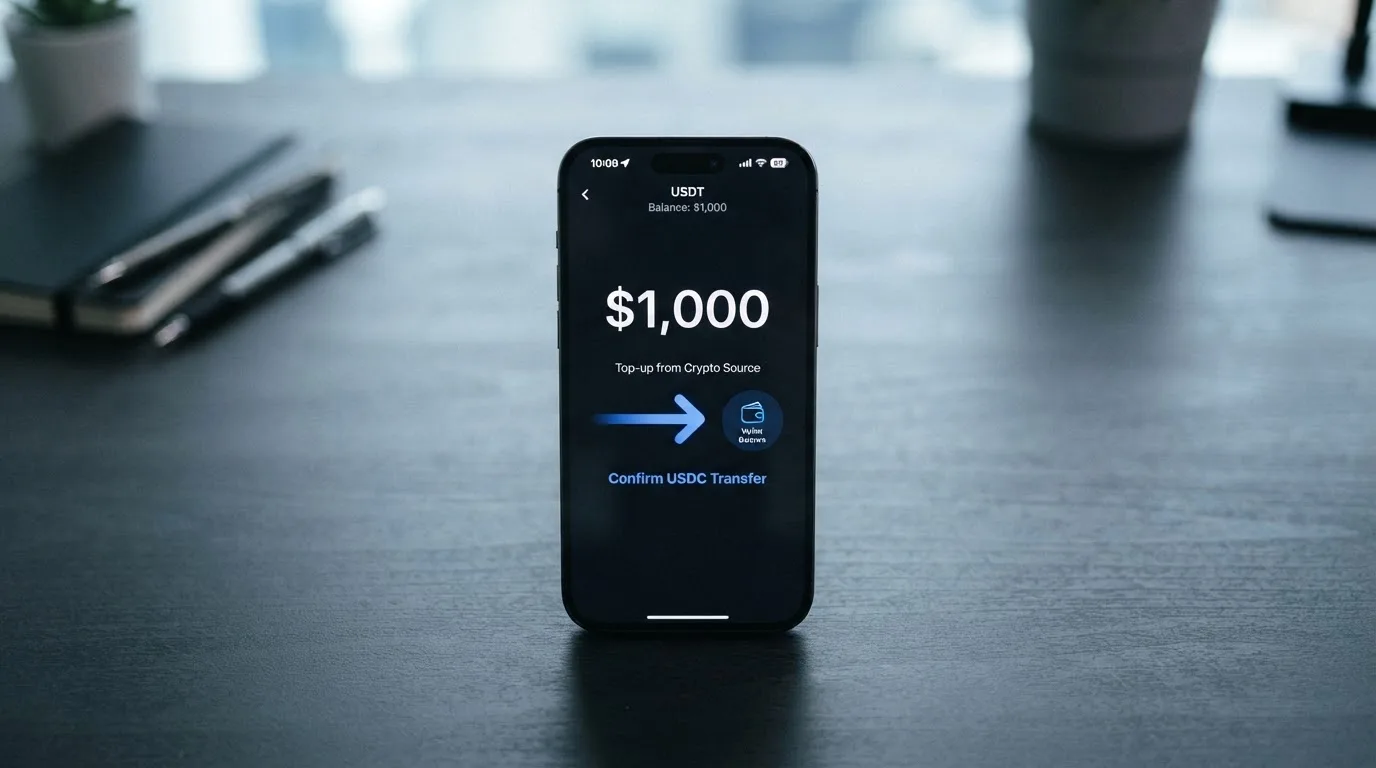
Top-up is the section where the marketing copy and the operational reality diverge the most. The page tells you that you can “Spend USDT and other crypto” and that the top-up fee is 2.5%; a customer testimonial on the site mentions USDT on TRC-20, which is the cheap, fast version of Tether that runs on Tron. Beyond that, Pintopay does not publish an official list of supported coins, networks or minimum top-up amounts, and the Terms say nothing specific about how a top-up is matched to a deposit on a given network.
The unofficial sources fill some of that in. cryptocards.so (2026) lists BTC, ETH, USDT, BNB and TRX across the relevant networks, and says top-ups can take up to 12 hours. The Terms are also clear that the company can delay, refuse or reduce a withdrawal from your balance to cover amounts owed to Pintopay, and that fees are non-refundable. None of that is unusual, but it is the kind of detail you only find if you read the Terms.
There is no mention on the official site of a fiat top-up. The product is positioned as a way to spend crypto you already hold, not as a way to receive a salary, and the Terms treat the underlying account as a combination of a “Wallet”, a “Vault” and a “Virtual Account”, with fees that can be debited from any of those balances.
Practically, the steps I would run through before sending any deposit are: confirm with support which network and coin they expect for the size of the top-up you are about to make; send a small test transaction first, especially if you are sending USDT on a network other than TRC-20; and never assume the minimum top-up is zero. The 2.5% fee is also a flat percentage, not a per-transaction charge, so loading $20 costs $0.50 and loading $2,000 costs $50 — which is the moment the percentage stops feeling like a rounding error.
Paying with it every day
In the places a Visa card is accepted, the card does what you would expect. You can add it to Apple Pay, and unofficial sources say Google Pay also works on both card variants, although Pintopay’s own page mentions only Apple Pay. The page also lists online, offline and ATM use without spelling out which merchant category codes (MCCs) are blocked — gambling, crypto purchases and similar categories are blocked on some crypto cards by policy rather than by law, and the blocked list varies by issuer.
The product runs through a Telegram bot or a mobile app, and there is no App Store or Google Play link visible on the official site. That is a small but real operational point: a side-loaded Telegram mini-app is not the same as a published app with a public rating, so you do not get the same visibility into updates, bugs or user reviews.
The cashback story is the one part of the everyday use case that is genuinely spelled out. Pintopay runs a $10 cashback offer on your first purchase, plus a lifetime referral programme paying cashback on card activations and top-ups. There is no published regular cashback rate, and unofficial sources say the welcome bonus and the referral bonuses are paid on the “Virtual Card” variant rather than on the physical card. The way to think about it is as a small sign-up incentive, not as a long-term rewards programme.
Disputes and chargebacks are handled in the standard way: through the in-app interface or support, within the deadlines set by the card scheme or the unnamed issuer, with a review period of up to 90 calendar days. The Terms are clear that the outcome is decided by the issuer or the card scheme and that a refund is not guaranteed, which is again standard for the industry but worth knowing before you rely on the card for a high-value purchase from a seller you do not know.
What can go wrong
The reliability story is the part of this review I find hardest to write generously, because the public record is thin and the parts that do exist are mostly negative.
The official pages do not name the issuing bank. The footer says “© 2026 Pintopay Inc.”, the Terms (version dated 16 October 2026) are operated by a group called PTP that includes UANT Limited, a company registered in Hong Kong (company number 77341227), and the cards are issued by unnamed “third-party licensed issuers”. The Terms are governed by Hong Kong law and disputes go to HKIAC arbitration. None of that is illegal, but it is a long way from the named, regulated bank you would see behind a European or US debit card.
Trustpilot tells the same story from the customer side. pintopay.me sits at 2.0 out of 5 from 42 reviews, with 26 of those in the last 12 months. The recurring reports, which I read on 2026-10-20, are: frozen or blocked balances, in some cases for months on end; a $1,100 refund that was still listed as pending in mid-2026; generic, copy-paste replies from support; and unexplained fees. The sums in the frozen-balance reports range from $388 to about $1,100. The company’s public responses tend to blame system migrations or partner-side issues, which is a familiar pattern for fintechs in trouble but does not return anyone’s money any faster.
The Terms add a few more risks worth knowing about. The card can be blocked after 45 days without a successful payment, so a card you top up and forget about will not stay active indefinitely. A deposit of $2,000 or more followed by quick disposal of the funds within 48 hours triggers an additional review that can delay or suspend withdrawals, which is a standard anti-money-laundering guard but also a sharp edge if you are a trader moving size through the card. And the on-termination clause allows Pintopay to delay, refuse or reduce the return of your balance to cover amounts owed, with fees non-refundable.
Support runs through the in-service support system (the preferred channel), a Telegram bot, a contacts form that goes to Telegram or X, and an email address at [email protected]. Hours are not stated. In the Trustpilot thread, the support experience is the single most consistent complaint, and that is the experience that matters most if something does go wrong with your balance.
The wider crypto context, which I have not invented and which applies to any product in this category, is that custodial platforms have a long history of failure. The better-known cases — Mt. Gox (about US$350 million reported stolen between 2011 and 2014), Coincheck (about US$400 million in 2018), Ronin Network (US$625 million in 2022), and the FTX US debit card programme wound down after Visa terminated its global agreements on 13 November 2022 — all involved named, regulated counterparties. The lesson is not that Pintopay is the next FTX, but that the cost of being wrong about a custodial counterparty is the balance on the card, and that the issuer and the operator here are partially hidden from view.
What to take instead
If you are choosing a crypto card, the comparison that matters is not feature-by-feature so much as “where is the trade-off between ease of signing up and clarity of what you are buying.” Three of the cards that come up alongside Pintopay in the same category are Cardex, TakeCard and OkiCard, and they each move that trade-off in a different direction.
Cardex (5.6/10) markets itself as “one crypto card, 200+ countries” and runs on a combination of VERVE, Visa, Mastercard and UnionPay, with a card currency pegged to the Naira per its App Store listing. The site says it uses an “AI-Powered Conversion Rate” that picks the best exchange rate at the moment you spend, but the conversion-fee percentage is not published, and no country exclusions or fee schedule are stated. It is a useful fallback if you are specifically looking for a Naira-pegged card and you are comfortable with the fact that the fee numbers are not on the page.
TakeCard (5.5/10) splits sharply by region. The virtual card is available in several Latin American countries and a few European ones, and the physical card is, for now, available only to Bolivian users at $20 issuance plus $20 shipping (one article in the same help centre quotes $10 for the physical in Bolivia — the two pages disagree). It runs on Visa, is issued in the US, prepaid, settled in USD at 1:1 with no currency adjustment on USD payments, and charges a 1% commission per purchase. The fees are published; the country coverage is uneven.
OkiCard (6.0/10) takes the cleanest approach to fee transparency of the three, at least on the headline numbers. The pricing page lists $0 issuance, $0 monthly fee, $0 transaction fee in USD, 3% load fee, and a 100 USDT initial deposit. FX is described as having “no hidden exchange spreads”, although the explicit FX percentage is not given. The card supports USDT on BSC, Ethereum, Tron and Solana, with USDC “soon” and BTC and altcoins “coming soon”. It says “150+ countries” on some pages and “200+” on others, with no geo-blocking by passport but a requirement that you confirm you are not in a sanctioned jurisdiction.
The honest read of that set is that Pintopay is the easiest of the four to sign up for and the hardest of the four to plan financially, because the fee schedule is the least published. If clarity of fees matters more to you than the Telegram-first flow, OkiCard is the closest substitute; if a specific regional card currency matters, Cardex or TakeCard is the right answer, depending on where you actually live.
Who I would recommend the card to
Putting all of that together, my recommendation comes down to three reader types.
You should consider Pintopay if you already keep a meaningful USDT balance on your phone, you cannot easily open a normal bank account where you live, you are happy to operate the card through Telegram, and you plan to use it as a small spending balance rather than as a primary account. The 2.5% top-up fee is the only fee you can plan for; everything else is a “competitive rate” that you will discover at the till.
You should probably skip Pintopay if you want a primary card with a named issuer and a fully published fee schedule, you keep more on a card than you can afford to lose access to for a few months while support works through a migration, or you live in a country where a regular Visa debit card is available to you. The Trustpilot record is short, but it is consistent, and the pattern it shows — frozen balances, pending refunds, generic replies — is the pattern that hurts the most when it is your money on the line.
You should definitely skip Pintopay if you are in Hong Kong or hold a Hong Kong passport (the Terms exclude you), you are a heavy spender who will hit a daily or monthly limit you cannot see in advance (those numbers are not published officially), or you need a card that works with a merchant category that is sometimes blocked on crypto cards, such as gambling, and you have no way to confirm Pintopay’s policy in advance. The Terms reserve the right to ask for documents at any time, and a $2,000 deposit followed by quick disposal of the funds can trigger a withdrawal review, so the card is not a tool for moving size quickly.
The simplest way I can put it: Pintopay is a real product, the virtual card genuinely arrives in minutes, the card genuinely works at a Visa terminal, and the people who get the most out of it are the people for whom the alternatives are worse. For everyone else, the combination of an unnamed issuer, an unstated FX rate, and a 2.0-out-of-5 Trustpilot score means the convenience of the Telegram sign-up is being paid for in trust you cannot verify.
Frequently asked questions
What is the Pintopay card?
The Pintopay card is a Visa-powered debit card that spends from a crypto balance. You top it up with USDT and other crypto, the crypto is converted to fiat at the moment you pay, and the card works online, in store, at ATMs and on Apple Pay, according to Pintopay’s own pages. It is operated by a group called PTP that includes UANT Limited, a Hong Kong-registered company.
How does the Pintopay card work?
You sign up through the Pintopay Telegram bot or mobile app, receive a virtual Visa card number almost immediately, and a physical card is sent on later. You top the card up with crypto, Pintopay converts the crypto to fiat at the moment of payment, and the merchant sees a normal Visa debit transaction. The 2.5% top-up fee is the only fee Pintopay publishes on its own page.
Is Pintopay a bank?
No. Pintopay describes itself as a card programme, not a bank. The Terms say the cards are issued by unnamed “third-party licensed issuers”, and the operator behind the programme is UANT Limited, a Hong Kong company. The Terms are governed by Hong Kong law, with disputes going to HKIAC arbitration, so this is not a bank product in the way a Visa debit card from a high-street bank would be.
Who owns Pintopay?
The footer on Pintopay’s site says “© 2026 Pintopay Inc.”, and the Terms name a group called PTP that includes UANT Limited, a company registered in Hong Kong under company number 77341227. No parent bank or publicly listed owner is named on the public pages, and no banking or e-money licence number is published alongside the card.
Is the Pintopay card available in my country?
Pintopay markets “180+ countries” and does not publish a country list, so the official answer is that it is broadly available, with the one exception spelled out in the Terms: services are not available to people located in Hong Kong or to Hong Kong citizens. For any other country, the practical way to confirm is to start the Telegram sign-up and see whether your phone number and basic details are accepted.
Does the Pintopay card require KYC?
The official page lists “KYC” and “ISO AML/KYC” as security credentials, and the Terms say Pintopay can request more information and documents on an ongoing basis, with suspension if those requests are not met. A third-party listing (cryptocards.so, 2026) describes the card as “No KYC”, which contradicts the official page; the official wording is the one Pintopay is committed to, and the precise list of documents required up-front is not published on the marketing page.
How do I top up the Pintopay card?
You top up by sending crypto from your own wallet to the deposit address shown in the Pintopay interface. Pintopay’s own page says “USDT and other crypto” and a testimonial mentions USDT on TRC-20; unofficial sources list BTC, ETH, USDT, BNB and TRX across networks, with top-ups sometimes taking up to 12 hours. The 2.5% top-up fee is the only number published, and the minimum top-up is not stated.
Is the Pintopay card free?
Not exactly. The card itself costs $35 according to the official page, the top-up fee is 2.5%, and the FX rate is described as “competitive” without a number. A third-party listing (cryptocards.so, 2026) says the issuance fee is $10 on a “PintoPay Card” and $35 on a “Virtual Card” with a free monthly fee, but that figure is not on Pintopay’s own pages, so I would plan for the official $35 plus 2.5% per top-up and treat everything else as an unknown.
Is the Pintopay card safe?
The card uses 3-D Secure, “bank-grade security” and the KYC and AML credentials Pintopay lists on its site. The risks that are specific to this product are the ones the official pages do not name clearly: the issuer is not disclosed, the operator is a Hong Kong group, and Trustpilot sits at 2.0 out of 5 from 42 reviews with repeated reports of frozen balances and pending refunds. Card safety is not the same as balance safety, and the second is the one that depends on the issuer behind the product.
How do I add the Pintopay card to Apple Wallet?
You add the card through the Pintopay app or Telegram interface once the virtual card has been issued. Pintopay’s own page lists Apple Pay as supported; Google Pay is mentioned only by unofficial sources. Because Pintopay does not publish a link to the App Store or Google Play, the practical path is to follow the in-app instructions inside the Pintopay interface rather than to search for the app on a store and risk a lookalike.
Highest-scored virtual cards – cryptocardbest.com
Content created by the «cryptocardbest.com» team