
A close look at WhiteBIT Nova: where this crypto payment card fits, and where it does not
 Available in US
WhiteBIT Nova is the payment card tied to the WhiteBIT crypto exchange. The idea is straightforward: you keep crypto on the exchange, and the card pays for everyday things by converting that crypto at the moment of the purchase. The execution, however, is harder to evaluate from the outside than with most crypto cards I have looked at — the official product page was inaccessible when I checked, and a lot of what I am about to walk you through comes from third-party sources that I have flagged as unofficial throughout.
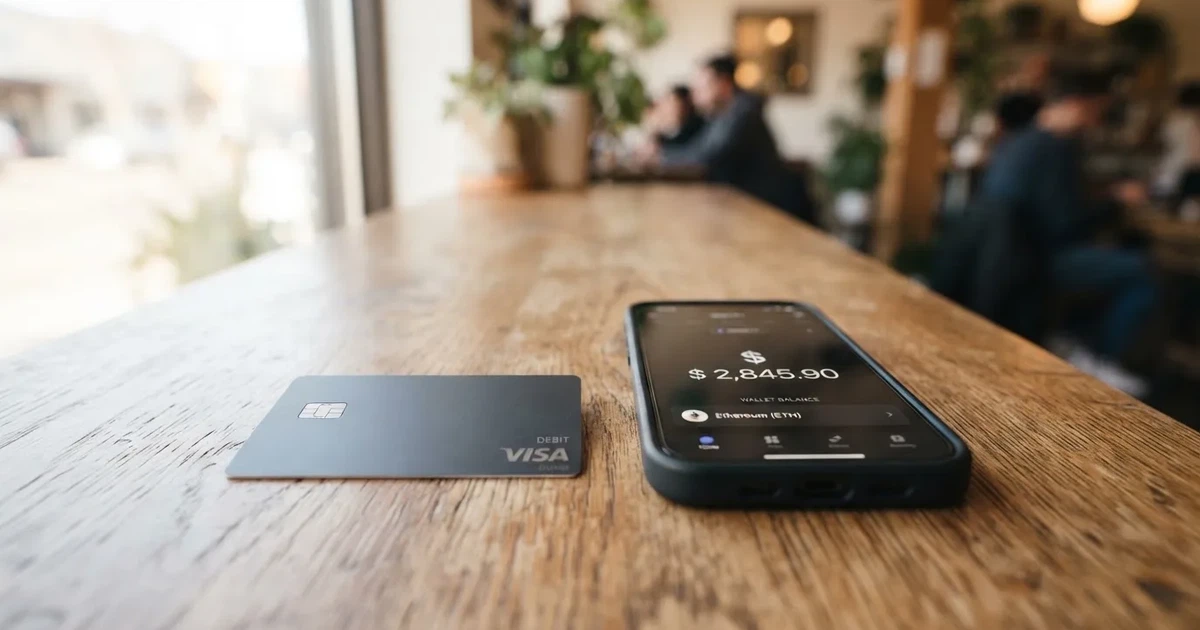
Conditions are current as of October 28, 2026.
This review is for anyone who is weighing WhiteBIT Nova against the alternatives and wants a single, opinionated read rather than a marketing page. I will go through who can actually get the card, what it costs in practice, how to fund it, what using it day to day looks like, what the real risks are, and finally who I think it is genuinely worth it for. The conditions described below are current as of 2026-10-20.
Verdict
My overall score is 5.7 out of 10. That is a middle-of-the-pack result that masks a real split: the card is cheap to run, easy to fund if you already sit on WhiteBIT, and the daily mechanics are simple, but the supporting company is an exchange with a troubled public reputation, the card is virtual-only with no ATM access, and the official documentation was not reachable when I wrote this. If you do not already have a WhiteBIT account, the friction outweighs the savings. If you do, it is a reasonable way to spend your balance, with caveats I will spell out below.
Score breakdown
| Criterion | Mark | Why I scored it this way |
|---|---|---|
| Who can get it | 8 / 10 | Available in roughly 140 countries, including many where ordinary bank cards are hard to obtain; the catch is that the US, UK, Canada and a handful of others are excluded, and EU status is unclear. |
| Cost | 5 / 10 | Issuance is free, there is no monthly or annual fee, but a 1.5% + $0.20 per-payment charge plus a 1.5% conversion fee is mid-market, and the per-payment fee is not refunded on refunds. |
| Top-up options | 7 / 10 | You can fund it from eleven listed coins and tokens held on WhiteBIT, and the spend draws on the Main balance, not the trading balance, which keeps things simple. |
| Reliability and complaints | 3 / 10 | The operator is an exchange with serious user complaints, including frozen funds and slow AML reviews, and a separate WhiteBIT Nova EUR card was frozen in mid-2026. |
| Everyday use | 5 / 10 | Virtual Visa only, supports Apple Pay and Google Pay, but no ATM withdrawals, no physical card, and gambling and similar categories are blocked. |
| Total | 5.7 / 10 |
If I had to describe the audience in one sentence: existing WhiteBIT users who want to spend their USD-denominated balance at merchants that take Visa, and who are comfortable with the custodial risk that comes with any exchange product. If that is not you, there are stronger options further down.
Who can actually get the WhiteBIT Nova card
The honest answer is that the official page on eligibility was blocked when I checked, so the country list I can give you comes from third-party sources and I have marked it as unofficial throughout. What is consistent across those sources is that the card is aimed at a very wide international audience, with notable gaps in North America and parts of Latin America.
The third-party sources I am working from name about 140 countries, concentrated in Asia, Africa, the Middle East and Latin America. The countries that the same sources flag as excluded include the United States, the United Kingdom, Canada, Colombia, Costa Rica, Panama and Venezuela. The European Union situation is described as contradictory in one of the sources — I would not rely on that, and if you are in the EEA you should treat your own status as something to confirm directly with WhiteBIT before you invest time in the application.
In the starting data I was given, specific countries called out include Algeria, Armenia, Azerbaijan, Bahrain, Bangladesh, Egypt, India, Kazakhstan, Kyrgyzstan, Malaysia, Singapore, Türkiye, the United Arab Emirates, Uzbekistan, Argentina, Australia, Brazil, Chile, China and Georgia, with the broader list extending well beyond that sample.
Two things are worth flagging while you decide whether to read further:
- This is not stated officially, and the country list I am quoting is from secondary sites. Treat it as a starting point, not as a guarantee.
- A separate WhiteBIT Nova EUR card has a different restriction profile, and one third-party source lists Russia as one of 22 countries restricted for that product. The card I am reviewing here is the Nova USD product, and the same source says it is not a continuation of the frozen euro card.
If your country is clearly in the supported list, you can move to the next section. If it is not, the card is not for you and the alternatives at the end of the review are where you should look.
How to get the card
The signup flow is hard to describe with confidence because the official onboarding page was also blocked when I checked. What I can tell you is a sketch of the path, based on how WhiteBIT’s card product is generally understood from third-party reporting, and on what user reviews describe.
You start by having a WhiteBIT account. If you do not have one, that is a separate registration with its own KYC, since the card’s identity check is reported to be run separately from the exchange’s. In other words, completing the exchange verification does not waive the card’s KYC, and you should expect to be asked for documents a second time. One source notes that, in practice, card-level verification has been reported to take more than a month in user reviews — that is a meaningful amount of time, and it is worth factoring into any plan to use the card for a specific purchase.
The card itself, as far as third-party sources describe it, is virtual only: there is no physical plastic to order, no shipping, and no delivery to wait for. The brand on the card is Visa, the currency is USD, and once you are approved you receive card details that you can then put into a mobile wallet or use for online purchases. The fact that the card is virtual is convenient for speed but matters a lot for everyday use, which I come back to in the section on paying with it.
A note on honesty: the official onboarding pages were not accessible to me, and the steps I have just described are reconstructed from third-party reporting. If anything in the live flow differs from what I have written, the live flow is what matters. Do not sign up on the strength of my description alone.
What it really costs: WhiteBIT Nova fees
Cost is where WhiteBIT Nova looks good on paper and middling in practice. The headline is friendly — there is no charge to issue the card, and no annual, monthly, inactivity or cancellation fee that third-party sources have been able to find. Once you actually start spending, however, the per-payment charge is in the middle of what I have seen in this category.

Below is a summary of the cost picture, drawn from the unofficial third-party sources I have been working with. The two columns are the headline fee and a plain-English note on what triggers it.
| Fee or limit | Value | What it means in practice |
|---|---|---|
| Issuance | Free | No charge to get the card details. |
| Monthly fee | None | No recurring fee for keeping the card open. |
| Annual fee | None | No yearly charge. |
| Inactivity fee | None | You are not penalised for not using the card. |
| Cancellation fee | None | Closing the card does not cost anything. |
| Per-payment fee | 1.5% + $0.20 | Charged on every transaction, in addition to any conversion fee. |
| Currency conversion | 1.5% | Applies when you pay in a currency other than USD. |
| Refunds | Fee is not refunded | If a merchant refunds a purchase, the 1.5% + $0.20 charge is not returned. |
| ATM withdrawals | Not available | The card does not support cash withdrawals. |
| Daily limit | $40,000 | Maximum you can spend in a single day. |
| Monthly limit | $200,000 | Maximum you can spend in a rolling month. |
The two everyday scenarios below show how those numbers add up. They are illustrative, not quotes — the actual amount charged depends on the merchant, the network rate at the moment of payment, and whether the merchant settles in USD or in a local currency that triggers the conversion fee.
- A $50 grocery purchase in USD: 1.5% + $0.20 on the payment, so roughly $0.95 in fees. No conversion fee because the merchant settles in USD. Out of pocket, around $50.95.
- The same $50 spent at a European supermarket that settles in euros: the conversion fee of 1.5% on top of the network rate, plus the per-payment fee of 1.5% + $0.20. Depending on the network rate, total fees are likely in the $1.50 to $2.50 range for that single $50 purchase.
Three things follow from those numbers. First, if you mostly buy in USD, the card is genuinely cheap to run — the per-payment fee is the main drag and it is small in absolute terms at low spend. Second, if you travel or buy in other currencies, the conversion fee stacks on top of the per-payment fee, and small purchases feel the $0.20 component harder than big ones. Third, the no-refund-on-refund policy is a real issue if you regularly return online purchases, because the fee you paid originally is gone for good even if the merchant gives the money back.
A note on the limits: $40,000 a day and $200,000 a month are reported figures, though they are unofficial and not confirmed by the card. They are high enough that almost no individual user will bump into them. They are useful mainly as a signal that this is being positioned as a payment card for real spending, not as a niche tool.
How to top up the WhiteBIT Nova card
Top-up is a slight misnomer for this product, because there is no separate balance to “load” in the way you would load a prepaid card. The card spends directly from your WhiteBIT exchange balance: when you pay, WhiteBIT converts the chosen crypto at the spot rate into USD and the card settles the purchase in USD. The crypto never has to be pre-sold.
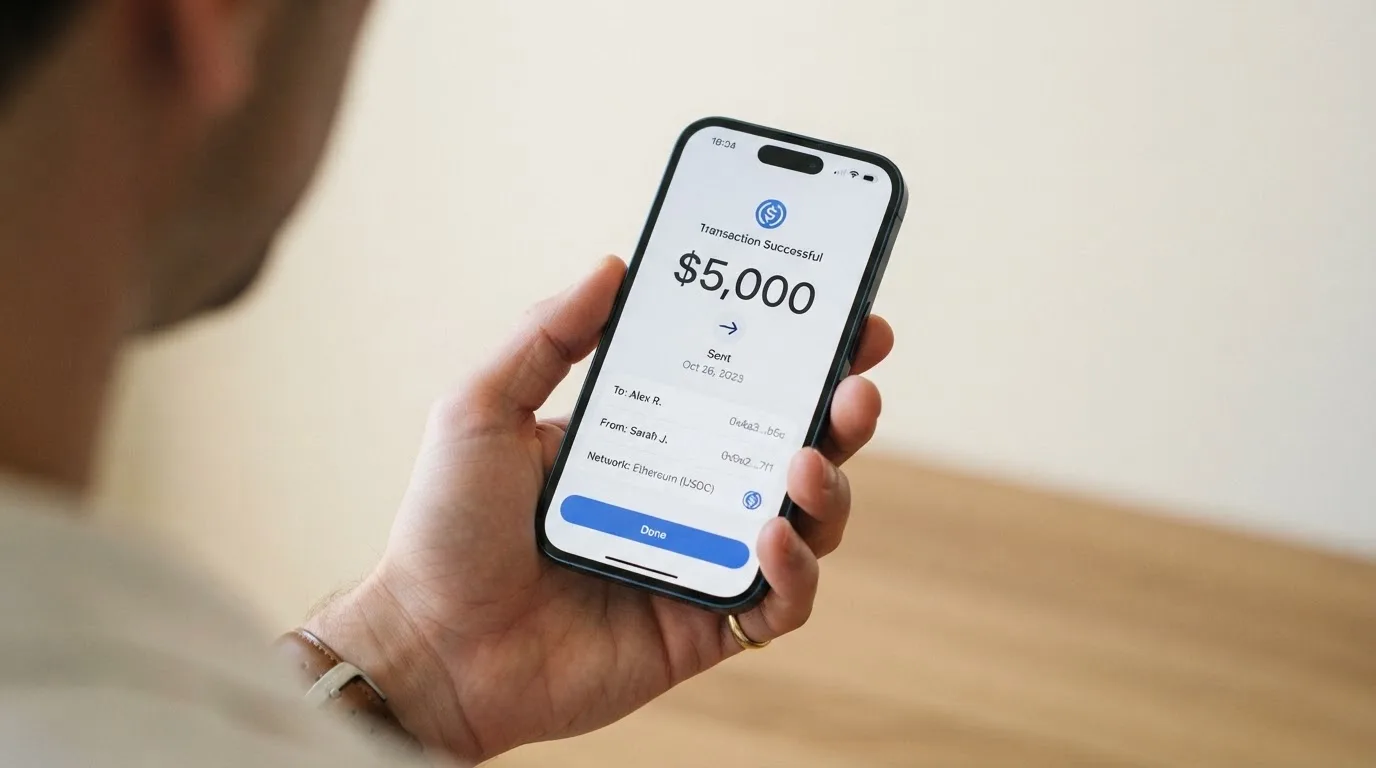
The starting data I was given lists eleven coins and tokens that the card can spend from: USDC, USDT, BTC, ETH, XRP, SOL, NEAR, ADA, AVAX, WBT and DOGE. If you only hold other assets on WhiteBIT, this card cannot spend them — you would need to convert them to one of the eleven on the exchange first.
One specific detail that is worth knowing, drawn from third-party reporting: the card spends from the Main balance on the exchange, not from the Trading balance. If you actively trade, that distinction matters: balances sitting in open positions or in the trading sub-account are not available to the card, and you will need to move funds to Main first. That is a one-tap step in the app but it does take a moment, and if you are in the habit of leaving funds in positions, the card can feel less responsive than the marketing suggests.
A practical implication: because the conversion happens at the moment of payment, your effective spend in fiat depends on the spot rate at that instant. A coin that is volatile — which is most of them on the list — means the dollar value of a single purchase can move while you are at the till. USDC and USDT, by design, target a 1:1 with the dollar, and are the only assets on the list where the value is unlikely to change materially between the time you tap and the time the transaction settles.
There is no separate fiat top-up, no bank transfer, and no card-to-card funding step. If you do not already hold crypto on WhiteBIT, the card has no way to spend, and you would need to acquire crypto on the exchange first through whatever funding method the exchange supports in your country. That funding is outside the scope of this review.
Paying with the WhiteBIT Nova card every day
Day-to-day use is where the trade-offs become concrete. The card is virtual, which means there is no plastic to insert, no chip, and no contactless tap with the card itself. Everything goes through a mobile wallet or through online checkout.
Apple Pay and Google Pay are both reported as supported, with the card added manually in the wallet app rather than through a one-tap push from WhiteBIT. That works, but it is a little less seamless than cards that integrate with the wallet through a single button. Once added, the card behaves like any other tokenised Visa in the wallet: you tap to pay in store, and the device-specific number handles the actual transaction.
For online purchases, you enter the card number, expiry and CVV exactly as with any Visa. Online checkout is the natural habitat of a virtual card, and the card should work at any merchant that accepts Visa and does not impose category restrictions.
There are some things the card does not do, and they are worth knowing before you build a routine around it:
- No ATM withdrawals. The card cannot be used to get cash. If you occasionally need cash, you will need a separate way to get it.
- No physical card. If you live somewhere where tap-to-pay with a phone is not yet universal, or if your terminal only takes a physical card, you have a problem.
- Category blocks. Third-party sources say the card is not accepted for betting, casinos, lotteries, brokers or money transfers. That is a policy restriction, not a network limit, and it is common in this category, but it does mean the card is not a general-purpose replacement for everything a debit card can do.
- Cashback. There is a cashback programme reported in third-party sources, with a cap of $25 per month and three merchant categories of your choice that can be changed weekly. Cashback is paid in BTC or WBT and is withdrawable from 5 USDC, which is a small enough threshold that you can actually realise it. The cashback is unofficial, meaning I have not been able to confirm it on an official page.
I would also be cautious about these practical things. First, declined authorisations can leave a temporary hold on funds, and with a card that draws on a fluctuating crypto balance that hold can feel larger than it is. Second, if a merchant declines the card, it can be for reasons that have nothing to do with your balance — the issuer country and the card type are visible to the merchant through the BIN, and some merchants are stricter about foreign-issued or prepaid cards. That is a category-wide issue, not a WhiteBIT-specific one.
What can go wrong with the WhiteBIT Nova card
This is the section of the review I would pay closest attention to if I were you. The product itself looks fine on cost, the mechanics are simple, and the integration with the exchange is convenient. The risk surface is the operator behind it.
WhiteBIT is a crypto exchange, and crypto exchanges have a long history of custody failures. The card is, in effect, a way to spend from a custodial balance, which means a few things: you do not hold the private keys to the assets that pay for your purchases, you depend on the operator staying solvent and willing to process your transactions, and the operator can restrict your account if it decides the activity looks suspicious.
The user complaint picture on Trustpilot for WhiteBIT, which is the exchange rather than the card, is a useful reality check, even if it is not card-specific. The TrustScore is currently hidden, with 469 reviews: 41% at five stars and 47% at one star. The themes that come up repeatedly are frozen or restricted funds, long anti-money-laundering and source-of-funds reviews, slow or templated support replies, deposit and withdrawal delays, and a third-party impersonation scam reported in 2026. A third-party tracker shows around 3.4 from 474 reviews as of October 2026, with only a small share of those reviews mentioning the card itself.
A second, more concrete data point: WhiteBIT’s separate Nova EUR card was frozen at the end of June 2026, with some users in the EEA reporting frozen payments. The Nova USD product is distinct from the frozen euro card, and there is no indication that the USD card has been affected in the same way. But the fact that a sister product under the same brand was shut down is a real precedent, and the regulatory pressure on euro-denominated crypto cards is not unique to the euro product. If the regulatory environment tightens in other currencies or regions, the USD card could face similar pressure.
A third, more procedural risk: the licence picture is not clear from the public pages I could reach. The operator is WhiteBIT, the exchange; the issuer of the USD card, according to one third-party source, is JSC Hash Bank in Georgia, with no licence details provided. The euro card’s issuer is named elsewhere as Wallester AS, an Estonian e-money institution that is a Visa Principal Member. The contrast matters because, if something goes wrong, who you actually deal with is the issuer, not the brand on the front of the card.
A few other things to be aware of:
- The card is custodial. For the euro card, the third-party source explicitly says the user does not hold the keys, and the same arrangement is implicit for the USD product.
- The operator can restrict, freeze or close accounts on suspected misuse, with no obligation to give reasons in real time. That is a normal term in this category, but it is not theoretical.
- Support quality, judging by exchange-level reviews, is a common complaint. If your card is blocked, your recourse depends on how responsive support is at that moment.
- Disputes and chargebacks are not described in the public pages I could read. The general background is that chargeback rights on prepaid cards vary and should not be assumed.
If you already keep meaningful funds on WhiteBIT, none of this changes the basic risk profile you have already accepted by being on the exchange. If you are considering opening a WhiteBIT account specifically for the card, this is the section to think about carefully.
What to take instead of WhiteBIT Nova
If WhiteBIT Nova is not the right card for you, the three alternatives below are the most relevant comparisons. Where specific fees or limits are not stated on the official product pages, that is noted.
MSX (6.4 / 10)
MSX scores a little higher than WhiteBIT Nova, mostly because of stronger everyday use and a more developed programme. The trade-off is that the official pages I could read did not state country eligibility, card form, costs or funding options, so a lot of the picture is incomplete. If you are evaluating MSX, expect to do a similar amount of independent checking to what you are doing for WhiteBIT Nova.
Bybit Card (6.0 / 10)
Bybit Card is a more mature product with a real rewards programme. It supports both virtual and physical cards in most regions, on Mastercard in some and Visa in others, and the card currency is tied to the country of your identity verification: USD in Kazakhstan, Georgia, Australia and Asia Pacific, ARS in Argentina, MXN in Mexico, BRL in Brazil, and PEN or USD in Peru. Crypto conversion is 0.9% over the One-Click Sell rate in most regions (0.5% in Argentina), and FX is 2% on top of the network rate in most regions, with Argentina the outlier at 7%.
Issuance is free for the virtual card, with physical card fees that vary by region — Australia and Kazakhstan charge 29.99 USD, Argentina 5 USD, Georgia 29.99 USDT, Asia Pacific 5 USDT, Brazil and Mexico free, and VIPs holding the card in Australia, Kazakhstan, Georgia or Asia Pacific pay nothing. The cashback programme is structured around tiers from Base at 2% to Infinite at 10%, with monthly spend thresholds to unlock the higher tiers, and a welcome offer of 10% up to 110 USDT in the first 30 days.
The big caveat is geography: the cards page says the product is not meant for EEA customers and that EEA participation is strictly prohibited, so for an EEA reader this is a non-starter. For a reader in one of the supported countries — Argentina, AIFC, Georgia, Kazakhstan, Australia, Mexico, Brazil, Peru or Asia Pacific — it is a credible option.
MEXC (5.6 / 10)
MEXC scores similarly to WhiteBIT Nova and is best understood as a virtual-only product that is still being built out. The card is virtual, there is no physical option yet, the issuance fee is reported as 20 USD (with a possible discount to 0 USD that I could not confirm), and there is no monthly service fee.
Funding runs through USDT to a Fiat account and then to the card. The cashback is tiered by M-Score: Standard 4% with a 100 USDT monthly cap, Premier 6% with 300, Elite 10% with 800, and a referral programme that pays 20 USDT to the referrer and 10 USDT to the new user. The detail that was hardest to pin down from the public pages was crypto conversion and FX fees, which the source page did not list clearly.
If you are already a MEXC user and the country list works for you, the cashback rates are competitive, especially at higher M-Score tiers. If you are not, the missing detail on fees makes it harder to commit to without doing the math yourself.
Who I would recommend the WhiteBIT Nova card to
Pulling the threads together, here is where I land.
WhiteBIT Nova is worth serious consideration if you are an existing WhiteBIT exchange user, you hold a meaningful balance on Main, and you want a way to spend that balance in USD at merchants that take Visa without selling crypto manually first. The issuance is free, there are no ongoing fees, the supported list of coins and tokens is broad enough to be useful, and the mobile wallet support means you can use it for in-store tap-to-pay in countries where that is the norm. The 1.5% + $0.20 per-payment fee is mid-market and not refunded on refunds, but for routine spending it is a reasonable price for the convenience.
WhiteBIT Nova is not the right card if you need cash from an ATM, if you want a physical card as a backup, if you need to spend in categories like gambling or money transfers, if you are in the US, UK, Canada or one of the other excluded countries, or if you do not already have a WhiteBIT account and would be opening one specifically for the card. In the last case, the custodial risk on the exchange, the unsettled regulatory picture for the wider product family, and the time cost of a separate KYC make it hard to justify against the alternatives above.
A final thought on the score. I gave the card 5.7, and the breakdown shows why that is not a clean yes or a clean no. The cost and the funding options are genuinely good. The reliability and complaint story is genuinely worrying. The card is, in the end, a feature of an exchange rather than a standalone product, and whether it is the right call depends almost entirely on how you feel about the exchange.
Frequently asked questions
What is the WhiteBIT Nova card?
The WhiteBIT Nova card is a virtual Visa payment card issued under the WhiteBIT crypto exchange brand. It does not have a separate balance of its own; instead, it spends directly from your WhiteBIT exchange balance, converting a chosen cryptocurrency into USD at the spot rate at the moment of payment. The card is virtual, in USD, and is positioned for everyday spending rather than for cash withdrawals.
Is WhiteBIT Nova a bank?
No. WhiteBIT is a cryptocurrency exchange, and the Nova card is a payment product built on top of that exchange. The card-issuing side, according to third-party sources, is a separate entity: JSC Hash Bank in Georgia for the USD product, and Wallester AS in Estonia for the separate euro product. Neither the exchange nor the card is a bank, and the funds you hold on the platform are not bank deposits and are not covered by deposit guarantee schemes.
Who owns WhiteBIT Nova?
WhiteBIT is the brand under which the card is marketed, and WhiteBIT is the entity that runs the app, holds custody of the underlying crypto and handles the conversion to fiat at payment time. The issuing bank behind the card is different — it is JSC Hash Bank in Georgia — and that is the institution you would deal with for any card-specific regulatory matter. The ownership and corporate structure of WhiteBIT itself is not public.
Is the WhiteBIT Nova card available in the United States or the United Kingdom?
According to the third-party sources I worked with, the card is not available in the US, the UK, Canada, Colombia, Costa Rica, Panama or Venezuela. The broader list extends to around 140 countries, mainly in Asia, Africa, the Middle East and Latin America, with the EU described as contradictory. Because the official eligibility page was not accessible when I checked, you should treat the country list as a starting point and confirm your own status with WhiteBIT before you start the application.
Does the WhiteBIT Nova card require KYC?
Yes. Identity verification is required to use the card, and third-party sources say the card’s KYC is run separately from the exchange’s, so completing one does not waive the other. User reviews describe card-level verification as taking more than a month in some cases, which is worth bearing in mind if you are signing up for a specific near-term purchase. The exact documents required and the countries whose documents are accepted are not stated on the pages I could read.
How do I add the WhiteBIT Nova card to Apple Pay or Google Pay?
According to third-party sources, both Apple Pay and Google Pay are supported. The card is added manually in the wallet app — that is, you enter the card details into the wallet yourself rather than being pushed a one-tap option from WhiteBIT. Once added, the card behaves like any other tokenised Visa in the wallet, and you can use it for tap-to-pay in store and for online checkout at merchants that accept Apple Pay or Google Pay.
How do I top up the WhiteBIT Nova card?
There is no separate top-up step in the way you would top up a prepaid card. The card spends directly from your WhiteBIT exchange Main balance, converting one of the eleven supported assets — USDC, USDT, BTC, ETH, XRP, SOL, NEAR, ADA, AVAX, WBT and DOGE — into USD at the spot rate at the moment of payment. If your funds are in the trading sub-account, you need to move them to Main first, or sell them to one of the eleven assets before you spend. Bank transfer and card-to-card funding are not part of the card flow.
Where can I use the WhiteBIT Nova card?
Anywhere Visa is accepted, in principle, with a few specific category exclusions. The third-party sources I worked with say the card is blocked for betting, casinos, lotteries, brokers and money transfers. Online checkout is its natural habitat, and tap-to-pay in store works through Apple Pay or Google Pay. There is no ATM access, and the card is virtual, so there is no physical card to fall back on at a terminal that only takes plastic.
Is the WhiteBIT Nova card safe?
The card is a custodial product: you do not hold the private keys to the assets that fund it, and the operator can restrict or close your account. WhiteBIT’s exchange-level reputation is mixed, with a Trustpilot record in which a large share of reviews complain about frozen funds, long AML reviews and slow support. The regulatory picture is also less clear than for some competitors, and a sister product, the WhiteBIT Nova EUR card, was frozen in mid-2026. None of this is unique to WhiteBIT — most exchange-issued cards carry similar risks — but it is a meaningful part of the picture.
Is the WhiteBIT Nova card worth it?
It depends on whether you already have a WhiteBIT account. If you do and you keep a balance on Main, the card is a cheap and simple way to spend that balance in USD, with reasonable crypto-to-fiat conversion at the spot rate. If you do not, the cost of opening an account, completing a separate KYC for the card, and accepting the custodial risk on the exchange is hard to justify against the alternatives. The card is not worth it if you need cash from an ATM, a physical card, or to spend in the blocked categories.
Highest-scored exchange cards – cryptocardbest.com
Content created by the «cryptocardbest.com» team