
Stella card review — what the crypto Visa actually does, and what goes wrong
 Available in US
If you hold crypto and you want a payment card that turns that balance into something you can swipe, tap, or push through a mobile wallet, Stella pitches itself as the tool for the job. It’s a Visa, it works with Google Pay, Alipay and WeChat Pay, and on paper the top-up story is straightforward: send crypto in, spend fiat out. The reality, once you start reading the small print and the user reports, is more uneven. This review walks through who can actually get one, what it costs, how the funding works, and where things break down, so you can decide whether it’s the right card for your situation.

Conditions are current as of October 28, 2026.
Verdict
Stella scores 6.5 out of 10. That’s a middle-of-the-pack result that reflects a real split: the everyday experience is good, the funding options are generous, and the card network coverage is broad — but the company is opaque about fees, the issuer isn’t named on the public pages, and there are user reports of accounts being frozen with funds not returned. If you’re a crypto holder who wants a Visa with ATM withdrawals and Asian wallet support, and you’re comfortable with a custodian that doesn’t publish a fee schedule, Stella can work. If you need a fully transparent, regulated, well-documented card programme, you’ll want to look elsewhere.
| Criterion | Score | Why it matters |
|---|---|---|
| Who can get it | 7/10 | Broad unofficial country list, but the official pages don’t name which countries are supported. |
| Cost | 5/10 | No published fee schedule; the only public sources are user reports and third-party write-ups. |
| Top-up options | 9/10 | Supports the major coins and most of the networks people actually use. |
| Reliability and complaints | 4/10 | Issuer and licences not disclosed; one reported account freeze with funds not returned. |
| Everyday use | 9/10 | Virtual and physical Visa, ATM access, Google Pay, Alipay, WeChat Pay — and reportedly Apple Pay. |
| Total | 6.5/10 |
The card is best suited to crypto holders who already know how to manage their own keys and networks, who want broad wallet and ATM support, and who are willing to accept that the fee details live in the app rather than on a public page. It’s not suited to anyone who needs a fully transparent fee schedule before signing up, anyone who wants a named, licensed issuer they can look up in a regulator’s register, or anyone who can’t tolerate a small but real risk of an account freeze that takes time to resolve.
Who they’ll give the card to
The official site doesn’t publish a country list. The terms bar users subject to economic sanctions programmes and route US and European users through affiliates, which is a clue that the company is willing to serve people in many jurisdictions but routes them through local partners. Third-party reporting, last confirmed against Stella documentation dated 6 September 2024, puts the available list at 57 countries — including the US, UK, Singapore and India — with restrictions in 49 others, including Russia, Belarus, Ukraine, Iran, Iraq, Syria, North Korea, Cuba, Venezuela and South Africa. That list is unofficial, and the official page doesn’t confirm it, so treat it as a starting point rather than a guarantee.
The application itself asks for the usual regulated set: name, address, date of birth, tax ID, government-issued ID and bank details. Biometric data may also be requested, and the minimum age is 18. Unofficial sources describe the process as a full electronic KYC, typically taking one to two business days, with many applications auto-approved in minutes. The official wording promises “immediate card usage after approval,” which is consistent with that.
What this means for you: if you live in a country that doesn’t appear on common sanctions lists and you have a standard set of identity documents, you stand a good chance of being approved. If you live in a restricted country, the card simply isn’t an option, and the official pages won’t tell you that explicitly before you sign up. The user agreement governs everything, and the disputes clause points to courts in the Republic of Seychelles under Seychelles law — worth knowing in advance.
How to get it
The sign-up flow isn’t documented in detail on the public pages, but the pieces are clear enough. You download the app, complete the KYC process described above, and once you’re approved you get a virtual card immediately. A physical Visa is also available, and the marketing claim is that it works at “over 40 million VISA merchants globally.” Unofficial sources describe the card as a Visa credit card with USD as the base currency, with a starting credit limit of zero that rises as you deposit crypto collateral — which is a different model from a standard prepaid card, and worth understanding before you treat it like a debit card.
There’s no published delivery time for the physical card. Unofficial reporting suggests the physical card is free after a USD 20,000 top-up; otherwise a delivery fee applies. Unofficial sources also note that the virtual card has a pay-as-you-go application fee that’s only visible in the app — and at least one user complaint puts that fee at USD 30. None of that is confirmed on the official pages.
What this means for you: the onboarding is designed to be quick, and the immediate-issuance virtual card is the main reason to pick Stella over a card that mails you a piece of plastic. The trade-off is that the costs of the virtual and physical cards aren’t disclosed up front, so you may learn the price only after you’ve gone through KYC. If that bothers you, weigh that against the convenience.
Fees: what it really costs
This is where Stella is weakest, and it’s the reason the cost score sits at 5. The official pages do not publish a fee schedule. The user agreement says fees are “described under this User Agreement and/or on the App,” which means you find out what you’re paying only after you sign up. That’s not unusual for crypto products, but it makes it hard to compare Stella against alternatives before you commit.

Unofficial sources fill in some of the blanks, with the caveat that these are user reports and third-party write-ups rather than company disclosures:
- No annual fee.
- 0% crypto deposit fee — you pay only the blockchain network fee (gas).
- Virtual card pay-as-you-go application fee, shown in the app only; one user complaint cites USD 30.
- Physical card free after a USD 20,000 top-up; otherwise a delivery fee.
- Conversion at interbank rates, shown in the app.
- Purchase fees and FX/top-up spreads are not itemized on the public pages.
| Fee or limit | Amount (official) | Amount (unofficial) |
|---|---|---|
| Card issuance | not stated | Virtual: pay-as-you-go fee in-app; Physical: free after USD 20,000 top-up |
| Monthly fee | not stated | No annual fee reported |
| Crypto deposit | not stated | 0% (gas only) |
| Conversion | not stated | Interbank rate, shown in-app |
| Foreign exchange | not stated | Not itemized |
| ATM withdrawal | not stated | Daily limit USD 2,000, monthly USD 10,000, up to 3/day and 30/month |
| Daily spending limit | not stated | USD 100,000 for regular accounts |
| Top-up limit | Set by risk preference; amounts not stated | — |
To make this concrete, here are three everyday situations and how the fees land:
Buying a USD 50 coffee with USDC you’ve topped up. The 0% deposit fee means you only lose the gas you paid to send USDC to the card’s wallet. The conversion to USD at the point of sale is reportedly at interbank rates, so no markup is disclosed. If there’s a hidden spread in the app, you won’t see it until after the fact. In the best case, your only cost is the blockchain gas from the original top-up.
Buying a EUR 80 dinner in Berlin with the same card. The conversion from USD to EUR is the question mark. Unofficial sources say FX and top-up spreads aren’t itemized, so the only way to know what you paid is to check the app after the transaction. Compare this to cards that publish a flat FX markup, and you’ll see why “not stated” is a real cost — it’s just a cost you can’t calculate in advance.
Withdrawing USD 200 from an ATM. The withdrawal is supported, but the fee isn’t published. Unofficial reporting suggests a daily ATM limit of USD 2,000, with up to three withdrawals per day. Whether the ATM operator’s own fee is passed through, and whether Stella adds its own, is something the public pages don’t tell you.
What this means for you: until the company publishes a fee schedule, treat every Stella transaction as if there’s an unknown spread, and don’t load large amounts that you can’t afford to have tied up while a dispute is resolved. If transparent pricing matters to you, this card won’t satisfy that need.
Top up: how to fund the card
Funding is the strongest part of the Stella experience, and the reason the top-up score lands at 9. The model is custodial: you deposit crypto into an in-app wallet, and the card is automatically topped up from that wallet. There’s no separate “load” button — once your crypto arrives, the balance is available to spend.
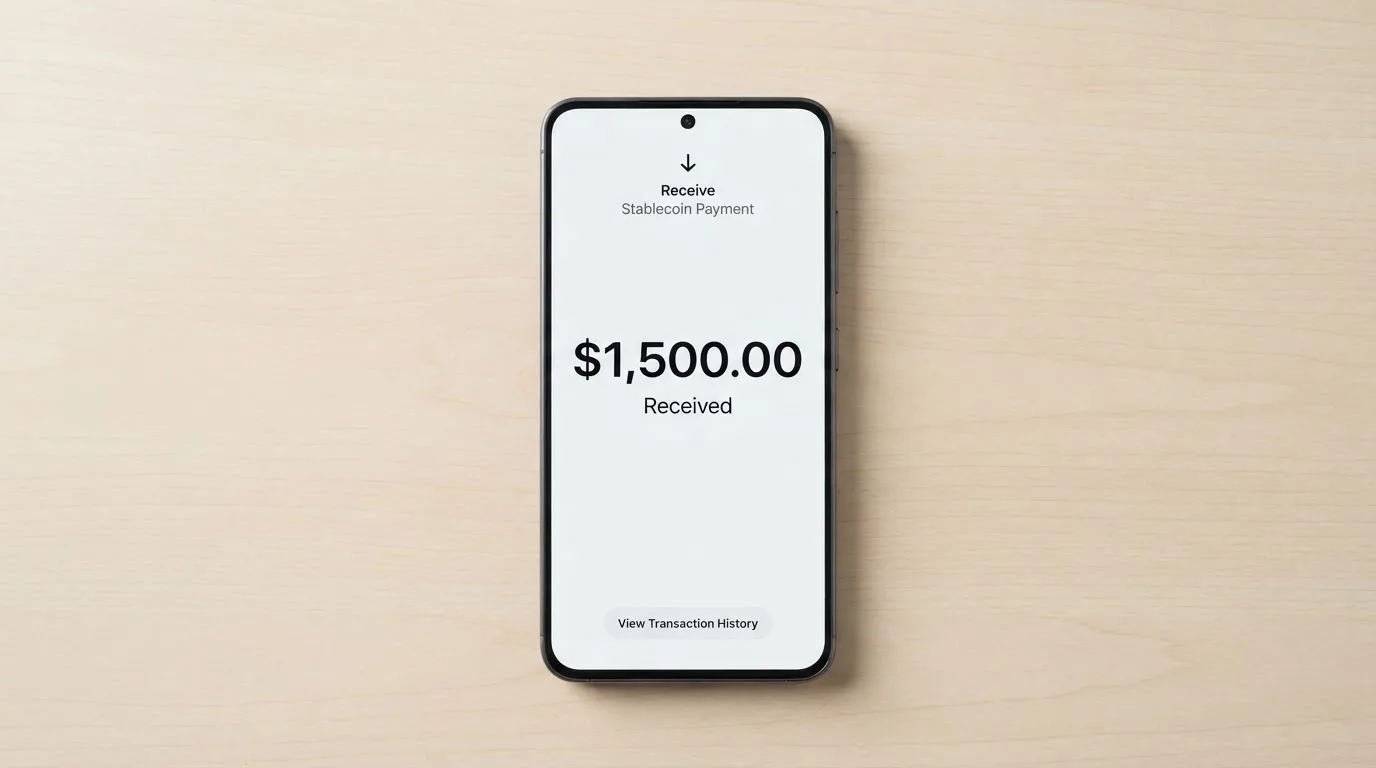
Unofficial sources list the supported coins as BTC, ETH, USDT and USDC, across the networks that crypto users actually use: ERC-20 (Ethereum), TRON, BNB Smart Chain, Polygon, Arbitrum One and Optimism. The deposit fee is reported as 0%, with the user paying only the blockchain network fee (gas). That’s a meaningful saving compared to cards that charge a percentage on top of gas.
| Coin | Networks reported (unofficial) |
|---|---|
| BTC | Not network-specific on the public pages |
| ETH | ERC-20 |
| USDT | ERC-20, TRON, BNB Smart Chain, Polygon, Arbitrum One, Optimism |
| USDC | ERC-20, TRON, BNB Smart Chain, Polygon, Arbitrum One, Optimism |
After account closure, the user agreement says you may transfer your digital assets out within a reasonable period, unless legally prohibited, and after paying any amounts owed. Unofficial sources put crypto withdrawal fees starting at USD 1, with exact amounts in the app.
A few practical points worth knowing before you send anything. Crypto transfers are irreversible: a deposit sent on a network the provider doesn’t support, or to an address on the wrong network, can be lost or require manual support recovery with no guarantee. If you’re funding from a wallet that holds only USDT and no ETH, you can’t pay gas on Ethereum — so keep a small amount of the native token for the network you’re using. Circle stopped supporting USDC on Tron in February 2024, so USDC over TRC-20 is not a native option; USDT over TRC-20 is. Stablecoins are not censorship-proof: Tether has said it disables tokens in wallets on the OFAC sanctions list and has frozen funds tied to illicit activity.
What this means for you: the top-up story is genuinely good, especially if you hold USDT or USDC and you’re comfortable picking the right network. The risk is on the exit side — if the company freezes your account, getting crypto back out is the part of the process that user reports describe as difficult. Send a small test amount before committing a large balance.
Paying with it every day
Day-to-day, Stella is built for breadth. Both the virtual and physical cards link to Google Pay, Alipay and WeChat Pay, and unofficial sources add Apple Pay to the list. The official page says nothing about cashback on the card itself — the “Earn” product is a separate yield offering, not a spending reward. Unofficial sources note a referral programme of up to 40% of card fees, but no cashback on the main card.
The app is available on iOS, Android and as a Telegram Mini App, according to unofficial sources, with an App Store rating of 5.0/5 from a very small number of ratings. There’s a Google Play button on the cards page, but store ratings and platform availability aren’t stated on the public pages.
Blocked spending categories aren’t stated, which is unusual — most cards publish a list of MCCs they decline. If a category matters to you (gambling, crypto purchases, prepaid cards), you’d need to test it or contact support before relying on it.
Disputes follow a specific path: unauthorized transactions and errors go to [email protected]; partner-related disputes are settled directly with the partner; and the user agreement puts any legal dispute in the courts of the Republic of Seychelles under Seychelles law. Time frames for filing or resolving disputes aren’t stated on the public pages.
What this means for you: the wallet support is a real differentiator if you pay in Asia or use mobile wallets heavily. The absence of published blocked categories means you should test a transaction before assuming a category works, and the disputes clause is worth reading carefully — Seychelles courts, not your local court, is where any legal action would land.
What can go wrong
The reliability score of 4 reflects three things: the company structure, the licence gap, and the user reports.
Stella Global Services Limited is incorporated in the British Virgin Islands. The card is issued by an unnamed licensed “Partner Issuer,” and the licences themselves aren’t stated. The Apple App Store developer is shown as Flashwire Inc, which appears to be a starting-data reference rather than the issuing entity. None of that is necessarily disqualifying — many crypto cards operate through partner issuers — but it does mean you can’t look up “Stella” in a regulator’s register and see a licence entry.
The user reports that surfaced via third-party sources describe three themes: a virtual card cost complaint (the USD 30 fee noted above), occasional failed transactions, and an App Store complaint about an account freeze with funds not returned after the user provided transfer proof. Trustpilot shows 3.2/5 from a single rating, which is too small to draw conclusions from, but the direction of the feedback is consistent with the themes above.
Help is available through a Help Center, a Contact Us page, and a Telegram channel at t.me/CS_StellaPay. Unofficial sources describe the support as Zendesk-based ticket support with no live chat. Hours aren’t stated, and the language selector on the public pages shows only English — Russian isn’t offered, which matters for users in several of the countries where the card is reportedly restricted.
What this means for you: the worst-case scenario in the user reports is an account freeze with funds tied up while you work through support. There’s no published timeline for resolution, and the legal venue is Seychelles. If a worst-case scenario would be financially damaging for you, don’t put more on the card than you can afford to have locked up for an unknown period.
What to take instead
If Stella’s gaps — the unpublished fees, the unnamed issuer, the account-freeze reports — are deal-breakers for you, here are three alternatives that score similarly but solve different problems.
| Card | Score | Best for | Trade-off |
|---|---|---|---|
| Whop Cards | 5.2/10 | US residents who want 5% cashback at select merchants | Country list is narrower (31 US states for consumers); no published FX or conversion fees |
| UniFi Card | 4.7/10 | People who want a prepaid debit Visa from a US-licensed issuer (Lead Bank) | Fees and limits not stated; reward structure unclear |
| Renegade | 4.1/10 | European users who want a virtual card with a euro IBAN | Monthly fee (from EUR 9.90); 1.6% crypto/fiat exchange fee; virtual only |
Whop Cards is a Visa that spends from a Whop balance backed by stablecoin collateral, with 5% cashback currently at Uber and more merchants planned. It’s available to consumers in 31 US states and to businesses in 41 states, and it explicitly excludes users from countries like Russia, Belarus, China (Mainland), Hong Kong, India, Iran, Iraq, Israel, Myanmar, Nepal, Nicaragua, North Korea, Syria, Turkey, Ukraine, Venezuela and Vietnam. The published page says “no extra fees,” but conversion and FX amounts aren’t stated.
UniFi Card is a prepaid debit Visa issued by Lead Bank, with USD as the card currency and Apple Pay support. The App Store listing mentions send-money routes to the Philippines, Mexico, the eurozone, Colombia, Brazil and the UK. Fees aren’t stated (“Fees may apply. See UniFi website for more details”), and the listing claims 3% rewards on balances — though what that means for card spending isn’t clear.
Renegade issues a virtual Visa instantly in the app, with a virtual IBAN for euro deposits and withdrawals available to EEA customers only. Pricing is tiered: Pioneer at EUR 9.90/month (EUR 4.90 if paid in RNG), Voyager at EUR 19.90 (EUR 14.90 in RNG), and Vanguard at EUR 29.90 (EUR 24.90 in RNG). Crypto-to-fiat exchange is 1.6%, and the page says “no other fees are collected by Renegade,” with new fees introduced on at least 30 days’ notice. Rewards are 3% paid in RNG coin across all three tiers, with monthly caps that the page describes inconsistently.
What this means for you: if the issue is the unpublished fees, Whop and Renegade both publish their pricing more clearly. If the issue is the issuer, UniFi names Lead Bank. If the issue is the account-freeze reports, none of these alternatives is immune — but Renegade’s EEA-only IBAN model and Whop’s US-only model put them under more familiar regulatory umbrellas.
Who I would recommend this to
Stella makes sense for a specific reader. If you already hold USDT or USDC across multiple networks, you’re comfortable picking the right chain for a deposit, you want a Visa that works with Google Pay, Alipay and WeChat Pay, and you don’t need a public fee schedule to make a decision, Stella delivers on its main promise. The card is also a reasonable fit if ATM access matters to you and you’re willing to test the in-app fees before relying on them.
Stella does not make sense if you need to know the full cost of a transaction before you make it, if you want to look up the issuer in a regulator’s register before signing up, or if you can’t tolerate the small but real chance of an account freeze that takes time to resolve. It’s also not the right card if you’re optimising for cashback: there isn’t any on the main card, and the referral programme doesn’t change that.
If you fall into the first group, the practical path is straightforward: download the app, complete the KYC, send a small test top-up on a network you understand, check the in-app fees, and only then decide whether to load the balance you actually want to spend. The card works; the documentation just doesn’t do the work for you.
Frequently asked questions
What is the Stella card?
Stella is a crypto-backed Visa payment card that converts your crypto balance into spendable fiat. It comes in virtual and physical forms, and it works with Google Pay, Alipay and WeChat Pay — with Apple Pay reported but not officially confirmed. The card is offered by Stella Global Services Limited, incorporated in the British Virgin Islands, with the card itself issued by an unnamed licensed partner.
How does the Stella card work?
You deposit supported crypto (reportedly BTC, ETH, USDT and USDC) into an in-app custodial wallet, and the card balance is automatically topped up from that wallet. At the point of sale, your crypto is converted to fiat and the Visa network processes the payment like any other Visa card.
Is Stella a bank?
No. Stella is a card programme manager, not a bank. The card is issued by an unnamed licensed “Partner Issuer” — a bank or e-money institution — and Stella provides the front-end, app and crypto on-ramp. Funds in the in-app wallet are described as custodial assets held for your benefit, pooled in omnibus accounts.
Who owns Stella?
The public-facing company is Stella Global Services Limited, incorporated in the British Virgin Islands. The Apple App Store developer is shown as Flashwire Inc. The ownership behind those entities isn’t disclosed on the pages reviewed.
Is the Stella card available in my country?
The official site doesn’t publish a country list. Unofficial sources put availability at 57 countries (including the US, UK, Singapore and India) and restrictions in 49 others (including Russia, Belarus, Ukraine, Iran, Iraq, Syria, North Korea, Cuba, Venezuela and South Africa). The user agreement bars users subject to economic sanctions programmes. The only reliable way to confirm is to start the application.
How do I apply for the Stella card?
You download the app, complete the KYC process (name, address, date of birth, tax ID, government ID, bank details, possible biometrics), and once approved you receive a virtual card immediately. The physical card is available separately, reportedly free after a USD 20,000 top-up.
Does Stella require KYC?
Yes. The user agreement requires full customer due diligence — name, address, date of birth, tax ID, government-issued ID and bank details — and the company may request biometric data. The minimum age is 18.
How do I top up the Stella card?
You send supported crypto (BTC, ETH, USDT or USDC) to the deposit address shown in the app, on one of the supported networks (ERC-20, TRON, BNB Smart Chain, Polygon, Arbitrum One or Optimism, per unofficial sources). The deposit fee is reported as 0% — you pay only the blockchain gas. The card balance tops up automatically when the deposit confirms.
Is the Stella card safe?
“Custodial” is the right word for it. Your crypto sits in a wallet the company controls, with assets pooled in omnibus accounts. The user agreement describes the assets as held for your benefit, but the issuer and licences aren’t named, and there are user reports of accounts being frozen with funds not returned. Standard safeguards like 2FA and instant freeze aren’t stated on the public pages.
Is the Stella card worth it?
It depends on what you’re optimising for. If you want a Visa with broad wallet support, generous top-up options, and ATM access, and you’re comfortable with a custodian that doesn’t publish its fees, the card works. If you need transparent pricing, a named licensed issuer, or strong evidence of reliable account recovery, the score of 6.5/10 reflects that Stella doesn’t yet meet those bars.
Highest-scored app and neobank cards – cryptocardbest.com
Content created by the «cryptocardbest.com» team