
Bolt promises a fee-free card and an app-based account. I went through what it actually publishes — and what it leaves to you to guess.
 Available in US
The Bolt card is sold on a simple idea: no annual fee, no monthly fee, a card you load from an app instead of a bank account. That idea is attractive, particularly if you have been charged fees on a card that was supposed to be free. So I went through Bolt’s own pages — help centre, disclosures, card pages — and asked a narrow question: what does the company actually commit to in public, and what does the reader have to take on trust?
My score is 4.8 out of 10. That is not a verdict on whether Bolt is a scam. It is a verdict on how much of the product is documented. The free-fee claim is stated plainly and repeated; almost everything else — the network the card runs on, the currency it holds, the conversion and foreign-exchange charges, the limits, the countries, the issuing bank — is not stated on the pages I read. A card that hides its fee structure is not a cheap card; it is an unpriced one. Everything below is what I found, and what I could not find.
The conditions described here are current as of October 28, 2026.
| Criterion | Mark | Why |
|---|---|---|
| Who can get it | 2 / 10 | Starting data says United States; no country list is published |
| Cost | 8 / 10 | “No annual or other fees” for the card; conversion and FX are not disclosed |
| Top-up options | 3 / 10 | Deposits happen in the app; coins and networks unnamed, the Zero Hash route is unconfirmed |
| Reliability and complaints | 6 / 10 | Bolt Financial, Inc.; issuing bank unnamed; no card complaints found |
| Everyday use | 4 / 10 | Virtual card instantly after $5, plastic in about 10 business days; no Apple Wallet yet, ATM unaddressed |
| Total | 4.8 / 10 | Strong on price, thin on disclosure |
Who the card suits, and who should walk away
Bolt is for US residents who want a fee-free debit card tied to an in-app account and who can live with checking the app for their own limits. If that is you, the proposition is genuinely nice on its face. The card itself is free, and free is rare in this category.
It is not for you if your decision depends on numbers. If you are trying to work out what a euro purchase will cost, or what a month of spending will cap out at, or whether your money is safeguarded if the company folds, the published pages will not answer you. Nor is it for you if Apple Wallet is a requirement: adding the card to Apple Wallet is marked “not supported yet”, with a note that it will be available soon. “Soon” is not a date.
The US question deserves a sentence of its own. Bolt’s starting data says United States, and the help pages require identity verification before you can request the card. But Bolt does not publish a country list, and it does not say whether eligibility follows your citizenship, your residence, or both. That distinction matters more than usual here, because sanctions screening and issuer risk policy are routinely applied to citizenship and country of birth as well as address — not only to where you live. If you hold a passport from a sanctioned country but live in the US, the answer is not something I can infer for you.
Will they give you the card?
On paper, the answer for a US resident with verified identity is yes. In practice, the published material on this is thin, and the reason is worth sitting with: Bolt’s own help pages require identity verification before you request the card, and their starting data names the United States as the market — but no country list appears anywhere I read. For anyone outside the US, that absence is the answer. You are not eligible until Bolt says otherwise.
The verification itself is a single step, not a tiered ladder. You complete identity verification in the app first, then request the card. Here I have to be blunt about a limit in my own research: the pages do not state which documents are accepted, do not state whether proof of address is required, and do not state an age requirement. General category rules for prepaid and debit cards usually assume 18+, and some issuers set higher limits, but I am not going to attribute a specific rule to Bolt when Bolt has not published one. If you are under 18, or without a document the app accepts, you will find out at the verification screen rather than in advance. Ask in the Discord chat or via the contact form on the Bolt website and get the answer in writing before you rely on it.
How to get it
The sequence is short and entirely in the app: identity verification, then a request, then a card. There is no branch, no application form, no waiting queue described anywhere. That simplicity is the product.
- Complete identity verification in the Bolt SuperApp.
- Request the card.
- Receive a virtual card instantly once your first deposit lands.
- Receive a physical card separately, if you order one.
The virtual card is the one you will use first, and it arrives on the strength of a minimum initial deposit of $5. That is the whole entry requirement — no minimum salary, no credit check, no monthly commitment is described.
The physical card is on a separate page from the virtual one, which is a small signal about how each is treated. Bolt states that the “approximate card delivery time is around 10 business days”. Ten business days is two working weeks, and if you are outside the US that figure carries a second, unstated question: delivery countries. The page does not say where Bolt ships, what shipping costs, or whether a replacement card is available after loss or theft. None of those are stated.
One gap in the card description is worth naming because it is unusually basic. The pages give you a virtual card and a physical card, and they do not state the card network — Visa, Mastercard, something else — or the currency the balance is held in. Everything in the “everyday use” section below inherits that gap.
Fees: what this card really costs you
Here is the honest answer, and it has two halves. The first half is genuinely excellent: there is no charge for holding the card. The second half is the one that will decide whether this card is cheap or expensive for you, and it is blank.
| Item | What is stated |
|---|---|
| Issuance | No fee stated for the virtual card, issued instantly after a $5 minimum initial deposit |
| Monthly or annual fee | “There are no annual or other fees associated with the Bolt Card.” |
| Crypto conversion | not stated |
| Foreign exchange | not stated |
| ATM withdrawal | not stated; a PIN can be set in the app, but there is no ATM page |
| Daily spending limit | not stated as a figure; “All limits are set to default by Bolt” |
| Monthly spending limit | not stated as a figure; limits are visible in the app under Bank/Cards > Limits |
| Tiers or paid plans | not stated |
| Card currency | not stated |
Read that table again. The card is free. What the money costs when you spend it, in the currency of the shop you are standing in, is not published. There is no conversion percentage, no network fee, no foreign-exchange markup, no ATM charge — none of it, in either the help centre or the disclosures I read.
Why that matters more for a crypto card than for an ordinary debit card: if the balance behind this card is denominated in crypto or in a stablecoin, then every purchase involves converting something whose price moves. The spread between the rate you get and the mid-market rate is a real cost even when nobody names it as a “fee” — and Bolt names none. A card can be free to hold and expensive to use. That is the single most important thing to hold on to from this review.
Two everyday examples, both illustrating the same problem. The rate applied to the conversion, and any FX margin on top, is not disclosed — so the euro amount on your statement is a figure you can observe after the fact and not predict before. You are online buying something priced in dollars while your balance is not. Same question, same silence: the difference between the mid-market rate and what Bolt charges is undocumented. I cannot tell you what it is, because Bolt does not say, and I will not invent a number to fill a gap that matters.
So the honest framing is this. Bolt’s “no fees” claim is specific — it is scoped to the card. It is not, on the published evidence, a claim about the cost of converting and spending. Before you commit any real balance, find the conversion rate in the app yourself and judge it against your own bank’s rate. If the app does not show it clearly, that is your answer.
How to Top up the card
Topping up means moving money into the Bolt Account from inside the app. The mechanism is simple. The specifics are missing.
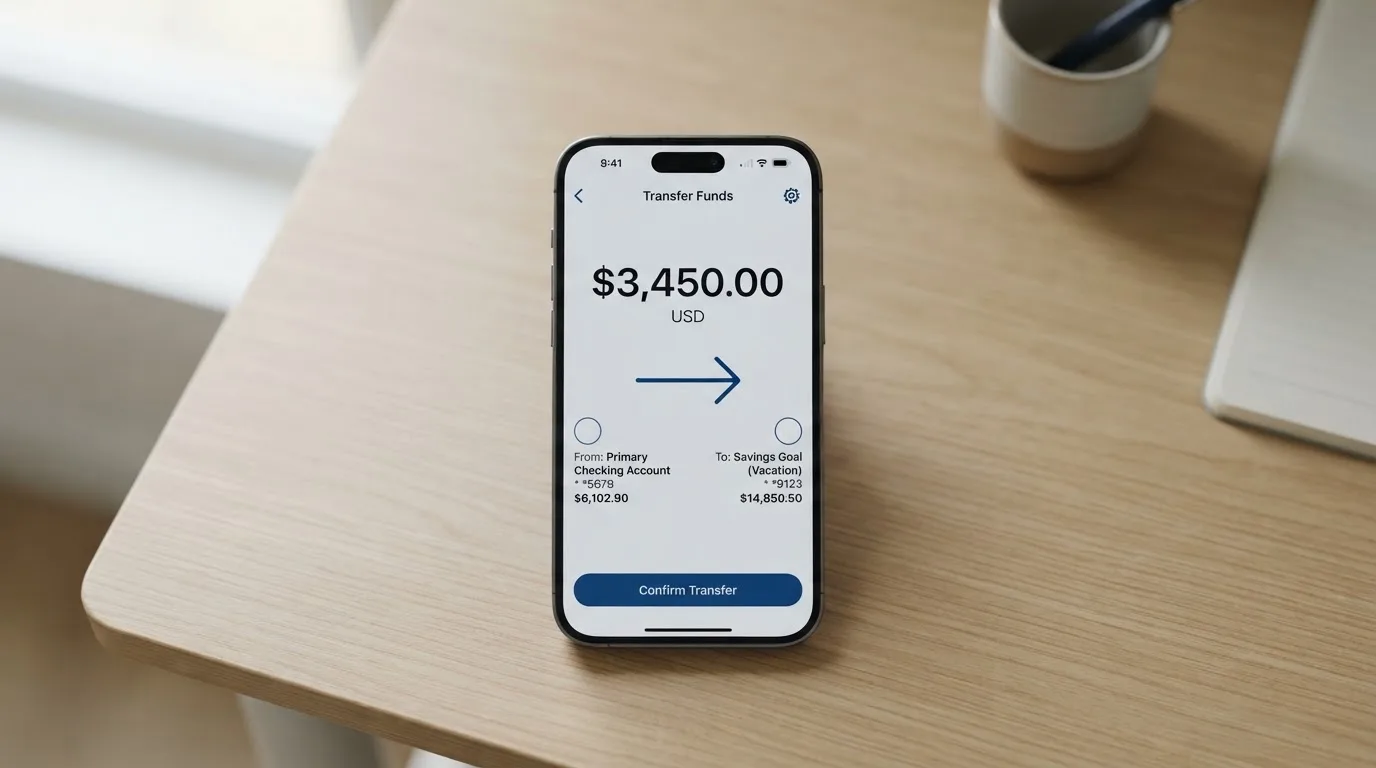
The minimum initial deposit is $5. Beyond that, other minimums and any deposit fees are not stated. Which coins and which networks are accepted is not stated on the help pages. This is the part of the product I would push hardest on, because sending the wrong asset on the wrong network is one of the few genuinely irreversible mistakes you can make here — blockchain transfers cannot be reversed, and a deposit sent on a network the provider does not support can be lost, or need manual recovery with no guarantee of outcome.
One thing you may have read elsewhere deserves a clear label. Starting data for this card mentions crypto via Zero Hash as a route. No page I read confirms it. Treat that as unconfirmed: not a documented feature, not something to plan a deposit around. If crypto funding matters to you, ask Bolt directly and get the coin and network list in writing before you transfer a dollar.
There is also a withdrawal path, which is worth knowing about at the same time as the deposit path, because a card you can load but not unload is a one-way street. You can withdraw from the Bolt Account in the app, at Bank/Cards > Bolt Card > Bolt Account > Withdraw. What that costs, how long it takes, and what happens to a leftover balance at closure are not stated. Do not assume symmetry between the way in and the way out.
The wider context here is not specific to Bolt. Anyone sending stablecoins is choosing a network, and networks differ. USDC, for instance, is native on 38 networks as of 16 September 2026, including Ethereum, Solana, Base, Polygon PoS, Avalanche, Arbitrum and Stellar — and Circle stopped supporting USDC on Tron in February 2024, so “USDC over TRC20” is not the native option it once was. USDT has been issued on Ethereum, Tron, Solana, Polygon, Avalanche and others. Fees on the way in are charged by the blockchain, not by the card company: on Ethereum, gas is paid only in ETH, so a wallet holding USDT and nothing else cannot send. Bolt does not name the chain it expects you to use, which means that question is currently yours to answer and Bolt’s to avoid.
Paying with it every day
Day to day, the mechanics are thin but not empty. You have an app — the Bolt SuperApp — where you set a PIN, where you can block and unblock the card temporarily or permanently, and where you see your limits. Disclosures reference a “Bolt Account Reward Program Terms” document, but no reward rate is stated, and there is no cashback figure to plan around. Do not treat the existence of a rewards programme as a reason to choose this card.
Mobile wallets are the sharpest limitation. Adding the card to Apple Wallet is “not supported yet” — the wording is that it “will be available soon”. Google Pay is not mentioned at all. That leaves you tapping the physical card, in person, until the position changes. It also means the usual tokenised-number protections are not available to you on mobile yet.
Some practical friction is worth knowing in advance, because it is standard for this product type rather than specific to Bolt. A card number starts with a six- or eight-digit issuer identification number, and merchants can look it up to see which institution and country issued it; if the issuer country differs from your billing address, some merchants apply extra scrutiny. That is why a card issued in one country can look “foreign” in another. Some merchants decline prepaid or foreign-issued cards outright because the lookup reveals exactly that. Address Verification, which compares the street number and ZIP you type at checkout with issuer records, is mainly offered in the US, Canada and the UK and is generally unavailable for foreign-issued cards — a common source of declines. And a declined authorisation can leave a hold on your funds that lingers for days, typically up to seven. So: a Bolt card will not fail everywhere, but it will not sail through everywhere either.
Two more absences. Dispute handling is not stated, and that is not a small thing — a chargeback is a refund your issuer orders to settle a dispute, and in the US the reversal framework for debit cards is not the same as for credit cards, with prepaid coverage varying and not something to assume. Custody and safeguarding of your funds is not stated either. Separately, Bolt moved its domain from bolt.com to boltapp.com; the old help address redirects, and no date for the move is given, which is worth knowing if you are following old links.
What can go wrong
I looked for incidents and complaints and found nothing to report: no official incidents, and no Bolt-card complaints found. No Trustpilot page for the Bolt card turned up either. Read that carefully — absence of complaints on a young product with an unnamed issuing bank is weak evidence, not strong evidence. It is not a reason to trust; it is simply an absence of signal.
The structural risks are the ones the documentation does not resolve.
- The unnamed issuer. Bolt’s starting data names Bolt Financial, Inc. No issuing bank is named on the pages I read, and the disclosures reference a “Consumer Checking Account Agreement” without tying it to a named institution. Your money’s legal home is unclear on the published record.
- The blank fee schedule. If conversion and FX are undocumented, you cannot know whether this card is cheap for you. Unpriced is not the same as free.
- Deposits are irreversible. A transfer on the wrong network, or to an address of another network, can be gone. Choose networks from a documented list — which Bolt does not publish.
- Limits you cannot see in advance. “All limits are set to default by Bolt”, with the figures only inside the app. You find out your ceiling by hitting it.
- Apple Wallet unavailability. Not a risk of loss, but a real limit on daily use for anyone who pays by phone.
- Third-party dependency. Bolt is not the only moving part: a card network, an issuer and any banking partner stand behind it. Card programmes have been terminated before — Visa ended its global agreements with FTX on 13 November 2022, and WaveCrest’s Visa programmes were closed in Europe in 2018. Closures follow a pattern: a notice period, then loading and spending stop, then a request to withdraw remaining balances. One 2026 closure, reported by a single secondary source and unconfirmed, ended new loads on 8 July 2026 and spending on 8 August 2026.
- Support boundaries. boltapp.com, help.boltapp.com and a Discord chat are the published channels. Languages and hours are not stated. On a frozen balance or a lost card, that gap is felt.
If you want the general picture of how these cards fail rather than just this one: custodial providers have a documented history — Mt. Gox, roughly US$350 million reported stolen between 2011 and 2014; Coincheck, about US$400 million in 2018; Ronin Network, US$625 million in 2022. Stablecoins can depeg too: TerraUSD collapsed in May 2022 and USDC briefly lost its peg in March 2023. None of that is a prediction about Bolt. It is the baseline rate of the category you are choosing to enter.
What to take instead
If the reason you are here is that ordinary cards are expensive or hard to get, Bolt is not the only route, and the alternatives are more forthcoming about at least some of what you want. To be clear about my own position: I have not used any of these. This is a comparison of what they publish, not of what they have done for me.
- Whop Cards — 5.2 / 10. Spreads its eligibility widest: consumers in 31 US states, businesses in 41, and a named list of unsupported consumer countries including Belarus, China (Mainland), Cuba, Hong Kong, India, Iran, Iraq, Israel, Myanmar, Nepal, Nicaragua, North Korea, Russia, Syria, Turkey, Ukraine, Venezuela and Vietnam. A Visa card that works wherever Visa is accepted. “No extra fees” is stated, though without amounts, and it pays 5% cashback at select merchants, currently Uber. Spends from a Whop balance; a pending balance is usable as soon as a payment arrives.
- Stella — 6.5 / 10. The highest-scoring of the group, and the clearest on the crypto side: you deposit crypto into the account and the card tops up automatically from an in-app custodial wallet. Virtual and physical, Visa, accepted at “over 40 million VISA merchants globally”. Less clear on money: fees are “described under this User Agreement and/or on the App”, and the countries are not stated — though its terms bar users under economic sanctions programmes and route US and European users through affiliates. No cashback is stated on the card page.
- UniFi Card — 4.7 / 10. The weakest fit for most readers, and the most different. A “Prepaid Debit Visa Card” issued by Lead Bank, card currency USD, funding by ACH, wire, SEI (IBAN) or SPEI (CLABE), with USDC wallet pay-ins and Apple Pay support. But it is not confirmed from official pages who is eligible, fees are only “may apply”, and the “3% rewards” figure comes from an app listing rather than a card terms page.
| Bolt | Whop Cards | Stella | UniFi Card | |
|---|---|---|---|---|
| My score | 4.8 / 10 | 5.2 / 10 | 6.5 / 10 | 4.7 / 10 |
| Eligibility | US stated; no country list | 31 consumer US states; exclusions named | Not stated; sanctions barred | Not confirmed |
| Card | Network not stated | Visa | Visa | Visa, via Lead Bank |
| Card cost | No annual or other fees | “No extra fees” | Not stated | “Fees may apply” |
| Conversion / FX | not stated | not stated | not stated | not stated |
| Funding | App deposit; coins/networks not stated | Whop balance | Crypto, auto top-up | ACH, wire, SEPA, SPEI |
| Rewards | Programme referenced, rate not stated | 5% at select merchants | None stated on the card page | “3% on balances” (listing) |
Read that last row honestly: every one of these cards is vague about conversion and FX. That is the category talking, not Bolt alone. What separates them is how much of the rest they will tell you — and on eligibility, funding and card type, Whop and Stella are simply more forthcoming than Bolt is today.
Who I would recommend it to
I would recommend the Bolt card to a US resident who has verified their identity, wants a card with no holding fee, is comfortable making an initial $5 deposit, does not need Apple Wallet, and — this is the condition that matters — will open the app and look at the conversion rate and limits before committing meaningful money. For that person it is a reasonable, low-cost way to hold and spend a balance from a phone.
I would not recommend it to you if any of the following is true: you are outside the US and cannot confirm eligibility; you need a published fee schedule; you need Apple Pay or Google Pay; you need to know the daily or monthly cap before you are surprised by it; or you want to know, in advance, who holds your money and under what safeguarding regime. On each of those, Bolt’s public pages give you nothing, and I will not fill that silence with an assumption.
So: a free card, honestly priced as far as the pricing goes, and unpriced everywhere else. If you are the reader who can accept that trade, go in with your eyes open. If you are the reader who cannot, the alternatives above — or simply waiting for Bolt to publish a fee table — will serve you better.
Frequently asked questions
What is the Bolt card?
The Bolt card is a prepaid-style payment card you load through the Bolt SuperApp rather than drawing on a bank account. You get a virtual card instantly once your first deposit of at least $5 lands, and a physical card separately, with approximate delivery of around 10 business days. Bolt says there are no annual or other fees attached to the card itself. It sits inside the wider Bolt SuperApp, which also handles your balance and card controls.
How does the Bolt card work?
You deposit into the Bolt Account from the app, then spend the balance with the card. If the balance is crypto or stablecoin-denominated, each purchase converts to fiat — and the conversion rate is not stated on the public pages. In the app you can set a PIN, block the card temporarily or unblock it, apply a permanent block, and view limits under Bank/Cards > Limits. You can also withdraw from the account in-app.
Is Bolt a bank?
Not on the published evidence. The company’s starting data names Bolt Financial, Inc., and the disclosures reference a “Consumer Checking Account Agreement” — but no issuing bank is named on the pages I read. Bolt presents itself as an app-based fintech rather than a bank, and its own language centres on the Bolt Account and the SuperApp. If the identity of the institution holding your money matters to you, that is an unanswered question you should put to them directly.
Does the Bolt card require KYC?
Yes. Bolt’s help pages require you to complete identity verification in the app before you can request the card. The pages do not state which documents are accepted, whether proof of address is needed, or an age requirement. This is a single verification step rather than a tiered system. Note also that nationality is normally screened separately from residence, since sanctions rules often apply to citizenship and country of birth as well as address.
Is the Bolt card free?
The card is free in the way that matters most on paper: “There are no annual or other fees associated with the Bolt Card.” There is no listed issuance or monthly charge. What is not published is the cost of using it — crypto conversion, foreign exchange and ATM withdrawals are all not stated. So the card costs nothing to hold, and the cost of spending from it remains unpriced.
How do I top up the Bolt card?
You deposit into the Bolt Account from within the app, with a minimum initial deposit of $5. The help pages do not name which coins or which networks are accepted, and other minimums and deposit fees are not stated. Starting data mentions a crypto route via Zero Hash, but no page I read confirms it — treat that as unconfirmed. Because blockchain transfers are irreversible, get the network list in writing before sending.
Can I add the Bolt card to Apple Wallet?
Not yet. Bolt’s help pages say adding the card to Apple Wallet is “not supported yet” and “will be available soon”, with no date attached. Google Pay is not mentioned at all. Until that changes, your mobile payments are limited to the physical card in person. If tap-to-pay on a phone is essential to how you pay, this is a dealbreaker.
Where can I use the Bolt card?
Bolt’s starting data names the United States, and its help pages require verification before you request the card — but no country list is published, and it is not stated whether eligibility follows citizenship, residence or both. As for use once you have it, the card network and the card currency are not stated either. Note that some merchants decline prepaid or foreign-issued cards because the issuer-identification lookup reveals the card type and country.
Is the Bolt card safe?
I found no official incidents and no Bolt-card complaints, but that is weak evidence rather than a clean bill of health. The gaps are structural: no issuing bank is named, custody and safeguarding of funds are not stated, dispute handling is not stated, and the card network is not published. Standard safeguards include app-based 2FA, instant freeze, spending limits and 3-D Secure confirmation — check which of these the app actually offers you.
Is the Bolt card worth it?
For a US resident who wants a card with no holding fee, will use the app, does not need Apple Wallet, and will check the conversion rate before committing real money — yes, plausibly. For anyone who needs a published fee schedule, a known spending cap, a named issuer or a mobile wallet — no, because the public pages will not give you those things. Read the app’s own numbers before you decide, not just the marketing line.
Highest-scored app and neobank cards – cryptocardbest.com
Content created by the «cryptocardbest.com» team