
A virtual Visa you load from crypto, priced by plan, thin on the details
 Available in US
If you have been searching for a card that spends a crypto balance without a traditional bank behind it, you have probably found yourself sorting through a lot of cards that say almost the same thing and differ in exactly the details you care about. Scallop is one of those: a virtual Visa that you load from a multi-network crypto balance in the app. The pitch is narrow and specific — it is a spending card funded from tokens you already hold, priced by plan, with the card number generated in the app rather than posted to you.
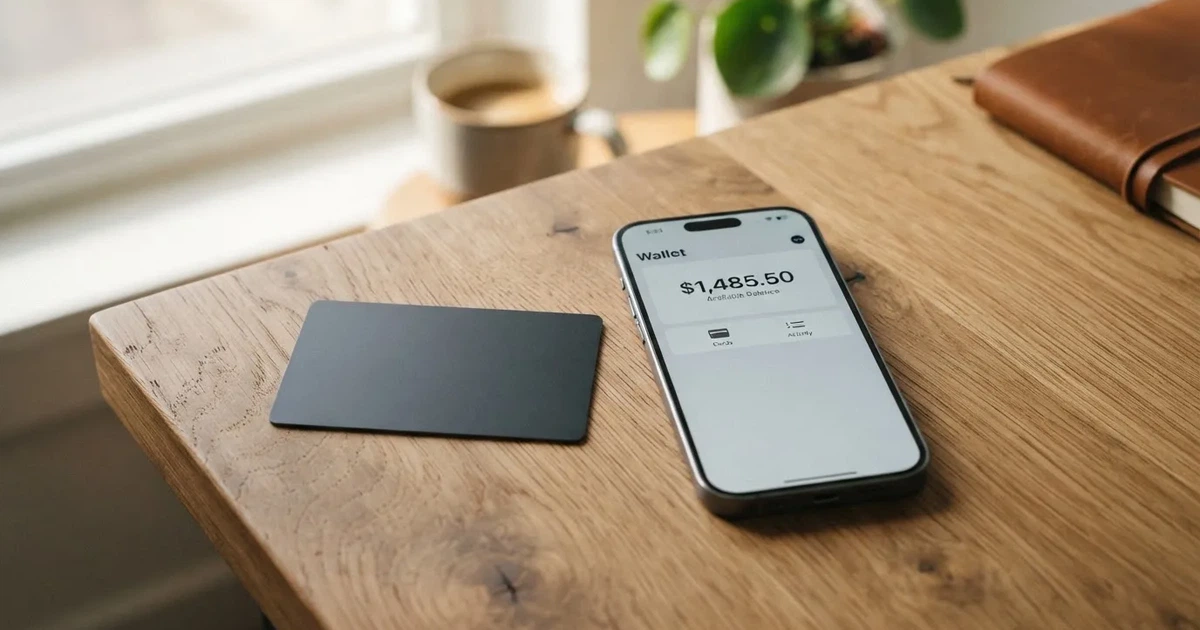
My overall score is 6.6 out of 10. That is not a bad score and not a good one. It sits at the point where I can say the card does what it says for a particular kind of user, and I can equally say it will frustrate anyone whose daily life depends on a plastic card in a wallet, or on a specific country being straightforward to open. The single biggest reason I cannot put it higher is not a scandal or a warning sign — it is silence. Large parts of what a card review is supposed to be about simply are not published: the currency the card is denominated in, the foreign-exchange fee, the daily and monthly spending limits, whether Apple Pay or Google Pay work, whether cash machines do. The marketing is confident; the specification sheet is thin.
Who this suits: someone who already holds stablecoins across several chains, knows what a swap rate is, and wants a Visa number to pay with for software subscriptions, travel booking, or online services where a foreign card might otherwise be declined. Who it does not suit: anyone who wants a physical card, anyone who needs Apple Pay or Google Pay, anyone who needs to walk up to a cash machine, and anyone for whom a 1.50% conversion fee on the free plan is too expensive.
The conditions described here are current as of October 28, 2026.
| Criterion | Mark | Why |
|---|---|---|
| Who can get it | 8 / 10 | Most countries not sanctioned by OFAC; closed to Russia, Belarus, Ukraine, Iran, North Korea, Cuba, Venezuela and the United Kingdom |
| Cost | 7 / 10 | Voyager is free: $2 per virtual card and 1.50% conversion; Mariner is $14.99 a month with 0.75%; the card FX fee is not published |
| Top-up options | 9 / 10 | Funded from the account balance across Ethereum, Tron, Base, Solana, BSC, Bitcoin, XRP and Sui, minimum $15 |
| Reliability and complaints | 5 / 10 | No company named on the documentation pages, no complaints found, a Trustpilot page with zero reviews, and card loads that cannot be reversed |
| Everyday use | 3 / 10 | Virtual Visa only, up to three active cards; Apple Pay, Google Pay and ATMs are not addressed |
| Total | 6.6 / 10 | A card that does one specific job well and leaves the ordinary questions unanswered |
Who will they give the card to?
Scallop says it can onboard customers from “most countries that are not sanctioned by OFAC”. That is a broad opening sentence, and it is worth reading the narrower sentence that follows it, because the exclusions are concrete. Virtual cards are not available in what Scallop calls its Prohibited Countries & Regions list, and on that list sit Russia and Belarus, alongside Ukraine, Iran, North Korea, Cuba, Venezuela and — a genuine surprise on a crypto card — the United Kingdom. If you are in one of those countries, the answer is no, and the page does not leave room for an appeal.
Then there is a middle band. High-risk countries, with China, Turkey and Vietnam given as examples, are reviewed case by case after an additional questionnaire. So the honest summary is three tiers: open to most places, closed to a named list, and somewhere in the middle for countries that will trigger extra questions and may or may not end up approved.
One thing the page does not tell you, and I want to be plain about it rather than guess: whether eligibility is decided by your citizenship or by where you live. Scallop’s public pages do not say. If you are, say, a citizen of a prohibited country living and paying bills elsewhere, the pages give you nothing to work with. You would have to find out from support before you commit any time to the application.
There is also a registration detail in this same area worth knowing before you start: individuals over 65 years of age at the time of submission will not be accepted. That is stated plainly in the terms.
How to get it
The application is an identity check, and the documentation list is the part you can actually prepare. For individuals the card asks for a passport or a national ID (non-US), or another form of ID together with a tax ID number — SSN or TIN depending on where you are. For the virtual card specifically, a valid passport is required for individuals, with the exception of users from Hong Kong and China; and if your earlier account verification lacked a passport, you will be asked to upload one as part of the card application rather than at signup.
Proof of address comes up in a narrower situation than people expect. It is required only when the government ID you show is from a high-risk region while your actual residence is somewhere else. When it is required, it must have been issued in the last 90 days, and it cannot be a PO box or a virtual address. So if your passport and your home country differ, expect to have a utility bill or similar ready.
Beyond the documents, the shape of what you get is narrow, and you should know this before you apply. Scallop issues a virtual card only, on the Visa network, accepted “wherever VISA is accepted”. You can hold a maximum of three active virtual cards at a time. What currency the card is denominated in is not stated anywhere in the pages I read, which matters more than it sounds — it decides what happens when you spend in a currency that is not your own.
A few structural things are also simply absent from the published material. There is no KYC tier structure spelled out: the documentation refers to Tier 1 and Tier 2 in passing, and to Tier 3 for businesses, but does not define the tiers. There is no stated processing time, and no stated list of reasons an application might be refused. And because this is a virtual-only product, there is nothing about physical delivery to read — which is not a defect here so much as a confirmation of what the product is.
What it really costs: Fees
The cost picture is where Scallop is clearest, and also where the free tier quietly stops being free. There are three plans, and what you pay depends entirely on which one you are on.

| Fee or limit | Voyager | Mariner | Admiral |
|---|---|---|---|
| Monthly fee | $0 | $14.99 (waived with $10,000 average fiat balance) | $49.99 (waived with $50,000 average fiat balance) |
| First virtual card | $2 per virtual card | Free | Multiple cards free |
| Additional cards | $2 per virtual card | $1 each | Free |
| Conversion (swap) fee | 1.50% | 0.75% | 0.40% |
| Card FX fee | Not stated | Not stated | Not stated |
| ATM fee | Not stated (virtual cards only) | Not stated | Not stated |
| Card-load conversion | USDT at a reference rate of 1 USDT = 0.9975 USD; other rates shown in the app before confirmation | Same | Same |
| Minimum top-up | $15 | $15 | $15 |
| Auto top-up threshold | $20 minimum | $20 minimum | $20 minimum |
| Daily / monthly spend limits | Not stated; user-set spending limits possible | Not stated | Tier 3 may have higher limits, no figures given |
| ATM withdrawal limits | Not stated | Not stated | Not stated |
Three everyday payments, and what applies to each.
A $20 software subscription billed in USD. You pay $2 to create the card, then top it up from your account balance — at least $15, so $20 works in one go. The load itself converts USDT at the reference rate of 1 USDT = 0.9975 USD, so $20 of USDT becomes $19.95 of card balance. When you spend the $20, the Voyager conversion fee of 1.50% is the number that matters, and how that is applied in practice depends on the rate shown in the app at confirmation time for anything other than USDT.
A $60 train ticket bought in a currency that is not your own. Here the card’s FX fee should determine whether this works for you, and I cannot tell you what it is, because Scallop does not publish it. What I can tell you is that even on the free plan, the swap fee alone is 1.50%, and on Mariner it drops to 0.75% and on Admiral to 0.40%. If you spend abroad often, the cheaper plans exist precisely for this — Mariner at $14.99 a month and Admiral at $49.99 a month carry lower conversion fees, though whether they make financial sense depends entirely on your own spending volume.
A $40 restaurant bill split three ways with friends. The card draws on a stored balance, so the balance must hold $40 before the first payment, and a declined authorisation can leave a hold on the funds for several days. You can set your own spending limits, which for a prepaid-style product is the only guardrail you control directly.
The word I keep coming back to for this section is unstated. Scallop publishes its own fees with unusual clarity and does not publish the foreign-exchange fee, the ATM fee, or the daily and monthly spend limits at all. Since the card is virtual-only, the ATM question may be moot — but you should treat it as unknown rather than assume, especially if a merchant’s checkout offers cash withdrawal as an option on the card.
How to top it up
Top-ups are the strongest part of this card, and the reason it scores highest of any criterion I assessed.
The mechanism is simple: the card is funded only from balances already sitting in your Scallop account, whether those balances are fiat or stable digital assets. There is no separate card-loading route from your private wallet; you convert or move value inside the account, then load the card from it. Auto top-up can be set with a threshold, and the minimum threshold is $20, paid from your available balance once triggered. Funds you have loaded are reserved for card use, which is how a stored-balance card avoids overdrawing.
The list of networks is where this card earns its 9. The app supports tokens on Ethereum (ETH, USDT, USDC), BSC, Solana, Bitcoin, Tron (TRON, USDT, USDC), Base (USDT, USDC), XRP, XDC, Sui and others. That means you can plausibly consolidate value arriving on several chains into one balance and spend from a single card number, instead of juggling a card per chain. One caveat from the page itself: it does not say which of these are deposit-only, so the list is a list of supported tokens rather than a promise that every one is available for every purpose.
Minimums are low and clear: $15 to top the card, $20 as the lowest auto top-up threshold. If your typical card spend is smaller than $15, you will be topping up more often than you would with an ordinary debit card, and the swap fee applies to each conversion.
What I want you to read twice, because it is the sharpest edge on the whole product: loaded funds cannot be withdrawn, transferred or refunded, and virtual card loads cannot be refunded, withdrawn or reversed under any circumstances. In practice this means a load is a one-way movement. If you load $500 and then decide you would rather keep those tokens, the balance has already left the part of the account you control. What happens to any remaining balance if you close the account is not stated. And two things that would normally be routine questions are also not stated: the top-up fee itself, and who pays the on-chain network fee. On a multi-chain product, that second one is not a detail — network fees are charged by the blockchain, not by the card provider, and on Ethereum a token balance without ETH cannot move at all.
Paying with it every day
Here is where the score drops hardest, and the reason is structural rather than scandalous: this is a virtual card only.
Everyday use scored 3 out of 10, and the number comes almost entirely from what is not documented. Apple Pay: not stated. Google Pay: not stated. ATM withdrawals: not stated. Card currency: not stated. Rewards or cashback: not stated. Wallet support: not stated. The App Store and Google Play listings: not read, so I cannot tell you what the mobile experience is like beyond the fact that the app is where loads, card controls and support live.
So what can I actually say about paying with it? You get a Visa number that works “wherever VISA is accepted”, which for most online merchants means most things. You can hold up to three active virtual cards, which is genuinely useful if you want one for subscriptions, one for travel and one you can throw away after a single questionable merchant. You can freeze and unfreeze cards at any time, terminate one permanently, set spending limits, and watch transactions in real time. Card details are revealed only after you authenticate in the app. That is a decent control set for a card you cannot physically produce.
What you do not get is the physical layer. If a shop wants to tap, if a terminal wants to swipe, if a subscription site rejects prepaid or foreign-issued card numbers because of the issuer-country lookup, none of that is helped by a virtual card. When money goes wrong on this card, the route back is a support ticket: recovery for a wrong-network crypto transfer or a wrong-account fiat transfer goes through support, may involve an extra fee, is not guaranteed, and “may take several days”. Card chargebacks and dispute time frames are not addressed. A prepaid-style card should not be assumed to carry the same reversal rights as an ordinary debit card, and I would plan for that rather than discover it.
One structural point that helps you understand all of the above: crypto cards mostly behave like prepaid cards. The value is converted and loaded as a balance, and the card spends only that balance, so it cannot overdraw. That is a real advantage in one direction — there is no credit line to chase and no interest to think about — and a limitation in another, because a prepaid card sits outside most consumer protections.
What can go wrong
Let me take the things I could not find first, because absence of evidence is still something you are making a decision about.
I found no complaints about this card. I searched for reviews on Trustpilot and Reddit and found nothing relevant. The Trustpilot page for Scallop, read on 21 October 2026, has zero reviews and no TrustScore, and carries the note “This company may be associated with high-risk investments.” That is not a complaint and not an accusation — a page with no reviews tells you only that nobody has written any. I found no dated news about the company, and no official incidents.
The company’s name is not stated on the official documentation pages I read. That is not automatically alarming; plenty of legitimate operators do not put a legal entity in front of every page. But if you are deciding whether to hold funds with a provider, the entity behind the pages is the first thing you would want to identify, and here you have to go looking for it yourself. I found no complaints describing a theme, because there are no complaints.
The company name is not the only thing missing. There is no stated jurisdiction for the card programme, no named issuer on the pages I read, and no published redress or complaints procedure.
What can go wrong, then, in the ordinary sense of failure modes:
- A load you cannot get back. This is documented, not speculative. Once value is on the card it is reserved for card spending and cannot be withdrawn, transferred, refunded or reversed.
- A transfer to the wrong network or the wrong account. Blockchain transfers are irreversible. If you send on a network the provider does not support, or to an address belonging to another network, recovery is a support ticket with an extra fee, no guarantee, and possibly several days. One more trap in the same family: on Ethereum, fees are paid only in ETH, so a wallet holding USDT with no ETH cannot send at all.
- The provider’s own risk. Balances are held in the Scallop account, which means the provider holds the credentials and the money does not rest with you. This is the standard trade-off of custodial balances, and it has a history: Mt. Gox, Coincheck and Ronin Network all failed on a scale that turned “trust the provider” into a very expensive lesson. Nothing in that history says anything about Scallop specifically; it says the risk is the same shape.
- A stablecoin that stops being stable. Stablecoins aim to hold a steady value, and do not always. TerraUSD collapsed in May 2022 and USDC temporarily lost its peg in March 2023. Your card balance is, at the end of this chain of conversions, a claim on dollars that came from dollars you hope are still dollars.
- Censorship on the asset side. Tether says it disables tokens in wallets on the OFAC sanctions list and has frozen funds tied to illicit activity. Your dollars are not censorship-proof.
- The card network pulling the plug. Visa and Mastercard do not issue crypto cards themselves; they license issuers and can suspend a programme. Visa terminated its agreements with FTX in November 2022 and the FTX US debit card was wound down. WaveCrest, an issuer that supplied several crypto card brands, was suspended by Visa in Europe in 2018, closing all its programmes. Programme closures typically mean a notice period, then loading and spending stop, then you are asked to withdraw what remains — a step that is worth checking is possible before you need it, and whose terms here are not stated.
- Your merchant declining you. Some shops decline prepaid or foreign-issued cards because the issuer-country lookup reveals what they are dealing with, and address verification is generally unavailable for foreign-issued cards, which causes declines. 3-D Secure adds a step for online payments that can turn into a challenge you cannot answer from a virtual card in the wrong hands.
On support: help is available through the app or official support channels. Languages and hours are not stated, which for anyone who does not read English fluently is a practical constraint, not a footnote.
I want to be careful about what I am not saying. I am not saying Scallop is unsafe. I am saying that the documentation does not tell me enough for you to make an informed decision on your own, and that the two things most likely to hurt you — a load you cannot reverse and a provider you cannot identify from the pages — are precisely the two things left unaddressed.
What to take instead
I looked at three other options from the same general space so you can see where Scallop sits. I am not endorsing any of them; I am giving you something to compare against.
| Card | Score | Coverage | Card type | Cost and fees | Funding |
|---|---|---|---|---|---|
| Scallop | 6.6 / 10 | Most countries not sanctioned by OFAC; closed list includes Russia, Belarus, Ukraine, Iran, North Korea, Cuba, Venezuela, UK | Virtual Visa only, up to 3 active | Voyager free with $2 per card and 1.50% conversion; Mariner $14.99/month at 0.75%; Admiral $49.99/month at 0.40%; FX fee not stated | Account balance across Ethereum, BSC, Solana, Bitcoin, Tron, Base, XRP, XDC, Sui; $15 minimum |
| Whop Cards | 5.2 / 10 | Consumers in 31 US states; unsupported consumer countries include Belarus, China (Mainland), Cuba, Hong Kong, India, Iran, Iraq, Israel, Myanmar, Nepal, Nicaragua, North Korea, Russia, Syria, Turkey, Ukraine, Venezuela, Vietnam | Visa, works online and in stores; physical/virtual and currency not stated | Page says “No extra fees”; no amounts listed; conversion and FX not stated | Spends from a Whop balance; pending balance usable on arrival, standard withdrawals use settled funds |
| Stella | 6.5 / 10 | Countries not stated on the site; terms bar users under economic sanctions programmes and route US and European users through affiliates | Virtual and physical VISA, “over 40 million VISA merchants globally” | Not stated; fees “described under this User Agreement and/or on the App” | Deposit crypto into the account, which automatically tops up the card (custodial in-app wallet) |
| UniFi Card | 4.7 / 10 | Not confirmed from official pages; app store lists routes to the Philippines, Mexico, the eurozone, and release notes mention Colombia, Brazil and the UK | Prepaid Debit Visa, issued by Lead Bank; Apple Pay supported; card currency USD | Not stated; “Fees may apply” | ACH, wire, SEPA or SPEI; paid out to a USDC wallet |
Two things stand out in that table if you are choosing rather than reading.
First, Scallop is the only one of the four whose country story I could quote with confidence — and note that its confidence comes with a list of exclusions that includes the United Kingdom, which is worth checking against any alternative whose own coverage is simply unpublished. Stella scores 6.5, essentially level with Scallop, and is the option to look at if a physical card matters to you: it offers virtual and physical, and its funding model — deposit crypto, the account tops up the card automatically — is closer to Scallop’s than anything else here. Whop Cards score lowest but have a different shape entirely: US-state coverage rather than international, a balance rather than a crypto wallet, and 5% cashback at select merchants, currently Uber, with more planned. UniFi Card is the one I would be slowest to recommend on this evidence, because its fees are not published and its country coverage is not confirmed from official pages.
Second, notice how much of this table is “not stated”. I did not fill those gaps with estimates. An unpublished fee is a real unknown and I have left it as one.
Who I would recommend it to
I would recommend Scallop to someone in this specific position: you already hold USDT or USDC on more than one chain, you are comfortable reading a conversion rate before you confirm a swap, you want a Visa number to use on the internet, and you do not need to touch it in a shop. In that situation the card does its job, the multi-network balance is genuinely convenient, and the $15 minimum is low enough that you can start small without committing much.
I would not recommend it, or would at least not yet, to someone who: wants a physical card; needs Apple Pay or Google Pay; expects to use it at a cash machine; plans to spend sizeable amounts abroad and would be paying an FX fee they cannot look up in advance; wants to load once and keep the option of changing their mind; or is simply unwilling to hold a balance with a provider whose documentation pages do not name the company or the issuer.
If you are in that last group, the honest answer is that this card has not yet been specified well enough for you. That is not a moral judgement about the provider. It is a statement about a document set, and documents can change — which is exactly why you should read them yourself at the moment you decide, rather than relying on anyone’s summary including mine.
Before you load anything, in this order: find out the legal entity and issuer behind the account; ask support directly what the card’s currency and FX fee are; ask whether Apple Pay and Google Pay are supported now or planned; and confirm what happens to any unspent balance if you close the account. Then load fifteen dollars, spend it somewhere you do not care about, and see how the app behaves before you scale up.
And one last thing, which is not tax or legal advice but is a fact you should know before you start: the IRS treats digital assets as property, so exchanging them for goods, services or dollars generally produces a taxable gain or loss, measured in your local currency at the fair market value on the date of the transaction. That can mean each card payment funded from crypto is a separate disposal. What that means for you depends entirely on where you live and what you are doing — take it to a professional in your own jurisdiction.
Frequently asked questions
What is the Scallop card?
Scallop is a financial app that issues a virtual Visa card you fund from a balance held inside the account. You convert or hold value in the app, load the card from it, and the card spends that loaded balance online. It is virtual only, so there is no plastic card, and you can hold up to three active cards. The card currency and the daily spend limits are not published.
How does the Scallop card work?
You top up the card from a balance already in your Scallop account, minimum $15, and the loaded money is reserved for card spending. When you pay, the amount comes off that stored balance rather than a bank account, which means it behaves like a prepaid card and cannot overdraw. The card cannot be overdrawn, and the balance it spends from can be topped up automatically once it drops to a threshold you set, as low as $20.
Is Scallop a bank?
The public pages do not present it as one, and they do not name the company on the documentation pages I read. That is not unusual for a card programme front-end, where a separate licensed issuer usually holds the card programme while the brand manages it. But it is exactly the detail you should resolve yourself before depositing, since it is the entity your money would sit with.
Who owns Scallop?
I could not tell you from the pages I read. The documentation pages do not state the owning company, and I found no dated company information either. You would need to find this out from the site’s own legal or terms pages or from support directly. I would treat any answer you get only from marketing material as incomplete until it names a legal entity.
Can I use the Scallop card in my country?
Scallop says it serves most countries not sanctioned by OFAC, and excludes a named prohibited list that includes Russia, Belarus, Ukraine, Iran, North Korea, Cuba, Venezuela and the United Kingdom. High-risk countries including China, Turkey and Vietnam are reviewed case by case with an extra questionnaire. The pages do not say whether eligibility follows citizenship or residence, so check before investing time in an application.
How do I get the Scallop card?
It is an application with an identity check. Individuals provide a passport or national ID, or another ID plus a tax ID number, and a valid passport is required for the virtual card except for users from Hong Kong and China. Proof of address is needed only in the narrower case where your ID is from a high-risk region but you live elsewhere, issued within 90 days. Applicants over 65 are not accepted.
Does the Scallop card require KYC?
Yes. Scallop’s onboarding follows standard know-your-customer practice, which requires regulated businesses to verify identity and screen for sanctions as part of anti-money-laundering law. For you that means documents up front, not a workaround. The pages refer to Tier 1, Tier 2 and Tier 3 without defining them, so the tier you land in and what it unlocks is not something you can plan around from the published material.
Is the Scallop card free?
Partly. The Voyager plan has no monthly fee and charges $2 per virtual card, with a 1.50% conversion fee. Mariner is $14.99 a month, waived with a $10,000 average fiat balance, and cuts conversion to 0.75%. Admiral is $49.99 a month, waived at $50,000 average fiat balance, and cuts it to 0.40%. The free plan is free to hold, not free to use.
Can I add the Scallop card to Apple Wallet?
Whether Apple Pay is supported is not stated in the official documentation. Tokenised mobile wallets are standard safety tools for this kind of card, alongside freeze controls and spending limits; check with support before assuming this feature is available.
Is the Scallop card safe?
There is no evidence of harm: I found no complaints, no reviews, and no incidents. The honest answer is that it is unproven rather than safe or unsafe. The risks that are documented are the balance sitting with the provider, the network and issuer behind the Visa licence, and loads that cannot be reversed. The risk that is undocumented is the identity of the company behind the pages.
What happens if I load money and change my mind?
You cannot get it back. Loaded funds cannot be withdrawn, transferred or refunded, and virtual card loads cannot be refunded, withdrawn or reversed under any circumstances. Treat a top-up as a one-way movement, start with the $15 minimum, and only scale up once you understand how the card behaves in normal use.
Can I withdraw money from Scallop?
The card’s own loaded funds cannot be withdrawn, transferred or refunded — that is the documented position. What the pages do not state is what happens to any balance remaining in the account if you close it. If you hold funds there beyond what you intend to spend, ask support about closure and withdrawal before you get into that position.
Highest-scored app and neobank cards – cryptocardbest.com
Content created by the «cryptocardbest.com» team