
A virtual stablecoin card priced low and praised on funding, with fees that bite on non-USD spending
 Available in US
Eversend is a virtual Visa card that spends a stablecoin balance as plain USD. The idea is simple and, for the narrow job it does, rather good: hold USDT or USDC, load a card, pay online in dollars, and pay almost nothing to top the card up. The version I checked scores 5.2 out of 10 overall — a genuinely strong top-up story dragged down by everyday use, by fee levels that punish anything that is not a US dollar payment, and by a support record that users complain about loudly enough to notice.
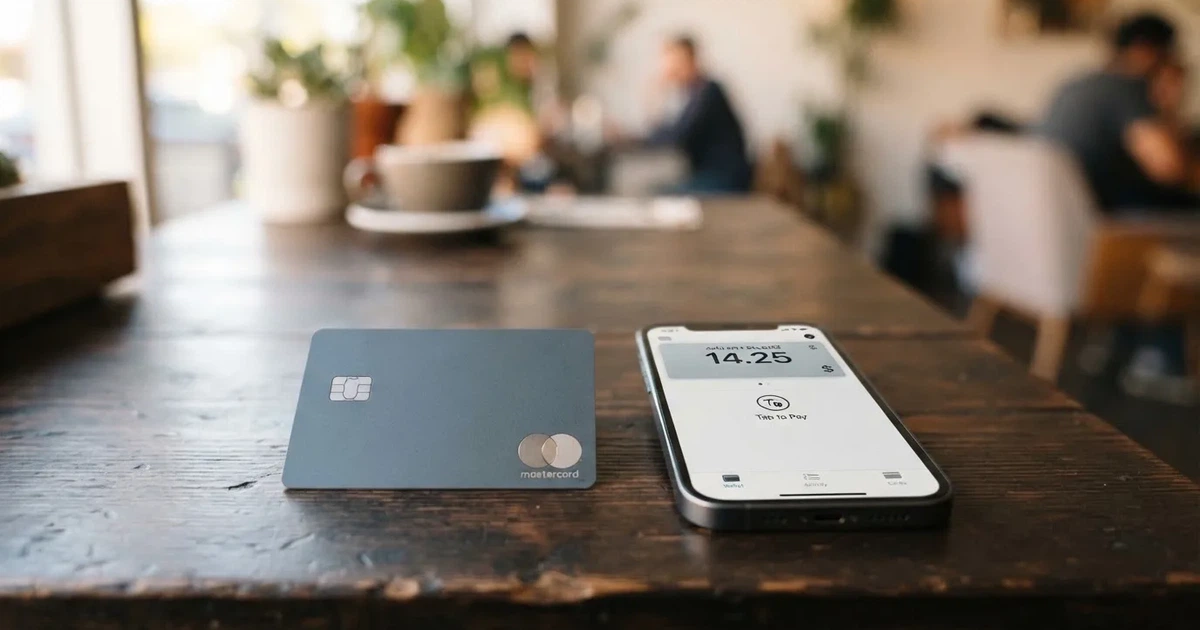
Who this suits: someone already holding stablecoins who needs a card for recurring online payments in dollars, and who is prepared to keep spending in USD to avoid the cross-currency charge. Who it does not suit: anyone who wants a physical card, wants to use Apple Pay, plans to travel and pay in local currency, or is looking for a bank-like safety net around their money.
The conditions described here are current as of October 28, 2026.
Verdict: 5.2 out of 10
The score is not a verdict on the company. It is a verdict on what the card does for the person holding it. Eversend’s weakest scores sit in the places a card lives or dies — cost per payment and everyday use — and the strongest score sits in the one place most people do not think about, which is moving money in.
| Criterion | Mark | Why |
|---|---|---|
| Who can get it | 5 / 10 | Identity verification “wherever Eversend is available”, with no published list of card countries; payments to merchants in listed countries may be declined |
| Cost | 3 / 10 | USD 0.99 to create covering the first month then monthly, or USD 2.99 once; 3.5% + USD 0.50 on non-USD payments; top-ups free |
| Top-up options | 9 / 10 | USDT and USDC from any wallet or exchange, across a long list of networks; funding the card itself is free |
| Reliability and complaints | 7 / 10 | Regulated entities under the Bank of Uganda, plus FINTRAC and FinCEN registrations, and Fireblocks custody — against Trustpilot 4.2 from 866 reviews complaining about stuck funds and silent support |
| Everyday use | 3 / 10 | Virtual Visa only, Apple Pay not supported, Google Wallet not guaranteed, no ATM or plastic details |
Total: 5.2 / 10. Taken as the average of those five criteria.
That 9 out of 10 for funding is worth dwelling on, because it is the honest reason to look at Eversend at all. Moving USDT or USDC from an exchange or self-custody wallet into an account that a card can spend, at no cost to you, is exactly what this category is supposed to do well. Most rivals make you pay something for the privilege or restrict which chains work. Eversend takes a wide list of networks and charges nothing on its side.
The 3 out of 10 for everyday use is the mirror image, and it is harder to design around. The card is virtual, Apple Pay explicitly cannot be added, Google Wallet support is not guaranteed, and there is no public statement about an ATM or plastic. Combined with a 3.5% plus USD 0.50 charge on non-USD payments, this is a card that behaves like a single-purpose online spending wallet rather than a replacement for the card in your pocket.
If you are in the audience this fits — stablecoin holders needing a cheap card for online payments — then the 9 is the number that matters, and the rest is the price of convenience. If you are not, there is no version of this card that suddenly becomes interesting.
Will they give you the card?
Short answer: probably, if you are in a place Eversend serves, and you should not expect the card to work everywhere your money does.
Identity verification is described as happening “wherever Eversend is available”. That phrase is doing a lot of work. The list of countries where the card itself is issued is not published on the pages I checked. Both personal and business accounts can hold the card, so account type is not the obstacle.
The separate and more likely obstacle is the merchant side. Payments to merchants based in certain listed countries “may be declined by our card partner”, and that list includes Belarus and the Russian Federation, along with Ukraine, Iran, North Korea, Kyrgyzstan, Uzbekistan, Tajikistan, Turkmenistan and others. The help page says this limits use of the card, not the opening of an Eversend account — so an account may open fine and then a specific purchase gets refused.
That distinction matters for how you plan. If you are in one of those countries and the account opens, the card is still useful for merchants elsewhere, but any purchase from a domestic merchant in that country is a coin flip. The provider’s own framing is that the constraint is on the card, not on you.
One more thing to check before you commit: the card issuer and BIN sponsor are not named on the public pages I read. In practice that means you cannot pre-check what a specific merchant’s risk system will see when your card presents. It is a small thing that sits oddly against the rest of the transparency.
How to get it
You download the app and confirm your identity once — the pages put it as “Download the app and confirm your identity a single time”. What documents count, what proof of address is accepted, and what the age threshold is are not stated. That matters if you are hoping to prepare a scan of a passport and a utility bill before you start; you cannot, because the list is not published.
The steps themselves are the standard three: verify your identity in the app, deposit stablecoins, then create and fund the card.
The card is a virtual Visa in USD. You can hold several — personal accounts up to three active virtual cards, business accounts unlimited — and the useful pattern is one card per merchant, which lets you freeze or delete a single merchant’s card without disturbing the rest. Freeze and delete are both in the app.
Two things are worth checking before you start. First, virtual only: no physical card is stated, so if you were expecting something in the post, this is not it. Second, cards can be deactivated or deleted for the reasons listed in a help article, and the card-specific identity requirements are not stated separately from the account-level ones.
Fees: what it really costs
Here is the whole price list, as published. Read the FX row twice — it is where this card costs you real money.

| Fee or limit | Value |
|---|---|
| Card creation (monthly plan) | USD 0.99, covers the first month, then charged monthly |
| Card creation (one-time plan) | USD 2.99 once, “no monthly fees after that” |
| FX / international fee | 3.5% of the amount + USD 0.50, on non-USD payments and on USD payments settled outside the United States |
| Payment declined for insufficient funds | USD 0.40 |
| Funding the card from the Eversend balance | Free |
| Max per top-up attempt | USD 2,500 |
| Max per transaction | USD 2,500 |
| Larger transactions | “may be subject to additional compliance review” |
| Card currency | USD only, with its own USD balance separate from the wallets |
| ATM | not stated |
| Cashback or rewards | not stated |
Two plans, and they are genuinely different in shape rather than in tier. The monthly plan is USD 0.99 to create, which covers your first month, and then runs every month. The one-time plan is USD 2.99 once and then, in the provider’s words, no monthly fees after that. You can upgrade from the subscription to the one-time plan. Over a year, the one-time plan wins by a long way; over a short trip or a single month of spending, the monthly plan can cost less.
Now three everyday payments, and what actually happens to each.
A USD 40 subscription in dollars. The card balance is already USD, so there is no conversion. Nothing in the fee table applies beyond what you have already paid to hold the card. This is the clean case, and the card is genuinely cheap here.
A USD 25 purchase priced in euros. Your USD balance is converted and the payment is not in USD, so the FX line applies: 3.5% of USD 25, plus USD 0.50. That is a fixed charge eating into a small purchase far more heavily than into a large one, because the USD 0.50 does not scale.
A USD 9 purchase that bounces for insufficient funds. If the balance is short, the decline costs USD 0.40 — a little over four per cent of what you were trying to buy, before you try again.
The pattern to take away: this card is cheap when you spend dollars and expensive the moment you do not, and the fixed component of the FX fee punishes small amounts hardest. If your spending is in euros, pounds or naira, the maths works against you quickly.
How to top it up
This is the part Eversend does well, and it is worth being specific rather than vague.
You deposit USDT or USDC from any wallet or exchange into the Eversend balance, which settles in minutes, and then fund the card from that balance. The card balance is separate from your wallets — it is its own pot of USD, not a view onto your crypto.
Funding the card from the wallet balance is free. The initial load minimum is USD 1, and the smallest total debit works out at USD 1.99 on the monthly plan and USD 3.99 on the one-time plan.
The deposit itself costs the network fee, and you pay that on the chain, not to Eversend. What it is depends on which network you pick:
| Coin | Network | Deposit fee |
|---|---|---|
| USDT | TRC-20 | $4 |
| USDT | ERC-20 | $8 |
| USDT | SPL | $1 |
| USDT | POL | $0.30 |
| USDT | BEP-20 | $0.30 |
| USDC | TRC-20 | $4 |
| USDC | ERC-20 | $6 |
| USDC | SPL | $1 |
| USDC | BASE | $0.10 |
| USDC | XLM | $1 |
| USDC | POL | $0.30 |
| USDC | BEP-20 | $0.30 |
Read that table as a decision, not a list. Sending USDT on ERC-20 to reach a card you will only spend in USD costs eight dollars of gas to move money that was going to cost you nothing to spend. The cheap end is BASE for USDC at $0.10, and POL or BEP-20 at $0.30 for either coin. That difference dwarfs everything else on this page.
Two cautions that come with the mechanism rather than from the provider. Blockchain transfers cannot be undone, so a deposit sent on a network the provider does not support, or to an address belonging to a different network, can be lost or need manual recovery with no guarantee attached. And the network has to match the coin: USDC over TRC-20 is not a native option since Circle stopped supporting USDC on Tron, so an address you used years ago may no longer be the right destination.
Getting money back out works differently. You can withdraw any amount above the USD 5 that has to stay on the card, and to take everything you delete the card, after which the balance moves to the USD wallet within 24 hours. Withdrawals to wallet are listed as free. Fiat top-up is not described for the card, and the wallet balance can be paid out to mobile money and banks in ten African countries.
Paying with it every day
The honest summary is that this is an online spending card and little more, and the constraints are worth knowing before you rely on it.
Apple Pay is out: the provider states plainly that Eversend virtual cards cannot be added to Apple Pay. Google Wallet is not guaranteed, in their words digital wallet compatibility is not guaranteed. So the phone-tap routine that most people use for coffee and groceries is not available, and on Google Wallet you are relying on something the provider will not promise. That is not a small loss; it is the loss that makes a card daily.
Some merchant categories are restricted, and the list tells you what the risk system is watching for: MCC 4829 money transfer, 5966 telemarketing, 6051 crypto and foreign currency — which covers exchanges such as Coinbase and Binance — 6211 brokers, 7273 dating, 7297 massage, and 7995 betting, with the 7800 to 7802 gambling range applying in the US only. A merchant category code is simply the four-digit classification a business is assigned when it starts accepting cards, and issuers block them by policy rather than by law, with the list varying between issuers.
There is no cashback or rewards scheme stated, and no ATM terms. The app itself I could not assess: the App Store listing could not be read, and the site links to both the App Store and Google Play.
Disputes have a documented path, and it is a reasonable one. You contact Support with the last four digits of the card, the amount, the date and the merchant. You can freeze or delete the card while the investigation runs, and the remaining balance goes back to the USD wallet. No timeline is given for either the investigation or the refund, and there is a separate guide for unauthorised transactions. What “reasonable” means here is the shape, not the speed — the absence of a stated timeframe is the part that connects to the complaints below.
What can go wrong
Two things worry me more than the rest, and neither is exotic.
Funds that do not arrive or do not show. A user report on Trustpilot dated September 2026 describes a merchant refund that was not reflected in the available balance with no reply, being logged out with funds inaccessible, and money disappearing after linking the card to Google Play. The recurring themes across reviews are stuck funds and unresponsive support. I found no official incident to match these, so I am not treating them as a systemic failure — but they are the shape of complaint that shows up when something goes wrong in a custodial system, and you should know it exists before you need it.
Support that goes quiet. The same picture appears in the review detail: Trustpilot shows 4.2 out of 5 from 866 reviews, read on 2026-10-21, with the company replying to 14% of negative reviews, and reports from September 2026 of tickets closed without resolution. Help is available in the app and through official channels, and the help centre is in English and French, but hours are not stated.
The regulatory position is much stronger than the service picture, and it is worth separating the two. Cogni Labs Ltd is authorised by the Bank of Uganda as a Payment Systems Operator (PSO 53/26), a Payment Service Provider and E-Money Issuer (PSP 35/26), and an Issuer of Payment Instruments (IPI 07/26). Eversend Tech Ltd is registered with FINTRAC in Canada (M21306189), and Eversend Inc. with FinCEN in the US (31000260352270). Offices in London, New York, Kampala and Lagos, operating since 2019. Licence numbers carry 2026 suffixes, and the company is also authorised for inbound and outbound remittance in Kenya and inbound remittance in Zambia. No other dated events surfaced.
On the money side: digital assets are secured by Fireblocks, customer funds are held in safeguarded, segregated accounts, and there is 256-bit encryption, 2FA, and instant freeze and unfreeze in the app. Segregated is not the same as protected — those funds are not covered by deposit protection, which means an e-money balance is not a bank deposit and does not carry deposit-guarantee protection.
Two smaller things. The USD 2,500 ceiling per top-up and per transaction will shape a large purchase, and anything above it may be pulled into additional compliance review. And a declined authorisation can leave a hold on funds for several days, so a card payment you never completed can keep part of your balance occupied.
What to take instead
If Eversend is not quite it, these are the three I would compare against, with the same honesty about what is not stated.
Whop Cards — also 5.2 / 10. Available to consumers in 31 US states, listed individually from Alabama through Wyoming, and to businesses in 41 states. Consumer countries that are unsupported include Belarus, China (Mainland), Cuba, Hong Kong, India, Iran, Iraq, Israel, Myanmar, Nepal, Nicaragua, North Korea, Russia, Syria, Turkey, Ukraine, Venezuela and Vietnam; unsupported corporate countries include Russia and Belarus. Whether eligibility runs on citizenship or residence is not stated. It is a Visa that works anywhere Visa is accepted online and in stores, and cards can also be issued to team members; whether they are virtual or physical, and the card currency, are not stated. The page says “No extra fees” with no issuance or monthly amounts listed, and no conversion or FX amounts are stated either. Spending runs from a Whop balance, with pending balance usable as soon as a payment arrives and standard withdrawals using settled funds; a pending balance is convenient but standard withdrawals are not instant. It is backed by stablecoin collateral from a linked wallet, with coins and networks not stated. Rewards are 5% cashback at select merchants, currently Uber, with more planned; payout currency and conditions are not stated.
Stella — 6.5 / 10, the highest score among the alternatives. Countries are not stated on the official site. The terms bar users under economic sanctions programmes and route US and European users through affiliates. It offers both virtual and physical cards on Visa, working at what the company calls over 40 million Visa merchants globally. Fees are not stated officially, only referenced to the user agreement and the app. Funding is the cleanest of the three: you deposit crypto into the account and the card tops up automatically from an in-app custodial wallet. No cashback is stated on the card page, and the separate Earn product is a yield feature rather than a card reward. If you can live with not knowing the fee schedule in advance, the automatic top-up and the option of a physical card are real advantages over Eversend.
UniFi Card — 4.7 / 10. Eligibility is not confirmed from official pages. The app listing shows send-money routes to the Philippines in PHP, Mexico in MXN and the eurozone in EUR, with recent release notes mentioning Colombia, Brazil via PIX and the UK in GBP. It is a prepaid debit Visa issued by Lead Bank, the app also supports Apple Pay, and the card currency is USD, spending from the USD balance. Fees are not stated beyond “Fees may apply”. It is funded by ACH, wire, SEPA or SPEI, or by getting paid to a USDC wallet, with no coins or networks beyond USDC stated. A 3% rewards claim on balances appears in the listing, but card cashback is not stated.
Where they differ in ways that matter to you: Eversend wins on top-up flexibility and cost, Stella wins on score and on offering a physical card with automatic funding, and UniFi wins on Apple Pay while losing on transparency. None of the three publishes the kind of country-by-country card eligibility list you might want before you commit.
Who I would recommend it to
If you already hold USDT or USDC on a network that is cheap to send from — POL, BEP-20 or BASE would be my picks from that fee table — and you want to pay recurring online bills in dollars without a traditional bank card, Eversend makes sense. The free funding, the USD 1 minimum, and the one-time USD 2.99 plan mean the cost of trying it is close to nothing, and keeping every payment in USD avoids the FX charge entirely.
I would not recommend it if you need a physical card, if Apple Pay is how you pay for things, if you are likely to be declined in your home country because of the merchant restrictions, or if a support ticket going quiet would worry you more than the convenience is worth. The 14% reply rate on negative reviews is the number that stays with me.
Frequently asked questions
What is the Eversend card?
Eversend is a virtual Visa card that spends an account balance rather than a bank account. You hold stablecoins, convert or load them into a USD balance, and pay online in dollars. It is virtual only, with no physical card stated, and the balance on the card is separate from your wallets. There is no cashback scheme stated.
How does the Eversend card work?
You download the app, verify your identity once, deposit USDT or USDC, then create and fund the card. Deposits settle in minutes and funding the card from your balance is free, with a USD 1 initial load minimum. You can hold up to three active virtual cards on a personal account, and freeze or delete any of them in the app.
Is Eversend a bank?
No — Eversend is an e-money and payments business, not a bank you can hold a deposit at. Cogni Labs Ltd is authorised by the Bank of Uganda as a Payment Systems Operator, Payment Service Provider and E-Money Issuer, and Issuer of Payment Instruments. Related entities are registered with FINTRAC in Canada and FinCEN in the US. Funds are safeguarded and segregated, but not covered by deposit protection.
Who owns Eversend?
The operating group is Cogni Labs Ltd alongside Eversend Tech Ltd and Eversend Inc., with offices in London, New York, Kampala and Lagos, operating since 2019. The card issuer and BIN sponsor are not named on the public pages. The company also holds remittance authorisations for Kenya and Zambia.
Is the Eversend card available in my country?
Identity verification applies “wherever Eversend is available”, but the list of countries where the card itself is issued is not published. What is published is a merchant restriction: payments to businesses based in listed countries, including Belarus and the Russian Federation, may be declined by the card partner. That limits where the card works, not whether you can open an account.
How do I top up the Eversend card?
Send USDT or USDC from any wallet or exchange to your Eversend balance, then fund the card from there, which is free. Pick your network by cost: USDC on BASE is $0.10, POL or BEP-20 $0.30, and USDT on ERC-20 is $8. Transfers are irreversible, so a wrong network or unsupported address can mean lost funds.
Is the Eversend card free?
Partly. Funding the card from your balance is free, and the one-time plan is USD 2.99 with no monthly fees after that; the monthly plan is USD 0.99 to create, covering the first month, then USD 0.99 each month. Spending costs nothing extra in USD, but non-USD payments carry 3.5% plus USD 0.50, and a decline for insufficient funds costs USD 0.40.
Can I add the Eversend card to Apple Wallet?
No. The provider states that Eversend virtual cards cannot be added to Apple Pay. Google Wallet is not guaranteed either, with digital wallet compatibility described as not guaranteed. In practice you would be entering card details for online payments rather than tapping a phone, which is the main reason this card scores low on everyday use.
Is Eversend safe?
The infrastructure is reputable: digital assets are secured by Fireblocks, funds sit in safeguarded segregated accounts, and there is 256-bit encryption, 2FA and instant card freeze. The service record is less settled — Trustpilot shows 4.2 out of 5 from 866 reviews, with the company replying to 14% of negative reviews, and September 2026 reviews describe stuck funds and unanswered tickets.
How do I withdraw money from Eversend?
Withdraw any amount above the USD 5 that must remain on the card; withdrawals to wallet are listed as free. To take the whole balance, delete the card and the funds move to the USD wallet within 24 hours. The wallet balance can also be paid out to mobile money and banks in ten African countries. Note that top-ups and single transactions are capped at USD 2,500.
Highest-scored app and neobank cards – cryptocardbest.com
Content created by the «cryptocardbest.com» team