
A crypto-funded card whose price depends entirely on which membership tier you pick
 Available in US
DogPay is a payment card service that runs on a crypto balance you load from a wallet. The headline that matters is this: the same product behaves like four different cards, because the fee you pay for issuing the card and topping it up, the number of cards you can hold, and even whether you get a physical card at all, all depend on a membership tier that starts free and runs up to USD 799 a month. If you only ever look at the marketing page, you will see “140+ countries” and “virtual and physical cards.” If you only ever look at the price list, you will see a tier system that prices ordinary users out of the cheapest path entirely. The honest reading sits in between, and that is what this review is for.

I spent time with DogPay’s public terms, the App Store listing, the licensing information of the partners behind the card, and the small but pointed body of third-party reviews on Trustpilot. What follows is what I found, what the card’s own documents actually say, and where DogPay leaves gaps that you, the reader, will have to fill in for yourself.
Conditions are current as of October 28, 2026.
Verdict
DogPay earns 7.5 out of 10 in my scoring. The score splits like this:
| Criterion | Mark | Why |
|---|---|---|
| Who can get it | 8 / 10 | “140+ countries and regions” headline, but the Card Program Terms restrict 29 specific countries including Russia, Belarus, Ukraine, Serbia, Moldova, Cyprus and Vietnam |
| Cost | 7 / 10 | Issuance 10 USD on Basic, 5 USD on Premium; top-up 1% on Basic, but FX and conversion fees are not published |
| Top-up options | 8 / 10 | USDT, USDC and 50+ cryptocurrencies by starting data; the App Store mentions 40+ fiat and crypto currencies, but the supported networks are not named |
| Reliability and complaints | 6 / 10 | Partners hold FINTRAC, FinCEN, and Hong Kong TCSP licences; the issuer itself is not named; Trustpilot reads 3.5 from 11 reviews with deposit and support complaints |
| Everyday use | 9 / 10 | Virtual and physical cards, Apple Pay and Google Pay “where eligible”, and ATM access on physical cards |
The card suits two groups in particular. The first is people who cannot get an ordinary bank card, whether because they are new to the country, self-employed and underbanked, or simply not served by a local issuer. For them a crypto-funded card is a real lifeline, and the 140+ country reach, with the restrictions noted above, is meaningful. The second is teams and freelancers who need to issue many cards, since the upper tiers push the active-card count up to 1,000. If you fall into either group, the value proposition is concrete.
The card does not suit everyone. If you are an individual looking for the cheapest possible crypto-to-fiat card, the Basic tier’s 10 USD issuance fee and 1% top-up fee are higher than several competitors, and the FX fee is not published so you cannot compare on that line. If you only need a virtual card for online subscriptions and Apple Pay in a handful of merchants, the Premium tier (USD 199 a month) is steep for what you get. And if you live in any of the 29 restricted countries, this is simply not an option for you, regardless of tier.
Who can get the card
DogPay says it serves “140+ countries and regions”, but the headline number is qualified in the Card Program Terms, which restrict a list of 29 jurisdictions. The restricted list includes Afghanistan, Albania, Belarus, Bosnia, Central African Republic, Congo, Cuba, Cyprus, Eritrea, Haiti, Iran, Iraq, Kosovo, Lebanon, Liberia, Libya, North Macedonia, Moldova, Montenegro, North Korea, Russia, Serbia, Somalia, Syria, Ukraine, Venezuela, Vietnam, Yemen and Zimbabwe.
For a reader scanning the list, the practical takeaways are these. Russia and Belarus are both on it. Ukraine, Serbia, Moldova, Cyprus and Vietnam are also restricted. The terms do not, in the materials I could read, separate citizenship from residence, so it is not stated whether the restriction applies to your passport, where you live, or both. If you are in any of these countries, or hold a passport from one, treat this as a hard stop and check with support before applying, because the restricted list is the rule the issuer enforces, not a soft preference.
Outside the restricted list, the broader coverage is genuinely wide. Most of Europe, North America, Latin America, much of Southeast Asia, and significant parts of Africa and the Middle East fall under the 140+ umbrella, subject to the same caveats that apply to every regulated card issuer: region, identity verification, account review, and the issuing partner’s own rules. Those caveats can move the goalposts, so even if your country is not on the restricted list, you are not guaranteed approval.
The application is for individuals 18 and over. You need a passport and, where applicable, a tax ID. A valid DogPay account in good standing is required. Reviews are completed in 1 to 3 business days at the issuer’s discretion, and the issuer can ask for more documents. Proof of address is not officially stated; some issuers require it, some do not, and the absence of a clear answer here means you should not assume the lighter path until the issuer confirms.
There is also a tier system that affects what you can do. Verification has three levels: Basic, Verified and Premium. The limits on your card scale with the level, and the membership tier (Basic, Premium, Platinum or Ultra) determines how many cards you can hold and which fees you pay. What each verification level unlocks, and the exact reasons an application can be rejected, are not stated in the public materials.
How to get it
The signup path is straightforward. You complete KYC first, then choose your card in the app. The KYC step is the part that determines whether the rest of the process is quick or slow, and it is the step where most rejections happen.
You will need to be 18 or older and provide a passport. If you are asked for a tax ID, you provide it. The review takes 1 to 3 business days at the issuer’s discretion, and the issuer can request more documents. Once you are through KYC, the app takes over and you choose between the two card kinds: a budget card (where several cards share one account) or a prepaid card (one card per account). Both come in virtual form, for online use, and physical form, for in-person use. Physical cards are only available from the Premium tier upward; on Basic, the physical card is not an option, which is a real limitation if you want a card you can tap at a shop or insert into an ATM.
The network is written in the terms as a placeholder, so I cannot tell you from the terms alone which one your card will run on. The card currency is not stated either. These gaps are not unusual for a card programme in the middle of being rolled out, but they do mean you should not commit to using the card for a specific merchant or currency before you have the actual card in your hand and have confirmed both.
For delivery, the terms do not say how long a physical card takes to arrive, or whether shipping is included in the issuance fee. This is another gap, and it matters because on Premium you pay USD 199 a month plus 5 USD for the card, and on the lower tiers the cost is lower but the absence of a physical card is the bigger issue. If you need a physical card, plan around the fact that the public materials do not give you a delivery window to plan against.
One thing worth knowing about the KYC levels: they are layered on top of the membership tiers. Your KYC level (Basic, Verified, Premium) determines your card limits, and your membership tier (Basic, Premium, Platinum, Ultra) determines your fees and how many cards you can hold. The two are not the same thing, and confusing them is easy, especially because the names overlap. If you read a benefit in the membership table and assume it applies at the KYC level, or vice versa, you will get the wrong answer.
Fees and what a DogPay payment really costs
This is where the card has to be read carefully, because the headline number is misleading in two directions at once. The card looks free on the marketing page, because the Basic membership is free, but the actual cost of getting a card on Basic is 10 USD, and the cost of loading it with crypto is 1%. On the upper tiers, the monthly fee gets steep, but the issuance and top-up fees drop, sometimes to zero. The right tier for you depends entirely on how much you load and how many cards you hold.

The costs at a glance:
| Fee or limit | Amount |
|---|---|
| Issuance, Basic (free membership) | 10 USD |
| Issuance, Premium (USD 199 / month) | 5 USD |
| Issuance, Platinum (USD 399 / month) | 3 USD |
| Issuance, Ultra (USD 799 / month) | 1 USD |
| Top-up, Basic | 1% |
| Top-up, Premium | 0.5% |
| Top-up, Platinum | 0.3% |
| Top-up, Ultra | 0% |
| Crypto conversion fee | Not stated |
| FX fee | Not stated |
| ATM fee and allowance | Not stated |
| Daily and monthly spend limits | Not stated |
| Physical card delivery | Not stated |
| BVI-registered entities | Monthly fees double |
The top-up fee scales nicely with the membership tier, and the issuance fee also drops, so a heavy user on Ultra pays 0% to load the card and 1 USD per card issued. But the conversion fee and the FX fee are not published, which is the most important gap in the cost story. The fee you pay when you convert USDT to the card’s spending currency, and the fee you pay when you pay in a currency different from the card’s base currency, are exactly the fees a heavy spender cares about, and they are simply not on the public page. If you are a high-volume user, this is the line to push support on before you commit.
A few everyday examples will make the fees tangible. Take a Basic-tier user who loads 1,000 USDT onto a single card. The 1% top-up fee is 10 USD, the 10 USD issuance fee is paid once when the card is ordered, and from there every spend is funded from the loaded balance. The unknown is what happens at the moment of payment: if the card is denominated in, say, USD, and you spend it at a European merchant, the FX fee is whatever the card’s terms say, and the public materials do not say. If the card converts USDT to USD inside the app at the moment you load, and you then spend USD, the conversion is settled at load time and the FX fee applies on top of the network’s wholesale rate at the time of the transaction.
Take a Premium-tier user who issues 50 cards for a team. The monthly membership is USD 199, the issuance is 5 USD per card, so the first month’s bill is USD 199 plus 250 USD in issuance fees, or USD 449 in total. The top-up fee drops to 0.5%, so loading 50,000 USDT costs 250 USD. If the team is paying 5,000 USD a month in freelance invoices, the top-up fee is 25 USD and the issuance fees are sunk, so the all-in cost of the membership has to be justified by the per-card convenience. Whether that math works depends on what the alternative is.
Take an Ultra-tier user issuing 500 cards. The monthly fee is USD 799, the issuance is 1 USD per card, so the issuance for 500 cards is 500 USD, and the top-up fee is 0%. The monthly burn is 1,299 USD before any spend. For a business that is issuing hundreds of crypto-funded cards, the savings on top-up fees alone can offset the membership, but it is not a tier for individuals.
A few costs are not stated in the public materials and you should assume the worst until told otherwise. There is no published ATM fee or allowance, and the card only works at “supported POS terminals and ATMs”, which is a phrase that does not commit the issuer to a specific network. There are no published daily or monthly spend limits, only the statement that limits “depend on verification level and history”. The card currency is not stated, which means the FX fee can be triggered in more scenarios than a card that names its base currency up front.
Top up
Topping up DogPay is where the card’s crypto side actually shows up. The flow is this: you send a supported USDT network to a deposit address, then convert and fund the card in the app. The starting data adds USDC and 50+ cryptocurrencies to the list of options, and the App Store description mentions 40+ fiat and crypto currencies, so the breadth is real.
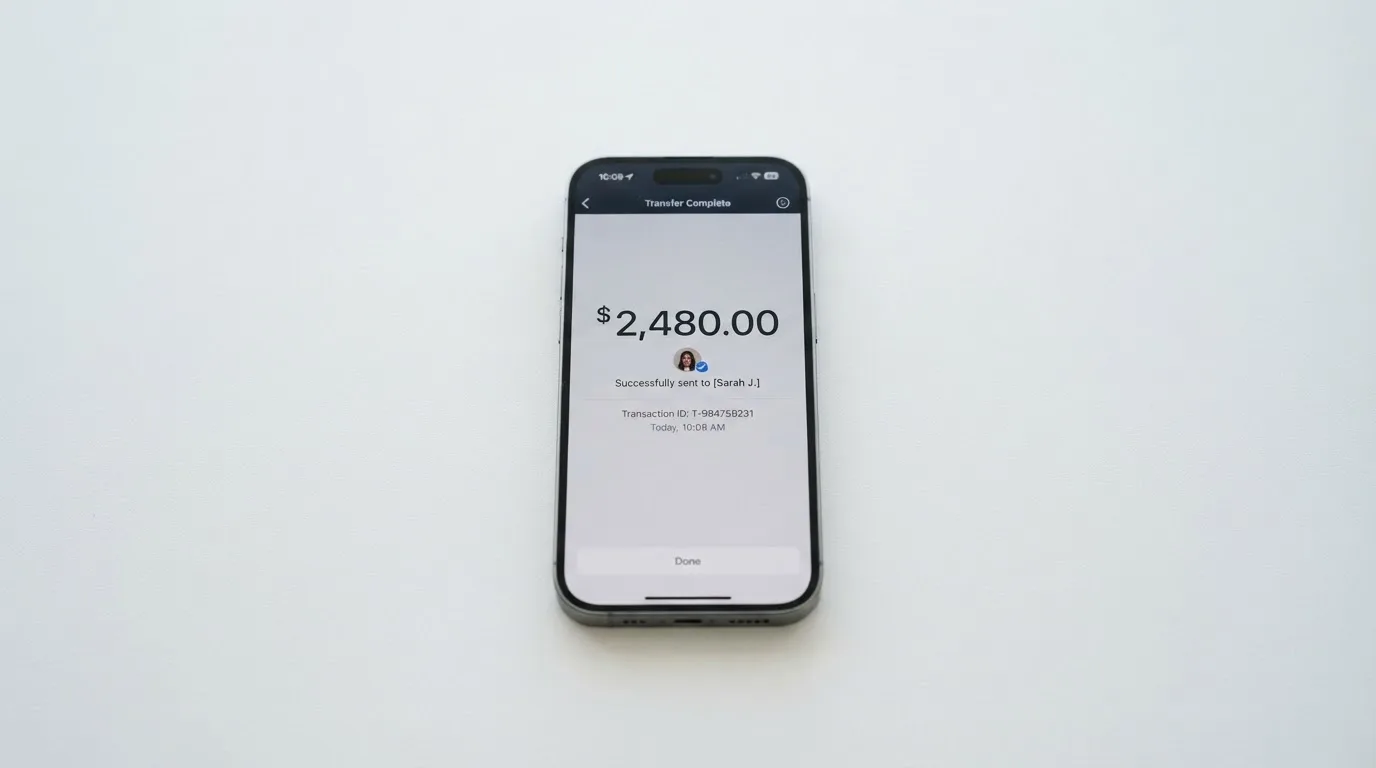
The supported USDT network, and the supported USDC network, are not named in the public materials. This is the most important practical gap in the funding story, because USDT and USDC exist on multiple blockchains and a transfer on the wrong network is typically irreversible. If you are sending USDT from a wallet that supports Ethereum, Tron, Solana, Polygon, Avalanche, and a dozen other networks, you have to know which one DogPay expects, and the public pages do not tell you. The same is true of USDC. The general background section below explains why a network mismatch is not a recoverable error, but the short version is: do not send a top-up until the app tells you which network it wants.
The top-up fee is 1% on Basic, 0.5% on Premium, 0.3% on Platinum, and 0% on Ultra. There is no published minimum top-up, and the network fee (the gas or bandwidth that the underlying blockchain charges) is paid by whoever the network charges, which is typically the sender. On Tron, fees are paid in TRX; on Ethereum, fees are paid in ETH, so a wallet that holds USDT but no ETH cannot send. This is not a DogPay rule, it is how the underlying networks work, but it is the kind of detail that catches new users out.
Fiat top-up for cards is not stated, which means the documented funding path is crypto-to-card. If you want to load the card from a bank account, the public materials do not describe that flow, so you should confirm it with support before assuming it exists.
When you close the card, the terms describe a refund process. On termination, the cardholder can request a refund of the full balance; DogPay chooses the payout method (on-chain, bank transfer or cheque); the refund is paid only to the cardholder; any fees owed to DogPay are repaid within 15 days; balances below the minimum may be forfeited after 12 months of inactivity; and fees are non-refundable. This is a reasonable process, and the 12-month inactivity clause is a standard one for prepaid programmes, but the phrase “DogPay chooses the payout” is worth pausing on: if your refund goes out as a bank transfer, the bank may charge a receiving fee, and that fee is on you.
Paying with it every day
In everyday use, DogPay behaves like a prepaid card. You load a balance, you spend it, and the card cannot overdraw because the balance is the limit. Virtual cards work online, physical cards work at supported POS terminals and ATMs, and Apple Pay and Google Pay are supported “where eligible”, which is the standard phrasing issuers use when the wallet and the merchant’s region both have to be set up for the tokenisation to work.
Virtual cards support Apple Pay per the App Store description, so the in-app tokenisation path is live. Google Pay is mentioned but its specific support is not broken out in the public materials. The blocked merchant categories are not stated either; the issuer does not publish a list, so you do not know in advance whether, for example, gambling or cryptocurrency purchases are blocked, and the only way to find out is to attempt a transaction. For most everyday merchants — supermarkets, transport, subscriptions, dining — the card behaves as you would expect.
The dispute and chargeback process is described in the terms. Chargeback requests must be made within 60 days of the transaction date. Unauthorised transactions reported within 48 hours are eligible for investigation; failure to report within 60 days of the statement date may deny reversal. DogPay’s and the card network’s decisions are final, and disputes go to HKIAC arbitration in Hong Kong. Arbitration in Hong Kong is a real commitment, and it is worth knowing before you sign up: if you have a dispute that cannot be resolved in the app, the forum is Hong Kong, not your home country.
The App Store listing I read was the Fiji storefront, which showed no rating (“not enough ratings or reviews”), seller Pooltech Limited, version 1.6.3 latest, read 2026-10-21. Google Play was not read. The absence of a public rating on the App Store is a small signal that the iOS app is not heavily used yet, or at least that not enough users have rated it to produce a score, and it is worth weighing against the third-party Trustpilot data below.
One more thing the everyday section does not say: what the card looks like in the wallet app, what notifications you get on spend, whether there is a spending cap you can set yourself, and whether there is a way to lock the card to a specific merchant. These are the kinds of usability features that the upper-tier marketing pages often imply and the lower-tier experience often does not deliver. Treat them as unconfirmed until you have the card in the app.
What can go wrong
No official incident was found in my review of public sources. The card’s partner companies hold a credible set of licences: STRATUSPAY FINTECH LIMITED in Canada is registered as a money services business with FINTRAC (MSB C100000785) and registered with the Bank of Canada as a payment service provider on September 15, 2026; WAVETECH LIMITED in the US is registered with FinCEN as an MSB (31000285417699); DP TRUST LIMITED in Hong Kong holds a TCSP licence (TC010687) valid until December 17, 2028; and LIGHTENING GLOBAL LIMITED holds a Hong Kong Money Lenders Licence (842/2026) valid until May 15, 2027. The cards are “issued by partners holding appropriate licences”, but the issuer itself is not named in the public materials, and that is a real gap. If you cannot tell from the card’s terms which bank or e-money institution is on the other end, the question “is my balance safe?” is harder to answer.
The third-party Trustpilot data is the most concrete signal I found on reliability. The Trustpilot page for DogPay (Irish page) reads a TrustScore of 3.5 out of 5 from 11 reviews, with 55% of reviewers giving 5 stars and 45% giving 1 star, read 2026-10-21. Earlier in 2026 the same page showed 2.9 from 2 reviews, so the score is moving up as more reviews come in, but the spread is bimodal. The themes in the negative reviews are: deposits not credited or shown as failed; slow or no support replies; applications rejected after document requests, including users from unsupported countries; and unverified scam allegations. The positive theme is a quick virtual card setup. There is one user report (2026) claiming DogPay stalled a security bug-bounty payment, which is a single data point but a serious one if accurate.
Help Center and Contact Us pages exist, but no hours or email are listed on the pages I read. The app’s supported language is English, and the App Store description does not list Russian as a supported language. The terms say arbitration is conducted in Chinese, which is consistent with the Hong Kong forum and is a real consideration for non-Chinese readers.
On the security side, the public materials describe risk checks and real-time alerts, lost or stolen card reporting through the app 24/7, freeze or suspension on suspected fraud, sanctions, or three or more consecutive failed verification attempts, AES-256 encryption of data, and a 7-year data retention period. The custody model for the crypto side is not stated. If your USDT and USDC are held in a pooled wallet controlled by DogPay, you are exposed to the same counterparty and hack risk that the general background section describes; if they are held in a segregated or self-custody-linked arrangement, the risk is different. The materials do not say which.
A second category of risk is operational. The card relies on partner licences in Canada, the US and Hong Kong, and the public materials do not describe what happens to cardholders if any of those licences change status. The general background section below describes how programmes have been closed in the past, and the same pattern can apply here. Treat the card as a payment tool, not as a savings account, and do not park a balance you cannot afford to wait for a refund process on.
What to take instead
Three alternatives come up in the same category, and each one makes a different trade.
Cardex scores 5.6 out of 10 in my reading. It positions itself as “one crypto card, 200+ countries”, but the country list and exclusions are not given, and the App Store listing is Naira-focused, suggesting the primary market is Nigeria. The card is a debit crypto card on Verve, Visa, Mastercard and UnionPay, in virtual and physical form, denominated in Naira. Funding is from USDT, USDC and BTC wallets, with networks not stated. The interesting feature is a real-time crypto-to-fiat conversion at the moment of payment, and the site describes an “AI-Powered Conversion Rate” that scans global exchanges to pick the best rate at the moment of spend. No fee percentage is stated. If you are in Nigeria and want a multi-network crypto card, Cardex is worth a look; if you are elsewhere, the Naira denomination and the Naira-focused listing suggest the experience may be less tailored.
TakeCard scores 5.5 out of 10. The virtual card is available immediately, and the physical card is currently “available only to Bolivian users”, with the broader launch listed in starting data as covering Argentina, Bolivia, Peru, Chile, Paraguay, Colombia, Ecuador, the US, Spain and Italy, though those countries are not confirmed on a publicly readable page. The card runs on Visa, is issued in the US, is prepaid, and pays in USD 1:1. Pricing is 5 USD for the virtual card and 20 USD issuance plus 20 USD shipping for the physical (Bolivia), though another article in the same centre says 10 USD for the physical, and the conflict is not resolved. The commission is 1% per purchase, USD payments are 1:1 with no currency adjustment, and other currencies are converted at the official Visa rate of the transaction day. Funding is from the Takenos balance, with USDC and USDT via Polygon, BNB Chain, Tron or Ethereum listed in starting data. If you are in Bolivia and need a USD-denominated Visa, TakeCard is a focused option; if you are elsewhere, the Bolivia-only physical card is a hard limit.
OkiCard scores 6.0 out of 10. It says “150+ countries” (some pages say “200+”) and explicitly states “no geo-blocking based on your passport”, with the caveat that users must confirm they are not in a sanctioned jurisdiction. The card is virtual, with a physical card mentioned but not detailed, on a “Visa/Mastercard” network not specified, denominated in USD or EUR pegged. Pricing is 0 USD issuance, 0 USD monthly, 15 USD starting price for a virtual card, with the FAQ mentioning a one-time issuance fee and the two pages disagreeing. Initial deposit is 100 USDT. The load fee is 3%, transaction fee in USD is 0%, and the site claims “no hidden exchange spreads”, though the FX fee is not stated. Funding is USDT on BSC (BEP-20), Ethereum (ERC-20), Tron (TRC-20) and Solana (SPL), with USDC “soon” and BTC and altcoins “coming soon”. For a reader who needs a virtual card with named networks, OkiCard is more transparent on the funding side than DogPay, and the 3% load fee is the price you pay for that transparency.
| Card | Score | Where it works | Card form | Funding | Load fee |
|---|---|---|---|---|---|
| DogPay | 7.5 | 140+ countries (29 restricted) | Virtual and physical (physical from Premium) | USDT, USDC, 50+ crypto | 1% / 0.5% / 0.3% / 0% by tier |
| Cardex | 5.6 | 200+ countries (no list) | Virtual and physical | USDT, USDC, BTC | Not stated |
| TakeCard | 5.5 | Bolivia physical, broader per starting data | Virtual and physical (Bolivia only) | USDC, USDT (per starting data) | 1% per purchase |
| OkiCard | 6.0 | 150+ countries (some pages say 200+) | Virtual (physical mentioned) | USDT on BSC, ETH, Tron, Solana | 3% |
None of the alternatives is a clear winner across the board. If you need a card today, the choice depends on which country you are in, which network you want, and whether the cost of the membership tier is worth the savings on load fees. DogPay’s edge is the breadth of crypto funding (USDT, USDC, 50+ coins) and the scalability for teams; its weakness is the opacity of the FX fee and the conversion fee, and the fact that the Basic tier is not as cheap as its marketing implies.
Who I would recommend it to
I would recommend DogPay to two specific groups. The first is a person in an underbanked situation who needs a payment card and cannot get one from a local bank, who is outside the 29 restricted countries, and who is willing to pay 10 USD to issue the card and 1% to load it on the Basic tier. For that reader, the 140+ country reach, the virtual and physical card options, and the Apple Pay support add up to a useful product, and the gaps in the cost story are less important than the fact of having a card at all.
The second is a team or freelancer who issues many cards and processes enough volume to make the upper tiers pay. The math on Ultra is straightforward: at 0% top-up fee and 1 USD issuance, a business that issues 200 cards and loads 100,000 USDT a month saves enough on load fees alone to cover the 799 USD monthly fee and then some. The same is true, at a smaller scale, on Platinum. For a solo freelancer, the upper tiers are not worth it, and the Basic tier is the only sensible starting point.
I would not recommend DogPay to a reader who is in one of the 29 restricted countries, who needs a clear published FX and conversion fee before committing, or who is looking for the cheapest possible crypto-to-fiat card for casual use. For that last reader, the alternatives above are stronger on transparency even if they are weaker on tier structure, and the OkiCard funding network list, the TakeCard Bolivia focus, and the Cardex multi-network reach each address a different sub-case.
A few things to check before you sign up. First, confirm with support which USDT and USDC networks the app supports, and do not send a top-up until you have the answer in writing. Second, ask for the FX fee and the crypto conversion fee in writing, and ask whether the card’s base currency is USD, EUR, or something else, because the answer changes what you actually pay on a foreign-currency transaction. Third, ask what happens to your balance if a partner licence changes, because the public materials do not describe that path. And fourth, treat the membership tier table as a contract: if you sign up for Premium at USD 199 a month, the fees drop, but the monthly bill is a real recurring cost, and there is no published cooling-off period in the materials I read.
Frequently asked questions
What is the DogPay card?
DogPay is a payment card service that runs on a crypto balance you load from your wallet. You send USDT, USDC, or one of 50+ other cryptocurrencies to a deposit address, convert and fund the card in the app, and spend the loaded balance anywhere a Visa or Mastercard is accepted. The card comes in virtual and physical form, with the physical card available from the Premium membership tier upward, and the issuing partner’s licences span Canada (FINTRAC), the United States (FinCEN) and Hong Kong (TCSP).
How does the DogPay card work?
The card behaves like a prepaid card. You top up a balance from crypto, and the card spends only that balance, so it cannot overdraw. The conversion from crypto to the card’s spending currency happens inside the app, and the public materials do not publish the conversion fee, which is the most important gap in the cost story. Limits scale with your verification level (Basic, Verified or Premium), and the fees you pay on issuance and top-up depend on the membership tier (Basic, Premium, Platinum or Ultra), not on the KYC level.
Is DogPay a bank?
No. DogPay (Pooltech Limited, headquartered in Hong Kong) is a card programme manager, not a bank. The cards are issued by partners that hold payment, money-services and trust licences in Canada, the US and Hong Kong, but the specific issuer is not named in the public materials. The balance you load is held by the issuer partner, not by DogPay itself, and your funds are not the same as a bank deposit and are not covered by deposit guarantee schemes.
Who owns DogPay?
The App Store seller is Pooltech Limited, headquartered in Hong Kong. The card programme involves partner companies in Canada (STRATUSPAY FINTECH LIMITED, FINTRAC MSB C100000785), the United States (WAVETECH LIMITED, FinCEN MSB 31000285417699), and Hong Kong (DP TRUST LIMITED, TCSP TC010687; LIGHTENING GLOBAL LIMITED, Money Lenders Licence 842/2026). The owner or owners of Pooltech Limited are not stated in the public materials I read, and the corporate structure behind the partners is not described.
Is the DogPay card available in my country?
DogPay advertises 140+ countries and regions, but the Card Program Terms restrict 29 specific countries: Afghanistan, Albania, Belarus, Bosnia, Central African Republic, Congo, Cuba, Cyprus, Eritrea, Haiti, Iran, Iraq, Kosovo, Lebanon, Liberia, Libya, North Macedonia, Moldova, Montenegro, North Korea, Russia, Serbia, Somalia, Syria, Ukraine, Venezuela, Vietnam, Yemen and Zimbabwe. The terms do not state whether the restriction applies to citizenship, residence, or both, so if you are in or from one of these countries, check with support before applying. Even if your country is not on the restricted list, approval is not guaranteed because the issuer can decline on identity, sanctions, or partner rules.
Does the DogPay card require KYC?
Yes. You need to be 18 or older, hold a valid passport and, if applicable, a tax ID, and have a valid DogPay account in good standing. Reviews are completed in 1 to 3 business days at the issuer’s discretion, and the issuer can request additional documents. Verification has three levels (Basic, Verified and Premium), and the limits on your card scale with the level. Proof of address is not stated in the public materials, and the specific reasons an application can be rejected are not published.
How do I top up the DogPay card?
You send a supported USDT network to a deposit address, then convert and fund the card in the app. Starting data adds USDC and 50+ other cryptocurrencies, and the App Store description mentions 40+ fiat and crypto currencies. The supported networks are not named in the public materials, which is the most important practical gap: do not send a top-up until the app tells you which network it expects, because a transfer on the wrong network is typically irreversible. The top-up fee is 1% on Basic, 0.5% on Premium, 0.3% on Platinum and 0% on Ultra.
Can I add the DogPay card to Apple Pay or Google Pay?
Virtual cards support Apple Pay per the App Store description, and the in-app tokenisation path is live. Google Pay is mentioned in the marketing as supported “where eligible”, which is the standard phrasing issuers use when the wallet and the merchant region both have to be set up for the tokenisation to work. Whether Google Pay works for your card depends on the card’s BIN, the region the card is issued in, and the merchant’s setup, so the only way to confirm is to add the card in the wallet app and see.
Is the DogPay card safe?
The partner companies hold a credible set of licences in Canada, the US and Hong Kong, and the public materials describe risk checks, real-time alerts, 24/7 lost-and-stolen reporting through the app, freeze or suspension on suspected fraud, AES-256 encryption and 7-year data retention. The custody model for the crypto side is not stated, so I cannot tell you from the public materials whether your USDT and USDC are held in a pooled wallet, a segregated wallet, or a self-custody-linked arrangement, and that is the most important security question to ask support before you load a meaningful balance. Third-party Trustpilot data shows a 3.5 score from 11 reviews, with deposit-credit and support-response complaints in the negative reviews.
Is the DogPay card worth it?
It depends on which membership tier fits your volume. On Basic, the 10 USD issuance fee and 1% top-up fee are higher than several competitors, and the FX and conversion fees are not published, so the card is best for readers who cannot get an ordinary bank card and who value the 140+ country reach and the breadth of crypto funding. On the upper tiers, the math improves for heavy users: at 0% top-up on Ultra and 1 USD issuance, a team issuing hundreds of cards can offset the 799 USD monthly fee with load-fee savings. For a casual user who only needs a virtual card for online subscriptions, the Premium tier is steep, and the alternatives above are stronger on transparency.
Highest-scored virtual cards – cryptocardbest.com
Content created by the «cryptocardbest.com» team