
A quiet virtual crypto card that spends like a prepaid balance
 Available in US
DigitalPurse is a virtual card you fund with crypto and then spend through your phone’s mobile wallet. There is no physical card, no cash machine, and no chargeback protection. In exchange you get something close to an anonymous-style prepaid card that a shop cannot trace back to your name, and you can open one from an app without handing over identity documents unless a specific payment or product triggers a check.
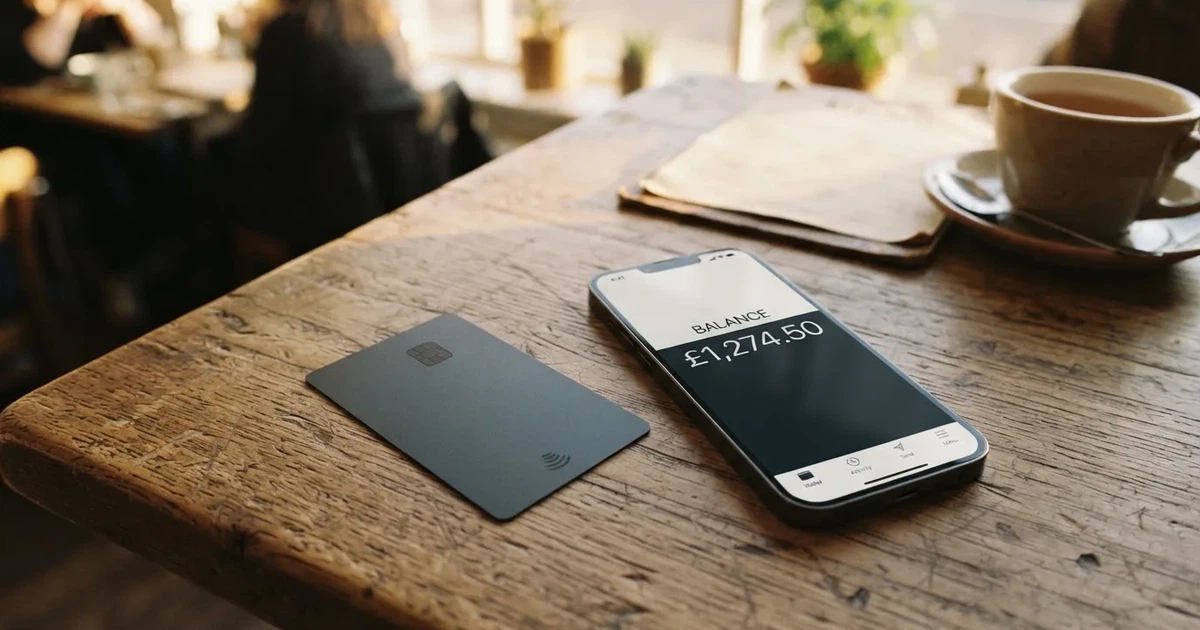
I scored it 5.8 out of 10. That is an average card with two strong sides and several holes in the floor. The strong sides are top-up choice and the sheer convenience of a virtual card in Apple Pay, Google Pay and Samsung Pay. The holes are the ones that matter to someone in your position: nobody will tell you what a DigitalPurse card costs, nobody will tell you where the card is issued, and there is no way to get money back if a merchant takes it and never delivers.
The conditions described below are current as of October 28, 2026.
Who the card suits, and who it does not
I think of DigitalPurse as a quick, low-friction way to turn crypto into everyday spending money. The audience note from the card’s own marketing fits: a virtual card funded with crypto that behaves like a prepaid balance. If your problem is that a normal bank card is not available to you — because of where you live, what you do for work, or a bank that will not open an account — this is squarely aimed at you. If your problem is getting a bad credit card with a real credit line, a card that has no billing address, no statement and no credit history is not going to solve that.
Here is the score card by card.
| Criterion | Mark | Reason |
|---|---|---|
| Who can get it | 6 / 10 | Country list and bans are not named; no citizenship or residence limits; issue region not disclosed |
| Cost | 5 / 10 | Official: creation and top-up fees show in the app during creation, no figures on the site, not disclosed; Unofficial: $3 for a virtual card and a $6 minimum balance per an App Store reviewer; cryptocards.so says issuance, top-up and the month are free — sources conflict |
| Top-up options | 7 / 10 | BTC, LTC, XMR, ETH, USDT, USDC; networks not disclosed; no extra fee stated for USDT and USDC |
| Reliability and complaints | 6 / 10 | Issuer not named, the platform is not a bank; no chargeback; Trustpilot 4.8 from 232 reviews, complaints about declines at Google Cloud, Azure and DigitalOcean |
| Everyday use | 5 / 10 | Virtual only; Apple Pay, Google Pay and Samsung Pay available; ATM not allowed |
| Total | 5.8 / 10 | — |
That table already tells you the shape of the card. Top-up options are the best line. Cost and everyday use are the weakest. Who-can-get-it lands in the middle for a reason I will come back to: the card does not tell you who it is for.
Do not choose this card if you need a chargeback, if you need cash, if you need a card that works in subscription services that check billing addresses, or if you need to prove a payment landed. Also do not choose it if you hold a large balance on it and want the protection of a bank deposit scheme. This is a technology platform holding your money, not a bank.
Will they give you the card?
The honest answer is that I could not find the eligibility rules, because the card does not publish them. The public pages do not state a list of countries, a list of excluded countries, or any restriction on citizenship or residence. The card also does not disclose the region it is issued from, and it does not name the institution that issues the card. That is not a small gap. When a card never says who issued it or from where, you cannot know which rules apply to you or which regulator you could complain to.
The only stated age rule is 18+, and one account per individual. If you are under 18, that is a clear no. If you live somewhere with strict foreign-exchange rules, the card’s silence about your country is a real problem rather than a reassurance — you have no way to check from the outside whether using it would put you on the wrong side of a local law.
So the practical answer to “will they give me the card?” is: almost certainly yes if you are 18 and can install the app, because nothing in the public material excludes anyone. But nobody has promised that, and if a specific payment or product triggers a check, the answer can change.
How to get it
The route is short. Download the iOS or Android app, create an account, and the card appears. The home page says only “create an account” after you download the app. The card itself is virtual only: there is no physical version at all. It is created either through the app or through a Telegram bot, and it is described as “available instantly”. Orders are processed right away, though the card says this “may take up to 24 hours”.
What you are not told at this point is everything that determines how much trouble the card will be later: the card network, the card currency, and the KYC requirements. None of these are stated on the public pages.
On identity checks, the card’s position is that KYC “may” be required for some payments or some products. There are no defined verification levels in the public material. Unverified users have daily and monthly order caps, though the amounts are not stated; verified users get higher limits. Non-KYC cards exist, and they cost more — the card’s own wording is that “All Non-KYC cards are priced higher because they offer greater privacy and flexibility”. There is a help article titled “Why is my KYC verification still pending?”, which suggests pending checks are a real experience, but I did not read it, so I cannot tell you what it says. Processing times and rejection reasons are not stated.
If your priority is not to be identified, pick a Non-KYC card and accept the higher price and the caps. If your priority is to spend larger amounts without friction, verify — the card says verified users get higher limits, though it never says how much higher.
Fees: what it really costs
Here is the part I find hardest to write honestly, because the card itself is vague. Let me give you the numbers I have and be clear about where each one came from.
| Fee or limit | What the card says |
|---|---|
| Issuance | Not stated on the site; creation fee is shown in the card description in the app during creation |
| Monthly fee | Not stated |
| Top-up fee | Not stated on the site; shown in the app during creation; scales with amount on privacy cards; extra fees possible for some non-fiat methods |
| Conversion / crypto fee | Not stated; purchases “may be subject to handling fees”, amounts are “detailed in the specific terms” of each product |
| FX fee | Not stated; card balance is in USD, and “FIAT is converted to USD the moment it’s loaded to the card”; the spread for payments in other currencies is not stated |
| ATM | Not permitted; ATM withdrawals are considered a “transfer of value” |
| Daily limit | Caps exist for unverified users; amounts not stated |
| Monthly limit | Same as daily; amounts not stated |
| Starting balance | Virtual cards offered with a “starting balance of up to $1,000 – $10,000” |
The rules on top-up and card fees are worth restating because they are the only official fee information that exists. Creation and top-up fees are shown in the app at the moment you create the card. On privacy cards — the Non-KYC ones — those fees scale with the amount. Some non-fiat methods carry extra fees. None of this is published as numbers on the site. Non-KYC cards cost more than reloadable KYC cards.
Then there are the unofficial numbers, which you should treat as hints rather than prices. An App Store reviewer says the company charges an extra $3 for a virtual card and requires a minimum $6 balance. The site cryptocards.so lists issuance, top-up and the monthly fee as free. These two sources contradict each other. The App Store figure is a single user’s report; the aggregator’s “free” claim is not backed by anything on the official pages. Do not plan your budget around either.
The bottom line: you will see the real creation and top-up fees in the app before you commit, and you should read them there, because the website will not tell you.
Two or three everyday payments, and which fees apply
Since there is no price list, the only honest way to show you what a payment costs is to walk through three ordinary ones and mark which fee, if any, the card’s rules touch.
Buying coffee with your card loaded with USDT. You top up with USDT. The card says no extra fee is charged for USDT, and it recommends USDT, USDC, bank transfer or mobile money specifically to avoid extra charges. The card description in the app will still show you the top-up fee at the moment you load. At the till, you pay through Apple Pay, Google Pay or Samsung Pay in the shop’s currency. If the shop charges you in dollars, there is no conversion step. If it charges you in another currency, the card is spending a USD balance and the conversion terms are in the product’s specific terms, which are not published. The card’s public material does not quote you a percentage, so I cannot tell you what that step costs.
Paying a subscription or a utility bill in your own currency. Same shape, with an extra wrinkle: the balance is in USD, so the payment either goes through at 1:1 if the merchant prices in USD, or it is converted. And address-verification checks, which compare the billing address you type with the issuer’s records, are generally unavailable for foreign-issued cards — the card does not say what billing address it wants from you. That is where a decline can come from, not from a fee. The handling fee the terms mention may also apply.
A purchase you later want to reverse. This is where the cost is not a fee but a loss. The card says plainly, “we cannot support chargebacks”, and it applies the same to any sub-issuer. If a merchant takes your money and does not deliver, the money is gone. There is no handling fee to argue about; there is simply no mechanism.
So: the fees you will actually meet are the top-up fee shown in the app, any extra fee on certain non-fiat methods, the app’s stated “may be subject to handling fees” on purchases, and an undisclosed conversion cost if you pay in something other than dollars. Everything else on the card’s public pages is not stated.
Top up: which coins work, and what it costs you to load
This is the card’s strongest section. Six assets are accepted: BTC, LTC, XMR, ETH, USDT and USDC. For USDT and USDC the card states that no additional fee is charged. The blockchain networks are not stated, which is a real operational gap — sending on the wrong network is one of the easiest ways to lose money with a card like this, and the card does not tell you which networks it wants.
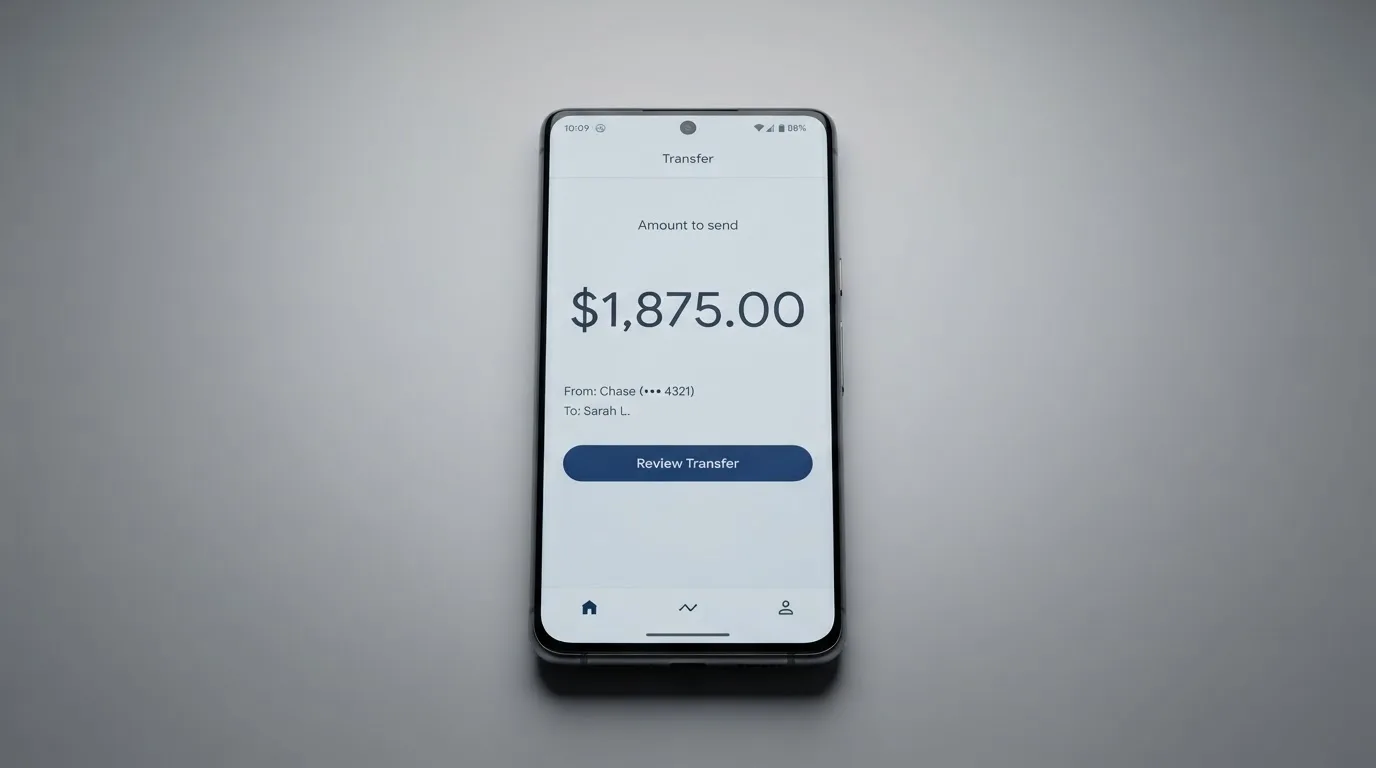
The mechanics are simple. On a reloadable card you pick the card and choose “Add Funds”. Non-reloadable cards cannot be topped up; you buy as many as you want instead. Card types are described in two ways: reloadable versus non-reloadable, and KYC versus Non-KYC. Reloadable KYC cards are the lower-cost option.
The cost of loading depends on what you send. The card’s own guidance is that BTC, ETH, LTC and XMR may cost more, because of volatility and processing, and that USDT, USDC, bank transfer or mobile money are the ones suggested to avoid extra charges. The minimum top-up is not stated. Any network fee for the transfer itself is charged by the blockchain, not by the card.
If you want to withdraw, the card says yes, with terms and conditions. The help center path is: select the active card, then More/Manage, then “Withdraw Funds”. Fees, minimum, timing and destination are not stated. And one thing is stated clearly: ATM withdrawals are not permitted. If the balance on a closed card is not returned to you in some form, the card does not say.
One practical warning that is not the card’s fault but will decide how you use it: blockchain transfers are irreversible. Send to a network the provider does not support, or to an address belonging to a different network, and the money can be gone or can end up in a manual support recovery with no guarantee of success. The card does not publish its supported networks, so you are relying on the app at the moment you send.
Paying with it every day
Everyday use is where the 5 out of 10 comes from. The card is virtual, full stop. It works at merchants that accept mobile wallets — Apple Pay, Google Pay and Samsung Pay are the three named. There is no magnetic stripe to swipe, no chip, no physical card to hand over when the terminal has no contactless reader. In practice, in much of the world that is fine, but not everywhere.
There are apps for iOS and Android. The download buttons on the site point to DigitalPurse’s own pages for Android and iPhone rather than to the stores, and the site shows no ratings. The store figures people quote are unofficial: about 4.6 out of 5 on Android from roughly 170 reviews and 50,000+ installs, and about 4.5 to 4.7 on iOS from over a thousand ratings.
Rewards are not stated — there is no cashback and no points mentioned anywhere in the public material.
Then there is the list of what you cannot buy. The card calls it non-exhaustive, but it covers a lot: betting and casino gambling, government-licensed online casinos, non-sport internet gaming, dating and escort services, security brokers and dealers, foreign or non-fiat currency, wires and money orders, and cash disbursements. The last two mean no ATM and no foreign exchange desk. The merchant-category system behind these blocks is the same one that lets any issuer refuse a category on any card; the point is that this card’s list is long and you should read it before you assume a purchase will go through.
One everyday failure worth knowing: a declined payment can leave a hold on your funds for several days, typically up to seven. The card’s help center has articles on refunds that have not arrived, double charges, and a merchant declining a payment but still taking the money.
What can go wrong
Let me take the worst case seriously, because this is a card that holds your money.
The platform is not a bank and does not name one. The site says it is “a technology platform, not a bank”, and that services “may be facilitated by third-party licensed financial institutions”. The issuer is not named; the registration country and the licences are not stated. The company’s copyright line reads © DECLASSIC TECHNOLOGIES LLC 2026. So your money sits with a platform and its sub-issuers by design. In the EU, an electronic money institution must safeguard customer funds by segregating them or insuring them — but those funds are not bank deposits and do not carry deposit-guarantee protection. The card does not say which regime, if any, applies here.
No chargebacks. This is the sharpest risk. The card gives its reasons — “unsustainable fraud”, blockchain finality, and privacy — and the rule extends to sub-issuers. The practical meaning: if a shop takes the money and does not deliver, you have no issuer to ask for the money back. Refunds for returned items go “to the card originally used”. Gift-code orders get no returns or refunds once processed. There are no dispute time frames.
Declines at big merchants. Third-party aggregator cryptocards.so, together with an App Store reviewer, reports recurring declines at Google Cloud, Azure and DigitalOcean, attributing it to prepaid BIN blocking — the card’s issuer identification number being recognised as prepaid and refused. The same source notes that older reviews, a minority, call the card a scam over declined cards, slow support and high fees. It cites Reddit threads from r/Ghana and r/Nigeria that nobody verified. I found no official incident.
Support is 24/7, in three places. There is in-app support, a Telegram bot (t.me/digitalpurse_bot), a Help Center in English with 29 articles, and a support email for failed purchases. Support is both praised and criticised in the reviews.
Trustpilot, read carefully. One reading of Trustpilot showed 4.8 out of 5 from 232 reviews, 60 of them in the last 12 months, the most recent on 19 October 2026; an earlier reading on a different Trustpilot domain showed 4.5 from 192. The visible reviews are positive, and the company “hasn’t invited customers recently”. So the score is real but the volume is modest and not everyone is asked.
Security features are partly unstated. The site promises “secure encryption, minimal data collection, and strict access controls”, and the card is custodial by nature — the funds are held with the platform. In-app freeze, two-factor authentication, spending controls and insurance are not stated as features. One thing you can do: cap the amount loaded onto a card to limit what is exposed.
On stability. Stablecoins are not stable by name alone. USDC lost its peg briefly in March 2023, and TerraUSD collapsed in May 2022. Tether has said it disables tokens on OFAC-listed wallets and has frozen funds tied to illicit activity. So the “no questions” asset on this card is not beyond the reach of freezes or depegs.
What to take instead
If the DigitalPurse deal does not suit you, here is who does.
Cardex scores 5.6 out of 10. It is a debit crypto card on the VERVE, Visa, Mastercard and UnionPay networks, with virtual and physical cards, and the App Store listing is Naira-focused. It advertises one card for 200+ countries with no country list or exclusions, funds from USDT, USDC and BTC wallets, and real-time conversion at the moment of payment using an “AI-Powered Conversion Rate”. Costs are not stated and no fee percentage is published. Notably, it offers a physical card, which DigitalPurse does not.
TakeCard scores 5.5 out of 10. Virtual card available immediately, priced at USD 5; physical card USD 20 issuance plus USD 20 shipping, Bolivia only — although another article in the same Help Center says USD 10 for physical in Bolivia, which is a conflict worth noting. It is a Visa card issued in the United States, prepaid, USD 1:1 with no currency adjustment for dollar payments and the official Visa rate for others. The fee is 1% per purchase. You top up from a Takenos account. The card is available to Bolivian users for now.
OkiCard scores 6.0 out of 10, the highest of the four. It covers 150+ countries (some pages say 200+) with no geo-blocking based on your passport, though you must confirm you are not in a sanctioned jurisdiction. Virtual card; the pricing page shows issuance $0, monthly $0, a starting price of $15 for the virtual card, and an initial deposit of 100 USDT — while the FAQ mentions a one-time issuance fee, so the pages disagree. Load fee 3%, transaction fee in USD 0%, “no hidden exchange spreads”. Funds from USDT on BSC, Ethereum, Tron and Solana; USDC “soon”. No cashback mentioned.
On which to pick: if you need a card that works in subscription services or anywhere a physical card is expected, Cardex is the one to look at. If you want a fixed 1% and a US-issued Visa but you are in Bolivia, TakeCard fits. If you want the broadest country reach and a published 3% load fee with no monthly cost, OkiCard is the one whose numbers are actually on the page — its 6.0 is a point above DigitalPurse’s 5.8, and it is higher mainly because its fees and limits are published, not because it does more.
Who I would recommend it to
I would recommend DigitalPurse to exactly one kind of reader: someone who already holds crypto, needs to spend it at ordinary shops this week, has no usable ordinary bank card, is comfortable with USD-denominated balances, and treats the card balance as money in a wallet rather than money in a bank. If that is you, the top-up choice, the mobile-wallet support and the option of a Non-KYC card make this a genuinely useful tool.
I would not recommend it to anyone who needs to dispute a payment, who needs cash, who is paid in a currency other than dollars and cares what the conversion costs, or who wants to hold a balance large enough that “technology platform, not a bank” gives them pause.
Before you commit, do three things in this order. First, open the app and read the actual creation and top-up fees on the card description, because the site will not show you. Second, confirm which blockchain networks it wants for your asset, because they are not published and a wrong-network transfer is the mistake that costs real money. Third, decide how much you are willing to leave sitting there, keeping in mind there is no chargeback and no named issuer.
Frequently asked questions
What is the DigitalPurse card?
DigitalPurse is a virtual payment card funded with cryptocurrency. You load crypto onto it, the balance sits in US dollars, and you spend it in stores through Apple Pay, Google Pay or Samsung Pay. There is no physical card — virtual only. The site describes the company as a technology platform, not a bank, which tells you the money is held with the platform rather than a bank.
Is DigitalPurse a bank?
No. The site says outright that it is “a technology platform, not a bank”. It also says services “may be facilitated by third-party licensed financial institutions”, but it does not name the issuer, the registration country or the licences. So you cannot tell which regulatory regime your balance sits under, or which body you would complain to.
Does the DigitalPurse card require KYC?
Sometimes, not always. The card says KYC “may” be required for some payments or products. Non-KYC cards exist and cost more, because they offer greater privacy and flexibility. Which documents, if any, are required is not stated on the public pages. Unverified users have daily and monthly order caps, with the amounts unstated.
How much does a DigitalPurse card cost?
The website publishes no figures. It says creation and top-up fees are shown in the card description in the app while you create the card, and that on privacy cards they scale with the amount. Unofficial sources disagree: one App Store reviewer says $3 for a virtual card plus a $6 minimum balance, while cryptocards.so lists issuance, top-up and monthly as free. Read the fee in the app before you commit.
Can I use the card at an ATM?
No. ATM withdrawals are explicitly not permitted — the card treats them as a transfer of value and lists cash disbursements among prohibited purchases. If you need physical cash, this is the wrong card. You can withdraw funds through the app instead (select the card, then More/Manage, then Withdraw Funds), though the fees, minimum, timing and destination are not stated.
How do I top up a DigitalPurse card?
You can fund it with BTC, LTC, XMR, ETH, USDT or USDC. On a reloadable card you pick the card and choose Add Funds; non-reloadable cards cannot be topped up, but you can buy as many as you want. USDT and USDC carry no additional fee; the card suggests them, or a bank transfer or mobile money, to avoid extra charges, because BTC, ETH, LTC and XMR may cost more.
Which blockchain network should I send crypto on?
The card does not say, and that is a real gap. Blockchain transfers are irreversible, so sending on a network the provider does not support, or to an address belonging to a different network, can lose the money or require manual support recovery with no guarantee. Check the network inside the app at the moment you send, and confirm the deposit address carefully before confirming the transfer.
What happens if a merchant takes my money and refuses to refund?
You cannot use a chargeback. The card states “we cannot support chargebacks”, citing unsustainable fraud, blockchain finality and privacy, and the same applies to sub-issuers. Refunds for returned items go back to the card originally used, gift-code orders get no return or refund once processed, and there are no dispute time frames. Treat every payment on this card as final.
Why does my payment get declined at big services?
The most reported reason, from third-party sources rather than the card, is prepaid BIN blocking: the card’s issuer identification number is recognised as prepaid and refused by merchants such as Google Cloud, Azure and DigitalOcean. A decline can also leave a hold on your funds for several days, typically up to seven. If a merchant declines but still takes the money, the Help Center has an article on it.
Is DigitalPurse safe to use?
It depends on what you mean by safe. The site promises encryption, minimal data collection and strict access controls, but the card is custodial by nature — the funds are held with the platform and its sub-issuers — and those funds are not the same as a bank deposit. You can cap how much you load onto a card to limit exposure. Two-factor authentication, in-app freeze and insurance are not stated as features.
Is a digital asset payment taxable?
This is not advice, but it is worth knowing before you start. Tax authorities such as the IRS generally treat digital assets as property, so exchanging them for goods or dollars produces a taxable gain or loss, measured in local currency at the value on the date of the transaction. That can mean each card payment funded from crypto is a separate taxable event. Check the rules where you live.
Highest-scored virtual cards – cryptocardbest.com
Content created by the «cryptocardbest.com» team