
Wafee card: a Visa you can load from crypto and spend anywhere — once you've accepted that the fee sheet is missing
 Available in US
I went through Wafee’s own pages, the cards’ terms and what I could find about the company behind it, and this is what I think you should know before you hand over a copy of your ID. Wafee is a Visa debit card you can load from a crypto balance, with a euro IBAN account bolted onto the wallet. The pitch is straightforward and the headline score I came away with is 6.5 out of 10. Read on for how I got there, and where I’d want you to slow down.

Conditions are current as of October 28, 2026.
The information below reflects the state of Wafee’s public pages and supporting sources as of 2026-10-20. I checked again before writing and the same blanks were still blanks; if Wafee publishes a fee schedule or a country list after publication, the picture I describe here will look more favourable than the live one.
Verdict
If I had to send this card to one reader, it would be a crypto holder who lives somewhere a regular Visa debit is hard to get and who also wants a euro IBAN to receive a salary, an invoice, or a SEPA transfer. If you only need a card to spend stablecoins at a shop, and you don’t care about a European bank account, you can probably do this with a simpler product that publishes its fees.
The score breaks down as I have it in my notes.
| Criterion | Mark | Why I scored it that way |
|---|---|---|
| Who can get it | 9 / 10 | Wafee says “Available in 160+ Countries” but doesn’t list them; access is at Wafee.co’s discretion. |
| Cost | 5 / 10 | Only “competitive exchange rates” are advertised; issuance, conversion and ATM fees are not disclosed. |
| Top-up options | 5 / 10 | You can spend crypto anywhere Visa is accepted; supported coins and networks aren’t named; an EUR IBAN with SEPA and SWIFT is offered. |
| Reliability and complaints | 5 / 10 | The company is Wafee Ltd in Nevis; the card partner appears to be Walletto; no licences are named; I could not find any user complaints. |
| Everyday use | 8 / 10 | Visa, physical and virtual cards, Apple Pay and Google Pay; ATM limits not published; in-app links to the stores are placeholder anchors. |
| Total | 6.5 / 10 |
I weighted the score toward accessibility and everyday use, and took marks off for the fee opacity and the silence around the licence. The card works in the sense that it is a real Visa, but a Visa is a commodity; what you are paying for is the wrapper, and Wafee does not tell you what the wrapper costs.
Who will they give you the card to
Wafee’s marketing site says the card is “Available in 160+ Countries” and shows a strip of country flags that includes Brazil, Argentina, Mexico, Egypt, Nigeria, Jamaica, Turkey and the UAE. There is no country list, and no list of excluded jurisdictions either, so whether you can actually open an account depends on what Wafee.co decides at signup. If you live in one of those eight flagged countries, you have a stronger hint than someone in, say, Germany or Vietnam, even though both might in theory be inside the 160+.
This is also where KYC fits in, even though the site does not use the words. Wafee’s pages do not state what identity documents are required, what the tier structure is, or how long checks take. In practice any regulated card programme will run a customer due-diligence process — name, address, date of birth, nationality, an ID document, a sanctions screen, and possibly a proof of address — but Wafee has not put that into writing on the public site. If you can’t complete those checks, the standard outcome is that the account is closed or the application refused. I am not telling you to game that, I am telling you that the absence of a published policy is a thing to be aware of before you start uploading documents. Citizenship is screened separately from residence, and the issuer’s risk policy often looks at both, so a passport from a sanctioned country can be a problem even if you live in Berlin.
On age, nothing is published, but most prepaid and debit cards in this category are only available to adults (18+); some issuers set a higher minimum. Treat 18 as the working assumption until Wafee says otherwise.
The bottom line on eligibility: the door is wide in principle and narrow in practice, because the list is hidden.
How to get the card
The sign-up path on the public site is sketched rather than written down. Wafee says you can “seamlessly connect physical and virtual cards to your account”, and it advertises both a physical card and a virtual card. The brand on the card is Visa. The currency the card is denominated in is not stated. The delivery time for the physical card is not stated either, and the KYC steps are not stated, which I cover in the section above. There is no published activation flow beyond opening an account and ordering a card in-app.
The web sign-in is at app.wafee.co. The home page also shows App Store and Google Play badges, but at the time of my check those buttons link to a “#” placeholder rather than to actual store listings, so the mobile apps either aren’t published, aren’t published under that name, or are awaiting review in your region. I would not download a “Wafee” app from a third-party site just because the official one is missing — that is the most common way people end up handing their seed phrase to a clone.
If you want to apply, the realistic flow today is: open the web app, complete whatever KYC prompts the site throws at you, order the card, and wait. Without a published timeline, expect a wait measured in days for the KYC and possibly weeks for the physical card.
What it really costs (fees)
This is the section I have to write carefully, because most of the numbers I would normally put in a table are simply not on Wafee’s public pages. The site uses the phrase “competitive exchange rates” and stops there. I have to be honest with you: I do not know what this card costs in absolute terms, and neither will you until you actually try to use it.

What the page does tell me:
| Fee or limit | What Wafee says |
|---|---|
| Issuance fee | not stated |
| Monthly fee | not stated |
| Conversion (crypto to fiat) | not stated; “competitive exchange rates” only |
| Foreign exchange (card spend abroad) | not stated; “at competitive exchange rates” |
| ATM withdrawal | not stated |
| Daily spending limit | not stated |
| Monthly spending limit | not stated |
| Top-up minimum | not stated |
| Tiers (Standard, Premium, etc.) | not stated |
| Card currency | not stated; the account is EUR |
What that means in real life is something like this. If you load €100 of USDC onto the card, spend €40 at a supermarket in Lisbon, and withdraw €20 from an ATM, you are paying three different things: the conversion from USDC to euro when you top up, the foreign-exchange markup when the supermarket’s acquirer settles in euro (or, if the merchant is abroad, in a third currency), and the ATM operator’s own surcharge, on top of whatever Wafee charges. With any card that publishes its fees, you can add these up before you tap. With Wafee you cannot, and the only way to find out is to do the transaction and read your statement.
The card currency is not named, but the account is a euro IBAN, which suggests at least the in-app balance is euro-denominated. If you spend in a non-euro currency, the foreign-exchange rate is whatever the card network and Wafee agree on, and there is no published spread. That is the kind of detail that can make a card expensive without you noticing, so I would test with a tiny top-up first.
On the everyday side, the things that actually cost you are these. A SEPA transfer from your euro IBAN to another bank account — fee not stated. A SWIFT transfer abroad — fee not stated. A peer-to-peer transfer inside Wafee to another Wafee user — fee not stated. An ATM withdrawal — your bank’s fee, the ATM operator’s fee, and whatever Wafee adds on top, all unpublished. A card spend in a shop abroad — a conversion through the Visa network, plus a markup, both unpublished. Until Wafee publishes at least one of these, treat every figure you see in a review (including mine) as a guess.
How to top up the card
Wafee’s promise is that you can spend crypto anywhere Visa is accepted. The site does not name the supported coins or the networks they arrive on, which is the first thing to check before you send anything. As a general rule for this category of card, only stablecoins on a network the card provider supports are worth using for top-up, because anything else means you are paying a conversion spread twice — once in the wallet, once on the card.
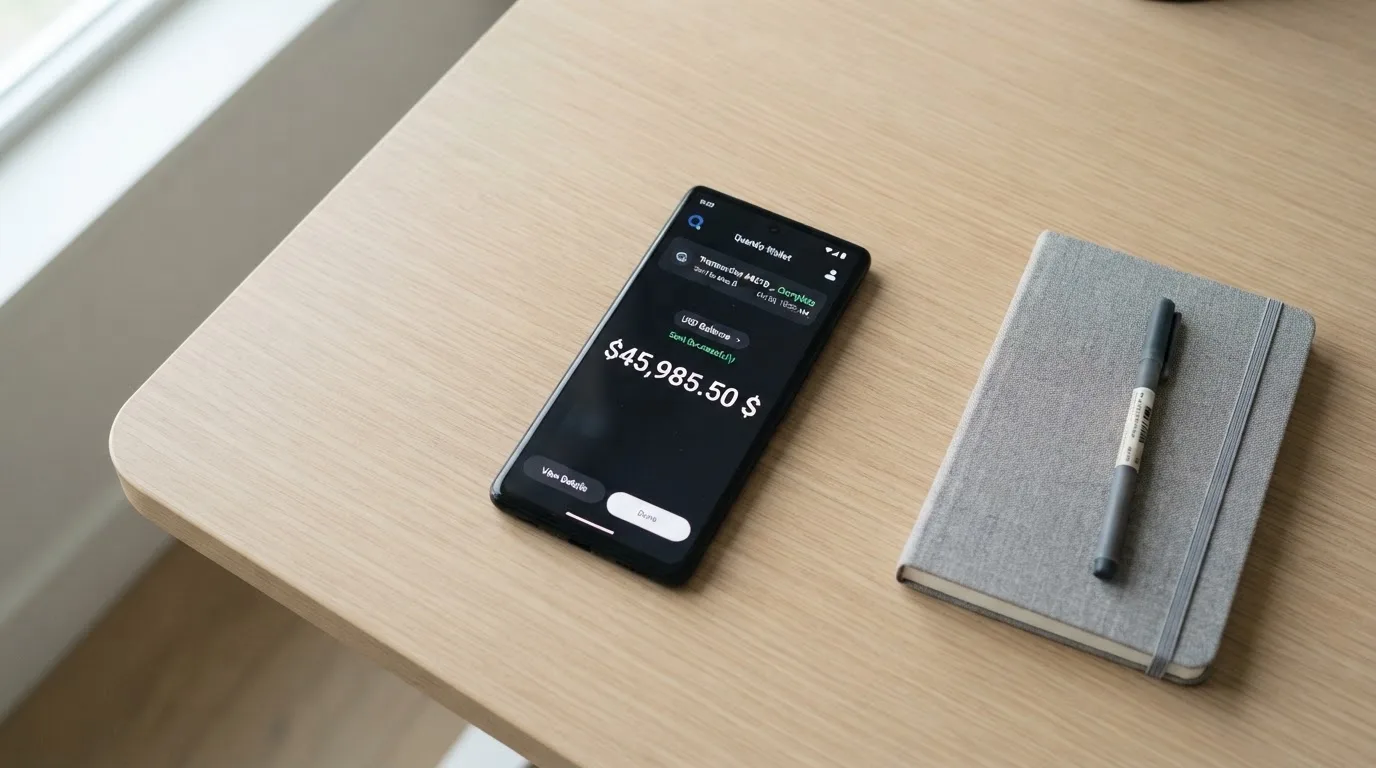
The funding page mentions “top up your payment cards” without a fee or a minimum. There is no published information on whether top-ups are instant, how long a confirmation takes, or whether the card issuer will hold the funds for a manual review on the first deposit. The safest assumption is that the first top-up of any size will be slow and possibly require a support ticket, because that is the norm in this category and it is what crypto cards tend to do when they are being careful.
The account also has a euro IBAN, so a second route in is a SEPA transfer from another bank, or a SWIFT transfer if you are dealing in a non-euro currency. SEPA in euro is normally cheap and settles in a business day or two; SWIFT is more expensive and slower, and the fee here is again not stated. The account is custodial — the funds sit with Wafee and its banking partner, not in your own wallet — so once the money is in the IBAN you are exposed to that counterparty until the moment the card is debited.
If you want to send crypto in, the practical steps are: confirm with Wafee support (or with a current user in a community) which coins and which networks are supported, send a tiny test amount first, wait for the balance to credit, and only then send the rest. If you send on the wrong network — for example USDC on a chain Wafee does not support, or USDT where USDC is expected — the transfer is irreversible. You can ask support to recover it, but there is no guarantee, and blockchain support tickets take days at best.
For taking money off the card, the site says you can “cash out your crypto and convert it into traditional currency whenever you need it” through an in-app instant conversion feature, and from the euro IBAN you can make outgoing SEPA transfers, outgoing SWIFT transfers, and P2P transfers to other Wafee users. The fees on all of these are not stated.
Paying with it every day
For a card, the daily-use story is the part that actually matters, and here Wafee is on firmer ground. The card runs on Visa, so it works at any merchant that takes Visa — tens of millions of shops, plus online checkout, plus any ATM that accepts Visa. You can have a physical card and a virtual card, and both can be added to Apple Pay and Google Pay for contactless payments. The site explicitly says “contactless payments … using Apple Pay or Google Pay” are supported, so the tokenisation layer is in place. With Apple Pay, the actual card number is replaced with a device-specific number stored in the Secure Element of your phone, and each transaction uses a one-time code — meaning the real PAN never leaves the device.
Where I would slow down is the rest of the daily layer. Blocked merchant categories are not published; many crypto cards block gambling, some block crypto exchanges, and a few block adult content or dating, but the exact list here is a question for support. Rewards or cashback are not stated — neither a percentage nor a partner-merchant list. Online 3-D Secure flows are presumably enabled, but the site does not say so; that is the layer Visa runs under the brand Visa Secure, where the issuer either approves a payment silently or asks for a one-time code. Disputes and chargebacks are not described; if you need to claim a refund on a faulty purchase, the process is not on the page.
The in-app experience is the part that worries me. The web sign-in at app.wafee.co exists. The App Store and Google Play badges on the home page are placeholders, both linking to “#” instead of to a listing, so the official mobile apps are not obviously available in your region’s stores. If the only path in is the web app, that’s fine, but it means you cannot rely on app-store ratings, reviews, or the basic safety of an app that has been through a store review process. Use the web app through a bookmark, not through a search result, and check the certificate.
Two more things on the daily side. Address Verification Service (AVS) — the system some US, Canadian and UK merchants use to compare the numeric parts of your billing address with the issuer’s records — is generally unavailable on foreign-issued cards, and that can cause declines on US sites. Some merchants also decline prepaid BINs outright because the BIN lookup reveals the card type and the issuer country. Neither of these is Wafee’s fault specifically, but both are the kind of thing you discover the first time you try to buy something online from a US shop with a non-US card.
What can go wrong
I went looking for a Wafee page on Trustpilot, Reddit and search results, and I could not find one. That is not a clean bill of health — it just means the user base is small or quiet, or both. I also did not find any news of a programme freeze, a hack, or a regulator action, and I searched for it.
The legal entity behind the card is Wafee Ltd, registered in Charlestown, Nevis (company number C 57790), at Suite 1, A.L. Evelyn Ltd Building, Main Street. Nevis is a common jurisdiction for small fintechs, but it is not a place with a strong payments regulator, and Wafee does not name a banking, e-money, or virtual-asset licence anywhere on the public site. The FAQ page links to “Walletto Terms & Conditions” and “Walletto Annex Prohibited Activity List”, which strongly suggests Walletto is the card-issuing or programme-managing partner — but Wafee does not say that in plain English on the page, and a reader should not have to do a forensic read to find out who actually holds the money. In a category where the issuer and the brand are often different companies, the question “who is the regulated party that has my euro?” is the question to ask, and on this site the answer is not visible.
On the security side, Wafee mentions “cutting-edge encryption”, multi-factor authentication, and security audits. None of that is card-specific. The custody model — whether the crypto is held by Wafee, by Walletto, by a third custodian, or in some hybrid form — is not stated on the public pages. A “Custody Note” PDF is linked, which is the right thing for the company to publish, but I would read that PDF before depositing anything significant. With custodial crypto products, the historical record is not encouraging: Mt. Gox, Coincheck and Ronin together account for well over a billion US dollars in losses, and those were not small or unknown companies. Stablecoins are not a free pass either — Tether says it has frozen funds tied to illicit activity, and the network cannot undo a transfer once a private key has signed it.
For support, the page lists an email at [email protected], a contact form, an FAQ, and social channels including X, Facebook, Instagram, Discord and Telegram. When I checked, the Telegram icon actually pointed to the Discord invite, which is a small bug but a real one — it tells me the page was assembled from templates and that the support workflow is not actively checked. The support hours and the languages covered are not stated.
There is one more risk worth naming explicitly. Cards in this category get shut down. Visa terminated its global agreements with FTX in November 2022; in 2018, Visa suspended WaveCrest in Europe, which closed every WaveCrest-issued crypto card programme overnight. When a programme is wound down, there is usually a notice period, then loading stops, then spending stops, then users have to withdraw their balances within a window. If Wafee or Walletto were ever to lose their Visa relationship, you would want a clean euro-IBAN exit, not a fight with a Nevis-registered company you have never met in person.
What to take instead
I have to be honest about the comparison: every alternative I look at has its own opacity somewhere, and the cards that publish every fee tend to be the ones that are hard for an “anyone, anywhere” reader to get. I would still want you to look at two or three before you commit. Here is what I have on each.
Whop Cards — score 5.2/10. A US-centric product: consumer cards are available in 31 US states (Alabama, Alaska, Arkansas, California, Colorado, Connecticut, Florida, Hawaii, Illinois, Indiana, Iowa, Kansas, Kentucky, Maine, Massachusetts, Michigan, Minnesota, Montana, Nebraska, New Hampshire, New Jersey, New York, North Carolina, Oklahoma, Pennsylvania, South Carolina, Texas, Utah, Virginia, West Virginia and Wyoming), with business cards in 41 states. The list of unsupported countries is long and explicit: Belarus, Mainland China, Cuba, Hong Kong, India, Iran, Iraq, Israel, Myanmar, Nepal, Nicaragua, North Korea, Russia, Syria, Turkey, Ukraine, Venezuela and Vietnam. The site says “no extra fees” but does not publish issuance or monthly amounts, and conversion/FX fees are not stated. The card is a Visa, coins and networks are not named, and the published reward is 5% cashback at select merchants (Uber is named, more planned). If you live in a covered US state and you want a stablecoin-funded card with a defined rewards path, this is a more transparent product than Wafee. If you live anywhere else, you are not the customer.
Stella — score 6.5/10. The site does not publish a country list, and the terms bar users under economic-sanctions programmes, routing US and European users through affiliates. The card is a Visa, virtual and physical, accepted “at over 40 million VISA merchants globally”. Fees are not stated officially; the agreement says they are “described under this User Agreement and/or on the App”. The funding model is to deposit crypto into the account, which automatically tops up the card; the in-app wallet is custodial. There is no cashback on the card itself — the Earn product is a separate yield feature. The score matches Wafee’s, but the operating model (custodial wallet, no published fees) is similar, so this is a like-for-like swap rather than an improvement.
UniFi Card — score 4.7/10. A US Prepaid Debit Visa Card issued by Lead Bank, with a USDC wallet at its core. Apple Pay is supported, the card currency is USD, and the spendable balance is the USD balance. Funding routes include ACH, wire, SEPA (IBAN) and SPEI (CLABE), so the funding story is more open than Wafee’s. The listing claims “3% rewards on balances”, but card-level cashback is not stated, and fees are “see UniFi website for more details”. The send-money routes named in the app’s release notes are the Philippines (PHP), Mexico (MXN), the eurozone (EUR), and more recently Colombia, Brazil (PIX) and the UK (GBP) — useful if you remit, less useful if you do not. Country availability is not confirmed from official pages. I would look at this if your primary need is US-dollar spending from USDC and you are happy with a US-issued card.
The honest summary of the alternative set: there is no obvious winner. Whop is the most transparent about who it serves; Stella is the closest in shape to Wafee; UniFi is the strongest on the USD side. I would compare them on the three things Wafee is silent on — country list, fees, licences — and pick the one that actually publishes answers.
Who I would recommend this card to
I would recommend Wafee to a crypto holder who lives in a country where opening a regular Visa debit is difficult, who also wants a euro IBAN to receive SEPA payments, and who is willing to do a small test transaction to discover the fee structure that the website does not publish. If you tick those three boxes, the card is a reasonable option: it is a real Visa, it has Apple Pay and Google Pay, and the euro IBAN is a useful feature in its own right.
I would not recommend Wafee to a reader who only wants a stablecoin-to-Visa spend, with no use for a euro bank account, and who is sensitive to fees. For that reader, the missing fee sheet is a deal-breaker, because every basis point you cannot see is a basis point you cannot plan for. I would also not recommend it to a reader who is uncomfortable with a custodial product registered in Nevis with no named regulator. The card may well be properly licensed through a partner — Walletto is the strong hint — but a reader who needs to see the licence to feel comfortable is not going to find that here.
Two more pieces of practical advice. First, keep your on-card balance small at first. The first top-up, the first foreign-currency spend and the first ATM withdrawal are the three transactions that will tell you the most about what this card actually costs, and it is cheaper to learn that with a small initial deposit than with a large one. Second, do not send crypto to an address whose network you have not confirmed. Crypto transfers are irreversible, and “I sent USDT on the wrong chain” is the single most expensive sentence in this whole category.
Frequently asked questions
What is the Wafee card?
The Wafee card is a Visa debit card — physical and virtual — linked to a euro IBAN account and an in-app crypto wallet. The idea is that you hold crypto, convert it in the app, and spend the resulting euro balance anywhere Visa is taken, including through Apple Pay and Google Pay.
How does the Wafee card work?
You open an account at app.wafee.co, complete the KYC checks the app asks for, and order a card. You fund the card either by transferring crypto into the wallet and converting it to euro, or by receiving a SEPA or SWIFT transfer into the euro IBAN. At the till, the card works like any other Visa debit; behind the scenes, the card network authorises the spend against the loaded euro balance.
Is Wafee a bank?
Wafee is not described as a bank on its public pages. The legal entity is Wafee Ltd in Nevis, and the FAQ links to “Walletto Terms & Conditions” and a “Walletto Annex Prohibited Activity List”, which suggests Walletto is the card programme partner. The site does not name a banking, e-money, or virtual-asset licence.
Who owns Wafee?
Wafee is operated by Wafee Ltd, registered in Charlestown, Nevis (company number C 57790). The site does not name the owners or the wider group, and the card partner is only revealed indirectly through the linked Walletto documents.
Is the Wafee card available in my country?
Wafee says the card is “Available in 160+ Countries” but does not publish a country list, and there is no list of excluded countries either. The site shows flags for Brazil, Argentina, Mexico, Egypt, Nigeria, Jamaica, Turkey and the UAE. Whether you can actually open an account is decided at signup, by Wafee.co.
Does the Wafee card require KYC?
The site does not state the KYC requirements explicitly, but a regulated card programme will run customer due diligence — typically name, address, date of birth, nationality, an ID document, a sanctions screen, and possibly proof of address. If those checks cannot be completed, the application is usually refused or the account is closed.
How do I top up the Wafee card?
You top up the card by transferring crypto into the wallet and converting it to euro, or by receiving a SEPA or SWIFT transfer into the euro IBAN. The supported coins, supported networks, fees, and minimum top-up amount are not published, so confirm with support before you send a meaningful amount, and test with a small transfer first.
How do I add the Wafee card to Apple Wallet or Google Pay?
The site says contactless payments with Apple Pay and Google Pay are supported, so adding the card is the standard process: open Wallet on iPhone or Google Pay on Android, follow the prompts to add a card, and verify through the issuer’s app or a one-time code. If the in-app links to the App Store and Google Play are placeholders on the home page, you may need to add the card through the web app at app.wafee.co instead.
Is the Wafee card safe?
Wafee mentions encryption, multi-factor authentication and security audits, and a “Custody Note” PDF is linked. The custody model is not explained on the public pages, no regulator is named, and the card partner (Walletto) is only revealed through the linked terms. Treat it as a custodial product: your funds are only as safe as the issuer, the partner, and the card network’s continued relationship with both.
Is the Wafee card worth it?
For a crypto holder who wants a euro IBAN and a Visa debit and is willing to discover the fee structure through a small test transaction, yes, the card is reasonable. For a reader who only wants a stablecoin-to-Visa spend with no euro account, the missing fee sheet is a deal-breaker; the alternatives in this review — Whop, Stella, UniFi — each have their own answers to that question.
Highest-scored app and neobank cards – cryptocardbest.com
Content created by the «cryptocardbest.com» team