
A self-custody Visa card for people who already keep crypto in their own wallet
 Available in US
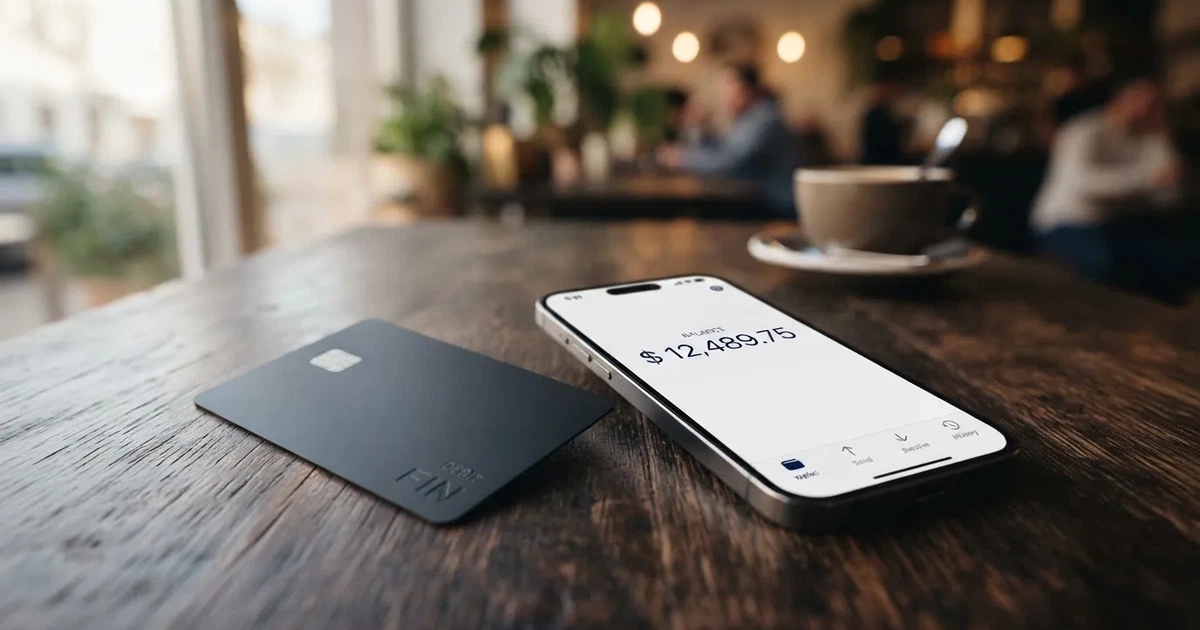
The Oobit card is a Visa Platinum issued under the Oobit brand that lets you spend crypto at any Visa-accepting shop, online checkout or ATM. The unusual thing about it is not the card itself — it is the funding model. Instead of asking you to deposit coins onto the card and convert them into a stored balance, Oobit can pull funds directly from a self-custody wallet you already use, such as MetaMask, Phantom, Trust Wallet or Coinbase Wallet’s Base integration. You keep your private keys until the moment a payment goes through, and the card settles in your local currency over the Visa network. That is the angle this review focuses on, because the rest of the product — fees, limits, countries, rewards — sits on top of that single design choice.
Conditions are current as of October 28, 2026.
Verdict: 6.8 out of 10
The score below is a single number drawn from the underlying evaluation; the reasoning next to each line is mine, not a quote from the company. I will not break it down twice in the rest of the review.
| Criterion | Score | Why I marked it that way |
|---|---|---|
| Who can get it | 7 / 10 | A broad country list that includes 75+ markets and explicitly names 75 of them, but the issuer bank is not disclosed. |
| Cost | 7 / 10 | No issuance or monthly fee, with a 1% purchase fee and a 0.95% conversion fee, both lower than most custodial crypto cards I have looked at. |
| Top-up options | 7 / 10 | USDT, Bitcoin, Ethereum and other stablecoins are supported and the wallet connection is a real differentiator, but supported networks are not listed publicly. |
| Reliability and complaints | 5 / 10 | Trustpilot sits at 3.8 from 495 reviews and the recurring themes are held funds, blocked cards and slow support, which keeps this score down. |
| Everyday use | 8 / 10 | Virtual Visa with Apple Pay and Google Wallet and a usable ATM allowance, though a physical card is not clearly described. |
| Total | 6.8 / 10 | A genuinely useful product for self-custody users; the weak point is reliability, not features. |
Who the card suits: people who already keep crypto in their own wallet and do not want to move it to a custodial platform just to spend it. The card was built for that user, and the design reflects it.
Who it does not suit: anyone who needs a card today from a named bank with a published programme, anyone who relies on cashback as a primary reason to pick a card, and anyone based in a country Oobit does not support. The company also does not name the card issuer in its public materials, which I would want to know before loading significant value.
Will they give you the card
Oobit says the card is available in 75+ countries, and the support site carries a full list. I worked from a 75-country breakdown of that list: 43 in Europe including the UK, Germany and Spain; 17 in the Americas; 10 across Asia and the Middle East; 3 in Africa (Kenya, South Africa, Tanzania); and 2 in Oceania. Russia and Belarus sit on the “Not supported in” list. I also noted that Turkey, the UAE, Armenia, Georgia, Serbia, Kazakhstan and Kyrgyzstan are not in the public list, which matters if you are based in any of those.
A few things to call out before you assume you are in:
- Citizenship versus residence is not spelled out. The list reads as a residence-based check, but Oobit does not say so explicitly, and the company runs separate entities in different regions. If you live in a supported country but hold a passport from a restricted one, expect to be asked.
- The card is a Visa Platinum, and Visa’s own rules for issuing apply. So even if Oobit lists your country, Visa’s sanctions and compliance screens still apply.
- The card-issuing bank is not named. Oobit says it “operates through multiple entities globally” and works with “licensed partners depending on your location”, and in the United States crypto services run in partnership with Bakkt Financial Solutions I, LLC. If you are the kind of person who wants to know exactly which bank is on the back of your card, you will not get that answer from Oobit’s public pages.
The bottom line: a 75-country footprint is good for a non-bank programme, but the lack of a named issuer and the silence on citizenship are the two things I would check first.
How to get it
The signup path is the standard regulated-finance path, and the page here walks through it in the order you will meet it.
You install the iOS or Android app, create an account, and complete identity verification. The documents Oobit asks for are a passport or a driver’s licence, with proof of address sometimes required; for bank transfers the company says you will be asked for a one-time proof of address before the first payout. Most accounts are verified within minutes, but Oobit warns that some verifications take up to 24 hours. The rejection reasons the company lists are predictable ones: expired, unclear or mismatched documents, which you can resubmit in the app.
After your account is active you request a virtual Visa Platinum card from inside the app. The card moves from “Pending” to “Active” once issued, and you can add it to Apple Pay, Google Wallet or a supported smartwatch. A physical card is not described in the public materials; the support pages I read cover the virtual card and the wallet integrations, and they do not lay out delivery or replacement costs. If a physical card matters to you, write to support before you load value.
Two things to know that are easy to miss:
- A card unused for 90 days is cancelled. If you are someone who opens a card and forgets about it, this is a real footgun.
- The app shows a star rating that is unusually high for a fintech product. The site shows App Store 4.8 (22K+) and Google Play 4.7 to 4.8 (25K+); the App Store US listing itself showed 4.5 from 134 ratings, iPhone only, iOS 15.4+ on 20 Oct 2026. The lower number is the one I would trust, because it is the smaller, harder-to-game sample.
What it really costs: Oobit card fees
This is the section of the review I had to write the most carefully, because Oobit’s own pages leave a few specific numbers unsaid. Where the company is silent, I have written “not stated” rather than guess.
| Fee or limit | What Oobit says |
|---|---|
| Card issuance | Free (not stated on the product page; third-party site notes say free) |
| Monthly / annual fee | Not stated |
| Card purchase fee | 1%, minimum $0.25 |
| ATM withdrawal | 2.5%, minimum $0.25, plus any ATM operator fee |
| Crypto conversion (swap) | 0.95% (3% when receiving OOB token) |
| FX fee | Not stated as a separate line; Visa settles in local currency |
| Account creation, card holding | Free |
| Refund processing | Not stated |
| Card purchase range | $1 to $2,000 per purchase, up to $25,000 per rolling 24 hours (the FAQ says up to $10,000 per day; the two official pages differ) |
| ATM range | Up to $250 per withdrawal, including operator charges, 3 attempts per 24 hours |
| Swap range | $5 to $10,000 |
To make those numbers feel real, three everyday payments walked through:
A $50 grocery shop. You pay 1%, which is $0.50 — above the $0.25 minimum, so the cap does not help. There is no FX fee on top because your local currency is the same as the merchant’s. Total cost: $0.50, or 1% of the basket.
A €40 dinner in a country that uses the euro. If your card balance or connected wallet is in USDT, the 0.95% conversion applies on the way in, and then the 1% purchase fee applies on the way out. You pay the fees before Visa’s own FX, which the company does not price separately. Total cost: before network and FX spread.
A $100 ATM withdrawal, with the ATM operator charging $3. You pay 2.5% of $100 ($2.50) plus the $3, so $5.50. Withdrawing smaller amounts is worse: $20 from the same ATM costs you $0.50 from Oobit plus $3, and the $0.25 minimum does not help you.
A note on Brazil: the Brazilian variant of the card adds the local IOF tax and FX charges on top of the 1%, and a local and an international card can coexist on the same account. The headline 1% is therefore a minimum in Brazil, not the full picture.
A user report on Trustpilot from 24 August 2026 says non-USD payments came out to about 7% in fees. Oobit has not confirmed that figure, and I would treat it as a single data point rather than a typical outcome. What it tells me is that, if you are paying in a currency that is not your wallet’s, the stack of fees (conversion, FX spread, the 1% purchase fee, and any markup the local issuer’s bank adds) can climb quickly. The way to keep that stack small is to keep the wallet’s settlement asset close to the currency you spend in.
Top up: how the card gets money
Oobit does not have a single “top up” button in the way a prepaid card does, because the card can be funded in two different ways, and the right answer depends on which one you pick.
The first way is the connected-wallet path. You connect MetaMask, Phantom, Trust Wallet or Coinbase Wallet through Base, and the card pays directly from your self-custody wallet at the moment of purchase. The crypto never sits on Oobit’s balance, and you do not pre-fund anything. This is the path that makes the card different from a custodial crypto card.
The second way is the Oobit balance path. You send crypto to the Oobit app’s built-in wallet, it converts to the spend asset at the 0.95% swap fee (3% if you choose to receive OOB), and the resulting balance is what the card draws on. The minimum deposit is $0.10 in crypto.
The supported coins are USDT, Bitcoin, Ethereum and other stablecoins. The supported networks are not listed on the public page, which is the single most important thing to confirm before you send anything. Sending USDT on the wrong network to a card provider that supports only Ethereum and Solana, for example, can mean your funds are either lost or stranded in support tickets. Blockchain transfers are irreversible, so “send a small test first” is not a piece of advice I can skip past.
A few other mechanics worth knowing:
- Fiat top-up fees are not stated. If you are topping up via the Transak on-ramp the limits Transak applies at checkout are what you will see, not Oobit’s fee.
- Crypto withdrawal limits are $1 to $50,000 per withdrawal, with a $5 minimum for US residents; daily limits exist per asset but the amount is not stated.
- Bank transfers are capped at $50,000 per transfer with a €10 / £10 / $10 minimum. The bank-transfer fee is not specified; failed transfers are auto-refunded to the balance.
- The network fee for any crypto withdrawal is shown to you before you confirm, so the worst-case “I sent coins and lost them to fees” outcome is avoidable if you read the screen.
- Account closure is possible from the app or via Support, but what happens to a remaining balance at closure is not stated. If you plan to close, withdraw first.
Paying with it every day
Once funded, the card is a vanilla Visa. It works in shops, at ATMs, online and through mobile wallets. Apple Pay and Google Wallet are the two wallets Oobit documents, and you can add the card to a supported smartwatch. There is no published blocked-merchant list, which is unusual; many issuers publish at least gambling or top-up categories, and Oobit does not.
Reward mechanics sit on a 90-day cycle. The headline is “10% Cashback Anywhere”, but the FAQ describes the mechanic more carefully: cashback and 5x rewards points on card purchases from level 1, with the points-to-cashback conversion at 1,000 points to $1. The five reward levels depend on how much you spend in a 90-day window: $0 for level 1, $250 for level 2, $500 for level 3, $1,000 for level 4, $1,500 for level 5. The points multiplier goes from 1x to 5x across those levels. Stablecoin rewards are 5% on eligible payments up to $200 of spend, or 10% if you hold OOB tokens up to $5,000 of spend. The payout asset and any per-cycle caps beyond the spend caps are not stated.
What the everyday flow actually looks like:
- A virtual card exists from day one; the physical-card question is open.
- Tokenised mobile wallets work, which means you can pay by phone in shops that take contactless.
- ATM access is real but limited: $250 per withdrawal, 3 attempts per 24 hours.
- If a payment is declined, the in-app notification tells you why, and you can retry. The help center warns that a merchant charging more than the first approved amount can leave a negative balance and pause the card; that is a real risk, because a “pre-authorisation followed by a final charge” is a common pattern at hotels, car rentals and petrol stations.
There is no formal card dispute process described in the help center. For a regulated debit card you would normally expect chargeback rights to be spelled out; here, they are not. That does not mean the rights do not exist, but it does mean you should not assume them.
What can go wrong
A crypto card is a payment product layered on top of a custody product, and the failure modes of each layer can show up in the same day. The risk section is the place to take them one at a time.
Held funds and slow support. The clearest pattern on Trustpilot is “I sent crypto, it has not arrived, support is not answering”. Reviews from April 2026, July to September 2026 and October 2026 describe deposits from external wallets that never credited, an unresolved Amazon refund dated 8 October 2026, and account suspensions in July and September 2026. The company’s Trustpilot score is 3.8 out of 5 from 495 reviews as of 20 October 2026, with no recent history of asking for reviews. The positive reviews do exist, but the negatives cluster on a small number of themes.
Opaque fees. A March 2026 review complained about high fees converting USDC/EURC to euros and on withdrawals, and an August 2026 review described fees as opaque. A Trustpilot user on 24 August 2026 said non-USD payments came out to about 7%, which the company has not confirmed. The lesson here is that the published fee table is the minimum, and the realised fee depends on which assets you hold and what the merchant’s currency is.
Network and timing risk. A March 2025 review described a delayed USDC-to-BTC conversion, and a February 2025 review described an LTC transaction that was not accepted within 2 hours. Oobit’s response on the second one was that delays can come from network conditions, which is true but does not change the fact that you are exposed to it. Stablecoin depegs are a separate risk; a card funded in USDC or USDT pays out as those assets convert, and in a depeg event the conversion rate you get is the rate at that moment.
Regulatory and programme risk. Oobit does not name a card-issuing bank; it says the issuer is one of its “licensed partners depending on your location”. In the United States the crypto side runs with Bakkt. In the EU the company falls under MiCA as a crypto-asset service provider from 30 December 2024, with a transitional period to 1 July 2026. Either way, the card itself is a payment service regulated separately from the crypto side, and that is two licences you are depending on rather than one. If the card programme changes issuer, the card number may change; if the crypto licence lapses, the funding side may stop working.
Custody model risk. The connected-wallet path is non-custodial: your private keys stay with you until payment, which removes custodian risk but does not remove key-loss risk, phishing risk or clipboard-hijacking malware. A seed phrase stolen is a wallet drained, because crypto transfers are irreversible and the network has no recovery. The Oobit-balance path is custodial: the funds sit on Oobit’s balance, and you are exposed to the same counterparty and hack risk that any custodial platform carries.
What the company says it does: “bank-grade encryption”, real-time blockchain monitoring, in-app card lock, 2FA on the app, and a help center in English, Portuguese and Spanish. The help center is also where I would expect to find 2FA on the card, insurance, and safeguarding language; I did not find any of those, and the public materials do not state them.
What to take instead
Oobit is one option in a category that is wider than it looks. The three alternatives below are the ones I would look at alongside it, with their own strengths and their own gaps. I am writing about them as a reader who is comparing, not as a competitor.
| Card | Score | Cost | Top-up | Best for |
|---|---|---|---|---|
| Oobit | 6.8 / 10 | 1% purchase, 0.95% swap | USDT, BTC, ETH, other stablecoins; self-custody wallet connection | Self-custody users who want the wallet to stay in their hands |
| BloFin Wallet Card | 6.9 / 10 | 1% spend at VIP 0, scaling down to 0% at VIP 5 | USDT, USDC on Arbitrum and Base | Spenders who can climb a VIP ladder and want USDT/USDC on L2 |
| Decaf | 6.2 / 10 | $5 virtual, $10 US physical or $90 rest-of-world physical; no FX markup | USDC over Solana and Stellar; payment links and account details | People who want a physical card and a non-custodial flow |
| SafePal | 6.2 / 10 | No account fee, 0% standard top-up, 1% Mastercard non-USD, swap spread varies | 40+ blockchains converted to USDC by default; transactions on Arbitrum | Multi-chain users who already hold SafePal hardware or app wallets |
A few notes on each:
BloFin Wallet Card is the closest competitor by score. It uses a Visa Platinum, the country list is not published on the card page (you select your country in the app) and the starting data lists 35 countries. The pricing model is a VIP ladder: 1.00% at VIP 0, 0.90% at VIP 1, 0.80% at VIP 2, 0.50% at VIP 3, 0.20% at VIP 4 and 0.00% at VIP 5. There is no cashback, only a lower spend rate. If you can climb the ladder, this card is cheaper than Oobit; if you cannot, it is more expensive.
Decaf is a non-custodial Visa on Solana and Stellar with a longer restricted list (Belarus, China, North Korea, India, Iran, Iraq, Israel, Myanmar, Nepal, Russia, Syria, Turkey, Cuba, Ukraine, Venezuela, Vietnam, Nicaragua, Puerto Rico and Nigeria, plus a list of restricted US states including Arizona, Delaware, Georgia, Idaho, Louisiana, Maryland, Montana, Ohio, Oregon, Rhode Island, Washington and Wisconsin). The card is virtual or physical; the physical card is $10 in the US and $90 elsewhere. Decaf does not add an FX fee, but the crypto conversion fee is not stated, so I would test a small amount before loading. Whether the country rules apply by citizenship or by residence is not stated.
SafePal is a virtual Mastercard debit card funded by crypto from 40+ chains, converted to USDC by default and settled on Arbitrum. The card has no account or management fee, no cashback, and a 1% Mastercard non-USD settlement fee, with a refund processing fee of $1 / €1 / CHF 1 / CNH 7. The bank page elsewhere quotes a crypto top-up fee “as low as 0.4%” on the top tier; the standard top-up fee is 0%. Reward mechanics are a referral system rather than a cashback programme.
The Oobit-versus-BloFin comparison is the one most readers will end up making. The short version: Oobit is the better choice if you want a non-custodial flow today and a published 0.95% conversion fee; BloFin is the better choice if you can climb a VIP ladder and want the cheapest possible spend rate. The Decaf and SafePal alternatives are there for users who already live in those ecosystems and would rather not leave.
Who I would recommend it to
The single best use case for Oobit is a person who already has crypto in a self-custody wallet and is tired of moving it to a custodial exchange just to spend it. For that person the card does what it says on the box: the funds stay in the wallet until the moment a payment goes through, the conversion happens at the published 0.95% fee, and the card settles the merchant in their local currency over Visa. If you are in one of the 75 listed countries, if you are comfortable with the in-app verification flow, and if you understand that an unnamed card issuer means you are trusting Oobit’s partner rather than a household-name bank, the card is a genuine improvement over the “deposit, convert, withdraw” loop.
The single worst use case is a person who needs a primary card from a known bank with a chargeback process and a published programme. Oobit does not name the issuer, does not publish a dispute process, and its help center is the first place a complaint lands. If that combination is a deal-breaker, the alternatives in the previous section are a better starting point.
Two other readers I would steer away from the card: anyone holding a balance in OOB token in the hope of the 10% cashback, because the spend cap of $5,000 and the 3% swap fee into OOB are both real and both bite; and anyone in one of the 75 listed countries who is also a citizen of a country Oobit does not support, because the public materials do not clarify how that combination is treated.
If you are the person the card is built for, you will know it from the first screen. The connected-wallet flow is the test: if that is the thing you have been waiting for, Oobit does it, and at 6.8 out of 10 it is the right product at the right time. If the connected-wallet flow is a “nice to have” rather than a “must have”, the alternatives table is the place to start.
Frequently asked questions
What is the Oobit card?
The Oobit card is a Visa Platinum that lets you spend crypto at any Visa-accepting merchant, online checkout or ATM. It is unusual in that it can pay directly from a self-custody wallet such as MetaMask, Phantom, Trust Wallet or Coinbase Wallet via Base, rather than from a pre-loaded card balance.
How does the Oobit card work?
You fund the card in one of two ways: by connecting your own wallet so the card pulls crypto at the moment of payment, or by sending crypto to the Oobit app’s built-in wallet, where it converts to a spendable balance at a 0.95% swap fee. The card then settles the merchant in their local currency over Visa.
Is Oobit a bank?
Oobit is not a bank. The company describes itself as operating through multiple entities globally and partnering with licensed issuers depending on the user’s location. The card-issuing bank is not named in Oobit’s public materials, which is one of the questions worth asking before you load significant value.
Who owns Oobit?
The brand Oobit sits under Oobit Technologies, with US crypto services running in partnership with Bakkt Financial Solutions I, LLC. The card issuer is described as one of Oobit’s licensed partners rather than as a named bank.
Is the Oobit card available in my country?
Oobit says the card is available in 75+ countries, with a public support list of 75 names. The list covers most of Europe (43), much of the Americas (17), parts of Asia and the Middle East (10), Kenya, South Africa and Tanzania in Africa, and two Oceania markets. Russia and Belarus are explicitly not supported; Turkey, the UAE, Armenia, Georgia, Serbia, Kazakhstan and Kyrgyzstan are not on the public list.
Does the Oobit card require KYC?
Yes. The verification is mandatory, and Oobit asks for a passport or driver’s licence, sometimes with proof of address. For bank transfers the company says you will be asked for a one-time proof of address before the first payout. Most accounts are verified within minutes; some take up to 24 hours.
How do I top up the Oobit card?
You can connect a self-custody wallet such as MetaMask, Phantom, Trust Wallet or Coinbase Wallet through Base, and the card pays directly from it. Alternatively, you can send USDT, Bitcoin, Ethereum or other supported stablecoins to the Oobit app’s built-in wallet with a $0.10 minimum, where the funds are converted at a 0.95% swap fee.
Is the Oobit card free?
There is no published issuance or monthly fee. A 1% fee applies to card purchases (minimum $0.25), a 2.5% fee applies to ATM withdrawals (minimum $0.25) plus any ATM operator fee, and a 0.95% fee applies to crypto swaps (3% if you choose to receive OOB token). FX and refund fees are not stated.
How do I add the Oobit card to Apple Wallet?
You request a virtual Visa Platinum in the Oobit app after verification, wait for the status to move from “Pending” to “Active”, and then add the card to Apple Pay, Google Wallet or a supported smartwatch from inside the app. A physical card is not described in Oobit’s public materials.
Is the Oobit card safe?
The card is non-custodial on the connected-wallet path, meaning your private keys stay with you until the moment a payment goes through. The company describes its security as bank-grade encryption with real-time blockchain monitoring, and the app supports 2FA and in-app card lock. Trustpilot sits at 3.8 out of 5 from 495 reviews, with recurring complaints about held funds, blocked cards and slow support.
Highest-scored wallet cards – cryptocardbest.com
Content created by the «cryptocardbest.com» team