
TXBFI Card Review: A Visa on the Crypto Side, Still Proving Its Ground
 Available in US
TXBFI is a crypto card that puts a Visa number in front of a crypto balance: you top up, the card spends. On paper it covers the range a crypto holder might want, from a cheap virtual tier to a gold card with concierge service. But the same pages that list the features also leave the biggest questions open — which countries are served, who issues the card, what the licence actually covers. I went through the card’s own materials carefully, and what I came away with is a card that is easy to describe and hard to fully verify. My score: 5.8 out of 10.
Conditions are current as of October 28, 2026.
The conditions are current as of October 2026.
Let me walk you through it section by section — first whether you’ll even be offered the card, then the sign-up, then the money side, because that is where the details that matter most live.
Verdict: 5.8 / 10 — good on paper, thin on proof
The card does several things right. It has a Visa, four tiers, no monthly fee, competitive cashback that rises with the tier, and it lets you hold the keys yourself. If you want a crypto-paid Visa that runs from a $25 virtual card to a $10,000 gold one, this fits that brief.
What holds it back is not the feature list but the paper trail behind it. The card never publishes which countries it serves, never names the bank that actually issues the Visa, and never gives a licence number. It ships a beta app, has almost no public reviews, and describes no chargeback process. For someone whose whole reason for wanting a card is that ordinary banking is awkward, an opaque provider is exactly the wrong kind of surprise.
Who it suits: crypto holders who want a Visa, are comfortable doing their own due diligence, and mostly spend online or in everyday shops where a Visa is accepted. Who it does not suit: anyone who needs a bank with a deposit guarantee, a working complaint and chargeback route, a clear list of countries, or a card they can trust to still be running in five years without checking first.
The score table breaks this down by what I could actually confirm.
| Criterion | Mark | Why |
|---|---|---|
| Who can get it | 7 / 10 | No country list published; Russia and Belarus are not mentioned, only a jurisdiction caveat |
| Cost | 3 / 10 | One-time $25–$10,000; 2.6% top-up and 0.6% FX fees offset the free monthly fee |
| Top-up options | 7 / 10 | BTC, SOL, SUI, XRP, XLM, USDT, USDC accepted, but networks not disclosed |
| Reliability and complaints | 5 / 10 | TheXBanky s.r.o. in Prague; issuer and VASP licence number unnamed, app in beta, no reviews found |
| Everyday use | 8 / 10 | Four tiers from virtual to gold; Apple Pay and Google Pay on virtual, Google Pay on physical |
| Total | 5.8 / 10 | Strong on features, weak on transparency and proof |
The everyday-use score is the highest and, to me, the most telling: the card genuinely works as a spending tool. The cost and reliability scores are the lowest, and they are the two that decide whether your money is comfortable being there.
Will They Give You the Card?
They may, but you cannot tell from the public pages whether your country is one of them. There is no list of eligible countries and no list of excluded ones. The site’s only statement on the subject is a single line: “Service availability is subject to jurisdiction, eligibility, applicable law and provider requirements.” That is a legal way of saying “it depends,” and it is all you get until you try.
That matters more than it might sound. Because nationality and country of birth are screened separately from where you live, a card that works for a resident of one country can still decline someone from a sanctioned or high-risk nationality. So the honest answer to “will they give me the card?” is: probably, if your country and your passport are both unremarkable to a Czech-registered company, and if the provider behind it wants to onboard you — but there is no way to check that in advance.
If you need certainty before you upload your documents, this is the card’s weakest point. Treat the country question as unresolved rather than answered, and ask support directly before you start KYC.
How to Get It
The sign-up is a standard crypto-card flow with one real path described, and it is not a complicated one:
- Register on the web platform.
- Pass KYC (see below).
- Choose a tier.
- Pay the one-time price.
- Top up.
The KYC itself: a government photo ID (passport, national ID or driver’s licence) plus proof of address dated within the last three months (a utility bill or bank statement). There is a biometric or liveness check, plus sanctions, PEP and wallet screening as the terms describe. Most accounts are approved within 24 hours. One account per person. The minimum age is not stated.
A few things to note rather than worry about. The card is a Visa. The Virtual tier is a virtual card; Plastic, Metal and Gold are physical. The card’s own currency is not stated anywhere. Delivery time for the physical cards is not stated either — if you’re outside Europe and waiting on a plastic card to arrive, do not assume a two-week turnaround.
There is a single KYC path, not tiered ones: the same documents and the same liveness check regardless of whether you’re buying the $25 virtual card or the $10,000 gold one. The terms don’t say why accounts get rejected, so if yours is, that’s a support ticket, not something you can pre-empt.
Fees and What a Payment Actually Costs
This is where the card is most expensive and most worth a close read. There is no monthly or annual fee — the price is one-time — but nearly every transaction touches one of several percentage charges.
The full fee picture, from the card’s own figures:
| Fee or limit | Amount |
|---|---|
| Issuance — Virtual | $25 (launch promo; from $200) |
| Issuance — Plastic | $300 (launch promo; from $500) |
| Issuance — Metal | $1,000 |
| Issuance — Gold | $10,000 |
| Monthly or annual fee | $0 |
| Top-up / deposit fee | 2.6% Virtual & Plastic, 2.4% Metal, 1.8% Gold |
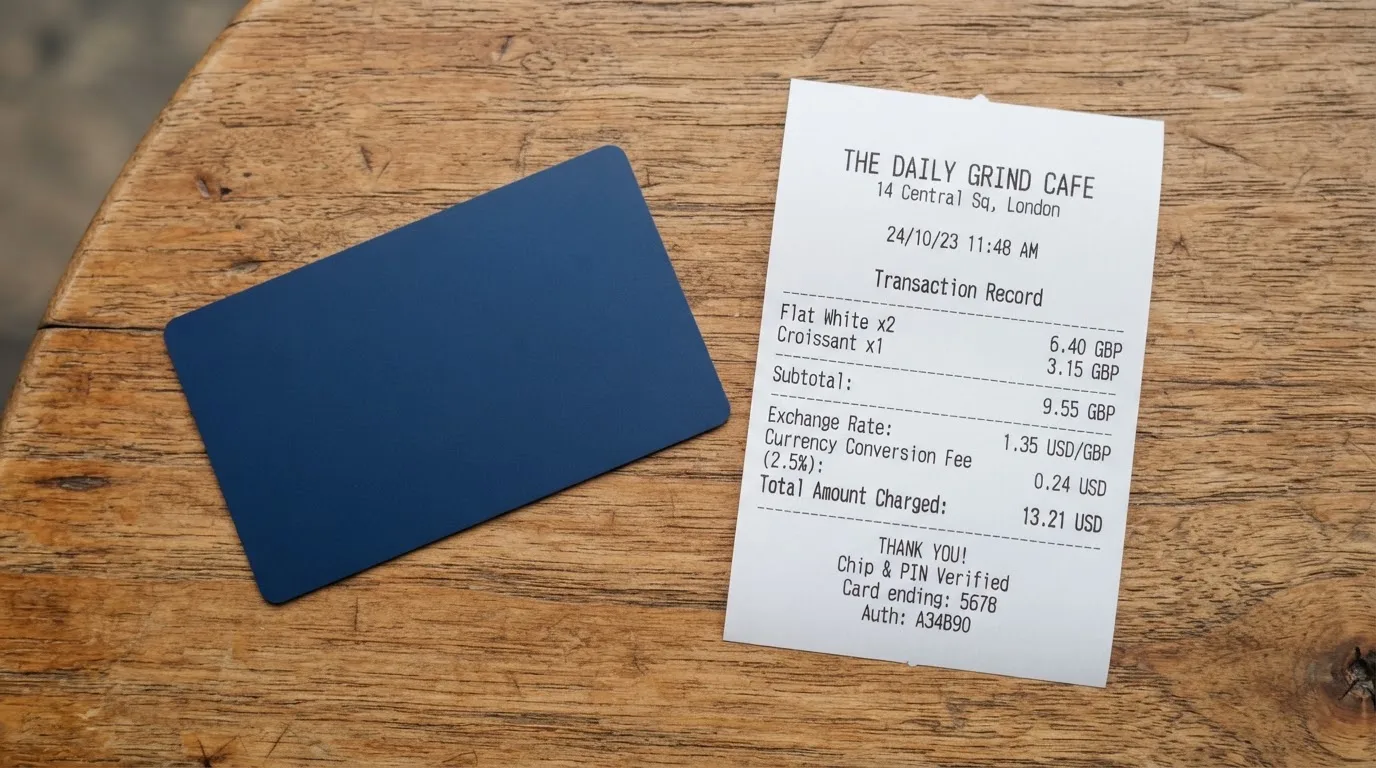
| Forex fee | 0.6% per international transaction (fixed spread over mid-market) |
| Crypto-to-crypto exchange (internal) | 0.2% |
| Cross-chain swap | 0.2% |
| ATM fee | $2.50 domestic, $3.50 international |
| Single-tap limit | $15,000 (Virtual, Plastic); $40,000 Metal; $100,000 Gold |
| ATM daily limit | None (Virtual); $1,000 Plastic; $1,500 Metal; $3,000 Gold |
| Monthly limits | Not stated |
Monthly limits aren’t published, which is a small but real gap if you spend heavily in a month.
Now, two or three everyday payments, to make the percentages concrete:
A $40 grocery shop in your home currency, on the Virtual card. You paid 2.6% when you loaded the money, not per purchase — so a single tap here carries no fee of its own, but the loading cost is spread across whatever you bought. If you topped up $100, roughly $2.60 of that is the deposit fee, whether you spend it in one shop or ten.
A €30 dinner in another country, on the Virtual card. Here the 0.6% forex fee applies on top of the network’s exchange rate, so about €0.18, plus whatever the underlying spread costs you. The card describes the 0.6% as a “fixed spread over mid-market.”
$50 cash from an ATM on the Metal card. Within the $1,500 daily limit, this costs the $2.50 domestic ATM fee — or $3.50 if the ATM is international. On the Virtual card, cash simply isn’t available at all.
One inconsistency to flag: the fee page lists 2.6% / 2.4% / 1.8% in the FAQ, but also shows a heading reading “Why 2.7% upfront” and a header “3%” for top-up. Check the figure that applies to your tier before you load a large amount.
How to Top It Up
You fund the card with crypto: BTC, SOL, SUI, XRP, XLM, USDT and USDC are all accepted. The one thing the card doesn’t tell you is which networks those transfers should go on. That omission has teeth, because a deposit sent on the wrong network, or to an address belonging to a different network, can be lost — blockchain transfers don’t reverse, and even if support helps, there’s no guarantee.
The cost of loading depends on your tier: 2.6% on Virtual and Plastic, 2.4% on Metal, 1.8% on Gold. Exchange deposits are 0%. Two other things go unstated: the minimum top-up, and who pays the on-chain network fee for the deposit (that’s the blockchain’s charge, separate from anything the card takes). The home page also mentions topping up by local bank transfer and SEPA, but gives no fee for either.
So the practical advice is: before your first transfer, confirm with support exactly which network to use for the coin you’re sending, and to which of your own deposit addresses. This is the single most important operational question with this card.
Paying With It Every Day
Day to day, the card does its job well, which is why it scores highest here. You have four tiers: Virtual (no ATM), Plastic (up to $1,000/day at ATMs, Google Pay), Metal, and Gold (up to $3,000/day at ATMs, plus VIP Concierge).
Mobile wallets: the FAQ says the virtual card supports Apple Pay and Google Pay, while the physical cards are Google Pay only. A trust badge on the home page, though, shows both wallets for all tiers — a direct conflict with the FAQ. If Apple Pay on a physical card matters to you, that’s something to raise with support rather than assume.
There’s also cashback that scales with the tier and is uncapped, credited within 24 hours: 0.05% on Virtual, 0.1% on Plastic, 0.2% on Metal, 0.4% on Gold. Brand discounts are listed as 1% / 2% / 4% / 7–9% across the tiers. Blocked merchant categories aren’t specified, so you can’t tell in advance whether gambling or similar categories are switched off for you.
The app is where this is least settled. It’s iOS beta via TestFlight and Android beta via Google Play testing, with a “V2 launching soon” and no published store rating. So the app you’ll be using to freeze the card, check balances and top up is, for now, a beta build.
One practical note on declines: a failed online authorisation can leave a hold on your funds for several days — sometimes up to a week — even though you never completed the purchase. That’s a property of card networks, not this card specifically, but it’s worth knowing before you tap a card that has your rent-sized balance on it.
What Can Go Wrong
The risks here are less about the card breaking and more about the opacity around it.
You can’t verify who’s behind it. The company is TheXBanky s.r.o. (IČO 21932506), at Děčínská 552/1, Střížkov, 180 00 Prague 8, Czech Republic. The site calls TXBFI a technology platform. The bank that issues the Visa and manages the card programme is never named. The FAQ claims a VASP licence and EU/Czech AML compliance but gives no licence number, and the home page shows an “Offshore Banking Sublicense” badge with no detail behind it. So the entity you’d be dealing with is a Prague company, and the regulated institution holding your card balance is a name the pages don’t give you.
There’s no complaints history, in either direction. I found no official incidents — but I also found no Trustpilot page and no Reddit threads for TXBFI. That absence cuts both ways: there’s no record of a disaster, and there’s no independent record of good service either. With a brand this new, that’s what you’d expect, and it’s why I lean on the terms rather than on reviews.
If something goes wrong with a purchase, the route is thin. No chargeback process is described. The terms point to Czech law and Czech courts, and a Complaints Policy is linked but its text isn’t available. So the answer to “a shop took my money and won’t return it” is a support ticket and, failing that, courts in Prague.
Control of your money is a mixed picture. The FAQ says TXBFI is non-custodial — it “does not take custody of your assets or control your private keys,” and assets are held by third-party providers. That’s the good version. But 2FA and in-app card freeze aren’t stated, and those are the two controls that save you when your phone or your account is compromised.
Support runs through Telegram, Discord, in-app tickets, a contact page, [email protected], and X. A withdrawal route for crypto or bank money isn’t stated, nor is what happens to a leftover balance if you close the account — though the account can be deleted in the app under Profile > Delete Account, or by email.
Set against that: the background risk that haunts all crypto cards. Providers here have failed before — and the failure mode is familiar. Programme closures typically give a notice period, then stop spending and loading, then ask users to withdraw remaining balances. So even a card that works today depends on a sponsor that could wind it down.
What to Take Instead
If TXBFI’s strengths — a wide crypto top-up list, tiered cards, uncapped cashback — are what you need but the transparency isn’t, there are three comparable cards I looked at. Here’s how they stack up.
| Card | Score | Best for | Watch out for |
|---|---|---|---|
| TXBFI | 5.8 / 10 | Crypto holders wanting a Visa from virtual to gold | 2.6% top-up, 0.6% FX, unnamed issuer, no chargeback process |
| Cardex | 5.6 / 10 | Users across 200+ countries, Naira spending | Fees not published; Visa/Mastercard/UnionPay; card currency Naira per listing |
| TakeCard | 5.5 / 10 | Latin-American and Spanish users; virtual card at $5 | Physical card Bolivia-only; 1% per purchase; issued in the US |
| OkiCard | 6.0 / 10 | Users who want no geo-blocking; USD/EUR card at $15 start | Load fee 3%; USDT on BSC/ETH/TRON/Solana; app pages disagree on issuance fee |
Reading across them: none of these cards names its issuer as plainly as a bank would, and all of them sit in the same 5.5–6.0 band. OkiCard edges ahead on transparency (explicit “no geo-blocking,” a published starting price) but charges 3% to load. TakeCard is the cheapest to start ($5 virtual) but its physical card is Bolivia-only. Cardex markets broad reach but doesn’t publish its fee percentage. If your priority is “which of these will definitely let me in and tell me the price,” OkiCard is the most forthcoming; if it’s “cheapest to try,” TakeCard’s $5 virtual is hard to beat.
These four scores are from the same review process, so they’re a fair comparison — but a half-point between them is not a verdict, and any of them can change the moment a provider publishes new terms.
Who I’d Recommend It To
I’d point TXBFI at a specific person: someone who already holds crypto, wants a Visa rather than a niche card, spends most of it online or in everyday shops, and is the kind of user who reads terms before loading money. If that person asks me “is it safe,” the answer is “it’s a new card from a named Czech company with a real licence claim but no licence number, run through a beta app — treat it like a prepaid card, not a bank account.” That framing matters: the balance is stored value, not a deposit, and it should be treated with the same caution.
I’d steer it away from anyone who needs the card to be there unconditionally — a person in a country with an unclear eligibility status, someone who relies on chargebacks to resolve a dispute, or anyone for whom a frozen balance with a support-ticket-only remedy would be a real problem. The no-chargeback-process detail alone rules the card out for large or irreplaceable spending.
And before anyone loads money, there’s one question I’d insist on getting answered in writing: which network to send each coin on. Everything else about this card is a matter of weighing transparency against features. That one is a matter of not losing your deposit.
Frequently asked questions
What is TXBFI card?
TXBFI is a crypto payment card built on Visa. You top it up with crypto, the balance converts to spendable value, and the card pays like an ordinary Visa — online, in shops, and at ATMs on the physical tiers. It comes in four versions: Virtual, Plastic, Metal and Gold. The site describes TXBFI as a “technology platform,” run by a Czech company called TheXBanky s.r.o., though the bank actually issuing the Visa card is never named on the public pages.
How does TXBFI card work?
You register, pass KYC with a photo ID and recent proof of address, choose a tier and pay its one-time price, then top up with crypto such as BTC, SOL, XRP, USDT or USDC. When you pay, the card converts the balance and routes the transaction through Visa. The FAQ says the setup is non-custodial — TXBFI says it “does not take custody of your assets or control your private keys.” In practice the card behaves like a prepaid card drawing on a loaded balance.
Is TXBFI a bank?
Not on the evidence of its own pages. TXBFI is a brand operated by TheXBanky s.r.o., a company registered in Prague, and the site calls it a technology platform rather than a bank. It claims a VASP licence and EU/Czech anti-money-laundering compliance but publishes no licence number, and the actual card issuer or programme manager is never named. Treat the balance as stored value from a card provider, not as a bank deposit with deposit-guarantee protection.
How do I get a TXBFI card?
The steps are: register on the web platform, complete KYC, pick a tier, pay the one-time price, then top up. Most accounts are approved within 24 hours and only one account is allowed per person. You need a government photo ID and proof of address from within the last three months, plus a liveness or biometric check. The minimum age is not stated, and the delivery time for physical cards is not stated either.
Does TXBFI card require KYC?
Yes, and there’s a single KYC path regardless of tier. You submit a passport, national ID or driver’s licence, plus a utility bill or bank statement dated within three months, and pass a liveness check. The terms also describe sanctions, politically-exposed-person and wallet screening. Because of this, think of the card the way you’d think of any regulated financial account, not a throwaway prepaid card.
Is TXBFI card free?
The card carries no monthly or annual fee — the cost is entirely in the one-time tier price. That price runs from $25 for Virtual (a launch promotion; normally from $200) to $300 for Plastic (promo; normally from $500), $1,000 for Metal and $10,000 for Gold. But “free” is misleading: top-ups cost 2.6% on the lower tiers and international transactions carry a 0.6% forex fee, so the card is never actually cost-free to run.
How do I top up TXBFI card?
You top up in crypto — BTC, SOL, SUI, XRP, XLM, USDT or USDC — or by local bank transfer or SEPA. Deposits cost 2.6% on Virtual and Plastic, 2.4% on Metal and 1.8% on Gold, and there is no minimum stated. Crucially, the card doesn’t say which network to send each coin on, so confirm that with support before your first transfer — a deposit on the wrong network can be lost, since blockchain transfers can’t be reversed.
Is TXBFI card safe?
It depends on what you mean. The company is real and named (TheXBanky s.r.o. in Prague), the card is Visa, and the FAQ states a non-custodial setup where you keep your keys. Against that: the issuer is unnamed, no licence number is given, the app is still a beta build, 2FA and card-freeze aren’t documented, and there’s no chargeback process described. So the funds are safer than with a custodial platform, but your recourse if something goes wrong is thinner than with a bank.
Can I use TXBFI card in my country?
Honestly, you can’t tell from the public pages — there’s no list of eligible or excluded countries. The only guidance is the line “Service availability is subject to jurisdiction, eligibility, applicable law and provider requirements,” which tells you nothing concrete. Nationality is also screened separately from residence, so even a resident of a supported country can be declined on passport grounds. If this matters to you, ask support directly before you upload any documents.
How do I delete TXBFI account?
You can delete the account from inside the app, under Profile > Delete Account, or by emailing support. Two things to sort out first, though: what happens to any leftover balance on closure isn’t stated on the public pages, and there’s no documented route for withdrawing crypto or bank money. If you hold funds there, settle that question with support before you close anything, because once the account is gone the answer gets much harder to get.
Highest-scored virtual cards – cryptocardbest.com
Content created by the «cryptocardbest.com» team