
What a no-KYC virtual Visa loaded with USDT on Tron is actually like to use
 Available in US
Foton is a virtual Visa debit card aimed at people who want to spend USDT on the Tron network without going through a full bank-style identity check. The pitch is simple: open an account, transfer USDT TRC20, get a card number, and pay anywhere Visa is accepted online. In practice, the offering is unusually narrow (one chain, one coin, virtual only) and unusually thin on publicly available information. The card issuer and the company behind Foton are not named on the public pages I could read, the country list is not published, and customer reviews of the support team are mixed at best.

I have been through the public information, third-party listings and user reports, and what follows is my assessment of who Foton is genuinely built for, what it really costs, and where the gaps are. If you are weighing Foton against another no-KYC virtual card, this review is intended to give you the practical picture before you load any funds.
The conditions described here are current as of October 28, 2026.
Verdict
I give Foton 4.8 out of 10.
It is not a bad product in the narrow sense: the price of a virtual card is low ($2 issuance, no monthly fee, no stated FX fee, 1% on top-ups), and the experience of paying in USDT without uploading documents is genuinely rare. But the same narrowness that makes Foton simple also limits who can use it and how safely they can rely on it. The list of supported countries is not published, the issuer is not named, support is reported as unresponsive, and the only top-up path is one stablecoin on one network. That combination is hard to recommend for everyday spending.
Score breakdown
| Criterion | Mark | Why |
|---|---|---|
| Who can get it | 5/10 | The country list is not published; unofficial sources mention US, Hong Kong and Singapore BINs, but eligibility is not clear. |
| Cost | 7/10 | Issuance $2, no monthly fee, conversion free, 1% on top-ups; one listing gives 1.5%, so the figure is not fully consistent. |
| Top-up options | 4/10 | Only USDT on Tron (TRC20) is listed. There is no way to fund with a bank transfer or another coin. |
| Reliability and complaints | 3/10 | Issuer and operating company are not disclosed; Trustpilot reviews describe unresponsive support and an unresolved withheld deposit. |
| Everyday use | 4/10 | Virtual Visa only, 3D Secure available, but Apple Pay and Google Pay are listed as supported on the English page and not supported on the Chinese page, so even that is unclear. |
| Total | 4.8/10 | A genuinely cheap, no-KYC virtual card, but too narrow and too opaque to recommend broadly. |
Foton suits a small audience: people who already hold USDT on Tron, who do not want to upload ID, who only need a card for online payments, and who are comfortable with the risk that the operator and its issuer are not publicly identified. It is not a card I would suggest to anyone using it as their main payment method, anyone who needs a physical card, or anyone who values predictable, named support.
Who they will issue the card to
Foton’s own pages do not state a country list, age requirement or residency rule. I could not confirm any of the standard onboarding details (who qualifies, where you have to live, what documents you need) from the public material I read. That silence is itself part of the picture, because most regulated card programmes publish at least a basic eligibility summary.
What I do have is third-party information, which I am treating as unofficial and unconfirmed by Foton. One independent listing reports that Foton is set up around US, Hong Kong and Singapore card BINs, and that the supported countries are not publicly listed. The same listing reports that the card is available without a full KYC check: no email verification, no phone verification, no ID upload, no proof of address, no selfie. None of that is confirmed on Foton’s own site as I could read it.
What that means in practice:
- If you live in a country not covered by the BINs mentioned above, you do not yet have a public answer on whether the card will work for you.
- The “no KYC” claim comes from a third party, not from Foton. Treat it as a working assumption, not a guarantee.
- The lack of an age statement is unusual; the default for prepaid and debit cards is 18+, and you should plan on that until Foton says otherwise.
If your reason for looking at Foton is to avoid identity checks, you should also read the broader context: card networks and issuers can apply sanctions screening, and a card programme can be suspended or closed with little notice (more on this in the risks section). A no-KYC sign-up is not the same as anonymity, and it does not protect you from a programme being shut down.
How to get the card
The official sign-up flow is not described in the public material I could read, and the official site was not reachable (it returned a 403 error at the time of checking). What I can give you is the third-party picture.
According to unofficial listings, the sign-up process is:
- Create an account with an email address and a password.
- Optionally add a phone number (listed as not required by the same source).
- Skip identity verification entirely: no ID, no selfie, no proof of address.
- Fund the account with USDT on Tron (TRC20) to the deposit address you are given.
- Pay the $100 refundable guarantee deposit.
- Pay the $2 card issuance fee.
- Receive a virtual card number you can use at online merchants that accept Visa.
The card is reported as virtual only, with no physical version. That makes sense for the use case (USDT TRC20 spending online), but it also means no contactless tap-to-pay in shops, no ATM use, and no Google Pay or Apple Pay in the real world unless tokenisation works (and that part is itself uncertain, see the daily use section).
The issuance of the card number is described as automated and fast once the deposit has cleared, which fits the “fast automated top-ups” wording used by the third-party listing.
I would still treat the above as the shape of the process rather than a confirmed step-by-step: the only way to know exactly what the sign-up looks like is to open the app or visit the site and go through it yourself.
Fees: what it really costs
Pricing is one of Foton’s stronger points, and the unofficial numbers are competitive for a virtual card. The costs table below uses only the figures given in the third-party listing, with the inconsistency on the top-up fee flagged.

Costs at a glance
| Fee or limit | Amount |
|---|---|
| Card issuance | $2 (one-time) |
| Monthly fee | Free |
| Refundable guarantee deposit | $100 (required to start) |
| Top-up fee | 1% (one note says 1.5%; sources disagree) |
| Crypto-to-fiat conversion | Free |
| Foreign exchange fee | Free |
| ATM fee | Free |
| Daily spending limit | Unlimited |
| Monthly spending limit | Unlimited |
| 20% decline policy | A strict 20% maximum decline rate is enforced (unofficial, not confirmed by Foton) |
The headline pricing is straightforward and the table is mostly self-explanatory. A few items deserve a closer read.
Issuance and the guarantee deposit. The $2 issuance is a one-time charge for the card itself. The $100 deposit is separate: it is described as refundable, but a user report cited in the third-party material says the deposit was not returned, and that complaint has not been resolved. If you are considering Foton, treat the $100 as money that may or may not come back, not as a fee you are guaranteed to recover.
A 1% fee applies to top-ups, though some reports indicate it could be 1.5% for USDT TRC20 deposits. This fee is a percentage of the amount you load, not a flat charge.
Conversion and FX. Conversion of your USDT to the card’s spend currency is listed as free, and the foreign exchange fee (paying in a currency other than the card’s base) is also listed as free. For a card that targets a global audience, no-FX is a strong point. The 20% decline policy—which is unofficial and not confirmed by the card—is the trade-off: if a large share of your transactions are declined (because the merchant, the BIN or the country is not supported), your account can be flagged or closed.
ATM use. The listing says ATM withdrawals are “Free” and “Unlimited”, but the card is virtual, and a virtual Visa has no card to insert into an ATM. Treat the ATM line as theoretical until a physical option exists.
Limits. Both daily and monthly spending limits are described as unlimited. Combined with the card’s strict decline policy, that means you can spend a lot in principle, but a high decline rate is a fast way to lose the account.
Three everyday payments
A café in another country. You pay $5 for a coffee in EUR with a card denominated in USD. The conversion is free, the FX fee is free, the only charge is the 1% (or 1.5%) you already paid when you topped up the card. The risk is that the merchant or terminal declines the card because the BIN looks foreign or because the merchant is in a category the programme restricts.
An online subscription in the US. You pay $9.99 a month for a streaming service. There is no FX, no conversion, and no top-up fee on this specific payment. The 1%–1.5% cost was paid when you loaded the card. The 3D Secure step will prompt you on the device you registered with; if you cannot reach that device, the payment fails.
An online shop that does not accept prepaid foreign-issued cards. Some merchants decline cards at the BIN level before the cardholder even sees a decline message. The 20% decline rate policy—which is unofficial and not confirmed by the card—means a few of these can add up, and Foton can act on them. This is the practical limit of the “unlimited spending” headline.
Top up: how to fund the card
Foton’s funding model is one of the narrowest in the category: USDT on the Tron network (TRC20) only, according to the third-party listing. There is no bank transfer, no card top-up, no other stablecoin, and no other network. That makes the card simple to describe but also inflexible in real use.
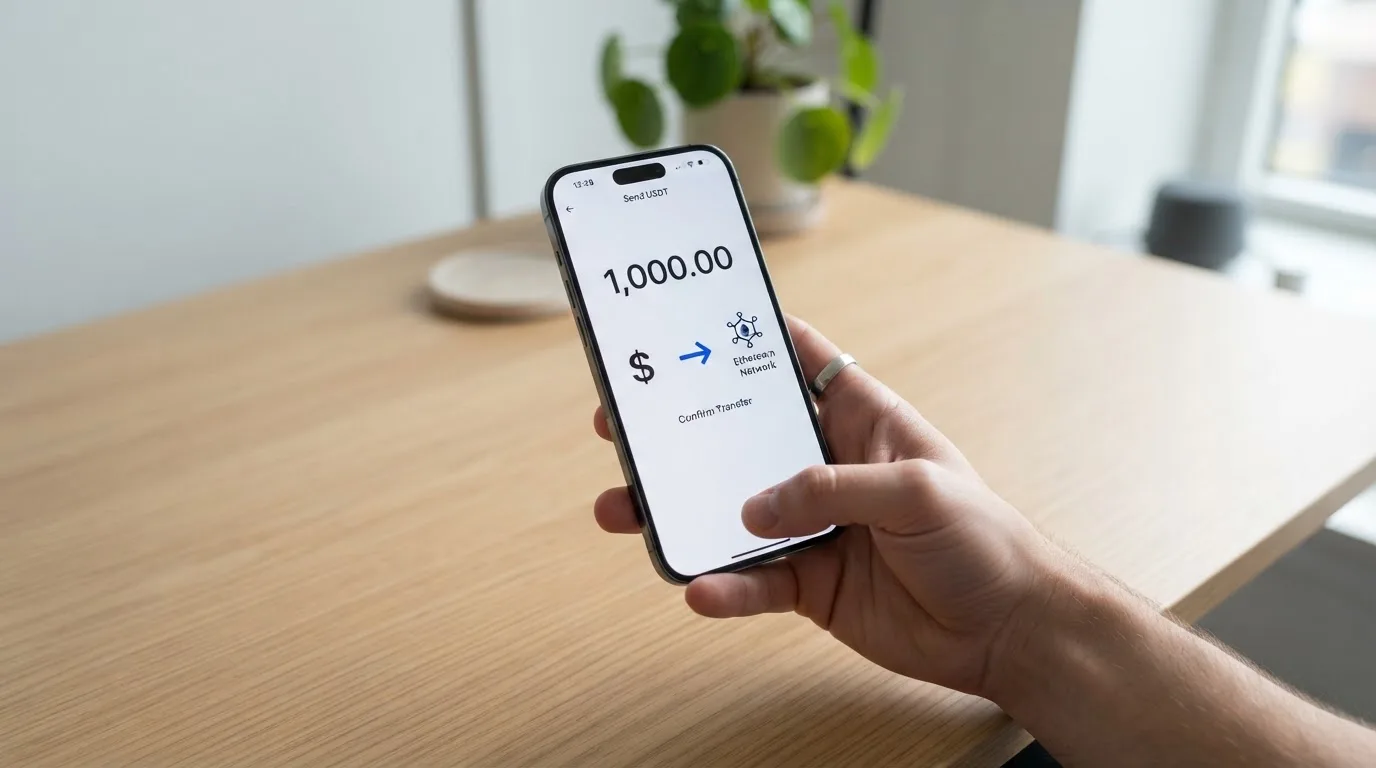
The process, as described by the unofficial source, is:
- Generate a deposit address inside your Foton account.
- Send USDT from a wallet or exchange that supports Tron (TRC20) to that address.
- Wait for the deposit to confirm on Tron and for Foton’s system to credit it. The listing describes the top-ups as “fast automated”.
- The 1% (or 1.5%) top-up fee is deducted at this stage.
- The credited balance becomes your card balance.
A few practical points worth pausing on before you send anything.
Network matters, badly. USDT exists on many networks (Ethereum, Tron, Solana, Polygon, Avalanche and others). Sending USDT on any network other than Tron to the Foton address will either fail to credit, be lost, or need manual recovery with no guarantee of return. On-chain transfers are irreversible. If you normally hold USDT on Ethereum, you need to bridge or swap to Tron first, which adds gas and time.
TRC20 fees are low, but you still need TRX for bandwidth. Tron’s network uses bandwidth and energy to process transactions, often burning TRX in the process. If your sending wallet is empty of TRX, a USDT transfer can fail to go through. Most exchanges handle this for you when you withdraw USDT via Tron, but self-custody wallets may need a small TRX balance.
The $100 deposit is separate from the top-up. The refundable guarantee deposit is required to start; it is not the same as the balance you load. If you load $500 of USDT, you have paid the $2 issuance, the $100 deposit, and a 1%–1.5% top-up fee on the $500.
The 20% decline rate policy (unofficial, not confirmed by the card). A “strict 20% maximum decline rate” is unusually tight. If a fifth of your attempted transactions fail, the account is at risk. For a card funded only by one stablecoin on one network, the failure modes are limited but real: unsupported merchant category, foreign-BIN rejection, and AVS mismatch (more on AVS in the daily use section).
Paying with it every day
In its intended use, Foton is a card you use online. There is no physical card to tap against a terminal, no contactless option, and no obvious way to use it in a shop in person.
The features that are reported:
- 3D Secure (Visa Secure). The card supports 3D Secure for online payments. This is a confirmation step in the form of a one-time code or a biometric prompt that the issuer (or its processor) sends to the cardholder. It is a useful safety feature; it also means a payment fails if you cannot reach the registered device.
- Apple Pay and Google Pay. The English-language version of the third-party listing marks both as supported. The Chinese-language version of the same listing says neither is supported. Sources disagree, so the practical answer is: try it inside the app and see what tokenises. I would not plan a routine around either wallet.
- Online merchant categories. Foton’s own pages do not list restricted categories, but the third-party listing does not either, and the 20% decline rate policy effectively limits how many declines you can take. Crypto cards in this category typically block some merchant codes by policy (gambling, adult content, certain financial services), and you should expect similar treatment here.
A few things that are not stated anywhere I could read:
- Rewards, cashback or other incentives. The third-party listing gives cashback as 0%. Treat that as the answer until Foton says otherwise.
- In-app spending controls, freeze, single-use virtual cards or merchant locks. These are common on competing cards and not described for Foton.
- A native dispute or chargeback flow. The public material does not describe a process for disputing a transaction, which is unusual for a card product.
The everyday-use reality is therefore limited. Foton is set up for online Visa payments funded by USDT on Tron, with 3D Secure as the only stated safeguard. Anyone expecting the feature set of a mainline bank card (in-app controls, real disputes, named support) will be disappointed.
What can go wrong
The risks on Foton are concentrated in three areas: who is behind the card, what users have reported, and how the underlying card and crypto rails behave.
The operating company and the issuer are not named in the public material I could read. The official site was unreachable (403) at the time of checking. Third-party listings mention the brand “Foton” and reference card BINs in the US, Hong Kong and Singapore, but do not name the bank or e-money institution that issues the card. A card programme is only as durable as its issuer, and an issuer that is not named cannot easily be checked against any sanctions list, regulator register, or insolvency record.
User reports paint a mixed picture.
- Trustpilot shows a 3.5 out of 5 average from four reviews. The profile is unclaimed, and there have been no new reviews in the last twelve months. Themes: a complaint from September 2023 that chat support does not respond, an allegation of $145 taken without resolution (also September 2023), and a separate user report (in the Chinese-language listing) of an unresolved withheld deposit. On the other side, two five-star reviews in March and April 2024 mention timely customer service.
- The deposit is described as refundable, but at least one user has reported it not being returned. The 20% decline rate policy (unofficial, not confirmed by the card) is also unusual, and a high decline rate can be triggered by factors outside the user’s control.
The crypto and card rails add their own risks.
- USDT on Tron is reversible only in narrow cases. If you send USDT to the wrong address or on the wrong network, Foton has no obligation to recover it. The third-party listing describes manual support recovery as a possibility, with no guarantee.
- Stablecoins can depeg. Tether’s USDT is the largest stablecoin by volume, but it has traded below $1 in stress events. Foton’s promise is that your balance moves 1:1 against the dollar; a depeg during your deposit confirmation can change the dollar value of what is credited.
- Sanctions and freezes. Stablecoin issuers, including Tether, have frozen funds tied to sanctioned addresses, and card issuers can block transactions to merchants or jurisdictions on their own policy. A no-KYC sign-up does not give you any protection against these.
- Programme closure. Cards in this category can be suspended by the network or the issuer. The history is real: WaveCrest-issued Visa programmes were suspended in Europe in 2018, and FTX’s Visa agreement was terminated in November 2022. A Foton user has no public framework that says what would happen to a balance in such an event.
- AVS and foreign BIN declines. Address Verification Service is mainly available in the US, Canada and the UK, and merchants that use it for fraud screening may decline a foreign-issued card even when the details are correct. A handful of these declines is normal; enough of them trigger Foton’s 20% rate policy (unofficial, not confirmed by the card).
The practical advice is to assume you can lose everything you load, that support may not reply, and that there is no public escalation path if the deposit is not returned. That is not a unique situation in the no-KYC end of the market, but it is the situation here as best I can read it.
What to take instead
Foton is not the only virtual card that accepts stablecoins. The three alternatives below were chosen because they are at least as easy to start with, more transparent about who is behind them, or both. They are not endorsements; they are simply other options to weigh.
Cardex
A debit-style crypto card available in 200+ countries according to the project’s own pages, with no published country exclusions. The app-store listing is Naira-focused (the card pays in Naira), and the card is described as running on Verve, Visa, Mastercard and UnionPay, with both virtual and physical versions. Crypto-to-fiat conversion is described as happening in real time at the moment of payment, using an “AI-Powered Conversion Rate” that scans global exchanges. No specific conversion fee is published. Funding is via USDT, USDC and BTC wallets; networks are not specified in the third-party material. Rewards are not stated.
The trade-off against Foton is that the fee structure is less transparent: you get a clearer picture of who is behind the product and where it works, but you do not get the same low, fixed top-up fee.
TakeCard
A prepaid Visa card issued in the United States, denominated in USD, with a virtual card available immediately and a physical card reported as available in Bolivia. Countries are not listed comprehensively in the help articles, and starting data not confirmed by the source lists the virtual card as targeted at Argentina, Bolivia, Peru, Chile, Paraguay, Colombia, Ecuador, the US, Spain and Italy. Costs: $5 for the virtual card, $20 for the physical card plus $20 shipping in one article (another article in the same centre says $10 for the physical card in Bolivia, so the figures conflict). No monthly fee is stated. Fees: 1% commission per purchase, USD payments at 1:1 with no currency adjustment, and other currencies at Visa’s official rate. Funding is from a Takenos balance; USDC/USDT via Polygon, BNB Chain, Tron or Ethereum are mentioned in starting data, but not verified by the source. Overall score: 5.5/10.
TakeCard is more expensive than Foton on a per-payment basis, but the card is issued in the US, the USD-to-USD pricing is clean, and the programme’s structure is easier to find in writing.
OkiCard
A virtual (and, on some pages, physical) Visa/Mastercard pegged to USD or EUR, advertised for 150+ countries (some pages say 200+), with no passport-based geo-blocking and a requirement to confirm the user is not in a sanctioned jurisdiction. Costs: pricing page says issuance $0, monthly $0, starting price $15 for the virtual card; a FAQ mentions a one-time issuance fee, so the pricing pages disagree. An initial deposit of 100 USDT is required. Fees: 3% load fee, 0% on USD transactions, and “no hidden exchange spreads”. Funding is USDT on BSC (BEP-20), Ethereum (ERC-20), Tron (TRC20) and Solana (SPL), with USDC “soon” and BTC and other coins “coming soon”. Deposits go to a generated address, and conversion to fiat happens at the moment of spending. Overall score: 6.0/10.
OkiCard is more expensive to top up than Foton, but the funding side is more flexible (four networks and growing), the cost of paying in USD is zero, and the published pricing is easier to compare.
In short, Foton is cheaper on the top-up fee than the alternatives listed here, but it is also the most opaque. Cardex, TakeCard and OkiCard all give you more chains or more transparency; none of them matches Foton’s headline top-up fee.
Who I would recommend Foton to
I would recommend Foton to a narrow reader. Specifically, you are a good fit if:
- You already hold USDT on Tron and do not want to bridge or swap it to another chain.
- You want a virtual Visa number for online spending and you do not want to upload an ID, a selfie or a proof of address.
- You are willing to accept that the operator and the card issuer are not publicly identified, and that support may be slow or unresponsive.
- You can keep your loaded balance small, because the card’s strict decline policy, the unrecovered-deposit user report, and the absence of a published dispute flow are real risks.
You are not a good fit if:
- You need a physical card for in-person payments or ATM use.
- You want a card that supports Apple Pay or Google Pay reliably. The two third-party sources I read disagree on tokenisation, and I would not build a routine on a maybe.
- You expect a card with published rewards, cashback, in-app spending controls or a clear dispute process. None of these are part of the Foton picture I can see.
- You want a programme backed by a named bank or e-money institution you can look up in a regulator’s register. Foton does not give you that today.
If your situation does not match the first list, one of the alternatives above (or a mainstream crypto card from a named issuer) will be a better fit. A no-KYC virtual Visa is a useful tool, but it is not the right tool for everyone, and the lack of public information about who is behind Foton is the reason I would not lean on it for anything I could not afford to lose.
Frequently asked questions
What is Foton card?
Foton is a virtual Visa debit card funded by USDT on the Tron network (TRC20). It is positioned as a no-KYC option for spending stablecoins online, and it is sold by an operator that does not publicly name its issuing bank or the company behind the product. The information I have is largely from third-party listings, because Foton’s own pages are thin or unreachable.
How does Foton card work?
You open an account, pay a $100 refundable guarantee deposit and a $2 card issuance fee, and top up the balance with USDT TRC20. The system credits your balance and gives you a virtual Visa card number. When you pay online, the card runs through Visa with 3D Secure, the merchant is charged in the local currency, and your USDT balance is debited. There is no physical card.
Is Foton a bank?
No. Foton is a card programme, not a bank. The issuing bank or e-money institution is not named in the public material I could read, which is one of the reasons I would not treat Foton as a bank-like product. Cards are issued by licensed institutions; without knowing which one, you cannot check its regulator, its safeguarding rules, or whether it is in good standing.
Who owns Foton?
Foton does not name the company behind the brand in the public material I could read. The official site was returning a 403 at the time of checking, and the third-party listings describe card BINs in the US, Hong Kong and Singapore without identifying the operator. Treat “Foton” as a brand name and assume the underlying company is not public until the operator says otherwise.
Is Foton card available in my country?
I could not find a published country list. Unofficial sources mention US, Hong Kong and Singapore BINs, but eligibility is not confirmed and there is no public exclusion list either. If you live outside the countries usually covered by these BINs, the only way to know is to try the sign-up.
Does Foton card require KYC?
According to the third-party listing I worked from, Foton does not require an email, a phone, an ID, a proof of address or a selfie. None of that is confirmed by Foton’s own pages, and a no-KYC sign-up is not the same as anonymity: card networks and issuers can still apply sanctions screening, and a programme can be suspended. Do not assume you are invisible to anyone simply because you did not upload a document.
How do I top up Foton card?
You generate a deposit address inside your account and send USDT on Tron (TRC20) to it. The top-up fee is 1% (one source note says 1.5%; sources disagree). USDT on any other network will not credit, and on-chain transfers are irreversible, so check the network and the address before you send.
How do I add Foton card to Apple Wallet or Google Pay?
This is unclear. The English-language third-party listing marks Apple Pay and Google Pay as supported, but the Chinese-language version of the same listing says they are not. Until you try the tokenisation step inside the app, the practical answer is unknown. Do not plan a routine around either wallet until it has worked for you in practice.
Is Foton card safe?
It is safe in the narrow sense that 3D Secure is supported and the only top-up path is a public blockchain. It is less safe in the broader sense that the issuer is not named, customer support has been reported as unresponsive, the 20% decline rate policy (unofficial, not confirmed by the card) is tight, and at least one user has reported the refundable deposit not being returned. Treat any balance you load as money you can afford to lose, and keep it small.
Is Foton card worth it?
If you fit the narrow use case (USDT on Tron, online-only spending, no ID upload, small balance), the price is right and the product does what it says. If you need a physical card, a named issuer, in-app controls, rewards or reliable support, Foton is not the right card for you, and one of the alternatives in the section above is a better fit.
Highest-scored virtual cards – cryptocardbest.com
Content created by the «cryptocardbest.com» team