
Blonix card review: a Visa you can load with stablecoins, but most of the details are still missing
 Available in US
Blonix markets itself as a crypto payment card, a Visa you fund from a crypto balance and spend in shops or through Apple Pay and Google Pay. On paper that is a tidy proposition for anyone who already holds stablecoins and wants a card that does not depend on a local bank. In practice, a lot of the basics that a normal card issuer publishes on day one, fees, limits, delivery times, support hours, the licence behind the programme, are simply not on Blonix’s public pages, and the third-party information that does exist contradicts itself. This review walks through what the card actually states, what is missing, and how it compares to a few alternatives before you decide whether to apply.
Conditions are current as of October 28, 2026.
Verdict
Blonix earns 5.7 out of 10. That is a middling score, and the reason it is not lower is that the everyday mechanics (Visa, ATMs worldwide, Apple Pay and Google Pay, two card formats) are real and useful. The reason it is not higher is the long list of things the card’s own pages do not state: monthly fees, conversion fees, ATM allowances, limits, tiers, support hours, the issuer, the licence, the country list, delivery times. One App Store review reports a loss of funds, and the developer replied that they could not verify it. Custody is handled by Fireblocks, which is a serious name in institutional crypto custody, but custody by a third party still leaves you trusting the operator, Blonix Technologies Limited, whose own licences are not named.
The card is best suited to stablecoin holders who want a Visa with Apple Pay and Google Pay, do not need the fine print, and are comfortable with a thin public disclosure. It is not well suited to anyone who needs a published fee schedule, a clear refund or dispute process, or a licence they can look up in a register before handing over identity documents.
| Criterion | Mark | Reason |
|---|---|---|
| Who can get it | 6 / 10 | Accounts are open worldwide, but card availability depends on jurisdiction and the list has not been re-verified |
| Cost | 5 / 10 | Issuance fees and running costs are not disclosed on the public pages |
| Top-up options | 6 / 10 | Stablecoins or local currency, with the App Store text suggesting USDT, USDC, BTC, ETH and SOL, while a developer reply narrows deposits to USDT on BNB Smart Chain and TRON |
| Reliability and complaints | 4 / 10 | The operator is Blonix Technologies Limited; the issuer and licences are not named; one App Store review reports a loss of funds; custody sits with Fireblocks |
| Everyday use | 8 / 10 | Visa network, ATMs worldwide, Apple Pay and Google Pay, virtual and physical card formats |
| Total | 5.7 / 10 | A workable card on the surface, but with very little published detail behind it |
Who they will give the card to
Blonix says accounts are open worldwide, and that is the part the card states plainly. The same statement adds that card availability depends on your jurisdiction. The exact list of supported and unsupported countries is not published, which is awkward if you are applying from a place where the card is not actually issued. For most readers the practical question is whether their country is one Blonix serves, and the honest answer from the public pages is that the company does not say.
What is also not stated is whether having an account in a supported country is enough, or whether nationality, residence and the country on your identity document are all checked separately. In the wider crypto-card world, that distinction matters: sanctions screening and issuer risk policy are often applied to citizenship and country of birth as well as to the country of address, so two readers in the same place can have different outcomes. The application process does include identity verification (KYC), so the company will run its own checks regardless of where you sit. If you are unsure, the only reliable way to find out is to start the application and see whether the flow accepts your documents.
The bottom line: assume nothing about your country, expect an identity check, and do not be surprised if the sign-up is closed in your jurisdiction even if your friend in a neighbouring country got through.
How to get it
Blonix runs its identity checks through Jumio and Sumsub, two well-known verification vendors that handle document scanning, selfies and liveness tests. According to the card’s own description, the check usually takes under five minutes, which is on the fast end of the crypto-card market. The App Store listing mentions identity verification at sign-up, so the verification is part of creating the account rather than something that happens later.
On the card side, the product is a Visa. Two formats are listed: virtual and physical. The App Store text describes virtual and physical crypto cards, and the card currency is not stated. The currency omission is unusual for a Visa product and is worth keeping in mind for the cost section: a card whose billing currency is not publicly disclosed makes it hard to estimate what a foreign purchase will really cost.
Delivery time for the physical card is not stated, which is a small but real gap. If the card is meant as a backup to the virtual one, delivery time is not critical; if you need the physical card for a trip, you will want to plan well ahead.
KYC levels (the difference between a basic verified account and a higher-tier account that lifts limits) are not stated either. The card pages do not show different tiers, and there is no published ladder from “verified” to “fully verified” with a higher limit at the top.
What it really costs: Fees
This is the section where the review has to be honest about how little is published. The card’s own pages do not state an issuance fee, a monthly fee, a conversion fee, an FX margin, ATM fees, an ATM allowance, or any daily or monthly spending limits. There is no tiered pricing table, no comparison between virtual and physical, and no published “free up to X, then Y% beyond that” structure. In a market where most crypto-card issuers at least list the conversion fee and the ATM allowance, Blonix’s silence stands out.
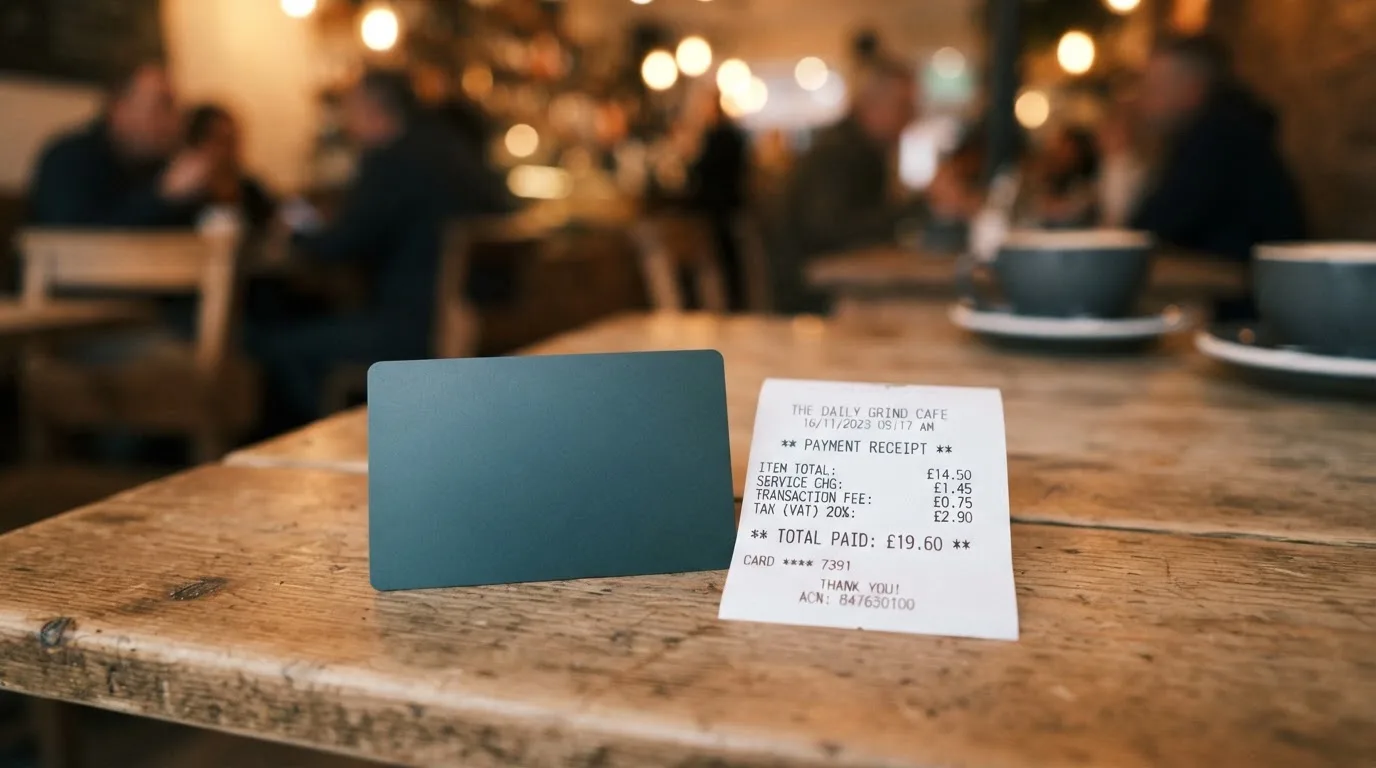
What the card does say is that the balance is converted at the moment of payment, for example USDC to USD, so a purchase in euros from a USDC balance is a crypto-to-fiat conversion followed by a fiat FX step. The card currency is not stated, so the reader cannot tell from the public pages which fiat the card nominally carries. In practice this means the fee you pay is the sum of the conversion and any FX spread, but neither component has a published number.
| Fee or limit | Value |
|---|---|
| Issuance fee | Not stated |
| Monthly fee | Not stated |
| Conversion fee | Not stated |
| FX margin | Not stated |
| ATM access | Worldwide; fees and allowance not stated |
| Daily limit | Not stated |
| Monthly limit | Not stated |
To make this concrete, three everyday payments:
- Buying a coffee with Apple Pay, card funded by USDC, billed in USD. The wallet converts USDC to USD at the moment of tap. Conversion and FX fees are not stated, so the effective cost is unknown until you see the line in the app. The transaction itself is a standard Visa contactless payment, which most terminals accept without issue.
- Paying for a hotel in euros from the same USDC balance. This adds a second step, USDC to USD and then USD to EUR, and the FX margin on that second step is also not stated. Hotel authorisations are often larger and may trigger a hold for several days, which is a category fact rather than a Blonix-specific one.
- Withdrawing local currency from an ATM abroad. The card states ATM access is available worldwide, but the per-transaction fee and the free allowance are not stated. The card-issuing network (Visa) and the ATM operator may each add their own surcharge, so the total cost of a foreign ATM withdrawal cannot be estimated from the public information.
The honest reading is that the cost is “check in the app after your first transaction, then decide.” For a reader who needs a fee schedule before signing up, that is not enough.
Top up: how to fund the card
The Blonix wallet is topped up with stablecoins or local currency. The starting information on the card’s pages lists USDT, USDC, BTC, ETH and SOL as supported assets, which sounds generous. A developer reply on the App Store, however, narrows deposits to USDT on BNB Smart Chain (BEP-20) and TRON (TRC-20) at this time, and says Bitcoin is not supported. The two sources disagree, and the card’s own pages do not appear to be fully up to date with the developer’s most recent message to users.
This is the part of the review to be careful with, because the cost of a mistake is asymmetric. Crypto transfers are irreversible: a deposit sent on a network Blonix does not support, or to an address of another network, can be lost or need manual support recovery with no guarantee of getting the funds back. With USDT, two networks behave very differently. On Ethereum (ERC-20) you need a small ETH balance to pay gas, the network fee is paid in ETH, and a USDT-only wallet cannot send. On TRON, fees are paid via bandwidth and energy, often burning a small amount of TRX. The developer reply in the App Store points specifically at BNB Smart Chain and TRON, both of which have low fees compared to Ethereum mainnet, so the practical effect is that small top-ups are still cheap, but the supported network list is narrower than the asset list suggests.
Network-specific cautions worth keeping in mind:
- USDC on TRON is not a native option; Circle stopped supporting USDC on Tron in February 2024, so a “USDC over TRC-20” deposit is not the same as a real USDC transfer.
- The balance is converted at the moment of payment, so the practical question is not “which coin do I want to hold” but “which network and which coin does the Blonix deposit flow accept right now.”
Top-up limits, minimums and the local-currency funding path are not stated.
Paying with it every day
The everyday mechanics are the strongest part of the offering. The card runs on Visa, which means any merchant that takes Visa takes Blonix, including most online shops and the ATMs of the vast majority of banks. Apple Pay and Google Pay are supported, and a tokenised mobile-wallet payment is generally accepted at the same terminals as a physical contactless card, with the added benefit that the card number is replaced by a device-specific number stored in the Secure Element on the phone, and a one-time dynamic security code is used for each transaction. That is reassuring for someone who does not want the physical card details floating around online shops.
Two card formats (virtual and physical) are available, and the typical pattern is to use the virtual card for online subscriptions and the physical card or the mobile wallet for in-person spending. The card’s own pages do not state any blocked merchant categories, so it is not clear from public information whether gambling, crypto purchases, or other categories are restricted. In the wider category, blocked categories vary by issuer, and the same card can block one MCC and allow another.
The iOS app, “Blonix: Crypto Card”, sits at version 1.0.16 (build 24), updated 2026-10-17, with a single rating visible in the store. The Google Play listing for “BLONIX” shows 10K+ downloads and no star rating displayed at the time of reading. That is a small install base and a very thin review set, so the app store ratings are not yet a reliable signal of how the product works in practice. There is no information on cashback or other rewards. There is no information on the dispute process, chargeback handling, or how a complaint is escalated if something goes wrong.
What can go wrong
The risks worth weighing are a mix of company-specific signals and the structural risks of the category.
On the company side, the operator is Blonix Technologies Limited, named in the App Store seller field. The App Store description refers to services “provided in partnership with regulated financial institutions”, but the issuer, its country, and the licences are not named on the public pages. In a market where licences are typically the first thing a card issuer puts on the homepage, the absence is a flag. A reader who wants to check a licence in a public register (for example ESMA’s interim register of crypto-asset service providers, or a national payments regulator) cannot do so from the information Blonix publishes.
Custody is by Fireblocks, using MPC (multi-party computation) technology. Fireblocks is a serious institutional custody provider, and that is a positive signal. It does not, however, remove counterparty risk: if Blonix Technologies Limited as the operator fails, the user still has to deal with the operator to recover access, and crypto transfers are irreversible once they are signed. Past failures in the category, Mt. Gox, Coincheck, the Ronin Network, show that even with custody arrangements in place, the operating company remains the place where risk concentrates.
The single visible App Store review is one star, and the user reports a loss of funds. The developer replied that they could not verify the report and asked the user to contact support. One review on its own is not a pattern, but it is the only public signal available, and the inability to verify a loss of funds from a single named channel is not unusual in a young product with a small user base. There is no Trustpilot page at the time of writing, and no press coverage to confirm or deny the underlying incident.
Support is English-only according to the App Store text, and the developer reply asks users to contact the support team with their registered email. Hours, response times and additional channels (live chat, phone) are not stated. For a payment product, slow or opaque support is a practical risk, not a theoretical one.
Category-level risks to keep in mind:
- Crypto transfers are irreversible, so a deposit to the wrong network or address can be lost.
- Stablecoins can depeg. The wider market has seen this happen (TerraUSD in May 2022, USDC briefly in March 2023), and while USDT and USDC are the dominant stablecoins, “stable” is the intent, not a guarantee.
- Card programmes can be closed. In 2018, Visa suspended WaveCrest, a card issuer that supplied several crypto card brands, and every WaveCrest-issued Visa programme was wound down. In November 2022, Visa said it had “terminated our global agreements with FTX” and the FTX US debit card was wound down by its issuer. Programme closures typically run on a notice period, then stop spending and loading, then ask users to withdraw remaining balances; the terms for Blonix in such a scenario are not stated.
- Authorisation holds can keep funds unavailable for several days even when the underlying payment is small.
- Some merchants decline prepaid or foreign-issued cards based on the BIN (the first six or eight digits of the card number), which can make a card issued in one country look “foreign” to a shop in another.
What to take instead
If the gaps above matter, three alternatives cover most of the same ground with more disclosure. The list is a starting point for comparison, not a ranking.
| Card | Score | Card type | Networks | Top-up | Headline differences from Blonix |
|---|---|---|---|---|---|
| Blonix | 5.7 / 10 | Virtual and physical | Visa | Stablecoins or local currency; published assets USDT, USDC, BTC, ETH, SOL; developer reply narrows deposits to USDT on BNB Smart Chain and TRON | — |
| Cardex | 5.6 / 10 | Virtual and physical | Verve, Visa, Mastercard, UnionPay; card currency Naira per the App Store listing | USDT, USDC and BTC wallets (networks not stated) | One-card coverage in 200+ countries, Naira billing, real-time crypto-to-fiat conversion with a marketed “AI-Powered Conversion Rate” |
| TakeCard | 5.5 / 10 | Virtual (immediate); physical (Bolivia only) | Visa, issued in the US; card currency USD; payments in USD 1:1 | From the Takenos balance; starting data lists USDC and USDT via Polygon, BNB Chain, Tron or Ethereum into the Takenos account, not verified by this review | Published issuance fees (USD 5 virtual, USD 20 physical plus shipping, with one source saying USD 10 for physical in Bolivia), 1% commission per purchase, USD 1:1 with no currency adjustment |
| OkiCard | 6.0 / 10 | Virtual; page also mentions physical | “Visa/Mastercard”, not specified; card currency USD/EUR pegged | USDT on BSC (BEP-20), Ethereum (ERC-20), Tron (TRC-20), Solana (SPL); USDC “soon”; BTC and altcoins “coming soon” | Pricing page lists $0 issuance, $0 monthly, $15 starting price for virtual, 100 USDT initial deposit, 3% load fee, 0% transaction fee in USD, no hidden exchange spreads; “no geo-blocking based on your passport” with a 150+ country footprint |
A few observations from walking through these. Cardex is closer in spirit to Blonix (a card, several networks, a small set of stablecoins) but the App Store listing is Naira-focused, so the practical experience is shaped by that. TakeCard has the cleanest published fee structure of the three and the clearest 1:1 USD billing, but the physical card is restricted to Bolivia for now and the help-centre articles conflict on the physical-card price. OkiCard has the most explicit pricing of any of the four cards here, and the published 3% load fee plus 0% transaction fee is at least something a reader can plan around, while the “150+ countries” claim and the absence of a passport-based geo-block are unusually open-ended for the category.
None of the three is a drop-in replacement in every case. A reader whose priority is Apple Pay and Google Pay on a Visa with a stablecoin balance will still find Blonix the most directly comparable option, with the caveats above. A reader whose priority is published fees and a verifiable licence will probably prefer OkiCard or, in Bolivia, TakeCard.
Who I would recommend it to
I would recommend Blonix to a stablecoin holder who already keeps funds in USDT or USDC, who plans to spend mostly through Apple Pay or Google Pay, who is comfortable with a Visa whose fees, limits and licence are not published in advance, and who is willing to learn the actual cost of a transaction from the app after the first few purchases rather than from a fee table. The everyday mechanics are sound, the custody sits with a serious provider, and the two card formats cover most use cases.
I would not recommend it to a reader who needs a published fee schedule before signing up, who wants a clear dispute and chargeback process in writing, who needs a licence they can look up in a public register, or who is loading the card with assets other than USDT on BNB Smart Chain or TRON. I would also be cautious if you are applying from a country that the card does not explicitly list, because the published “worldwide” claim is paired with “card availability depends on your jurisdiction” and the actual list is not on the public pages.
The single App Store review reporting a loss of funds is a small data point, but the underlying signal is the gap in disclosure rather than the review itself. If Blonix published an issuance fee, a conversion fee, an FX margin, an ATM allowance, a country list and the issuer’s licence, the review would be a different one. Until then, the right way to read the card is “the basics work, the details are still to come.”
Frequently asked questions
What is the Blonix card?
The Blonix card is a Visa payment card connected to a Blonix wallet that holds stablecoins or local currency. The card is offered in virtual and physical formats and supports Apple Pay and Google Pay. The card’s own pages do not name the issuing bank or its licence.
How does the Blonix card work?
You create a Blonix account, complete identity verification through Jumio or Sumsub, top up the wallet with supported assets, and the card spends from that balance. The wallet converts the balance to the merchant’s currency at the moment of payment, for example USDC to USD.
Is Blonix a bank?
No. The operator named in the App Store is Blonix Technologies Limited, and the App Store description says services are “provided in partnership with regulated financial institutions”. The specific issuer, its country and its licences are not stated on the public pages.
Who owns Blonix?
The App Store seller is Blonix Technologies Limited. Ownership structure, headquarters and any parent company are not stated on the public pages I could read.
Is the Blonix card available in my country?
The card says accounts are open worldwide, and that card availability depends on jurisdiction. The actual list of supported and unsupported countries is not published, so the only way to find out is to start the application and see whether the flow accepts your documents and your jurisdiction.
Does the Blonix card require KYC?
Yes. Identity verification is part of sign-up, run through Jumio and Sumsub. The card’s own description says the check usually takes under five minutes. Nationality, country of residence and the country on your identity document may all be checked.
How do I top up the Blonix card?
You top up the Blonix wallet with stablecoins or local currency. The starting information lists USDT, USDC, BTC, ETH and SOL, while a developer reply on the App Store narrows deposits to USDT on BNB Smart Chain (BEP-20) and TRON (TRC-20) and says Bitcoin is not currently supported. Network and minimum details are not fully stated.
Is the Blonix card free?
The card’s public pages do not state an issuance fee, a monthly fee, a conversion fee, an FX margin or ATM fees, so the answer from the public information is “not stated.” The cost becomes visible only after the first transactions in the app.
Is the Blonix card safe?
The custody provider is Fireblocks, which is a serious institutional custody vendor, and the App Store description mentions spending controls, real-time transaction monitoring and fraud protection. The counterparty risk sits with Blonix Technologies Limited as the operator, and the issuer’s licence is not named. Crypto transfers are irreversible, so a deposit to the wrong network or address can be lost.
Where can I use the Blonix card?
Anywhere Visa is accepted, including most online shops and ATMs worldwide, plus Apple Pay and Google Pay terminals. The card’s public pages do not list blocked merchant categories, so it is not clear from public information which MCCs are restricted.
Highest-scored virtual cards – cryptocardbest.com
Content created by the «cryptocardbest.com» team