
A virtual Visa in a Telegram bot, funded from USDT — with no published fees and no named issuer
 Available in US
Ape Wallet is not a bank and does not present itself as one. What it is, on the evidence of its own public pages, is a virtual Visa card issued into a Telegram bot, funded from a USDT wallet balance, aimed at users who already live on Telegram and want to spend crypto online without opening a bank account for it. That is a narrow job, and for a particular kind of reader the job looks genuinely convenient: register in the bot, top up, pay. For everyone else, the same design leaves too many blank spaces — no published price, no fee schedule, no named legal entity, no named issuer, and an informal third-party rating that is not flattering.
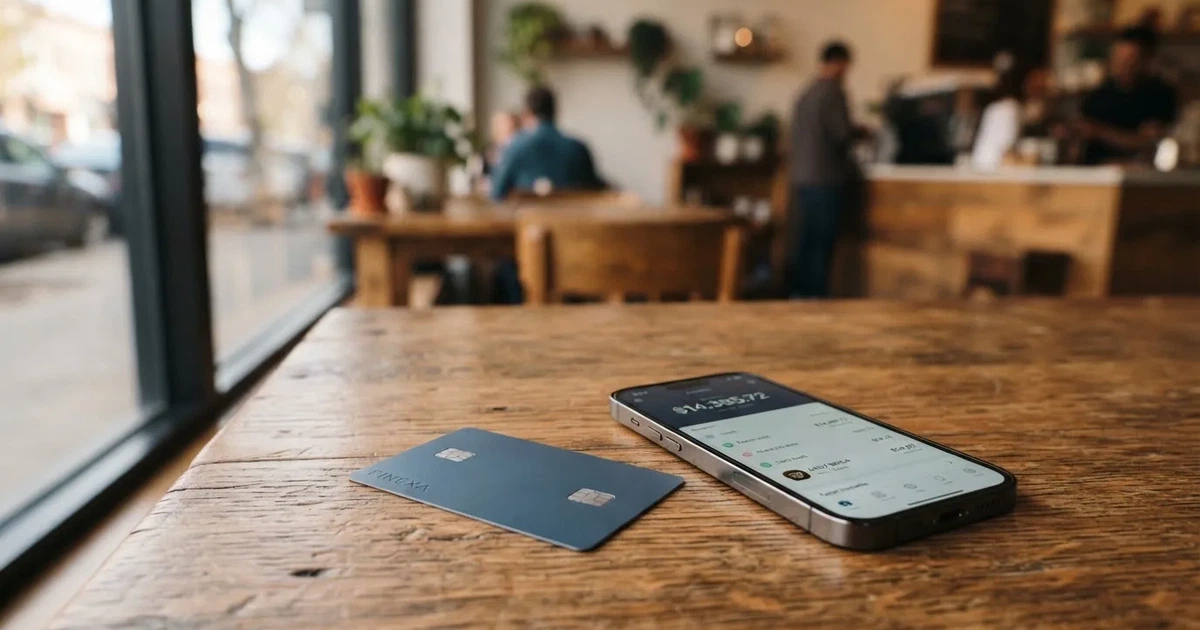
I came to this card with one question: does it do one thing well, and can I see what that thing costs? The answer is that the function looks easy to reach, and the cost is not visible at all. Below is what I checked on the card’s own pages as of October 28, 2026, what I could not confirm, and where I would look before committing money.
The score, who it suits, who it does not
Ape Wallet scores 5.5 out of 10. That is a middle-of-the-road mark on a card that is easy to start and hard to evaluate, and the middle reflects the split honestly: the mechanics are simple and quick, the disclosure is thin.
| Criterion | Mark | Why |
|---|---|---|
| Who can get it | 7 / 10 | No country list is given; the card works “wherever Visa is accepted”; restrictions are not named |
| Cost | 7 / 10 | Officially no amounts are named; fee and total are shown before an operation; Telegram transfers between users carry no fees; unofficial: all fees (monthly, issuance, FX, top-up) are free, but the structure is opaque |
| Top-up options | 4 / 10 | Wallet balance in USDT; issuance and top-up are paid from it; unofficial: USDT on zkSync Era only |
| Reliability and complaints | 3 / 10 | Only the brand “Ape Wallet”; no legal entity, registration or issuer named; custodial; unofficial rating 3.7 out of 10 (Poor), citing opaque fees and suspension risk |
| Everyday use | 5 / 10 | Virtual Visa only (a service card and a card for Apple Pay / Google Pay); issuance about a minute; no ATMs |
| Total | 5.5 / 10 |
The card suits you if you are a Telegram user paying online from USDT, you are comfortable with the whole product living inside one bot, and you do not need an ATM, a physical card, or a written fee schedule you can hold someone to. Under those conditions, “easy to start” is a real advantage and I do not want to talk it down.
It does not suit you if any of these matter to you: a named legal entity behind the product, a card you can hold in your hand, cash withdrawal, a clear number for what a payment costs, or a provider whose issuer you could look up in a register. And I would add one more, because it is the one the card is least able to answer: if the wallet holding your USDT is custodial and you need your funds to be reachable by you alone in a bad scenario. I will come back to that in the risks section, because it is the point where the absence of information stops being a presentation quirk and becomes a decision you have to make with incomplete data.
Will they give you the card?
No country list is published. The site says the card works “wherever Visa is accepted”, which tells you where the card will be *spent*, not where you must *live*. Those are different questions, and the second one is the one that matters at signup. The public pages say nothing about citizenship versus residence, and nothing about who is restricted. The Russian focus is visible in what the product does support — payments to SBP (the Russian domestic transfer system) and a passport check that uses a Russian passport — but a Russian-facing product is not the same as a documented list of eligible countries.
For a card this shape, “wherever Visa is accepted” is a marketing line rather than a policy. A merchant can look up the issuer identification number that starts any card number and see which institution and country issued the card, and some will scrutinise a transaction more closely if the issuer country differs from the billing address. So the theoretical reach and the practical reach are the same in the abstract and different in the specific, and I found no statement from Ape Wallet about which countries it will actually open accounts for. If your country is not obviously covered by the site’s Russian orientation, that is a question to ask in the bot before you fund anything — I am not going to guess at an answer for you.
How to get it
Getting started does not require KYC in the ordinary sense. After you register in the bot, top-ups and payments work. There are two levels, and the difference between them is the single most useful thing on this page:
- Basic KYC — email and phone. This is the level for ordinary use.
- Passport KYC — a Russian passport and a selfie. This unlocks buying crypto and verified withdrawals.
Some operations only work with verification, so the practical reading is: you can start moving money before you have handed over a passport, and you cannot do everything that way. That is a genuinely low-friction start, and for someone whose problem is that a bank will not open an account for them at all, “I can pay with it this afternoon” is not a small thing.
What you end up with is virtual. There are two kinds:
- a service card, meant for subscriptions and online payments;
- an Apple Pay / Google Pay card, for use in the mobile wallets.
A service card can be issued without an email address. The Apple Pay / Google Pay card needs an email and a confirmation code. Issuance takes about a minute. Delivery is not stated — which is consistent with a virtual-only product, since there is nothing to ship, but the page does not say so in those words.
Two things are simply not on the public pages: the time KYC takes, and the reasons a verification might be refused. I could find neither. When you are handing over a passport and a selfie, “how long” and “on what grounds” are not details — they are the difference between a step you plan for and a step you gamble on. I would ask both in the support chat before I verified anything.
What it really costs: Fees
Here is the honest headline: the card’s own pages do not name a single amount. Not the issuance price, not a monthly fee, not a conversion percentage, not an FX markup. What it says instead is that the fee and the total are shown before you confirm any operation. That is a real design choice and it has an honest logic — you see the number at the moment you commit — but it means you cannot budget from a schedule. You can only budget from what the screen tells you in the moment.
Two concrete things do exist. Transfers to other users by Telegram username carry no fees. And holders of an active Apple/Google Pay card get a discount on a service card. The issuance price itself is not stated, and the site notes that promo codes change it — which means even if a figure appeared today, it would not be a figure you could rely on next month.
The costs table below is the full picture, and you should read the “not stated” rows as findings, not gaps I forgot to fill.
| Fee or limit | What the card says |
|---|---|
| Issuance | Not stated; promo codes change the price; holders of an active Apple/Google Pay card get a discount on a service card |
| Monthly fee | Not stated |
| Conversion | No amount; fee and total are shown before confirming any operation |
| FX (currency exchange) | Not stated |
| Transfers to other users | No fees, by Telegram username |
| ATM | Not stated; the card is virtual |
| Daily limit | Not stated |
| Monthly limit | Not stated |
| Top-up fee | Not stated |
| Card currency | Not stated |
Third-party comparison sites do publish a set of figures for Ape Wallet, and I want to be careful about how I treat them: unofficial, not confirmed by the card, and from a 2026 listing. That source states that all fees — monthly, issuance, FX, top-up, decline — are free, and that the ATM fee is free with an unlimited ATM limit, and that daily and monthly spending are unlimited. The same page, having just told you everything is free, calls the fee structure opaque. Both halves of that sentence are worth holding on to. A single third-party table is a starting point for a question, not a substitute for one.
Three everyday payments, and which fees bite
Since the card publishes no amounts, the most useful thing I can do is walk through three ordinary situations and show you which unnamed fee would apply to each.
Paying a subscription in US dollars. You are spending the USDT balance you loaded. The unnamed conversion or exchange fee applies — the spread between the USDT you have and the dollars the merchant receives. The card says only that the fee and total appear before you confirm. Since the card currency is not stated either, whether a conversion happens at all on a dollar-denominated charge is something you can only learn from that confirmation screen.
Paying a Russian online service in rubles. This is where a card with an unnamed FX rate hurts most, because converting between dollars and rubles is exactly where a spread is charged and exactly where the customer cannot see it in advance from any published document. If you transact in rubles often, the confirmation screen is your only price list, and it appears once per payment.
Sending money to another Ape Wallet user by Telegram username. This is the one case with a stated answer: no fees. Transfers between users are the clearest part of the pricing, and if your use is mostly moving money to other people in the same ecosystem, that is where the value sits.
How to Top up the card
Top-up happens from a USDT wallet balance. The issuance fee and the top-up fee are both paid from that balance, so the balance has to exist before the card can exist or be filled.
That single sentence carries more weight than it looks. It means the working unit of this product is not the card but the USDT balance behind it, and the card is simply the thing that spends it. If you are new to stablecoins, the card is not the place to learn them: you are choosing a network, an asset and a provider before you ever reach a payment screen.
What the public pages do not say is which network the USDT should arrive on. Deposit fee, minimum top-up, and who pays the network fee are all not stated. That combination of silence is the part that costs real money, and the reason is general to the category rather than specific to this card: on-chain network fees for your deposit are charged by the blockchain itself, not by the card provider, so they are outside anyone’s control and outside anyone’s refund policy. And transfers on these networks are typically irreversible. A deposit sent on a network the provider does not support, or to an address belonging to a different network, can be lost or need manual support recovery with no guarantee.
The official line is that top-up comes from the USDT wallet balance. The unofficial third-party listing narrows this to USDT on zkSync Era only, not confirmed by the card. If that is right — and you should verify it in the bot before sending a meaningful amount — then a common mistake becomes an expensive one: sending USDT on the network you already use for something else, to an address that looks identical, and losing the difference. Verify the network and the address, then verify again.
Paying with it every day
Day-to-day use is narrow and, within that narrowness, pleasant. Apple Pay and Google Pay are supported through the dedicated card, which is the practical reason to hold the second card type: you put the virtual number in the phone wallet and then pay by tap or by face ID at anything contactless. Since Apple Pay replaces the card number with a device-specific number kept in the phone’s secure hardware and issues a fresh one-time security code per payment, the number stored in your wallet is not the number a merchant ever sees. The issuer can still restrict a tokenised number — blocking it on magnetic stripe, phone or website use — and no blocked merchant categories are stated for this card.
The other daily-use items are thin. There is no cashback. There is a two-level referral programme that pays a share of card purchases made by invited users, but no percentages are published, so I cannot tell you whether it is worth anything to you. The product lives in a Telegram bot at t.me/apewallet_web_bot; no App Store or Google Play listing was found, which follows from that. There is nothing in the public pages about how disputes work — no description of a chargeback process, no stated route for a payment that goes wrong and needs reversing. For a card you may be using for subscriptions and recurring online payments, that is the gap I would want closed.
Two further absences for everyday use. There is no ATM: the card is virtual, and the ATM fee is not stated. And no daily or monthly spending limits are stated. Limits being unstated cuts both ways — no cap sounds generous, but it also means the only ceiling on a mistake is the balance in the wallet, and the only ceiling on a fraud is whatever protection you have elsewhere, because none is described here.
What can go wrong
Start with the part that is hardest to weigh, because it is not a risk you can price. Only the brand “Ape Wallet” is named. No legal entity, no registration, no issuing institution. That means the structure you are trusting cannot be looked up. A card number on a Visa network begins with an issuer identification number that identifies the card-issuing institution, and merchants can look it up; here, that lookup leads to the brand rather than to a named bank or e-money institution whose licence you could check. Under EU rules an electronic money institution can issue e-money and payment cards and must safeguard customer funds, but whether any of that applies to this card depends on the unnamed issuer, which is exactly what is not on the page.
Then custody. Officially, custody is not stated. Unofficially — the same 2026 third-party source — the wallet is custodial. If that is right, the distinction matters a great deal and I want to state it plainly rather than in jargon. Control of crypto belongs to whoever holds the private key; with a custodial wallet the provider holds it, and you must trust the provider completely. A seed phrase is typically 12 to 24 words in an unencrypted form of the private key, and anyone who obtains it can restore the wallet and spend the funds. Blockchain transfers are typically irreversible, and a stolen key has no recovery mechanism: the network cannot freeze or return anything. This is not a hypothetical category of risk — custodial platforms have a documented history of it, including Mt. Gox at about US$350 million reported stolen between 2011 and 2014, Coincheck at about US$400 million in 2018, and the Ronin Network at US$625 million in 2022.
Freeze and two-factor authentication are not stated either. Neither is hours, or a functioning support email — the page shows a Telegram handle, @apewallet_support, and an unfilled placeholder where an address should be. The site is in Russian, which is the primary language of support.
On complaints, what I found is thin in both directions. No official incidents were found. No Ape Wallet user reviews were found — not “few”, none. No Trustpilot page was found. In their place is a rating of 3.7 out of 10, labelled Poor, from an aggregator, citing opaque fees, custody and suspension risk. That is one unnamed source’s opinion, not evidence of anything, and it deserves exactly that weight. What deserves more weight is the pattern in the category: card programmes do close. WaveCrest, a Visa issuer that supplied several crypto card brands, was suspended by Visa in Europe in 2018, closing all WaveCrest-issued Visa programmes. Visa terminated its global agreements with FTX in November 2022 and the FTX US debit card was wound down by its issuer. Programmes typically give notice, then stop spending and loading, then ask users to withdraw remaining balances. A 2026 closure reported by a secondary source ended new loads on 8 July 2026 and spending on 8 August 2026 — one source, unconfirmed, and I include it only to show the shape these events take.
There is one more category worth naming, and it may bite you before any of the above. Address verification — comparing parts of the billing address you type against issuer records — is mainly offered in the US, Canada and the UK, and is generally unavailable for foreign-issued cards, which can cause declines. Some merchants decline prepaid or foreign issuer numbers because the BIN lookup reveals the card type and the issuer country. A declined authorisation may also leave a hold on your funds that can remain for several days, typically up to 7. None of that is Ape Wallet’s fault; it is the experience of virtual cards generally. But it means “it works” and “it works everywhere” are different claims.
What to take instead
Three alternatives came up in the same category, and I want to compare them on the things you actually decided this card on: who can use them, what the card costs, what fees are visible, and what you can fund it with.
| Ape Wallet | MaxSwap | AnoCard | CinCin Crypto Card | |
|---|---|---|---|---|
| Score | 5.5 / 10 | 5.2 / 10 | 5.9 / 10 | 5.4 / 10 |
| Who can get it | No country list; works “wherever Visa is accepted” | Not stated; claims no geographical restrictions | Not stated on the page read | Not offered in the UK, UAE, Japan, US; also restricted: Iran, North Korea, Syria, Venezuela, Afghanistan, Belarus, Cuba, Myanmar, Somalia, Ukraine; FATF-blacklist and OFAC-sanctioned users barred; country list can change |
| Card | Virtual Visa; service card and Apple/Google Pay card; currency not stated | Virtual only, Mastercard; currency not stated | Virtual cards (VCC), reloadable and one-time, from several BINs; network and currency depend on the BIN | Virtual card; works “wherever MasterCard is accepted”; currency not stated |
| Cost | Issuance not stated | 50 USD with 25 USD first deposit required (total issuance listed 77.125 USD); monthly fee not stated | Not published; varies by BIN; some products have a maintenance fee; shown before payment | 25 USD issuance; minimum to open is 55 USD; monthly fee not stated |
| Fees | No amounts; fee and total shown before confirming | Top-up 4.5% + $1; transaction 0.25 USD + 0.4%; no separate FX rate stated | Not published; top-up percentage and minimum depend on the asset route | Site says “No hidden fees”; fees shown in the bot before confirmation; conversion and FX percentages not stated |
| Funding | USDT balance; unofficial: zkSync Era only | Crypto; long list of coins | Depends on the asset; starting data lists SOL, BTC, USDT, USDC, ETH and more | USDT TRC20 balance; a long coin list; exchanges through the Telegram bot “within seconds” |
| Rewards | No cashback; two-level referral, no percentages | Not stated | No cashback; $5 per referred card creation and 0.25% of referred top-ups | Not stated |
Read that table column by column and one thing becomes clear: on published numbers, Ape Wallet is the least transparent and one of the cheapest-looking. MaxSwap and CinCin both publish an issuance price and at least some fee percentages. AnoCard publishes nothing directly but shows its figures in its own dashboard before you pay. Ape Wallet publishes nothing anywhere and relies on the confirmation screen. If your decision rule is “I want to know the cost before I commit”, MaxSwap and CinCin answer it and Ape Wallet does not.
On who can get it, the contrast is starker. MaxSwap claims no geographical restrictions, which is broader than Ape Wallet’s silence but equally unverifiable from the page. CinCin is the only one of the four that publishes a restriction list — including specific sanctioned and FATF-blacklisted countries, with the rule applied by the user’s country and citizenship versus residence left unspecified — and it reserves the right to add countries at any time. A published list of who is *not* welcome is not a warm signal, and I am not treating it as one; it is simply information. On Russia specifically, the terms’ list does not name Russia, while an earlier check said the Apple Pay variant is blocked in Russia, which was not confirmed here. I would rather show you the ambiguity than resolve it for you.
If you are drawn to the Telegram-first experience, CinCin is the closest thing on this list to what Ape Wallet does, with the same bot-based flow and a longer coin list — and it publishes an entry price where Ape Wallet publishes none. If you want funding flexibility across many coins, MaxSwap accepts a long list including BTC, ETH and TON. AnoCard is the odd one out: a dashboard-driven product with BIN filtering and published referral terms, aimed at a different use.
Who I would recommend it to
I would recommend Ape Wallet to one person in particular: someone who already holds USDT, already uses Telegram as their banking surface, wants to pay for online subscriptions or services, and has decided that convenience inside a bot is worth more to them than a named issuer and a published fee schedule. For that person, the path is short — register, top up from the USDT balance, receive a virtual card in about a minute, and start paying. Issuance and top-up paid from the same balance is a tidy design when you think about it, and a two-tier KYC that lets you start without a passport is unusually light.
I would not recommend it to someone whose money has to be provably safe against the provider’s failure, because custody is unstated officially and custodial unofficially, and because no legal entity or issuer is named. I would not recommend it to anyone planning around cash, a physical card, or a card number they can use in a shop terminal. And I would not recommend it to anyone who wants to predict their costs: with no published amounts anywhere, the only number you will ever see is the one on the confirmation screen, once per payment.
My own test, if I were deciding: I would fund it small, verify the passport details I am handing over only after I have seen the fee screen once, send one small test deposit on the network the bot specifies, and watch what happens. If the fee and total on that screen make sense and the deposit arrives intact, the card may well be the right tool. If either step requires me to guess, the card has already told me something important about itself.
Frequently asked questions
What is Ape Wallet card?
A virtual Visa card issued through a Telegram bot, funded from a USDT wallet balance, aimed at users who want to pay online from crypto. The card itself comes in two forms: a service card for subscriptions and online payments, and a card for use in Apple Pay and Google Pay. Issuance takes about a minute. Ape Wallet is a brand name, not a bank, and the public pages name no legal entity or issuing institution behind it.
How does Ape Wallet card work?
You register in the bot, your balance is denominated in USDT, and the card spends that balance. Top-ups and payments work after registration, before any passport verification. Buying crypto and verified withdrawals need the higher KYC level. Transfers to other Ape Wallet users by Telegram username carry no fees. Everything else about the flow — card currency, conversion, network for deposits — is not stated on the public pages, so the confirmation screen is where you learn them.
Is Ape Wallet a bank?
No, and nothing on its public pages presents it as one. Only the brand “Ape Wallet” is named — no legal entity, no registration, no issuer. That distinction has a practical edge: you cannot look up which institution issued the card, and you cannot check a licence. For context, a regulated e-money institution in the EU can issue payment cards and must safeguard customer funds, but whether any of that applies here depends on the unnamed issuer.
Does Ape Wallet card require KYC?
Not to start. Basic KYC is an email and a phone number, and top-ups and payments work after registering in the bot. Passport KYC — a Russian passport and a selfie — is needed for buying crypto and for verified withdrawals. Some operations are available only with verification. How long verification takes and on what grounds it might be refused are both not stated, which are the two things to ask before you upload a passport.
How do I top up the Ape Wallet card?
From your USDT wallet balance; the issuance and top-up fees are also paid from that balance. The card’s own pages do not state the deposit fee, the minimum top-up, or who pays the network fee — and network fees are charged by the blockchain, not the provider. A third-party listing, unofficial and unconfirmed, says USDT on zkSync Era only. Because transfers are typically irreversible, check the network and address in the bot before sending a meaningful amount.
How do I withdraw money from Ape Wallet?
Withdrawal goes to a bank card or to SBP, with rubles credited, processed immediately, and the arrival time depending on your bank. With verification, you withdraw to a card number or an SBP name taken from your passport check; without it, to a recipient phone or card number, name and bank that you supply yourself. Fees and limits for withdrawals are not stated, so treat that step as one you cost only after seeing the screen.
Is Ape Wallet card free?
Officially, no amounts are named at all — not issuance, not a monthly fee, not conversion, not FX. What the card says is that the fee and total are shown before you confirm any operation. An unofficial third-party listing states that all fees are free but calls the structure opaque. Two things are stated: transfers between users by Telegram username are free, and holders of an active Apple Pay or Google Pay card get a discount on a service card. Promo codes also change the issuance price.
Can I use Ape Wallet card in Apple Wallet?
Yes, through the dedicated Apple Pay or Google Pay card, which is one of the two card types. Issuing that card requires an email address and a confirmation code, unlike the service card which can be issued without an email. Because Apple Pay stores a device-specific number in the phone’s secure hardware rather than on Apple servers, with a fresh one-time code per payment, the number in your wallet is not the number a merchant sees.
Is Ape Wallet card safe?
That is not a question I can answer with a yes, and I would be wary of anyone who tells you otherwise. Custody is not stated officially and reported as custodial by an unofficial source; no legal entity or issuer is named; freeze and two-factor authentication are not stated; no user reviews and no Trustpilot page were found, only a 3.7 out of 10 “Poor” rating from an aggregator citing opaque fees and suspension risk. None of that is proof of anything — but with unnamed counterparties, you are the one carrying the risk.
Is Ape Wallet card worth it?
Worth it for one specific situation: you already hold USDT, you bank inside Telegram, and you want to pay online subscriptions or services today without a traditional account. Not worth it if you need cash, a physical card, a predictable monthly cost, or assurance that your funds sit with a named, searchable institution. The deciding test is practical — fund it small, check the fee screen once, send a small test deposit on the network the bot names, and judge from what the confirmation screen shows you.
Highest-scored virtual cards – cryptocardbest.com
Content created by the «cryptocardbest.com» team