
A card with unlimited virtual numbers and a heavy fee load
 Available in US
Kemy is a crypto card that turns a balance you load with stablecoins or coins into ordinary card payments. The part that will decide it for you is the price of actually spending: a virtual card costs $15 to issue and $2 a month, and then takes 3.5% plus $1 on every transaction. That is a steep toll on a $20 coffee. The physical card is a different proposition entirely — $250 to issue with DHL Express included, $10 a month, and a reported 8% deducted from deposits — which is a very large sum to have sitting on a card you might lose.
Underneath those numbers, Kemy is not a bank. It says so itself: it is a fintech company registered as a Money Services Business with FinCEN in the US, and its cards are issued by authorised banking partners it does not name. It also lets you hold unlimited virtual cards on one account, alongside one physical Mastercard. If you run many virtual card numbers — for subscriptions, for ad accounts, for separating spending — that is the reason to look here at all. If you want one card to pay for groceries, the fees are the whole story.
The conditions described here are current as of October 28, 2026.
The short verdict
Kemy scores 6.0 out of 10. That is a mid-table score, and the shape of it matters more than the total: strong marks where it is flexible, poor marks where it is expensive and thin on third-party evidence.
| Criterion | Mark | Why |
|---|---|---|
| Who can get it | 9 / 10 | Claims “190+ countries” with “a few restrictions apply”; the actual list is not published |
| Cost | 2 / 10 | Virtual: $15 issue, $2 a month, 3.5% + $1 a transaction. Physical: $250 issue, $10 a month, an 8% or 5% deposit fee that the card’s own page states two different ways |
| Top-up options | 7 / 10 | USDT and USDC “on the main networks” (networks not named), plus BTC, ETH and SOL through an on/off ramp, and fiat via mobile money and virtual bank accounts |
| Reliability and complaints | 4 / 10 | Not a bank; FinCEN-registered MSB; banking partners unnamed. Unofficial: Trustpilot 2.5 out of 5 from 4 reviews; CryptoSlate rates it 3.9, “Poor” |
| Everyday use | 9 / 10 | Unlimited virtual cards, one physical Mastercard, Apple Pay, Google Pay and Samsung Pay, $500 a day at ATMs |
| Total | 6.0 / 10 |
The everyday-use mark is high and it is deserved. You can create virtual cards without a stated cap, add the card to the three mobile wallets, and the physical Mastercard takes contactless payments and $500 a day from cash machines. If your problem is that no ordinary bank in your situation will give you a card, Kemy probably will, and quickly.
The cost mark is low and it is also deserved. The 3.5% + $1 transaction fee is the single number that decides whether this card is useful to you. On a $10 transaction, that fee is more than a third of the purchase. The physical card’s deposit deduction is worse still, and I will come back to it, because the card’s own pages disagree about whether it is 8% or 5%.
Who it suits: people who need many virtual cards under one account, and people who cannot get an ordinary card for reasons of country, residency or banking history. Who it does not: anyone paying ordinary household bills, anyone near a withdrawal limit, and anyone who does not want to hand a company they cannot name their money.
Will they give you the card?
Yes, for most people, and the answer comes with a caveat you should read rather than skim: the card says “190+ countries” and then adds that “a few restrictions apply”, with eligibility checked at sign-up. The country list is not published, so the honest position is that nobody outside the company can tell you in advance whether your country is one of the exceptions. You find out by trying.
That is a small thing to accept for many readers and a decisive one for others. If you live somewhere under sanctions pressure, or in a jurisdiction where an unnamed US-issued programme would rather not hold your balance, the answer is likely to arrive as a rejection at sign-up rather than as a published list. Nothing here is a way around that; the check is the check, and the eligibility rule is theirs to set.
Identity verification runs through Sumsub, with Veriff also named. The card’s business pricing lists a proof-of-address check at $1.80, which tells you address documentation is part of the flow at least on that track; the documents you will be asked for are not specified on the public pages.
Two further limits on what the card tells you. There are no described KYC tiers, so there is no published ladder of “verify more, get higher limits” — the only hint is that limits may change with your KYC level. And the processing time for a decision and the reasons for a rejection are not stated. If a rejected application matters to you, that is a support question to ask before you rely on the card.
How to get it
Getting a virtual card is the short version: sign up, complete the two-minute identity check, and the card exists. The card’s mockups show Visa on the virtual ones. The number of virtual cards is unlimited, which is the feature people with many subscriptions actually care about — one card per store, one per client, one to burn.
The physical card is a single card per user, Mastercard, contactless. Delivery is “within 5 to 15 business days, depending on country”, and DHL Express is included in the $250 order. The country list is not stated, and neither is the cost of a replacement, which is worth asking about before you travel with it.
Worth knowing before you apply: the card’s public pages never say which currency the card is denominated in. Amounts are shown in US dollars throughout, and there is no stated multi-currency balance or foreign-currency fee. An unofficial search for the currency found nothing. So the working assumption is that you are holding a dollar balance, but the card does not confirm it.
What it really costs: Fees
Here is where the numbers stop being abstract. Take the virtual card first, because at $15 and $2 a month it looks like the sensible option, then read the transaction fee again.
| Fee or limit | Virtual | Physical |
|---|---|---|
| Issuance | $15 (valid 3 years) | $250 with DHL Express included (valid 3 years, 1 card per user) |
| Monthly fee | $2 | $10 |
| Top-up / card funding | $1.5 under $100, or 1.25% from $100 (min $5) | Same, min $10 |
| Transaction fee | 3.5% + $1 | Not stated separately |
| Failed transaction | $0.8 | $0.80 |
| Main-account deposit | 8% in the summary, 5% in the deposits section — the page conflicts | Same |
| ATM withdrawal | Not applicable | $500 per day, $15,000 per month; fee not stated |
| Balance ceiling | $100,000 | $400,000 |
| Per-transaction ceiling | $10,000 | $25,000 |
| Daily spend ceiling | Not stated | $50,000 |
| FX fee | Not listed | Not listed |
| Cashback | Not mentioned | Not mentioned |
Three everyday payments, with the fees that actually apply.
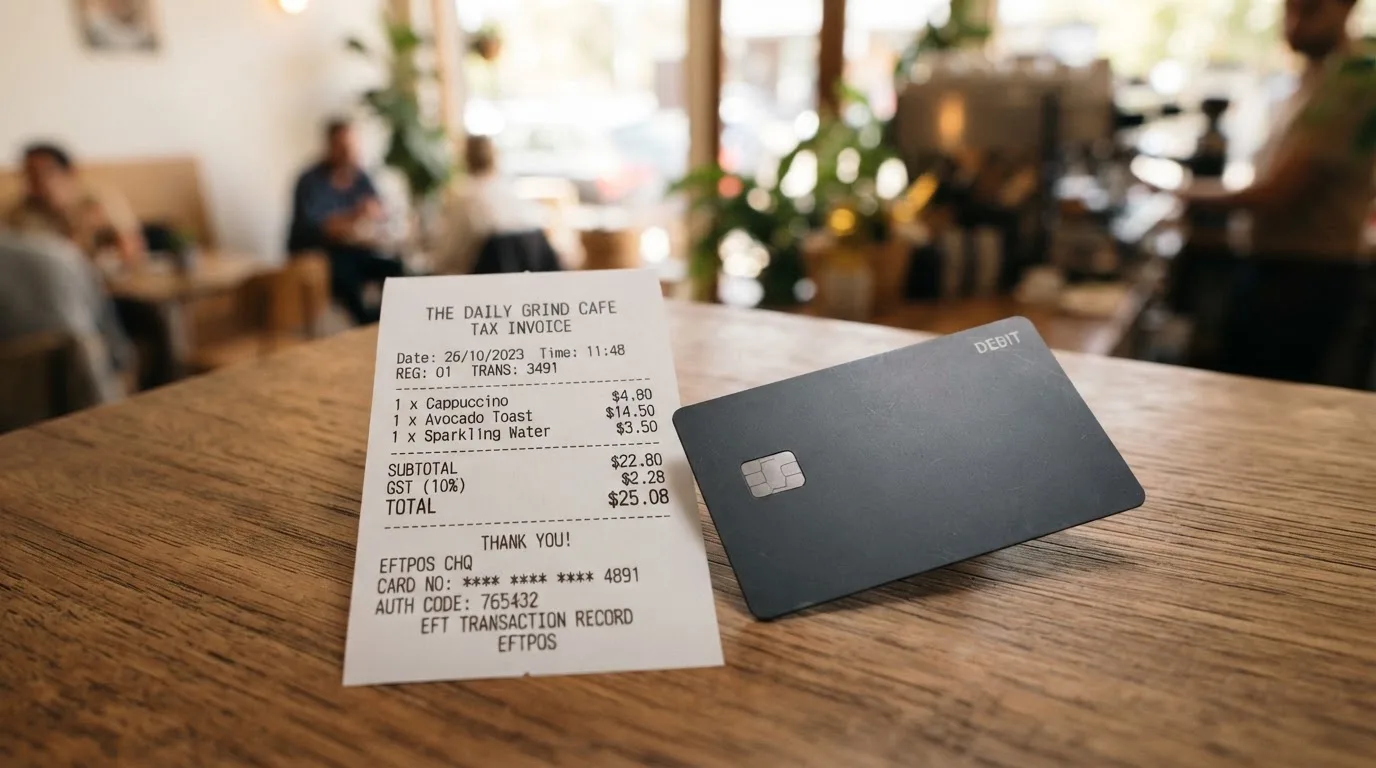
A $4.50 sandwich bought with the virtual card. The 3.5% + $1 fee comes to $1.16. You have paid $5.66 for a $4.50 sandwich, and the fee is more than a quarter of the purchase. There is no smaller version of this that makes the fee reasonable; it is a fixed $1 plus a percentage, so it hurts most exactly where people feel fees most.
A $30 fuel fill with the physical card. The transaction fee is not stated for the physical card at all, so you cannot compute this. What you can compute is the deposit: if the 8% figure is the one that applies, loading $100 costs you $8 before you have bought anything.
A $40 subscription paid with a virtual card. Here the $1 part of the fee is smaller relative to the spend, but you have to have funded the card first, and the top-up is $1.5 under $100 or 1.25% from $100 with a $5 minimum on the virtual card and $10 on the physical one.
There are only two card types. The virtual card is unlimited in number; the physical card is one per user and comes with priority support included. There are no consumer tiers. API plans (Decouverte, Starter, Business, Premium) exist on a separate page, which tells you where the company is actually investing.
And the number that should stop you before you load anything: the main-account deposit fee. The card’s summary and its pricing FAQ say 8%. Its deposits section says 5%. An unofficial report, not confirmed by the card, says 8% is deducted from every deposit. A crypto blog that rates the card 3.9 out of 10, “Poor”, flags the same 8%. So the best case is that you lose 5% of every dollar you put in, and the worst-documented case is 8% — and the company has not resolved the contradiction on the page I saw. That is not a rounding error. It is the difference between your $500 arriving as $475 and as $460.
How to Top up
Loading the card is where the flexibility sits. The card accepts USDT and USDC “on the main networks”, plus BTC, ETH and SOL through an on/off ramp, and fiat through mobile money and virtual bank accounts.
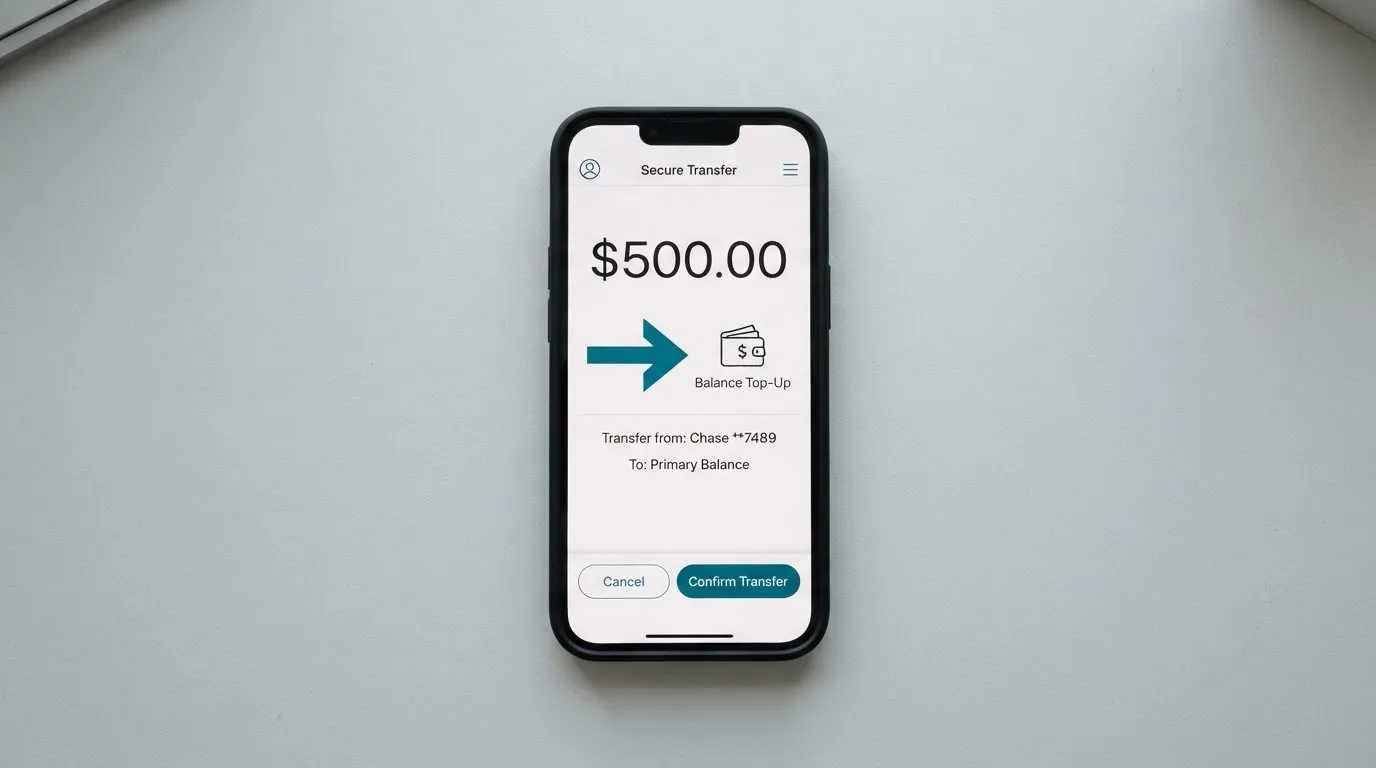
The honest problem with that sentence is “the main networks”. Which networks are not listed. It matters more here than in a normal crypto wallet because blockchain transfers are irreversible — a deposit sent on a network the provider does not support can be lost, or need manual recovery with no guarantee. The usual advice is to send a small test amount on a network you have confirmed first, not on the assumption that “main” means the one you use. On-chain network fees are charged by the blockchain itself, not by the card.
The card-level funding fee is $1.5 under $100 or 1.25% from $100, with a $5 minimum on the virtual card and $10 on the physical one. Account creation is free.
Getting money back out is where the terms read most sharply. Crypto withdrawals go to a wallet on any chain. Bank payouts run from $25 to $2,499 per transfer to US or European accounts. Withdrawal fees are not specified — the card’s own FAQ admits they are variable network and administrative fees. Crypto-to-fiat pricing is “published at launch”. And the termination terms: one month’s notice to close, with nothing stated about returning your balance; stored data cannot be exported; and termination is possible after 18 months of non-use.
Read that last set again if you are considering putting real money in. A provider that describes how you get money in at length and is vague about how you get it out is telling you something about where the risk sits.
Paying with it every day
Day to day, this is a well-built card. You get unlimited virtual cards and one physical Mastercard, “Visa & Mastercard accepted globally”, Apple Pay, Google Pay and Samsung Pay. The physical card takes contactless payments, and you can pull $500 a day or $15,000 a month from an ATM. Card freeze, unfreeze and delete happen instantly from the dashboard.
There is no App Store or Google Play app listed on the site — you work through a web dashboard and a Telegram bot. The card’s own interface is in roughly 30 languages, and support is stated as 24/7, reachable through the Telegram bot @KemyCardBot, a Telegram channel, X, and email.
Two things the card does not tell you. Cashback is not mentioned, so assume there is none rather than hunting for it. And the list of blocked merchant categories is not stated — a real gap, because category rules are what decide whether a prepaid or foreign-BIN card works at a given shop. Merchants can look up the card’s issuing country and institution from the number’s first six or eight digits, and some decline foreign-issued prepaid cards on that basis.
Then there is the disputes rule, and it is the one I would read twice. Claims must be reported in writing within two months of discovering the problem, and payments are described as non-refundable because the service activates immediately. Chargebacks are not addressed at all. The terms name US law and US courts. A failed transaction costs you $0.80. So: if something goes wrong, you have a two-month window, a written requirement, a fee for a failed payment, and no stated route to reversing a payment you did not authorise.
What can go wrong
Nobody outside the company has verified much here, and that is itself the finding. A secondary aggregator, with a small and unverified sample, reports a Trustpilot rating of 2.5 out of 5 from just 4 reviews, alongside delayed applications, failed withdrawals, unanswered support, scam warnings, and one user flagging no 3-D Secure. The same source records praise for how fast sign-up is. A re-search on 20 October 2026 found no Reddit threads and no Trustpilot page for the Kemy card website; the card’s official position on any past incident is not stated.
A crypto blog rates the card 3.9 out of 10 and labels it “Poor”. Its specific complaints: the 8% deposit deduction, no named issuing bank, undisclosed owners, and inconsistent claims about KYC — “No KYC” in one place, full electronic KYC in another. That inconsistency is visible in the card’s own positioning too, which advertises a two-minute identity check and also has to answer the question at all. One source, unofficial, lists the operator as a Delaware entity with no issuing bank disclosed.
On the company itself: KemyCard is a fintech company, not a bank. It is registered as a Money Services Business with FinCEN in the US, and says its cards are issued by its authorised banking partners under Visa U.S.A. and Mastercard International licences — but does not name those partners. No dated regulatory events surfaced in a 20 October 2026 search.
Security is described but not detailed. Funds are said to sit “in segregated accounts with regulated institutions” with regular audits claimed; the custody model itself is not stated. There is 2FA, device biometric login, instant card freeze, real-time AML transaction monitoring, and AES-256 encryption of card data. Insurance is not stated. Two-factor authentication and an instant freeze are real protections against someone else spending your money; they do nothing about the provider itself.
Two category-level risks sit underneath all of this, and they apply to any card of this type. First, custodial risk: with a custodial wallet the provider holds the keys, so you are trusting them completely, and the industry record includes Mt. Gox (about US$350 million reported stolen, 2011–2014), Coincheck (about US$400 million, 2018) and Ronin Network (US$625 million, 2022). Second, programme risk: Visa terminated its global agreements with FTX on 13 November 2022 and the FTX US debit card was wound down; WaveCrest, a Visa issuer that supplied crypto card brands, was suspended by Visa in Europe in 2018, closing all its Visa programmes. Closures typically mean a notice period, then loading and spending stop, then you are asked to withdraw what is left.
None of that is a prediction about Kemy. It is the shape of the risk you are accepting when the issuing bank is not named on a card’s website.
What to take instead
Three cards came up against Kemy, and the comparison is instructive mostly because each one is cheaper in a different way. Scores: Cardex 5.6, TakeCard 5.5, OkiCard 6.0 — the same band as Kemy’s 6.0, with OkiCard level on price and Cardex and TakeCard below on overall marks.
| Kemy | Cardex | TakeCard | OkiCard | |
|---|---|---|---|---|
| Score | 6.0 | 5.6 | 5.5 | 6.0 |
| Coverage claim | “190+ countries”, some restrictions, list not published | “One crypto card, 200+ countries”; no list or exclusions | Physical card “available only to Bolivian users for now” | “150+ countries” (some pages “200+”); no geo-blocking on passport; users must confirm not in a sanctioned jurisdiction |
| Cards | Unlimited virtual (Visa on mockups), one physical Mastercard | Virtual and physical on VERVE, Visa, Mastercard, UnionPay | Virtual immediately; physical Bolivia only; Visa network, issued in the US | Virtual; a physical card is mentioned without detail |
| Issuance | $15 virtual, $250 physical | Not stated | USD 5 virtual; physical Bolivia USD 20 + USD 20 shipping (another article says USD 10 — conflicting) | $0 on the pricing page, $15 starting price for virtual; FAQ mentions a one-time fee — pages disagree |
| Monthly | $2 virtual, $10 physical | Not stated | None stated | $0 |
| Transaction fee | 3.5% + $1 virtual | Conversion at payment; an “AI-Powered Conversion Rate” scans exchange rates; no percentage stated | 1% per purchase | 0% on USD transactions |
| Load fee | $1.5 under $100, or 1.25% from $100 | Not stated | Not stated | 3% |
| Funding | USDT, USDC “on the main networks”; BTC, ETH, SOL via on/off ramp; fiat via mobile money and virtual bank accounts | USDT, USDC, BTC; networks not stated | Top up from the Takenos balance; coins not named in the article | USDT on BSC, Ethereum, Tron and Solana; USDC “soon”; BTC “coming soon” |
| Currency | Not stated | Naira per the App Store listing | USD, payments 1:1; other currencies at the official Visa rate of the day | USD/EUR pegged |
| Rewards | Not mentioned | Not stated | Not stated | Not stated |
Read the transaction-fee row again. OkiCard charges 0% on USD transactions and 3% to load. TakeCard charges 1% per purchase. Kemy charges 3.5% plus $1. If you spend regularly, those two are cheaper at the point of sale than Kemy is, and Kemy’s monthly fee on top makes the gap wider.
Where Kemy wins is the virtual-card count. Unlimited virtual cards on one account is unusual in this group, and it is the feature to buy if you need it. Cardex and OkiCard each talk about a single card; TakeCard offers virtual and physical but the physical is Bolivia-only.
Each has its own catch. Cardex’s fee is unstated rather than absent. TakeCard’s country coverage is the narrowest and its physical-card price conflicts across its own help articles. OkiCard’s own pages disagree about whether issuance is free. None of the four names its issuing bank either, and none lists its blocked merchant categories. Kemy is the most transparent of them about the deposit-fee conflict — which is a strange thing to win.
Who I would recommend it to
I would recommend Kemy to two kinds of person, and to nobody else.
The first is someone who needs many virtual card numbers on one account and cannot get them elsewhere. If you run subscriptions, ad spend or client billing through separate card numbers, the unlimited virtual cards are the feature that justifies this card, and nothing else in this comparison offers it. Add it to Apple Pay, Google Pay or Samsung Pay and it stops feeling exotic.
The second is someone who genuinely cannot get an ordinary card — no bank will open an account for them, or their country is not served by the mainstream options. Kemy’s 9 out of 10 on eligibility and 9 out of 10 on everyday use are the two marks I would weight most heavily for that reader, and a two-minute identity check and a working virtual card in the same afternoon is a genuinely useful outcome.
I would not recommend it as a everyday spending card. At 3.5% plus $1 a transaction, plus $2 or $10 a month, plus an 8%-or-5% deposit deduction that the card states two ways, the arithmetic works against you every time you buy something small. If your plan is “load money and spend it like a normal card”, take OkiCard or TakeCard instead and read their numbers yourself.
And for everyone: read the withdrawal terms before you deposit. The card says how money comes in, is vague about how it leaves, can terminate with one month’s notice, says nothing about returning your balance, and names no issuing bank. That is not disqualifying — plenty of people use cards like this without trouble. It does mean you should size your balance to what you would be willing to lose, and treat this as spending money, not storing it.
Frequently asked questions
What is Kemy card?
Kemy is a crypto payment card, not a bank account. You load it with stablecoins such as USDT or USDC, or with coins through an on/ramp, and it converts that into ordinary card purchases. The company describes itself as a fintech company registered as a Money Services Business with FinCEN in the US, and says its cards are issued by unnamed authorised banking partners. It offers unlimited virtual cards and one physical Mastercard per user.
Is Kemy a bank, and is my money safe?
No, it is not a bank. Kemy says it is a fintech company and that cards are issued by its authorised banking partners, but it does not name them, and an unofficial source lists a Delaware operator with no disclosed issuing bank. It says funds sit in segregated accounts with regulated institutions and that regular audits are carried out, but the custody model itself is not stated and no insurance is mentioned. Treat it as spending money, not storing it.
How much does the Kemy card cost?
A virtual card costs $15 to issue, valid three years, plus $2 a month, plus 3.5% plus $1 on every transaction and $1.5 (or 1.25% from $100) to top up. The physical card is $250 with DHL Express included, $10 a month, and a reported deposit deduction the card states as 8% in one place and 5% in another. A failed transaction costs $0.8. There is no cashback mentioned and no FX fee listed.
How do I top up the Kemy card?
You can send USDT or USDC “on the main networks”, though the specific chains are not named, or buy BTC, ETH and SOL through the on/off ramp, or add fiat via mobile money and virtual bank accounts. Check which network the card actually supports before sending, because blockchain transfers are irreversible. Top-up fees are $1.5 under $100 or 1.25% from $100, with a $5 minimum virtual and $10 physical.
Can I use a Kemy card in my country?
Probably, but you cannot tell in advance. The card claims “190+ countries” and says “a few restrictions apply”, with eligibility checked at sign-up, and the actual list is not published. The same applies to use abroad: “Visa & Mastercard accepted globally” is the claim, but blocked merchant categories are not stated, and some shops decline foreign-issued prepaid cards when they look up the card’s issuing country.
Does Kemy require KYC, and what documents?
Identity checks run through Sumsub, with Veriff also named. The card’s business pricing lists a proof-of-address check at $1.80, so address documentation is part of the flow at least there, but the specific documents are not stated on the public pages. There are no described KYC tiers, and limits may change with your KYC level. Expect to be asked to verify your identity; there is no version of this card that avoids it.
How much can I spend, and can I use ATMs?
With the virtual card, the balance ceiling is $100,000 and $10,000 per transaction. With the physical Mastercard, the balance ceiling is $400,000, $25,000 per transaction and $50,000 in daily spend. ATM withdrawals are $500 per day and $15,000 per month on the physical card, with no fee stated. You can freeze, unfreeze or delete the card instantly from the dashboard and add it to Apple Pay, Google Pay or Samsung Pay.
Is the Kemy card safe and reliable?
The card states solid security features: 2FA, device biometrics, instant card freeze, real-time AML monitoring and AES-256 card data encryption. But third-party evidence is thin and unofficial. An aggregator with a small sample reports Trustpilot at 2.5 out of 5 from 4 reviews, and a crypto blog rates it 3.9, “Poor”. No dated regulatory events surfaced in a 20 October 2026 search, and the official position on past incidents is not stated.
How do I withdraw money from Kemy?
Crypto goes to a wallet on any chain. Bank payouts run from $25 to $2,499 per transfer to US or European accounts. Withdrawal fees are not specified — the FAQ says network and administrative fees vary — and crypto-to-fiat pricing is “published at launch”. Read this before depositing: closing the account needs one month’s notice, the terms say nothing about returning your balance, stored data cannot be exported, and the account can be terminated after 18 months of non-use.
Is the Kemy card worth it?
Worth it if you need unlimited virtual cards on one account, or if no ordinary bank will give you a card at all. Not worth it as an everyday spending card: 3.5% plus $1 a transaction and $2 a month add up fast, and the deposit fee is stated as 8% in one place and 5% in another. For regular spending, compare OkiCard, which charges 0% on USD transactions and 3% to load, and TakeCard, which charges 1% per purchase.
Highest-scored virtual cards – cryptocardbest.com
Content created by the «cryptocardbest.com» team